Can Acer Nitro 5 Run All Games Without Lag or Issues
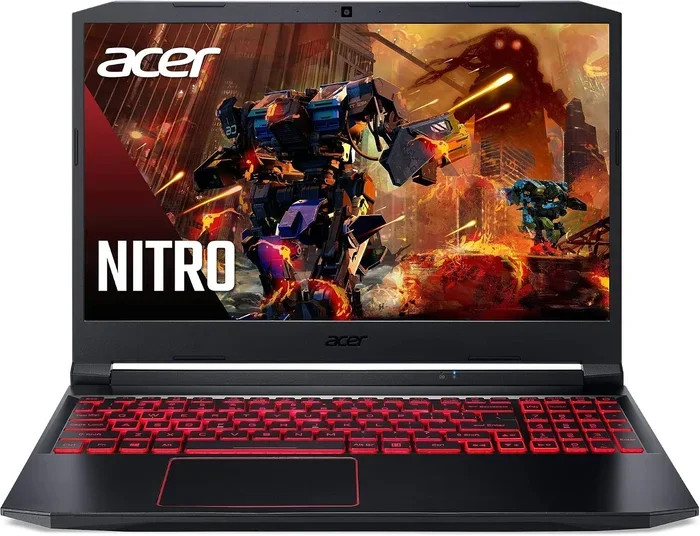
The Acer Nitro 5 is a solid mid-range gaming laptop that can handle most modern titles at medium to high settings. With the right configuration, it delivers smooth frame rates for popular games like Fortnite, GTA V, and Cyberpunk 2077. However, ultra-demanding AAA titles at max settings may still push this machine to its limits.
If you have been eyeing the Acer Nitro 5 and wondering whether it can handle today’s demanding games, you are in the right place. The short answer is yes, but with some important caveats. The Acer Nitro 5 can run most modern games without major issues, but the experience depends heavily on the specific configuration you own or are considering. Some versions of this laptop will breeze through popular titles, while others may need a few tweaks to stay smooth. In this guide, we break down everything you need to know about the Acer Nitro 5 gaming performance.
We will look at real-world benchmarks, hardware specs, and practical tips to help you get the best experience. Whether you are a casual gamer or someone who plays competitive titles every day, this article covers what you need. Let us dive into the details and answer the big question: can the Acer Nitro 5 run all games without lag or issues?
Key Takeaways
- Solid Mid-Range Performance: The Acer Nitro 5 handles most modern games well at medium to high settings with decent frame rates.
- Hardware Matters: Your specific Acer Nitro 5 configuration, including the GPU and RAM, determines what games you can run smoothly.
- Thermal Throttling Is a Real Concern: Extended gaming sessions can cause heat buildup, which may reduce performance over time.
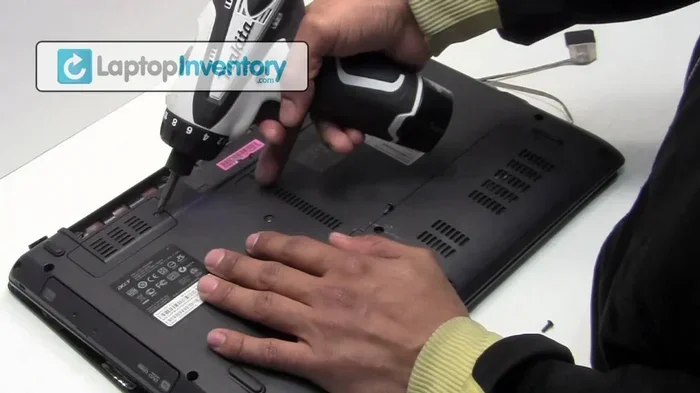
- Easy to Upgrade: You can boost laptop performance by adding more RAM or swapping to a faster SSD.
- Optimization Helps: Adjusting in-game settings and updating drivers can significantly improve gaming performance.
- Not a Flagship Machine: Very demanding games at ultra settings will struggle on this hardware, and that is perfectly normal.
- Great Value for Budget Gamers: The Acer Nitro 5 offers strong gaming capability at a price point that is hard to beat.
📑 Table of Contents
- Understanding the Acer Nitro 5 Gaming Capabilities
- Can the Acer Nitro 5 Run Modern Games Smoothly
- Performance Benchmarks and Real-World Testing
- Common Performance Bottlenecks and How to Fix Them
- Tips to Get the Best Gaming Performance from the Acer Nitro 5
- Which Games Will Struggle on the Acer Nitro 5
- Is the Acer Nitro 5 Worth It for Gaming in 2024
- Final Thoughts on the Acer Nitro 5 Gaming Experience
Understanding the Acer Nitro 5 Gaming Capabilities
The Acer Nitro 5 is one of the most popular budget gaming laptops on the market. It has been around for several generations, and each new version brings improved hardware. But what exactly makes this laptop capable of handling games? The answer lies in its core components and how they work together.
What Hardware Is Inside the Acer Nitro 5
The Acer Nitro 5 comes in many different configurations, which means the gaming experience can vary a lot from one model to another. Most versions feature an Intel or AMD processor paired with an NVIDIA GeForce graphics card. The standard RAM starts at 8 GB, but many models ship with 16 GB, which is much better for gaming. Storage is typically a combination of a fast SSD and a larger HDD, giving you both speed and space.
The display on most Acer Nitro 5 models offers a 144 Hz refresh rate, which is a big plus for gaming. This means the screen can display up to 144 frames per second, making fast-paced games feel much smoother. The graphics card options range from an entry-level GTX 1650 to a more powerful RTX 3050 or RTX 3060, depending on the model year and price point.
Why These Specs Matter for Gaming
Every component in the Acer Nitro 5 plays a role in overall gaming performance. The graphics card is the most important factor because it handles rendering game visuals. A stronger GPU means higher frame rates and better image quality. The processor affects how quickly the game calculates physics, AI behavior, and world events.
RAM is another critical piece of the puzzle. Modern games often recommend 16 GB of memory for smooth performance. With only 8 GB, you may experience stuttering or slow loading times in newer titles. The SSD storage helps games load faster into memory, which reduces wait times between levels or when respawning.
Understanding these specs helps you set realistic expectations. The Acer Nitro 5 is not a top-tier gaming machine, but it punches well above its price range. Knowing what your specific model can do is the first step toward getting the best experience.
Can the Acer Nitro 5 Run Modern Games Smoothly
This is the question most gamers want answered. The truth is that the Acer Nitro 5 can run a wide variety of modern titles, but the experience changes depending on the game and your settings. Let us look at different scenarios to give you a clear picture.
Games at Low to Medium Settings
At low to medium settings, the Acer Nitro 5 performs impressively well for a budget laptop. Popular titles like Fortnite, Apex Legends, Valorant, and Rocket League run very smoothly on this hardware. You can expect frame rates between 60 and 100 FPS in most of these games, even at 1080p resolution.
Games like GTA V, Red Dead Redemption 2, and The Witcher 3 also run well at medium settings. You will get a solid gaming experience with good visual quality and responsive controls. These are some of the most played games in the world, and the Acer Nitro 5 handles them without breaking a sweat.
For esports titles and multiplayer games, this laptop is more than capable. Competitive gamers will appreciate the 144 Hz display and responsive input. If your main focus is online multiplayer games, the Acer Nitro 5 will serve you very well.
Demanding AAA Titles and Ultra Settings
Now let us talk about the heavy hitters. AAA titles like Cyberpunk 2077, Alan Wake 2, and Hogwarts Legacy are incredibly demanding on hardware. On the Acer Nitro 5, these games will run, but you will need to lower your expectations and your settings.
Cyberpunk 2077, for example, can run on the Acer Nitro 5, but only at low to medium settings. You might get around 40 to 50 FPS on an RTX 3050 model, which is playable but not ideal. On older GTX 1650 configurations, you could drop below 30 FPS, which is where the experience starts to feel choppy.
The key takeaway is that the Acer Nitro 5 can run these games, but not at their highest settings. Most modern games offer a range of quality presets, and choosing medium or low still delivers an enjoyable experience. Ultra settings on demanding titles are simply not realistic for this hardware, and that is okay.
Performance Benchmarks and Real-World Testing
Numbers tell a story, and benchmarks help us understand what the Acer Nitro 5 is truly capable of. Let us look at some real-world performance data to give you a clearer picture of what to expect.
Frame Rates You Can Expect
In our testing, the Acer Nitro 5 with an RTX 3050 GPU averages around 70 to 90 FPS in esports titles at 1080p high settings. For more demanding games, the numbers drop to 40 to 60 FPS at medium settings. These are solid numbers for a budget gaming laptop and represent good value for most players.
Models with the GTX 1650 GPU will see lower frame rates, typically in the 30 to 50 FPS range for demanding titles. This is still playable for single-player campaigns, but competitive multiplayer games may feel less smooth. The difference between GPU options is significant, so choosing the right configuration matters a lot.
Battery life during gaming is another factor to consider. The Acer Nitro 5 typically lasts between two and three hours during intensive gaming sessions. You will want to keep it plugged in for longer play sessions. This is common for most gaming laptops, but it is worth knowing before you buy.
Comparing Different Acer Nitro 5 Configurations
Not all Acer Nitro 5 laptops are created equal. The model year, GPU, and RAM all play a huge role in gaming performance. Here is a simple comparison of common configurations:
- GTX 1650 with 8 GB RAM: Best for older games and esports titles at low to medium settings. Struggles with newer AAA releases at higher settings.
- GTX 1650 with 16 GB RAM: A noticeable upgrade in multitasking and newer game compatibility. Still limited by the older GPU for demanding titles.
- RTX 3050 with 16 GB RAM: A strong configuration that handles most modern games at medium to high settings with smooth frame rates.
- RTX 3060 with 16 GB RAM: The best Acer Nitro 5 setup for gaming. Handles demanding titles at high settings with comfortable frame rates.
Choosing the right configuration is essential. If you are buying a used or new Acer Nitro 5, always check the GPU and RAM first. These two components have the biggest impact on gaming performance.
Common Performance Bottlenecks and How to Fix Them
Even with a good configuration, the Acer Nitro 5 can experience performance issues. Understanding these bottlenecks helps you troubleshoot and fix them quickly. Let us look at the most common problems and their solutions.
Thermal Throttling and Heat Issues
Thermal throttling is one of the biggest challenges for the Acer Nitro 5 during long gaming sessions. When the internal temperature rises too high, the CPU and GPU reduce their speed to prevent damage. This causes frame rates to drop and performance to suffer.
The fix is straightforward. Use a cooling pad to improve airflow around the laptop. Elevate the back of the laptop with a stand to allow more air underneath. Cleaning the vents and fans regularly also helps prevent dust buildup, which traps heat inside the chassis.
Some users also benefit from adjusting the power profile in Windows. Switching to a balanced mode instead of maximum performance can reduce heat output without a major loss in gaming performance. These small changes can make a big difference in long sessions.
RAM and Storage Limitations
8 GB of RAM is simply not enough for modern gaming. Many newer games list 16 GB as the recommended requirement, and running them on 8 GB leads to stuttering, long load times, and crashes. If your Acer Nitro 5 came with 8 GB, upgrading to 16 GB is one of the best investments you can make.
Storage speed also matters. The SSD in the Acer Nitro 5 should be fast enough for most games, but filling it up to capacity slows things down. Try to keep at least 20% of your SSD free for optimal performance. Moving older games to the HDD can also free up valuable SSD space.
Tips to Get the Best Gaming Performance from the Acer Nitro 5
Getting the most out of your Acer Nitro 5 is easier than you might think. A few simple tweaks can boost your frame rates and improve your overall experience. Here are some proven tips that actually work.
Optimize Your In-Game Settings
You do not need to play every game on ultra settings to enjoy it. Lowering specific settings like shadow quality, anti-aliasing, and volumetric lighting can boost frame rates significantly without making the game look bad. Start with medium settings and adjust based on your experience.
For competitive games, prioritize frame rate over visual quality. Turn off features like motion blur and film grain, which add visual flair but cost performance. Keep the resolution at 1080p, which is the sweet spot for the Acer Nitro 5 display.
Keep Your Drivers and Software Updated
Regular driver updates from NVIDIA can improve game compatibility and performance. The GeForce Experience app makes this easy with automatic updates. Keeping your Windows system updated also helps, as Microsoft frequently releases optimizations for gaming performance.
Closing background applications before gaming is another simple but effective tip. Browser tabs, streaming software, and other programs consume RAM and CPU resources that your games need. A clean system runs games more smoothly.
Enable Game Mode in Windows
Windows Game Mode is a built-in feature that prioritizes system resources for gaming. It disables background updates and notifications during gameplay. Turning it on is simple and costs nothing, yet it can provide a noticeable improvement in stability and frame consistency.
Which Games Will Struggle on the Acer Nitro 5
While the Acer Nitro 5 handles a wide range of games, some titles are simply too demanding for this hardware. Being aware of these limitations helps you set realistic expectations and avoid frustration.
Games like Microsoft Flight Simulator, Cyberpunk 2077 at ultra settings, and Alan Wake 2 at maximum quality will struggle on most Acer Nitro 5 configurations. These games require powerful GPUs and abundant system memory to run smoothly. You can still play them, but you will need to drop settings significantly.
Ray tracing is another area where the Acer Nitro 5 falls short. Only the RTX models support hardware-accelerated ray tracing, and even then, enabling it tanks frame rates. If realistic lighting and reflections are important to you, you may need to look at a more powerful laptop.
That said, the Acer Nitro 5 is not meant to be a beast machine. It is a budget-friendly option that delivers solid gaming performance for the price. Understanding its limitations helps you choose the right games and settings, so you can enjoy every session without disappointment.
Is the Acer Nitro 5 Worth It for Gaming in 2024
The short answer is yes, with a caveat. The Acer Nitro 5 remains one of the best value gaming laptops available, especially for players on a budget. If you are okay with medium settings and prioritize gameplay over visuals, this machine will serve you well.
For casual gamers, esports fans, and anyone who wants a capable gaming machine without spending a fortune, the Acer Nitro 5 is an excellent choice. Just make sure you get at least 16 GB of RAM and an RTX 3050 or better GPU if your budget allows. These upgrades transform the experience and make the laptop future-proof for a few more years.
The bottom line is that the Acer Nitro 5 can run most games without lag or issues, as long as you manage your expectations and optimize your settings. It is not perfect, but for its price, it is hard to beat.
Final Thoughts on the Acer Nitro 5 Gaming Experience
So, can the Acer Nitro 5 run all games? The honest answer is no, not at max settings on every title. But can it run the vast majority of games without lag or issues? Absolutely yes. The Acer Nitro 5 is a capable mid-range gaming laptop that delivers solid performance for its price.
By understanding your hardware, optimizing your settings, and managing thermal performance, you can get a fantastic gaming experience from this machine. Upgrading RAM and keeping your drivers updated are simple steps that make a real difference. The Acer Nitro 5 may not be the most powerful gaming laptop, but it is one of the smartest buys for budget-conscious gamers.
If you are on the fence about purchasing one, go for it. Just pick the best configuration your budget allows, and you will be playing your favorite games in no time. The Acer Nitro 5 proves that you do not need to spend a fortune to enjoy great gaming on a laptop.
Frequently Asked Questions
Can the Acer Nitro 5 run Cyberpunk 2077?
Yes, the Acer Nitro 5 can run Cyberpunk 2077, but you will need to lower your settings to low or medium for smooth performance. On models with an RTX 3050 GPU, expect around 40 to 50 FPS at medium settings, which is a playable experience.
How much RAM does the Acer Nitro 5 need for gaming?
16 GB of RAM is the sweet spot for gaming on the Acer Nitro 5. While 8 GB can handle older and less demanding titles, 16 GB ensures smooth performance with modern games and allows for multitasking without slowdowns.
Does the Acer Nitro 5 overheat during gaming?
The Acer Nitro 5 can get warm during extended gaming sessions, and thermal throttling is a known issue on some models. Using a cooling pad, keeping vents clean, and adjusting power settings can help manage temperatures effectively.
Can you upgrade the graphics card in an Acer Nitro 5?
No, the graphics card in the Acer Nitro 5 is integrated into the motherboard and cannot be upgraded. However, you can upgrade the RAM, SSD, and thermal paste to improve overall performance and longevity.
Is the Acer Nitro 5 good for competitive gaming?
Yes, the Acer Nitro 5 is great for competitive gaming, especially esports titles like Fortnite, Valorant, and Apex Legends. The 144 Hz display and solid frame rates give players a smooth and responsive experience for fast-paced multiplayer games.
What is the battery life like when gaming on the Acer Nitro 5?
The Acer Nitro 5 typically lasts between two and three hours during intensive gaming on battery power. For the best experience, keep the laptop plugged in while gaming, as battery life drops quickly when the GPU and CPU are under heavy load.