Can Earbuds Be Used As A Microphone For Video Calls
Yes, earbuds can be used as a microphone for video calls. Most wired and Bluetooth earbuds have a built-in microphone that picks up your voice clearly. Using earbuds as a microphone is a simple, affordable solution for remote work, online classes, and casual chats. With the right setup, your audio quality can rival dedicated microphones.
Key Takeaways
- Earbuds work as microphones: Most earbuds come with a built-in microphone that supports voice input for calls and recordings.
- Wired earbuds are plug-and-play: A TRRS connector lets wired earbuds send audio both ways with minimal setup.
- Bluetooth earbuds need pairing: You must connect Bluetooth earbuds to your device and set them as the default input device.
- Audio quality varies: Built-in earbud microphones are good but may not match dedicated studio or lapel microphones.
- Quick tips improve results: Positioning the mic correctly and reducing background noise makes a big difference.
- Computers in many fields use earbuds as mics: From healthcare telemedicine to remote education, earbuds serve as reliable microphones across industries.
📑 Table of Contents
- Can Earbuds Be Used As A Microphone For Video Calls?
- How Earbuds Work as Microphones
- Types of Earbuds That Can Act as Microphones
- How to Use Earbuds as a Microphone for Video Calls
- Tips for Better Audio Quality with Earbuds
- Common Problems and How to Fix Them
- Earbuds vs. Dedicated Microphones: A Comparison
- When Should You Use a Dedicated Microphone Instead?
- Quick Tips for Using Earbuds as Microphones
- Expert Insights on Earbuds as Microphones
- Key Takeaways
- Conclusion
Can Earbuds Be Used As A Microphone For Video Calls?
Have you ever been in a rush for a video call and realized your microphone is broken? Or maybe you just want a hands-free setup without buying a separate mic. The good news is that earbuds can double as microphones in most cases. This simple trick saves money and keeps you ready for any call.
Using earbuds as a microphone is not a new idea. People have done it for years with both wired and wireless models. Whether you are on a Zoom meeting, a Skype call, or a quick voice chat, your earbuds can handle the job. Let us dive into how this works and how you can make it happen.
The short answer to the question can earbuds be used as a microphone is a clear yes. But the experience depends on your earbud type, your device, and a few simple settings. Below, we walk you through everything you need to know. From setup tips to audio quality comparisons, we cover it all.
Using earbuds for voice input is convenient, portable, and surprisingly effective. You do not need expensive gear to sound clear on calls. Let us explore how this works in detail.
How Earbuds Work as Microphones
The Science Behind Earbud Microphones
Every earbud with a microphone has a tiny component called a condenser microphone or a electret microphone. These small parts convert sound waves into electrical signals. When you speak, the diaphragm inside the mic vibrates. These vibrations create an electrical signal that travels to your device.
The same driver that plays music in your earbud also serves as the microphone in many models. This dual-purpose design is what makes earbuds so versatile. They handle both audio output and audio input with one small piece of hardware.
Microphone sensitivity plays a big role in how well your earbuds pick up your voice. Higher sensitivity means the mic captures more detail. Budget earbuds may have lower sensitivity, but they still work fine for most calls. Premium earbuds often include noise-canceling features that improve voice clarity during hands-free calling.
How Audio Input Works in Earbuds
When you use earbuds as a microphone for voice chat, the process is straightforward. Your voice hits the mic diaphragm. The electrical signal travels through the cable or Bluetooth connection. Your device processes the signal and sends it to the other person on the call.
This whole process happens in milliseconds. You do not notice any delay in most modern setups. The audio input from earbuds is reliable enough for professional meetings, online classes, and even podcast recordings in a pinch.
Types of Earbuds That Can Act as Microphones
Wired Earbuds with Inline Microphones
Wired earbuds are the most common type used as microphones. They come with an inline mic built into the cable. You will recognize these by the small bulge near the earpiece where the microphone sits. Most smartphone earbud bundles include this type.
Wired earbuds use a TRRS connector (Tip-Ring-Ring-Sleeve) to carry both audio and microphone signals. This four-conductor design separates the microphone input from the headphone output. When you plug them into a compatible device, the mic activates automatically.
These earbuds work with most laptops, desktops, and smartphones. They do not need batteries or pairing. Just plug them in and start talking. This makes wired earbuds the easiest option for quick video conferencing.
Bluetooth Earbuds with Built-In Mics
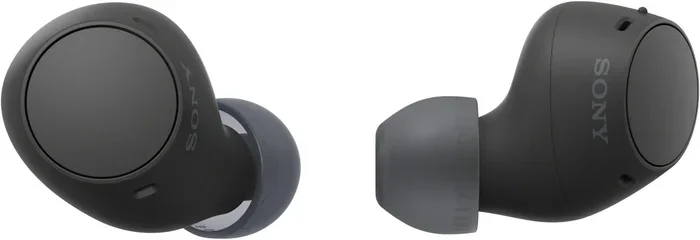
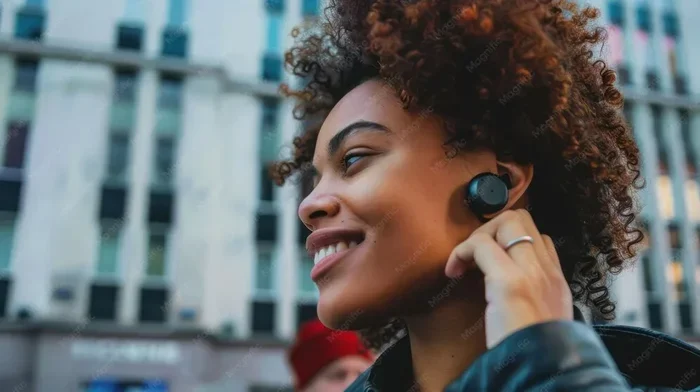
Bluetooth earbuds like AirPods and Samsung Galaxy Buds also serve as microphones. They connect wirelessly to your device and handle both audio playback and voice input. The mic is built into each earbud, usually in the stem or outer housing.
To use Bluetooth earbuds as a mic, you need to pair them with your device first. Then you must set them as the default audio input device. Most modern operating systems make this process simple and fast.
One advantage of Bluetooth earbuds is freedom of movement. You are not tied to your desk by a cable. This is great for remote work setups where you like to walk around during calls. The bluetooth microphone quality has improved a lot in recent years.
Earbuds Without Microphones
Not all earbuds have built-in mics. Some audio-only earbuds lack microphone hardware entirely. These models cannot be used as microphones no matter what you try. Check your earbuds for a mic symbol or a small inline bulge to confirm they have a mic.
If your earbuds do not have a mic, you will need an external microphone. A USB mic or a 3.5mm lapel mic works well in these cases. Trying to use mic-less earbuds as a microphone will only lead to frustration.
How to Use Earbuds as a Microphone for Video Calls
Setting Up Wired Earbuds on a Computer
Using wired earbuds as a mic on a computer is simple. Follow these steps:
- Plug the earbuds into the audio jack on your computer. Use a TRRS splitter if your computer has separate mic and headphone ports.
- Go to your computer sound settings.
- Select the earbuds as the default input device.
- Test the mic by recording a short voice clip.
- Join your video call and start talking.
Most Windows and Mac computers recognize wired earbuds automatically. If your computer does not detect the mic, try a different port or check your sound settings. Sometimes a simple restart fixes the issue.
Setting Up Bluetooth Earbuds on a Computer
Bluetooth earbuds need a bit more setup. Here is how to do it:
- Put your earbuds in pairing mode.
- Go to your computer Bluetooth settings.
- Select your earbuds from the list of available devices.
- Once connected, go to sound settings.
- Set the earbuds as the default input device.
Some computers may not route microphone input through Bluetooth. In that case, check your Bluetooth device properties and enable the microphone profile. This setting is sometimes called the Hands-Free Profile or HFP.
Setting Up Earbuds on a Smartphone
Smartphones make this process even easier. When you plug in wired earbuds, the mic activates instantly. For Bluetooth earbuds, pair them through your phone settings and select them as the input device during calls. Both iPhone and Android support earbud microphones natively.
During a phone call or a FaceTime session, your earbuds will pick up your voice clearly. This is one of the most common uses of earbuds as microphones in everyday life.
Using Earbuds in Medical and Professional Settings
Earbuds as microphones have found important roles in professional fields. In telemedicine, healthcare professionals use earbuds for patient consultations. The portability and ease of use make them ideal for quick virtual appointments.
Similarly, in fields where computers are used for patient care and diagnostics, professionals rely on simple audio tools like earbuds for communication. You can learn more about how computers are used across different industries, including medicine, to understand the broader context of these tools.
In call centers and remote customer support teams, earbuds with mics are standard equipment. They allow agents to handle calls while staying mobile. The hands-free calling capability improves productivity and comfort throughout the workday.
Tips for Better Audio Quality with Earbuds
Position the Mic Correctly
The placement of your earbud mic matters a lot. Keep the mic close to your mouth but not touching your face. About two to three inches away is the sweet spot. This distance captures your voice clearly without picking up too much background noise.
Avoid covering the mic with your hand or clothing. Blocking the mic opening muffles your voice and reduces call quality. Keep the mic opening unobstructed for the best results.
Reduce Background Noise
Background noise is the biggest enemy of earbud microphone quality. Here are some quick tips:
- Close windows and doors during calls.
- Turn off fans and air conditioners if possible.
- Use a quiet room with soft surfaces like carpets and curtains.
- Enable noise cancellation features on your earbuds.
- Speak at a steady, moderate volume.
Even the best earbud mic struggles in loud environments. Controlling your surroundings makes a noticeable difference in voice chat quality.
Adjust Microphone Settings on Your Device
Most devices let you adjust mic sensitivity and input volume. Go to your sound settings and look for microphone options. Boosting the input level slightly can help if your voice sounds too quiet. But be careful not to overdo it, as this introduces distortion.
On Windows, you can use the Microphone Properties window to adjust levels. On Mac, check the Input tab in Sound Preferences. On smartphones, mic settings are usually found under the Sound or Audio section.
Use a Mic Windscreen or Cover
A small foam cover or windscreen fits over the earbud mic. It reduces wind noise and plosive sounds (the harsh “p” and “b” sounds). These tiny accessories are cheap and effective. They are especially useful for outdoor calls or recording voice memos.
Common Problems and How to Fix Them
Earbuds Mic Not Working
If your earbud mic is not working, try these fixes:
- Check the connection. Unplug and replug wired earbuds.
- Restart your device.
- Make sure the earbuds are set as the default input device.
- Clean the mic opening with a soft brush or compressed air.
- Update your audio drivers on computers.
Sometimes a simple reset solves the problem. Unpair Bluetooth earbuds and pair them again. For wired earbuds, try a different port or cable.
Poor Audio Quality or Echo
If the other person hears echo or muffled audio, check these things:
- Lower your speaker volume to reduce feedback.
- Move away from reflective surfaces like walls and tables.
- Make sure the mic is not too close to your mouth.
- Disable any noise enhancement features that might be causing distortion.
Echo happens when your voice comes back through the earbuds after being played on the other end. Adjusting your speaker volume usually fixes this quickly.
One Mic Works, the Other Does Not
In stereo earbuds, sometimes only one side has a mic. If your call audio is one-sided, check which earbud has the mic. Most inline mic earbuds have the microphone on the left or right cable. Use that earbud closer to your mouth for the best results.
Earbuds vs. Dedicated Microphones: A Comparison
| Feature | Earbuds as Mic | Dedicated Microphone |
|---|---|---|
| Price | Already owned | $20 to $200+ |
| Setup Time | Seconds | Minutes |
| Portability | Excellent | Moderate |
| Audio Quality | Good for calls | Excellent for recording |
| Background Noise Handling | Basic | Advanced with noise gates |
| Best Use Case | Video calls, quick chats | Podcasts, streaming, recordings |
The table above shows that earbuds work well for everyday calls. They are not a replacement for studio microphones. But for video conferencing and casual voice chats, they get the job done perfectly.
If you record podcasts or create video content, a dedicated mic is the better choice. But for remote workers and students, earbuds as microphones are more than enough. They offer a balance of convenience and quality that is hard to beat.
When Should You Use a Dedicated Microphone Instead?
There are times when earbuds simply are not enough. If you are recording professional audio, streaming on Twitch, or hosting webinars, a dedicated mic gives you a polished sound. Microphone earbuds are designed for convenience, not for studio-quality output.
Here are situations where you should consider a dedicated mic:
- Recording podcasts or voiceovers.
- Streaming gameplay or live content.
- Hosting large online events or webinars.
- Working in a noisy environment where background noise matters.
- Recording music or sound effects.
In these cases, investing in a USB microphone or a lapel microphone pays off. The audio quality difference is significant. But for daily video calls and quick voice chats, your earbuds are perfectly fine.
Quick Tips for Using Earbuds as Microphones
- Keep earbuds clean: Wipe the mic opening regularly with a soft cloth.
- Store them properly: A case prevents damage to the mic and cable.
- Test before important calls: Do a quick mic test 10 minutes before any important meeting.
- Use a splitter when needed: A TRRS to dual 3.5mm splitter helps with computers that have separate ports.
- Update firmware: For Bluetooth earbuds, check for firmware updates that improve mic performance.
- Avoid stretching the cable: Pulling on the cable can damage the internal mic wires over time.
Expert Insights on Earbuds as Microphones
Audio engineers often say that the best microphone is the one you have with you. Earbuds with built-in mics have come a long way. Modern models from brands like Apple, Sony, and Jabra offer surprisingly clear voice capture.
The microphone technology in earbuds has improved thanks to advances in miniaturization and digital processing. Many premium earbuds now include multiple mic arrays that focus on your voice and reject background sounds. This technology, once reserved for expensive equipment, is now available in everyday earbuds.
For most users, the convenience of using earbuds as a microphone outweighs the slight quality difference compared to dedicated mics. The ability to jump on a call with whatever is in your ears is a huge advantage in today’s fast-paced work environment.
Key Takeaways
- Earbuds work as microphones: Most earbuds come with a built-in microphone that supports voice input for calls and recordings.
- Wired earbuds are plug-and-play: A TRRS connector lets wired earbuds send audio both ways with minimal setup.
- Bluetooth earbuds need pairing: You must connect Bluetooth earbuds to your device and set them as the default input device.
- Audio quality varies: Built-in earbud microphones are good but may not match dedicated studio or lapel microphones.
- Quick tips improve results: Positioning the mic correctly and reducing background noise makes a big difference.
- Computers in many fields use earbuds as mics: From healthcare telemedicine to remote education, earbuds serve as reliable microphones across industries, and understanding how computers support these workflows, as seen in medical applications, gives you a broader perspective on their value.
Conclusion
The answer to can earbuds be used as a microphone for video calls is a resounding yes. Whether you have wired or Bluetooth earbuds, you can use them for voice input on almost any device. The setup is fast, the quality is good, and the convenience is unmatched.
Using earbuds as a microphone is a practical skill that everyone should know. It saves time, money, and hassle. The next time your dedicated mic fails or you are simply on the go, your earbuds will have you covered.
Remember to position the mic correctly, reduce background noise, and adjust your device settings. These small steps make a big difference in call quality. With the tips in this guide, you will sound clear and professional on every call.
So go ahead and try it. Plug in your earbuds, join your next video call, and experience the convenience of having a microphone built right into your ears. You might never go back to a separate mic again.
Frequently Asked Questions
Can any earbuds be used as a microphone?
No, only earbuds with a built-in microphone can be used as a mic. Check your earbuds for a mic symbol or an inline mic bulge. Audio-only earbuds without mic hardware cannot pick up your voice.
Why is my earbud mic not working on my computer?
This usually happens because the earbuds are not set as the default input device. Check your sound settings and select the earbuds as the input source. Also try unplugging and replugging the connection or restarting your device.
Are Bluetooth earbuds good enough for professional video calls?
Yes, most modern Bluetooth earbuds deliver clear audio for professional calls. Premium models with noise-canceling mics perform especially well. They offer the added benefit of hands-free mobility during meetings.
Do I need a splitter to use wired earbuds as a mic on a laptop?
It depends on your laptop. If your laptop has a single combined audio jack, no splitter is needed. If it has separate mic and headphone ports, you will need a TRRS splitter to connect both audio and mic signals.
Can I record audio with earbuds as a microphone?
Yes, you can record voice memos and simple audio clips with earbuds. The quality is good enough for personal notes and casual recordings. For professional recording, a dedicated microphone is recommended.
How do I improve the mic quality of my earbuds?
Position the mic close to your mouth, reduce background noise, clean the mic opening, and adjust input levels in your device settings. Using a foam windscreen also helps reduce wind and plosive sounds.