Can Hdmi 1 4 Carry 4k Here Is Everything You Need To Know
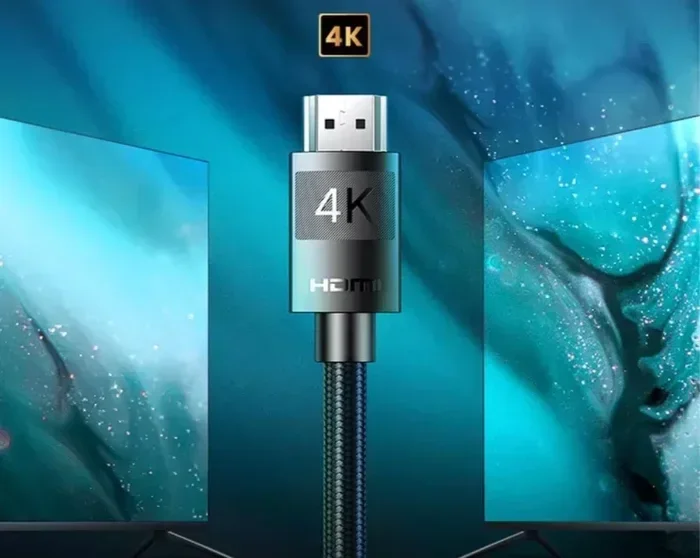
Yes, HDMI 1.4 can carry 4K resolution, but with major limitations. It supports 4K at 30Hz only, not the smoother 60Hz experience that modern content demands. If you want full 4K performance, you will need HDMI 2.0 or higher.
If you have been shopping for cables or setting up a home theater, you have probably asked yourself this question: can HDMI 1.4 carry 4K? It is a simple question, but the answer has more layers than most people expect. The short answer is yes. The longer answer is that HDMI 1.4 can carry a 4K signal, but with significant limits that might affect your viewing experience.
In this guide, we will break down everything you need to know about HDMI 1.4 and 4K support. We will look at what HDMI 1.4 can do, where it falls short, and how it compares to newer versions like HDMI 2.0 and HDMI 2.1. Whether you are a casual viewer or a home theater enthusiast, this article will help you make the right decision for your setup.
Key Takeaways
- HDMI 1.4 supports 4K: But only at 30Hz, which can cause motion blur in fast scenes.
- HDMI 2.0 is the real 4K standard: It delivers 4K at 60Hz with better color and bandwidth.
- HDMI 1.4 introduced key features: Like 3D support, Audio Return Channel, and Ethernet over HDMI.
- Your cable matters: A High Speed HDMI cable is essential for any 4K signal.
- Check your devices: Both your source and display must support the same HDMI version for best results.
- HDMI 1.4b is the latest 1.x version: It added minor updates but still lacks true 4K performance.
- Upgrade if you watch 4K content: HDMI 2.0 or 2.1 cables and ports make a huge difference.
📑 Table of Contents
- What Is HDMI 1.4 and What Does It Support?
- Can HDMI 1.4 Actually Carry 4K?
- HDMI 1.4 vs HDMI 2.0: What Is the Difference?
- When Is HDMI 1.4 Still Good Enough?
- Can You Use an HDMI 1.4 Cable for 4K Gaming?
- Common Mistakes People Make with HDMI 1.4 and 4K
- Expert Insights on HDMI 1.4 and 4K
- Key Takeaways
- Frequently Asked Questions
- Final Thoughts
What Is HDMI 1.4 and What Does It Support?
HDMI 1.4 is a version of the High Definition Multimedia Interface standard. It was released in 2009 and brought several new features to the table. Before HDMI 1.4, earlier versions like HDMI 1.3 and HDMI 1.2 handled 1080p content just fine. But the world of displays was about to change.
The HDMI 1.4 specification introduced some exciting capabilities. It was the first version to support 4K resolution at 30Hz. It also added 3D support, the Audio Return Channel (ARC), and an Ethernet channel built into the cable. These features made HDMI 1.4 a big step forward for home entertainment.
Key Features of HDMI 1.4
Let us look at the main features that HDMI 1.4 brought to the table. These are important to understand when evaluating whether this version meets your needs.
- 4K resolution at 30Hz: This was a major milestone. For the first time, HDMI could carry a 4K signal, even if it was limited to 30 frames per second.
- 3D support: HDMI 1.4 added support for 3D video formats, including frame packing and side-by-side formats.
- Audio Return Channel (ARC): This feature lets audio travel back from your TV to your soundbar or receiver through a single HDMI cable.
- HDMI Ethernet Channel: This allows devices connected via HDMI to share an internet connection without a separate Ethernet cable.
- Micro HDMI connector: HDMI 1.4 introduced a smaller connector for portable devices like cameras and tablets.
- 4K x 2K support: The standard supported resolutions up to 4096 x 2160, which is close to what we now call 4K Ultra HD.
These features made HDMI 1.4 a solid standard for its time. However, the 4K at 30Hz limitation is where things get tricky for modern users.
Can HDMI 1.4 Actually Carry 4K?
Yes, it can. But here is the catch. HDMI 1.4 can carry 4K resolution, but only at 30Hz. What does that mean for you? It means that while your TV can display a 4K image, the refresh rate will be limited to 30 frames per second. For movies and static content, this might be fine. For gaming or fast-action sports, it can feel sluggish and blurry.
The bandwidth of HDMI 1.4 is 10.2 gigabits per second. That is enough to push a 4K signal, but only at a lower frame rate. Compare this to HDMI 2.0, which offers 18 gigabits per second of bandwidth and can handle 4K at 60Hz. That is a huge difference in real-world performance.
What Is 4K at 30Hz vs 4K at 60Hz?
This is where many people get confused. Let us break it down simply. 4K at 30Hz means your display refreshes the image 30 times per second. 4K at 60Hz means it refreshes 60 times per second. The higher the refresh rate, the smoother the motion appears.
If you are watching a movie, 30Hz might work okay. But if you are playing a video game or watching a live sports broadcast, 30Hz will feel choppy. Fast-moving objects will blur, and the overall experience will not feel as immersive. This is why HDMI 2.0 has become the minimum standard for true 4K viewing.
HDMI 1.4 vs HDMI 2.0: What Is the Difference?
The difference between HDMI 1.4 and HDMI 2.0 is significant, especially when it comes to 4K content. HDMI 2.0 was released in 2013 and was designed specifically to handle the demands of 4K Ultra HD content. Let us compare them side by side.
| Feature | HDMI 1.4 | HDMI 2.0 |
|---|---|---|
| Maximum 4K Support | 4K at 30Hz | 4K at 60Hz |
| Bandwidth | 10.2 Gbps | 18 Gbps |
| Color Depth | 8-bit per channel | 10-bit per channel |
| 3D Support | Yes | Yes |
| Audio Return Channel | Yes | Yes (enhanced) |
| Ethernet Channel | Yes | Yes |
| HDR Support | No | Yes (HDR10) |
| Release Year | 2009 | 2013 |
As you can see, HDMI 2.0 is a major upgrade over HDMI 1.4. The increased bandwidth allows for smoother 4K video, deeper color, and support for High Dynamic Range (HDR) content. If you are serious about 4K, HDMI 2.0 is the bare minimum you should consider.
Does HDMI 1.4 Support HDR?
No, it does not. HDR (High Dynamic Range) is a technology that expands the range of colors and brightness levels in a video signal. It makes images look more vibrant and realistic. HDMI 1.4 does not support HDR at all. You need HDMI 2.0 or higher to enjoy HDR content on a 4K Ultra HD display.
This is a critical point for anyone considering an HDMI 1.4 setup. Even if your TV supports HDR, an HDMI 1.4 cable or port will not pass through the HDR signal. You will miss out on the enhanced color and contrast that makes HDR so impressive.
When Is HDMI 1.4 Still Good Enough?
Despite its limitations, HDMI 1.4 is still perfectly fine for many use cases. Not everyone needs 4K at 60Hz or HDR support. Here are some situations where HDMI 1.4 works just well.
- Watching movies at 4K 30Hz: Most films are shot at 24 frames per second. HDMI 1.4 can handle this easily, and the slight frame rate boost to 30Hz works fine.
- 1080p gaming and media: If you are not pushing for 4K, HDMI 1.4 handles 1080p content with ease, even at 120Hz or higher in some cases.
- Basic home theater setups: If you just want to connect a cable box or Blu-ray player to a TV, HDMI 1.4 does the job.
- Using ARC for audio: The Audio Return Channel feature is fully functional in HDMI 1.4 and works great for simple sound systems.
- Older devices: Many older gaming consoles, media players, and AV receivers only have HDMI 1.4 ports. You can still use them effectively.
The key takeaway is that HDMI 1.4 is not obsolete. It just has limits that may not match the demands of modern 4K content. For casual viewing and older equipment, it remains a reliable choice.
Can You Use an HDMI 1.4 Cable for 4K Gaming?
This is one of the most common questions we see. The honest answer is: it depends. HDMI 1.4 can carry a 4K signal for gaming, but only at 30Hz. For many games, 30Hz is not ideal. Fast-paced action games, shooters, and racing games will feel noticeably less smooth compared to 60Hz.
Some gamers have found workarounds. You can drop the resolution to 1080p or 1440p and use HDMI 1.4 at higher frame rates. But if your goal is to play games in true 4K resolution, you will need HDMI 2.0 or HDMI 2.1. The difference in smoothness and responsiveness is dramatic.
Quick Tips for Gamers Using HDMI 1.4
- Check your TV settings: Some TVs allow you to force 4K at 30Hz or drop to 1080p for better frame rates.
- Use the right cable: Always use a High Speed HDMI cable certified for the bandwidth you need.
- Lower the resolution: If 30Hz is too choppy, try 1080p or 1440p for a smoother experience.
- Consider upgrading: If gaming in 4K matters to you, upgrading to HDMI 2.0 hardware is worth the investment.
Common Mistakes People Make with HDMI 1.4 and 4K
There are several mistakes that people make when using HDMI 1.4 for 4K content. Avoiding these can save you frustration and money.
- Assuming all HDMI cables are the same: Not all cables support 4K. You need a High Speed HDMI cable or an Ultra High Speed HDMI cable for 4K signals.
- Ignoring the refresh rate: Many people buy a 4K TV and assume any HDMI cable will give them a smooth picture. The refresh rate matters just as much as the resolution.
- Not checking device compatibility: Both your source device and your display need to support the same HDMI version. A 4K Blu-ray player with HDMI 1.4 will not output true 4K 60Hz.
- Using HDMI 1.4 for HDR content: HDMI 1.4 does not support HDR. If you try to watch HDR content through an HDMI 1.4 connection, the HDR metadata will be lost.
- Buying expensive cables unnecessarily: For HDMI 1.4 applications, a basic High Speed cable is all you need. You do not need to spend a fortune on premium cables.
- Not updating firmware: Some devices can gain new features through firmware updates. Always keep your TV, console, and other devices up to date.
Expert Insights on HDMI 1.4 and 4K
From a technical standpoint, HDMI 1.4 was never designed to be the go-to standard for 4K content. It was a transitional version that bridged the gap between Full HD and the emerging 4K era. The 10.2 Gbps bandwidth cap was always going to be a bottleneck for true 4K performance.
Experts in the AV industry generally recommend HDMI 2.0 as the minimum for any modern 4K setup. If you are building a home theater or investing in 4K content, spending a little extra on HDMI 2.0 compatible equipment will pay off in a much better viewing experience. The added bandwidth, color depth, and HDR support make a real difference.
That said, HDMI 1.4 still has a place in the world. For secondary displays, older setups, and basic connectivity needs, it works well. The key is understanding what it can and cannot do, so you do not run into surprises when you plug in a 4K source device.
Key Takeaways
- HDMI 1.4 can carry 4K: But only at 30Hz, which limits its usefulness for gaming and fast content.
- HDMI 2.0 is the better choice for 4K: It offers 60Hz, HDR support, and more color depth.
- HDMI 1.4 introduced important features: ARC, Ethernet, and 3D support are all part of the HDMI 1.4 spec.
- Your cable matters: Always use a High Speed HDMI cable for 4K signals, regardless of the HDMI version.
- Check both ends: Both your source device and display must support the same HDMI version for optimal results.
- HDMI 1.4 is still useful: For casual viewing, older devices, and basic setups, it remains a solid option.
- Upgrade when needed: If you want the full 4K experience, HDMI 2.0 or HDMI 2.1 is the way to go.
Frequently Asked Questions
Can HDMI 1.4 output 4K at 60Hz?
No, HDMI 1.4 cannot output 4K at 60Hz. It is limited to 4K at 30Hz due to its 10.2 Gbps bandwidth cap. To get 4K at 60Hz, you need HDMI 2.0 or a newer version with at least 18 Gbps of bandwidth.
Is HDMI 1.4 good enough for 4K movies?
Yes, HDMI 1.4 is good enough for watching 4K movies. Most movies are shot at 24 frames per second, and HDMI 1.4 can handle 4K at 30Hz, which is more than enough for film content. However, you will not get HDR support or the smoothest motion handling.
What HDMI cable do I need for 4K?
For 4K at 30Hz, a standard High Speed HDMI cable will work. For 4K at 60Hz or HDR content, you need an Ultra High Speed HDMI cable certified for HDMI 2.1. Always check the cable specifications to make sure it supports the bandwidth you need.
Can I use HDMI 1.4 for a 4K TV?
Yes, you can use HDMI 1.4 with a 4K TV. The TV will display a 4K image, but it will be limited to 30Hz. For the best experience on a 4K TV, you should use HDMI 2.0 ports and cables whenever possible.
Does HDMI 1.4 support HDR?
No, HDMI 1.4 does not support HDR. HDR requires the increased bandwidth and color capabilities of HDMI 2.0 or higher. If you try to watch HDR content through an HDMI 1.4 connection, the HDR effect will not be visible.
Should I upgrade from HDMI 1.4 to HDMI 2.0?
If you watch 4K content, play games, or use HDR, upgrading to HDMI 2.0 is highly recommended. The difference in smoothness, color, and overall picture quality is noticeable. For basic 1080p viewing or casual 4K movie watching, HDMI 1.4 may still be sufficient.
Final Thoughts
So, can HDMI 1.4 carry 4K? The answer is yes, with caveats. It can carry a 4K signal at 30Hz, which works for movies and basic viewing. But if you want the full 4K experience with smooth motion, rich colors, and HDR support, you need to look beyond HDMI 1.4.
The world of display technology has moved fast. HDMI 2.0 and HDMI 2.1 have become the standards for anyone who cares about picture quality. If your current setup uses HDMI 1.4, it is not time to panic. But if you are planning a new setup or upgrading your gear, investing in HDMI 2.0 compatible equipment will future-proof your experience.
Understanding the differences between HDMI versions empowers you to make smarter buying decisions. You will not overspend on features you do not need, and you will not settle for less than what your 4K display is capable of delivering. Keep these tips in mind, check your devices, and enjoy the best picture your setup can provide.