Can You Talk On The Phone With Bluetooth Headphones
Yes, you can absolutely talk on the phone with Bluetooth headphones. These wireless devices let you make and receive calls without holding your phone, offering hands-free convenience wherever you go. Modern Bluetooth headphones deliver clear audio, built-in microphones, and easy pairing with smartphones and tablets. Whether you use wireless earbuds or a full-size headset, Bluetooth technology makes phone calls simple and portable. This guide covers everything you need to know about using Bluetooth headphones for phone calls, from pairing to troubleshooting.
Key Takeaways
- Bluetooth headphones work great for phone calls: They offer hands-free convenience and clear audio quality.
- Pairing is simple: Most phones connect to Bluetooth headphones in just a few steps.
- Call quality depends on several factors: Bluetooth version, microphone quality, and signal strength all matter.
- Common issues are easy to fix: Interference, low battery, and pairing problems have straightforward solutions.
- Choose the right headphones: Look for noise cancellation, good microphone placement, and long battery life.
- Bluetooth headphones support more than calls: They also work for music, videos, and voice assistants.
📑 Table of Contents
- How Bluetooth Headphones Work for Phone Calls
- Benefits of Using Bluetooth Headphones for Phone Calls
- How to Pair Your Bluetooth Headphones With Any Phone
- Tips for Crystal-Clear Phone Calls With Bluetooth Headphones
- Common Problems When Talking on the Phone With Bluetooth Headphones
- Best Bluetooth Headphones for Phone Calls
- Can You Use Bluetooth Headphones With Any Phone
- How to Maximize Battery Life for Bluetooth Headphone Calls
- Expert Insights on Bluetooth Headphone Calls
- Key Takeaways
How Bluetooth Headphones Work for Phone Calls
Bluetooth headphones have changed the way we handle phone calls. Instead of holding your phone to your ear, you can just wear a pair of wireless headphones and talk freely. This simple shift brings a lot of comfort, especially during long calls or when you are multitasking.
But how does it actually work? Bluetooth headphones use short-range wireless technology to connect to your phone. When you pair them, your phone and headphones create a small personal network. This network sends your voice from the headphone microphone to the other person, and brings their voice back to your ears through the headphone speakers.
The technology behind this is called Bluetooth connectivity. It uses specific wireless protocols to transmit audio data quickly and reliably. Modern Bluetooth versions, like Bluetooth 5.0 and newer, offer stronger connections and better sound quality. This means fewer dropped calls and clearer voice transmission.
When you make a hands-free call, your phone sends the audio signal to your headphones. The built-in microphone on your headphones picks up your voice and sends it back. This whole process happens in real time, so there is barely any delay. Most people cannot even tell the difference between a wired call and a wireless headset call.
Not all Bluetooth headphones are the same, though. Some are designed mainly for music, while others focus on voice calls. The ones that work best for phone calls usually have high-quality microphones and features like noise cancellation. These extras help block out background noise so the other person can hear you clearly.
Understanding Bluetooth Profiles for Calls
Your phone and headphones use something called a Bluetooth profile to handle calls. The most important one for phone calls is the Hands-Free Profile (HFP). This profile tells your phone how to send and receive voice data through the headphones.
Another profile you might hear about is the Advanced Audio Distribution Profile (A2DP). This one handles high-quality music streaming. When you are on a call, your phone switches to HFP. When you listen to music, it uses A2DP. Good Bluetooth headphones handle both profiles smoothly.
Benefits of Using Bluetooth Headphones for Phone Calls
Using wireless headphones for phone calls comes with many advantages. Let us look at the biggest benefits that make Bluetooth headsets so popular.
Hands-Free Convenience
The number one benefit is freedom. You do not need to hold your phone while talking. You can cook dinner, walk the dog, type an email, or fold laundry — all while staying on the call. This hands-free calling feature is a game-changer for busy people.
Many drivers also use Bluetooth headphones for calls while commuting. It is safer than holding a phone, and in many places, it is the law. Wireless earbuds are especially popular for this because they are small and easy to wear on the go.
Better Call Clarity
Modern Bluetooth headphones come with impressive microphone technology. Many models feature noise cancellation that picks up your voice and filters out background sounds. This means the person on the other end hears you clearly, even if you are in a noisy cafe or a busy street.
Some premium headphones also use beamforming microphones. These microphones focus on your voice and ignore other sounds. The result is call clarity that rivals or even beats many wired headsets.
Comfort and Mobility
Wearing a headset for an hour can feel heavy. Bluetooth headphones are designed to be light and comfortable. You can wear them for hours without ear fatigue. Plus, you get to move around freely — no cord pulling you back.
This mobility is perfect for people who pace while talking on the phone or who like to stretch their legs during long conversations. Wireless earbuds are especially great for this because they are so lightweight.
Multipoint Connection
Some Bluetooth headphones offer a feature called multipoint connection. This lets you connect to two devices at the same time. You could be listening to music on your tablet and then receive a call on your phone. The headphones switch between devices automatically.
This is incredibly useful for people who work from home and switch between a laptop and a phone throughout the day.
How to Pair Your Bluetooth Headphones With Any Phone
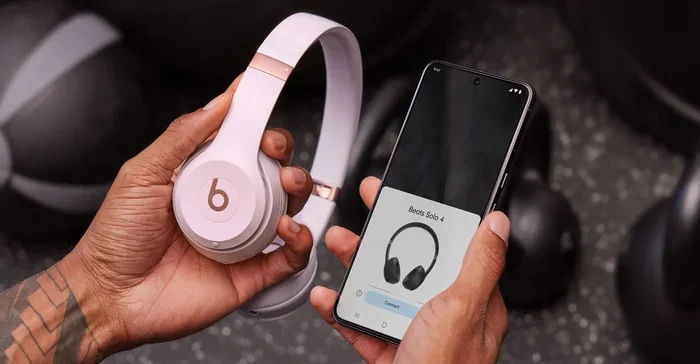
Pairing Bluetooth headphones with your phone is a simple process. Here is how to do it step by step.
Step 1: Put Your Headphones in Pairing Mode
Turn on your Bluetooth headphones. Most headphones have a dedicated button or switch for pairing mode. When you activate it, you will usually see a flashing LED light. This light tells you the headphones are ready to connect.
If you are not sure how to enter pairing mode, check the user manual. Every brand is slightly different, but the process is always similar.
Step 2: Open Bluetooth on Your Phone
Go to your phone settings and turn on Bluetooth. Your phone will start scanning for nearby devices. You should see your headphones appear in the list of available devices.
On iPhone, you go to Settings > Bluetooth. On Android, it is Settings > Connections > Bluetooth. The steps are very similar across different phone brands.
Step 3: Select and Connect
Tap on your headphones in the list. Your phone will connect to them within a few seconds. You will usually hear a confirmation sound in the headphones, and a Bluetooth icon will appear on your phone screen.
Once connected, you can start making and receiving calls right away. The Bluetooth pairing process is saved, so your headphones will automatically connect next time you turn them on — as long as Bluetooth is on your phone.
Quick Pairing Tips
- Keep your phone close: Stay within 30 feet of your headphones for the best connection.
- Charge both devices: Low battery can cause pairing problems.
- Restart if needed: Turn Bluetooth off and back on if the connection fails.
- Forget old connections: If your headphones are connected to another device, disconnect from it first.
Tips for Crystal-Clear Phone Calls With Bluetooth Headphones
Getting the best call quality from your Bluetooth headphones is easy when you follow a few simple tips. These small adjustments can make a big difference.
Keep Your Headphones Charged
A low battery affects more than just playback time. When your headphones run low on power, the microphone performance can drop too. This leads to weaker voice transmission and lower call clarity. Make it a habit to charge your headphones overnight so they are always ready.
Most modern wireless earbuds give you 5 to 10 hours of talk time on a single charge. Over-ear Bluetooth headsets often last even longer. Check your battery level before important calls.
Find a Quiet Spot
Even the best noise cancellation works better when you are in a relatively quiet environment. Background noise like wind, traffic, or loud music can still interfere with your voice reaching the other person.
Try to take calls in a calm indoor space when possible. If you must take a call outside, cup your hand slightly behind the microphone area of your headphones. This simple trick reduces wind noise significantly.
Adjust the Microphone Position
Where the microphone sits on your headphones matters a lot. For in-ear wireless earbuds, make sure the microphone tip is close to your mouth. For over-ear headsets, position the boom mic about two fingers away from your lips.
A proper mic position ensures your voice comes through loud and clear. It also helps the noise cancellation feature work more effectively.
Update Your Phone and Headphones
Software updates often include fixes for Bluetooth connectivity issues. Keeping your phone and headphones updated ensures you have the latest improvements for call quality and stability.
On your phone, check for system updates in the settings menu. For headphones, use the companion app if one is available. Some brands also update firmware through the app.
Use the Right Bluetooth Version
The Bluetooth version on your phone and headphones affects performance. Bluetooth 5.0 and newer offer better range, faster data transfer, and improved audio quality. If your phone supports Bluetooth 5.0 or higher, you will get noticeably better call performance.
Older Bluetooth versions like 4.0 or 4.2 still work fine for calls. But if you are buying new Bluetooth headphones, look for models that support Bluetooth 5.0 or later.
Common Problems When Talking on the Phone With Bluetooth Headphones
Even though Bluetooth headphones work great for calls, you might run into some issues. Here are the most common problems and how to fix them.
Bluetooth Headphones Not Connecting to Phone
This is the most common issue. Usually, it happens because the headphones are still connected to another device. Go to your phone Bluetooth settings and check if the headphones show as connected to a different device. Disconnect them from that device first.
Next, try turning Bluetooth off and back on. If that does not work, restart both your phone and headphones. A simple restart fixes most Bluetooth pairing problems.
Poor Audio Quality During Calls
If the other person says your voice sounds muffled or distant, check a few things. First, make sure the microphone is not blocked by your hand or clothing. Second, check that your headphones are fully charged. Low battery reduces microphone performance.
Also, stay close to your phone. Bluetooth range is usually about 30 feet. Going beyond this distance weakens the signal and drops audio quality.
Echo or Feedback During Calls
Hearing your own voice echoed back is annoying but common. This usually happens when the headphone speakers are too loud. Lower the volume on your headphones and the echo should go away.
If the problem continues, try moving to a quieter room. Hard walls and surfaces can cause sound reflections that create echo. Soft furnishings like carpets and curtains help absorb sound.
Call Drops and Interruptions
Bluetooth calls can drop if there is interference from other wireless devices. Wi-Fi routers, microwaves, and even USB 3.0 ports can cause Bluetooth interference. Try moving away from these devices during calls.
If you are in a crowded area with many Bluetooth signals, the connection might weaken. Moving closer to your phone usually fixes this problem.
Microphone Not Working
If the other person cannot hear you, the microphone might be off or muted. Some headphones have a dedicated mute button. Check if it is accidentally activated.
Also, check your phone settings. On some phones, you can switch between the phone microphone and the Bluetooth headset microphone in the call settings. Make sure it is set to use the Bluetooth headset microphone.
Best Bluetooth Headphones for Phone Calls
Choosing the right Bluetooth headphones for phone calls makes a huge difference. Here are some top options to consider.
| Headphone Model | Type | Battery Life | Noise Cancellation | Best For |
|---|---|---|---|---|
| Sony WH-1000XM5 | Over-ear | 30 hours | Excellent | Long calls, office use |
| Apple AirPods Pro 2 | In-ear | 6 hours | Very Good | iPhone users, daily commutes |
| Jabra Elite 85t | In-ear | 8 hours | Good | Business calls, clear mic |
| Bose 700 | Over-ear | 20 hours | Excellent | Noisy environments |
| Samsung Galaxy Buds2 Pro | In-ear | 5 hours | Very Good | Android users, multimedia |
Each of these wireless headphones offers great call quality and reliable Bluetooth connectivity. Your best choice depends on your phone type, budget, and personal comfort preferences.
If you take a lot of business calls, the Jabra Elite 85t stands out for its excellent microphone quality. If you want all-day comfort, the Sony WH-1000XM5 delivers outstanding battery life and noise cancellation. For iPhone users, the AirPods Pro 2 offers seamless integration and great call performance.
Can You Use Bluetooth Headphones With Any Phone
The short answer is yes. Almost all modern smartphones support Bluetooth, including iPhones, Androids, and even some basic phones. As long as your phone has Bluetooth capability, you can connect Bluetooth headphones to it.
Tablets and laptops also support Bluetooth connections. This means you can use your wireless headset for calls on a iPad, a Chromebook, or even a desktop computer with a Bluetooth adapter. The Bluetooth pairing process is the same across all these devices.
Older phones that do not have Bluetooth will not work with wireless headphones. But these days, most phones made in the last decade support Bluetooth. If you have a fairly recent phone, you should be able to use Bluetooth headphones for calls without any issues.
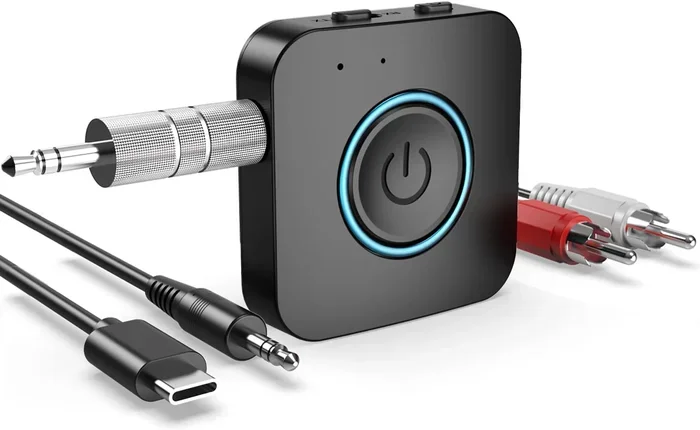
Some landline phones also support Bluetooth with an adapter. These adapters plug into the phone jack and create a Bluetooth connection. This lets you use wireless headphones with a traditional landline. It is a great option for people who prefer a cordless setup at home.
How to Maximize Battery Life for Bluetooth Headphone Calls
Battery life is an important consideration for Bluetooth headphones, especially if you use them for long phone calls. Here are some practical tips to get the most out of your battery.
- Turn off noise cancellation when not needed: This feature uses extra power. Disable it during shorter calls to save battery.
- Lower the volume slightly: High volume drains the battery faster. A moderate volume is fine for calls and saves power.
- Keep headphones in their case when not in use: This prevents accidental battery drain from standby mode.
- Disable multipoint connection if you only use one device: Multipoint uses more battery because it maintains two connections.
- Store headphones at room temperature: Extreme heat or cold reduces battery performance and lifespan.
Following these simple tips can extend your wireless earbuds battery life by 20 to 30 percent. That extra battery life means fewer interruptions during important calls.
Expert Insights on Bluetooth Headphone Calls
Audio engineers and tech experts agree that modern Bluetooth headphones have come a long way for phone calls. The introduction of Bluetooth 5.0 and the LE Audio standard has dramatically improved voice quality and connection stability.
According to wireless audio specialists, the key factors for great call quality are microphone placement, noise cancellation algorithms, and the Bluetooth version you are using. Premium headphones invest heavily in all three areas, which is why they outperform budget models during calls.
Experts also recommend choosing headphones with at least 6 hours of talk time for daily use. This ensures you can handle long meetings and multiple calls without worrying about running out of power.
Key Takeaways
- Bluetooth headphones work perfectly for phone calls: They provide hands-free convenience with clear audio and built-in microphones.
- Pairing is quick and easy: Just turn on pairing mode, find your headphones on your phone, and tap to connect.
- Call quality depends on Bluetooth version, battery, and microphone quality: Newer Bluetooth versions and well-charged headphones give the best results.
- Common issues like poor connection or echo are easy to fix: Simple steps like restarting devices or lowering volume solve most problems.
- Choose headphones with good noise cancellation: This feature dramatically improves call clarity in noisy environments.
- Battery management matters: Simple habits like turning off noise cancellation when not needed can extend your headphone battery significantly.
Talking on the phone with Bluetooth headphones is not just possible — it is now the preferred way for millions of people worldwide. The convenience, mobility, and improving call quality make wireless headsets an excellent choice for everyday phone calls. Whether you use wireless earbuds for a quick chat or an over-ear headset for a long meeting, Bluetooth technology delivers reliable and clear connections.
Once you make the switch from holding your phone to wearing a headset, you will wonder how you ever managed without it. The freedom of hands-free calling is real, and with the right Bluetooth headphones, your phone calls will never feel the same again.
Take some time to find the pair that fits your needs, follow the pairing and troubleshooting tips in this guide, and enjoy the simple pleasure of talking on the phone without being tied down. Your ears and your schedule will both thank you.
Frequently Asked Questions
Can I use Bluetooth headphones with any smartphone?
Yes, almost all modern smartphones support Bluetooth, including iPhones and Android devices. As long as your phone has Bluetooth capability, you can pair it with Bluetooth headphones for calls. The pairing process is simple and works the same way across different phone brands.
Why is my Bluetooth headphone microphone not working during calls?
This usually happens when the microphone is muted or the phone is set to use its own microphone instead of the headset mic. Check your phone call settings and make sure it is set to use the Bluetooth headset microphone. Also, make sure your headphones are fully charged, as low battery can affect microphone performance.
Do Bluetooth headphones have good call quality?
Yes, modern wireless headphones offer excellent call quality, especially models with noise cancellation and high-quality microphones. Premium headsets can match or even beat wired headsets for voice clarity. The key is to choose headphones designed with calling in mind.
How far can I walk away from my phone while on a Bluetooth call?
Most Bluetooth headphones have a range of about 30 feet from your phone. Going beyond this distance can cause the call to drop or audio quality to decrease. Walls and other obstacles can also reduce the effective Bluetooth range. Staying close to your phone ensures the best call quality.
Can I use Bluetooth headphones for work calls on platforms like Zoom or Teams?
Absolutely. Bluetooth headphones work with video calling apps like Zoom, Microsoft Teams, and Google Meet. They provide hands-free convenience during virtual meetings. Just make sure your headphones are connected to your computer or device before joining the call.
Are Bluetooth headphones safe to use for long phone calls?
Yes, Bluetooth headphones are safe for extended use. They emit very low levels of radiation, far less than a cell phone held to your ear. Many people find them more comfortable for long calls because there is no pressure from holding a phone. Taking short breaks every hour is still a good practice for overall ear comfort.
=== CONCLUSION ===
Talking on the phone with Bluetooth headphones is simple, convenient, and increasingly the norm in our wireless world. From easy pairing to excellent call clarity, these wireless headphones offer everything you need for hands-free communication. Whether you are at home, in the office, or on the go, Bluetooth headphones free you from holding your phone and let you focus on the conversation.
Choose a pair with good microphone quality, reliable Bluetooth connectivity, and features like noise cancellation to get the best experience. Follow the pairing tips and troubleshooting steps covered in this guide, and you will enjoy seamless phone calls every time. The future of phone conversations is wireless, and Bluetooth headphones are leading the way.