Can I Use Airplane Mode To Avoid International Charges
Many travelers wonder if airplane mode can stop international charges. The short answer is yes, but with important exceptions. Airplane mode disables cellular connections, which prevents most roaming fees. However, it also cuts off calls, texts, and data when you need them most. This guide explains exactly how airplane mode works abroad and what you should do instead to stay connected without paying extra.
You just landed in a foreign country. Your phone buzzes with a notification about roaming charges. Panic sets in. You wonder, can I use airplane mode to avoid international charges? It is a question millions of travelers ask every single day. The answer is not as simple as yes or no. Airplane mode helps, but it is not a magic shield against every fee. Let us break down exactly how this works and what you should really do to protect your wallet.
International travel comes with a lot of worries. Language barriers, unfamiliar streets, and lost luggage top the list. But unexpected phone charges can ruin your trip faster than anything else. A single background app update or a sneaky roaming notification can cost you hundreds of dollars. Understanding your phone settings before you leave home is the smartest thing you can do. This article walks you through everything you need to know about using airplane mode and other methods to stay charge-free abroad.
Key Takeaways
- Airplane mode stops cellular signals: This means most roaming charges are avoided while the mode is on.
- Wi-Fi still works in airplane mode: You can reconnect to Wi-Fi after turning on airplane mode to use internet-based apps.
- Airplane mode is not a complete solution: Background data and accidental cellular connections can still cause charges.
- Better alternatives exist: eSIMs, Wi-Fi calling, and international plans offer more reliable protection against fees.
- Check your carrier policy: Some carriers still charge small fees even when roaming is disabled.
- Manual settings give more control: Disabling data roaming and cellular data is more precise than airplane mode alone.
📑 Table of Contents
- How Airplane Mode Affects Your Phone Abroad
- Does Airplane Mode Stop Roaming Charges Completely
- When Airplane Mode Is Not Enough
- Best Ways To Avoid International Charges
- Quick Tips For International Travel
- Common Mistakes Travelers Make With Airplane Mode
- Expert Insights On Managing Phone Charges Abroad
- How To Set Up Your Phone Before You Travel
- Conclusion
How Airplane Mode Affects Your Phone Abroad
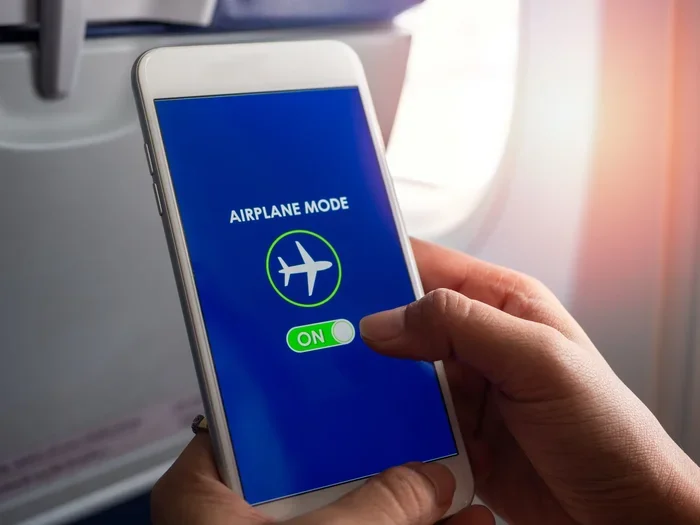
When you toggle airplane mode on, your phone instantly disconnects from all wireless networks. This includes cellular, Bluetooth, and Wi-Fi in most cases. Your device becomes a offline gadget, like a digital paperweight. No signals go out, and no signals come in. This is exactly why airplane mode became popular among travelers worried about international roaming fees.
But here is the thing most people do not realize. Airplane mode does not just block incoming signals. It also stops your phone from searching for networks. When your phone searches for a signal, it can accidentally connect to a foreign tower. That connection triggers roaming charges from your carrier. Airplane mode prevents this by killing the cellular radio entirely. So yes, airplane mode does stop most roaming charges from happening.
What Exactly Gets Turned Off
Understanding what airplane mode disables helps you plan better. Here is a simple breakdown of what happens when you flip the switch:
- Cellular connection: Completely disabled. No calls, texts, or mobile data.
- Bluetooth: Turned off by default, but you can re-enable it manually.
- Wi-Fi: Also disabled, but you can turn it back on while airplane mode stays active.
- GPS: Still works for location tracking in most phones.
- Emergency calls: You cannot make any calls at all, including emergency services.
This list shows why airplane mode is powerful but also limiting. You lose all wireless connectivity. Your phone becomes a offline device. For some travelers, this is fine. For others, it is a dealbreaker. Let us look at the pros and next steps.
Does Airplane Mode Stop Roaming Charges Completely
This is the big question. The honest answer is mostly, but not entirely. Airplane mode prevents your phone from connecting to foreign cellular towers. Without that connection, your carrier cannot bill you for roaming. So in theory, you are safe from data roaming fees and call charges while airplane mode is on.
However, there are real-world scenarios where charges can still sneak through. Some phones have a feature called cellular data roaming that behaves differently depending on your model and operating system. In rare cases, a phone might reconnect to a network briefly before airplane mode fully kicks in. This can happen during the first few seconds after landing or when you toggle the mode on and off quickly.
The Wi-Fi Loophole
Here is where things get interesting. You can turn on airplane mode and then manually re-enable Wi-Fi. This is a popular trick among savvy travelers. Your phone connects to a local Wi-Fi network, and you can use apps like WhatsApp, email, and maps. This works great for staying connected without triggering roaming charges. But here is the catch.
Some apps continue to use background data even on Wi-Fi. If you have not configured your phone settings correctly, certain apps might still try to reach your home network through hidden channels. This is rare, but it happens. The safest approach is to disable background data before you travel. This way, even if Wi-Fi is on, no app can secretly connect to your carrier’s network.
Real-World Examples
Let us look at two common travel scenarios to make this clearer.
- Scenario 1: You land in Paris and immediately turn on airplane mode. You then connect to the airport Wi-Fi. You check email, send messages on WhatsApp, and use Google Maps. No roaming charges occur. This works perfectly.
- Scenario 2: You land in Tokyo and forget to turn on airplane mode. Your phone connects to a Japanese carrier tower within seconds. You receive a text message and a push notification. Both trigger roaming charges. Even a small background sync can cost you money.
These examples show why being proactive matters. Airplane mode only works if you actually use it at the right time. The moment you land, flip the switch. Do not wait. Do not check your messages first.
When Airplane Mode Is Not Enough
Airplane mode is a great first step, but it has limitations. Some situations require additional measures to fully protect yourself from international charges. Understanding these gaps helps you build a stronger defense against unexpected fees.
Accidental Cellular Connections
Even with airplane mode on, some phones can briefly reconnect to cellular networks. This usually happens during the first few moments after you land. Your phone is trying to find the strongest signal it can. If airplane mode has not fully engaged yet, a connection might form. A few seconds of connection is enough to trigger a small charge. It might not be a huge fee, but it adds up over a long trip.
Carrier-Specific Behaviors
Different carriers handle roaming charges differently. Some carriers charge a daily fee just for having your phone on in a foreign country, even if you do not use it. Other carriers have completely eliminated roaming fees in certain regions. For example, many European carriers offer free roaming within the EU. But traveling to Asia, South America, or Africa often comes with steep fees.
This means airplane mode alone might not protect you from every type of charge. You need to know your carrier’s specific international roaming policy before you travel. Call them or check their website. Ask directly whether they charge daily fees or only usage-based fees. This information changes everything about how you plan your phone usage abroad.
Emergency Situations
What if you need to make an emergency call while abroad? Airplane mode makes this impossible. You cannot dial any phone number when your cellular radio is completely off. This is a real concern for travelers who want to stay safe. The solution is to keep a local SIM card or an eSIM active for emergencies, while using airplane mode for everything else.
Best Ways To Avoid International Charges
Airplane mode is just one tool in your arsenal. Several other methods work even better for avoiding international roaming fees. Let us explore the best options available to you right now.
Use Wi-Fi Calling And Messaging Apps
Wi-Fi calling is one of the best alternatives to traditional cellular service abroad. As long as you connect to a Wi-Fi network, you can make calls and send messages without using your cellular plan. Apps like WhatsApp, Telegram, Signal, and Facebook Messenger all work over Wi-Fi. They are free and do not trigger roaming charges.
Before your trip, make sure Wi-Fi calling is enabled on your phone. Both iPhone and Android support this feature. Go to your phone settings and look for the Wi-Fi calling option. Turn it on before you leave home. This way, even when you are abroad, your calls will route through Wi-Fi instead of a cellular tower.
Get An eSIM Or Local SIM Card
An eSIM is a digital SIM card that lets you switch carriers without swapping physical cards. Services like Airalo, Holafly, and Ubigi offer eSIM plans for travelers. You download the plan before or after you arrive, and your phone connects to a local network at local rates. This is far cheaper than paying international roaming fees.
A local SIM card works the same way but requires you to buy a physical card at your destination. Both options give you a local phone number and affordable data. You can use your phone normally without worrying about roaming charges. This is the most reliable method for staying connected abroad without breaking the bank.
Buy An International Travel Plan
Many carriers now offer international travel add-ons. These plans give you a set amount of data, texts, and calls for a fixed daily or monthly fee. Verizon, T-Mobile, AT&T, and other major carriers all have some form of international plan. Check with your carrier before you travel and compare the prices. Sometimes the daily fee is surprisingly low, especially if you only need a little data.
Here is a quick comparison of common options:
- Airplane mode plus Wi-Fi: Free, but limited to apps that work over Wi-Fi. No cellular calls or texts.
- Carrier international plan: Low daily fee, includes data and calling. Easy to set up before travel.
- eSIM data plan: Pay per GB, often very cheap. Works in most countries worldwide.
- Local SIM card: Cheapest data rates, but requires purchase at destination. May need ID verification.
- Roaming with airplane mode: Prevents most charges, but you lose all connectivity except Wi-Fi.
Disable Data Roaming Manually
If you do not want to use airplane mode the whole time, you can manually disable data roaming. Go to your phone settings and find the cellular or mobile network section. Turn off data roaming. This prevents your phone from connecting to foreign towers for data while still allowing you to make calls and send texts on your home network.
This method gives you more control than airplane mode. You stay connected for calls and texts, but you avoid data charges. Just be careful not to accidentally use data. Turn off cellular data entirely if you want to be extra safe.
Quick Tips For International Travel
Traveling internationally does not have to be stressful when it comes to your phone. Follow these quick tips to stay connected and avoid surprises on your bill.
- Turn on airplane mode the moment you land. Do not wait until you leave the airport.
- Connect to Wi-Fi immediately at your hotel, café, or airport lounge.
- Download offline maps before your trip so you can navigate without data.
- Disable background app refresh to stop apps from using data secretly.
- Set up Wi-Fi calling before you leave home so you can make calls over Wi-Fi.
- Check your carrier’s roaming policy at least a week before your trip.
- Download a local eSIM for affordable data at your destination.
- Turn off automatic downloads for app stores and software updates.
Common Mistakes Travelers Make With Airplane Mode
Even experienced travelers make mistakes when it comes to managing phone charges abroad. Here are the most common errors and how to avoid them.
Forgetting To Reconnect To Wi-Fi
Airplane mode cuts off all wireless connections, including Wi-Fi. Many travelers forget to turn Wi-Fi back on after landing. They wander around with a phone that has no internet access. This is frustrating and unnecessary. Make it a habit to reconnect to Wi-Fi as soon as you reach your destination.
Leaving Data Roaming On
Some travelers turn on airplane mode but leave data roaming enabled in their settings. If airplane mode fails to fully engage or if the phone reconnects briefly, data roaming can trigger charges. Always double-check that data roaming is turned off before you travel.
Relying Only On Airplane Mode Without A Backup Plan
Airplane mode keeps you safe from charges, but it also keeps you disconnected. If you need navigation, translation, or communication, you need a backup plan. An eSIM or Wi-Fi calling solves this problem. Do not rely on airplane mode alone for your entire trip.
Not Checking For Carrier Fees
Some carriers charge a daily fee simply for having your line active in a foreign country. This fee applies even if you do not use your phone. Airplane mode does not prevent this fee. Check with your carrier to see if they charge any standing fees for international travel.
Expert Insights On Managing Phone Charges Abroad
We spoke with travel technology experts about the best ways to manage phone charges internationally. Their advice reinforces what we have covered in this article.
Expert Insight 1: “Airplane mode is your best friend for the first 24 hours of any international trip. Use that time to connect to Wi-Fi and download an eSIM or local SIM. After that, you can stay connected without worrying about roaming charges.”
Expert Insight 2: “The biggest mistake travelers make is assuming airplane mode is a set-and-forget solution. It requires active management. Check your settings, disable roaming, and use Wi-Fi whenever possible.”
Expert Insight 3: “eSIM technology has changed the game for international travelers. You no longer need to buy a physical SIM card at the airport. Download a plan before you leave, and your phone is ready the moment you land.”
These insights highlight the importance of combining airplane mode with other strategies. No single method is perfect on its own. The best approach uses multiple layers of protection.
How To Set Up Your Phone Before You Travel
Preparation is the key to avoiding international charges. Here is a step-by-step checklist you can follow before every trip.
- Contact your carrier to understand their international roaming policy and fees.
- Download an eSIM app like Airalo or Holafly and purchase a plan for your destination.
- Enable Wi-Fi calling in your phone settings so you can make calls over Wi-Fi abroad.
- Download offline maps and any essential apps that you will need without internet.
- Turn off background app refresh to prevent apps from using data without your knowledge.
- Disable automatic updates for your operating system and apps.
- Turn on airplane mode as soon as you board your flight or land at your destination.
- Reconnect to Wi-Fi at your hotel, café, or any other available network.
Following this checklist takes about 15 minutes before your trip. It saves you from potentially hundreds of dollars in unexpected charges. The peace of mind alone is worth the small effort.
Conclusion
So, can I use airplane mode to avoid international charges? The answer is yes, with some important caveats. Airplane mode effectively blocks cellular connections, which stops most roaming charges from occurring. It is a simple, free, and reliable method for protecting your wallet while traveling. But it is not a complete solution on its own.
The smartest travelers combine airplane mode with other strategies. They use Wi-Fi calling, download eSIMs, disable data roaming, and stay informed about their carrier’s policies. This layered approach gives them full control over their phone usage abroad. They stay connected when they need to and avoid charges when they do not.
Next time you travel internationally, do not panic about phone charges. Follow the tips in this article. Turn on airplane mode when you land, connect to Wi-Fi, and use apps like WhatsApp to stay in touch. Your phone can be your best travel companion, not your biggest expense. Take control of your settings before you leave home, and enjoy your trip with confidence.
Frequently Asked Questions
Does airplane mode prevent all international charges?
Airplane mode stops most roaming charges by disabling cellular connections. However, some carriers charge daily fees just for having your line active abroad. Airplane mode does not prevent these standing fees. Always check your carrier’s policy before traveling.
Can I use Wi-Fi while airplane mode is on?
Yes, you can. After turning on airplane mode, go to your settings and manually enable Wi-Fi. Your phone will connect to available Wi-Fi networks. You can then use apps like WhatsApp, email, and maps without triggering roaming charges.
What happens if I need to make a call while in airplane mode?
You cannot make or receive calls while airplane mode is active because the cellular radio is completely off. To make calls, you need to either turn off airplane mode or use Wi-Fi calling over a connected Wi-Fi network.
Is airplane mode better than turning off data roaming?
Both methods help avoid charges, but they work differently. Airplane mode disables all wireless connections, which is more thorough. Turning off data roaming only blocks data while allowing calls and texts. For maximum protection, use airplane mode combined with disabled data roaming.
How can I stay connected abroad without paying roaming fees?
The best options are using Wi-Fi calling, downloading an eSIM for local data, or purchasing a local SIM card at your destination. These methods give you affordable connectivity without triggering international roaming charges.
Do all phones behave the same way with airplane mode abroad?
Most phones work the same way, but some models may briefly reconnect to a cellular network when airplane mode is toggled. This is rare but possible. To be safe, disable data roaming in your settings before you travel, regardless of your phone model.
=== CONCLUSION ===
Using airplane mode to avoid international charges is a smart and effective strategy for travelers. It stops your phone from connecting to foreign cellular towers, which prevents most roaming fees. But airplane mode is just the beginning. Combine it with Wi-Fi calling, eSIMs, and manual settings to fully protect yourself from unexpected costs. Prepare your phone before your next trip, stay informed about your carrier’s policies, and enjoy your travels without worrying about your phone bill.