Can Laptop Be Traded In Discover How To Get The Best Deal
Yes, you can trade in your laptop for cash, store credit, or a discount on a new device. Trading in a laptop is a simple process that works through retailers, manufacturers, and online buyback services. This guide shows you how to maximize your trade-in value and avoid common mistakes.
Thinking about getting rid of an old laptop? You might be wondering, can laptop be traded in for something useful. The short answer is yes. You absolutely can trade in a laptop, and the process is easier than most people think.
Whether you want cash, store credit, or a discount on a shiny new device, a laptop trade-in can put value back into your old hardware. Many people overlook this option and end up letting their old laptops collect dust in a closet. That is a missed opportunity. Your old laptop still has value, and there are plenty of places ready to take it off your hands.
In this guide, we will walk you through everything you need to know about trading in a laptop. From understanding how trade-in programs work to finding the best deals, we have you covered. You will learn where to trade in your laptop, how to boost its value, and what mistakes to avoid. Let us get started.
Key Takeaways
- Multiple Options Available: You can trade in your laptop at major retailers, manufacturers, or through online trade-in programs.
- Value Depends on Condition: The better the condition of your laptop, the higher the trade-in offer you will receive.
- Compare Before You Commit: Always check trade-in values from several sources to ensure you get the best deal.
- Preparation Matters: Backing up data, cleaning the device, and resetting it to factory settings boosts your trade-in value significantly.
- Timing Can Help: Trading in during promotional periods or new product launches often yields better offers.
- Know the Alternatives: Selling your laptop privately may earn more, but trading in is faster and more convenient.
📑 Table of Contents
- What Is a Laptop Trade-In and How Does It Work?
- Where Can You Trade In Your Laptop?
- How to Maximize Your Laptop Trade-In Value
- Common Mistakes to Avoid When Trading In a Laptop
- Trade-In vs. Selling Your Laptop Yourself
- What Happens to Your Traded-In Laptop?
- Frequently Asked Questions
- Final Thoughts on Trading In Your Laptop
What Is a Laptop Trade-In and How Does It Work?
A laptop trade-in is a simple exchange process. You hand over your old laptop to a company, and they give you something in return. That return could be cash, gift cards, store credit, or a discount on a new purchase. Different companies offer different types of trade-in rewards, so it pays to compare.
The trade-in process usually follows a few basic steps. First, you check the value of your laptop online. Then you submit your device for evaluation. Once the company inspects it, they confirm the trade-in value and send you your reward. It is straightforward and does not require any special skills.
Why Do Companies Offer Trade-In Programs?
You might wonder why companies bother with trade-in offers. The answer is simple. They want your business. Trade-in programs help companies retain customers and encourage upgrades. When you trade in your old device, you are more likely to buy a new one from the same brand.
From the company side, they can refurbish and resell traded-in laptops. This creates a second revenue stream and reduces electronic waste. It is a win-win situation. You get value from an old device, and the company gets inventory to sell again.
Types of Trade-In Rewards
Not all trade-in programs are the same. The type of reward you receive depends on where you trade in your laptop. Here are the most common options:
- Store Credit: This is the most common reward type. You receive credit toward a new purchase at the same retailer.
- Cash Payment: Some buyback services pay you actual cash through PayPal, check, or direct deposit.
- Gift Cards: Certain programs offer gift cards to popular retailers or restaurants.
- Discount on New Device: Manufacturers often give a percentage off a new laptop when you trade in your old one.
- Charity Donation: Some programs let you donate the value of your trade-in to a charitable cause.
Each option has its pros and cons. Cash payments give you the most flexibility. Store credit locks you into a specific retailer. Think about what matters most to you before choosing.
Where Can You Trade In Your Laptop?
You have more options than you might think. Trading in a laptop is available through many different channels. Let us explore the most popular ones.
Retailer Trade-In Programs
Major retailers like Best Buy, Amazon, Walmart, and Target offer trade-in programs. These are convenient because you can trade in your laptop and buy a new one in the same transaction. Retailers often run seasonal promotions that boost your trade-in credit.
Here is a quick look at some popular retailer options:
| Retailer | Trade-In Format | Typical Reward |
|---|---|---|
| Best Buy | In-store or online | Store credit or gift card |
| Amazon | Online with shipping label | Amazon gift card or cash |
| Walmart | In-store or online | Store credit |
| Apple | Online or in-store | Apple Store gift card or credit |
| Dell | Online trade-in portal | Discount on new Dell laptop |
Retailer programs are great for convenience. However, the trade-in values may not always be the highest. Keep that in mind as you compare options.
Manufacturer Trade-In Programs
Many laptop manufacturers run their own trade-in programs. Apple, Dell, HP, Lenovo, and Microsoft all have options for customers looking to upgrade. These programs often provide solid trade-in offers, especially when you are purchasing a new device from the same brand.
Apple’s trade-in program is one of the most well-known. You can trade in your old MacBook or iPad and receive credit toward a new one. Dell offers similar programs with their trade-in portal. These manufacturer programs tend to be reliable and straightforward.
Online Buyback Services
Companies like Gazelle, Swappa, and BuyBackWorld specialize in laptop buyback. These services let you sell your old laptop online and receive a cash offer. The process usually involves getting a quote online, shipping the device, and waiting for payment after inspection.
Online buyback services can sometimes offer more money than retail trade-in programs. The trade-off is convenience. You have to ship your laptop and wait for it to be evaluated. But if you want the most cash for your laptop, these services are worth considering.
Local Buyback and Recycling Centers
Do not overlook local options. Many electronics stores, pawn shops, and recycling centers accept laptop trade-ins. The trade-in value may be lower than online options, but you get immediate payment. This can be a good choice if you need cash fast and do not want to deal with shipping.
How to Maximize Your Laptop Trade-In Value
You want the best possible trade-in deal for your laptop. The good news is there are steps you can take to increase its value. A little preparation goes a long way.
Clean Your Laptop Thoroughly
First impressions matter. A clean laptop looks better and signals that it has been well cared for. Wipe down the exterior with a soft cloth. Clean the keyboard and screen gently. Remove any stickers or residue. A well-maintained laptop will always fetch a higher trade-in value.
Do not forget the inside. Blow out any dust from the vents and keyboard crevices. A clean device shows the buyer that you took good care of it.
Back Up and Factory Reset Your Data
Before you trade in your laptop, back up all your data. Copy important files to an external drive or cloud storage. Then perform a factory reset to wipe the hard drive clean. This is essential for privacy and also makes the laptop more appealing to the buyer.
A factory reset restores the laptop to its original state. The new owner will appreciate a fresh start. And you will have peace of mind knowing your personal data is gone.
Gather All Original Accessories
Include the charger, original box, and any other accessories that came with the laptop. Many trade-in programs offer bonus credit for complete packages. A laptop with its charger and box will always score higher than one without.Even if you threw out the box, the charger alone makes a difference. Do whatever you can to present a complete package.
Know Your Laptop Specifications
Be ready to provide details about your laptop. The processor type, RAM amount, storage capacity, and screen size all affect the trade-in value. Have this information handy before you start the process. The more accurate your description, the more accurate the offer will be.
You can usually find these specs in the system settings of your laptop. Write them down or take a screenshot before you begin the trade-in process.
Quick Tips to Boost Trade-In Value
- Trade in during a promotional period for bonus credit.
- Replace a dead battery before trading in if possible.
- Include all original packaging and accessories.
- Be honest about any damage to avoid offer reductions.
- Compare offers from multiple sources before committing.
Timing Your Trade-In Strategically
When you trade in matters more than people realize. Retailers often run trade-in promotions around back-to-school season, Black Friday, and new product launches. If you can wait for one of these periods, you may receive a significantly better offer.
Also, consider trading in when a new model of your laptop brand is about to release. Companies often increase trade-in values to encourage upgrades before a new launch. Keep an eye on announcements from your favorite brands.
Common Mistakes to Avoid When Trading In a Laptop
Trading in a laptop is simple, but mistakes can cost you money. Here are the most common errors people make and how to avoid them.
Not Comparing Offers
The biggest mistake is accepting the first offer you see. Different companies value laptops differently. One retailer might offer $150 for your laptop while another offers $200. Always compare trade-in values from at least three sources before making a decision.
Use online comparison tools or simply check multiple trade-in websites. The extra few minutes can make a real difference in what you receive.
Ignoring the Condition Assessment
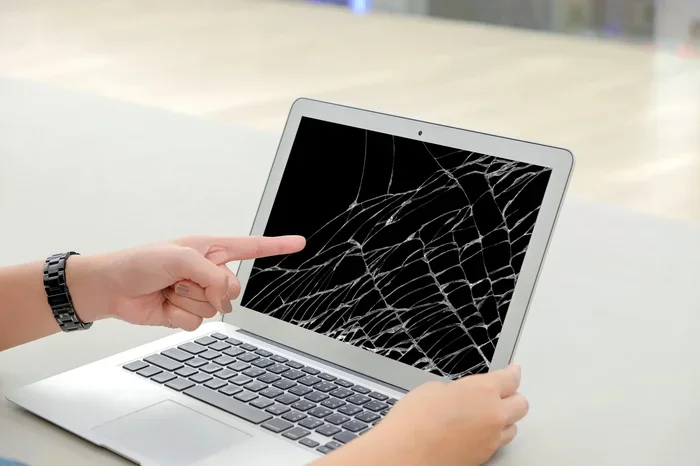
Many trade-in programs categorize laptops by condition. If your laptop has scratches, a cracked screen, or a dead battery, the offer will be lower. Some people overestimate their laptop’s condition and get disappointed when the offer comes in lower than expected.
Be honest about the condition. If a company finds damage that was not disclosed, they may reduce the offer or even reject the trade-in entirely. Transparency saves headaches.
Forgetting to Remove Personal Data
This is a serious mistake. If you do not factory reset your laptop before trading it in, your personal data could be at risk. Even if the company promises to wipe the device, you should never trust that alone. Always remove your data yourself first.
Sign out of all accounts, delete personal files, and perform a full factory reset. Take a few extra minutes to protect your privacy.
Waiting Too Long to Trade In
Laptops lose value over time. The older your laptop gets, the less it is worth. If you have a laptop sitting around that you no longer use, do not wait too long to trade it in. Every month you wait means a little less value.
As a general rule, trade in your laptop within one to two years of purchase if you want to maximize its value. After that, the depreciation accelerates quickly.
Not Reading the Fine Print
Every trade-in program has terms and conditions. Some require the laptop to be in working order. Others have specific eligibility requirements. Read the fine print carefully so there are no surprises. You do not want to go through the whole process only to have your offer revoked.
Expert Insight
According to industry analysts, the best time to trade in a laptop is during major shopping events like Black Friday or when a new model launches. Companies compete for trade-ins during these periods and often increase their offers by 10 to 20 percent. Planning your trade-in around these events can significantly boost your return.
Trade-In vs. Selling Your Laptop Yourself
You have two main paths when parting with an old laptop: trade it in or sell it yourself. Both have advantages and disadvantages. Let us compare them.
Pros and Cons of Trading In
Trading in your laptop is fast and convenient. You do not have to deal with buyers, negotiations, or shipping arrangements. The process is simple and predictable. Most trade-in programs offer instant quotes and straightforward procedures.
However, trade-in values are typically lower than what you could get from a private sale. Retailers and buyback services need to make a profit too, so they offer less than the full market value.
Pros and Cons of Selling Privately
Selling your laptop yourself usually earns you more money. You set the price, negotiate with buyers, and control the transaction. Platforms like eBay, Craigslist, and Facebook Marketplace make private sales accessible.
The downside is time and effort. You have to create listings, respond to inquiries, meet buyers, and handle payment. It can be a hassle, especially if you are not comfortable with the process.
Which Option Is Right for You?
The right choice depends on your priorities. If you value convenience and speed, a laptop trade-in is the way to go. If you want maximum money and do not mind putting in some effort, selling privately might be better.
Here is a quick comparison to help you decide:
| Factor | Trade-In | Private Sale |
|---|---|---|
| Speed | Fast, often instant | Can take days or weeks |
| Effort | Minimal | Moderate to high |
| Payout | Lower | Higher |
| Convenience | Very high | Moderate |
| Risk | Low | Moderate (scams, no-shows) |
| Privacy | Very high | Moderate (meet strangers) |
For most people, a trade-in strikes the right balance between convenience and value. It is hard to beat the ease of walking into a store or filling out an online form and walking away with credit or cash.
What Happens to Your Traded-In Laptop?
You might wonder what happens after you hand over your old laptop. Understanding the trade-in process after the exchange can help you feel good about your decision.
Refurbishment and Resale
Many traded-in laptops are refurbished and resold. Companies repair any issues, clean the device, and sell it as a refurbished laptop at a lower price point. This makes technology more affordable for budget-conscious buyers and reduces electronic waste.
Refurbished laptops often come with warranties too. So the next person who buys your traded-in laptop gets a reliable device at a great price.
Recycling and Parts Harvesting
If a laptop is too old or damaged to refurbish, it may be recycled. Electronics recycling ensures that valuable materials like metals, plastics, and glass are recovered and reused. This is much better than sending the laptop to a landfill.
Some companies also harvest parts from traded-in laptops to use in repairs or refurbishments. So even a broken laptop can have a second life in some form.
Donation Programs
Some trade-in programs partner with nonprofits and schools. They donate refurbished laptops to communities in need. If your traded-in laptop goes through this path, it could help a student or family who could not otherwise afford a computer.
This is a great reason to trade in rather than toss your old laptop. You are not just getting value for yourself. You are also contributing to a good cause.
Key Takeaways
- Preparation increases value: Clean your laptop, back up data, and include accessories to get the best offer.
- Comparison is essential: Always check multiple trade-in sources to find the highest payout.
- Timing matters: Trade in during promotions or new product launches for bonus credit.
- Know your options: Retailers, manufacturers, online services, and local centers all offer trade-in programs.
- Trade-in vs. selling: Trade-ins are faster and easier, while private sales usually earn more money.
Frequently Asked Questions
Can any laptop be traded in?
Most trade-in programs accept laptops in various conditions, but the value depends on the brand, model, age, and condition. Working laptops with minimal damage receive the highest offers. Even broken or older laptops may still have some trade-in value, though it will be lower.
How do I find the trade-in value of my laptop?
Visit the trade-in portals of major retailers like Best Buy, Amazon, or Apple. Enter your laptop’s specifications and condition to receive an instant quote. You can also use online buyback services like Gazelle or Swappa to compare values across multiple platforms.
Is it better to trade in or sell a laptop?
Trading in is faster and more convenient, while selling privately usually earns more money. If you want a quick and easy process, go with a trade-in. If maximizing your payout is the priority, consider selling on a marketplace like eBay or Craigslist.
What condition does my laptop need to be in for a trade-in?
Most programs accept laptops in a range of conditions from excellent to damaged. However, better condition means a higher offer. Laptops that power on, have a functioning screen, and include accessories will always receive the best trade-in values.
Can I trade in a laptop that is not working?
Yes, many trade-in programs accept non-working laptops. The offer will be lower than for a functional device, but you can still get value from it. Some programs specialize in broken or damaged electronics and may even cover shipping costs for defective devices.
When is the best time to trade in a laptop?
The best times to trade in are during major shopping events like Black Friday, back-to-school season, and when new laptop models are announced. Retailers often run limited-time promotions that increase trade-in credit during these periods.
Final Thoughts on Trading In Your Laptop
Can laptop be traded in for a great deal? Absolutely. The process is simple, accessible, and rewarding when you do it right. Whether you choose a retailer program, a manufacturer offer, or an online buyback service, your old laptop still has value waiting to be unlocked.
The key to getting the best deal lies in preparation and comparison. Clean your device, back up your data, gather your accessories, and check multiple offers before committing. These small steps can make a big difference in the trade-in value you receive.
Do not let your old laptop sit unused anymore. Trade it in, put the value toward something new, and feel good about giving your old device a second life. The process takes minutes, and the reward is worth it. Start exploring your trade-in options today and see how much your old laptop is really worth.