Can I Get A Laptop With Cell Service Built In Today
Yes, you can get a laptop with cell service built in today. Several top brands now offer laptops with cell service directly embedded, so you can stay online without Wi-Fi or a dongle. This guide covers the best models, how they work, what plans cost, and who benefits most from built-in cellular connectivity.
Imagine sitting at a coffee shop, airport gate, or even a remote cabin. You open your laptop and you are online instantly. No Wi-Fi needed. No phone hotspot draining your battery. This is the promise of a laptop with cell service built in. And the good news is, this technology is here today.
More and more people are asking, “Can I get a laptop with cell service?” The answer is a clear yes. Laptop makers have been quietly adding built-in cellular connectivity to their machines for years. But the options have grown, the speeds have improved, and the prices have become more reasonable.
In this guide, we will walk you through everything you need to know. We will look at the best models available, explain how they work, break down the costs, and help you decide if a laptop with cell service is right for you. Whether you are a frequent traveler, a remote worker, or just someone who hates hunting for Wi-Fi, this article has you covered.
Key Takeaways
- Built-in cell service is real: Several laptops now come with SIM card slots or eSIM support for direct cellular connectivity.
- Top brands lead the way: HP, Lenovo, and Dell offer strong cellular-enabled laptop options in 2024.
- Plans are flexible: You can choose prepaid, postpaid, or pay-as-you-go data plans from major carriers.
- 5G is rolling out: Newer models support 5G laptop speeds for faster internet on the go.
- Cost varies widely: Some models add $100-$300 to the base price, plus monthly data fees.
- Remote workers benefit most: If you travel often or work from places without Wi-Fi, a laptop with built-in SIM is a game-changer.
- eSIM technology is the future: More laptops now support eSIM technology for easy carrier switching.
📑 Table of Contents
- What Is a Laptop With Cell Service?
- Top Laptops With Cell Service Built In
- How Much Does It Cost to Use a Laptop With Cell Service?
- Who Benefits Most From a Laptop With Cell Service?
- How to Set Up Cell Service on Your Laptop
- Laptop With Cell Service vs. Phone Hotspot: Which Is Better?
- Common Mistakes When Buying a Laptop With Cell Service
- Final Thoughts: Is a Laptop With Cell Service Worth It?
What Is a Laptop With Cell Service?
A laptop with cell service is a laptop that has a built-in modem. This modem connects directly to a cellular network, just like your smartphone does. You do not need a separate hotspot device or a USB dongle. The laptop itself can access the internet through cell towers.
There are two main ways this works. The first is a physical SIM card slot. You insert a small SIM card from your carrier, and the laptop connects to the network. The second is eSIM technology. An eSIM is a digital SIM built into the laptop. You activate a plan through your carrier’s app, and you are online in minutes.
How Does Built-In Cellular Connectivity Work?
Inside your laptop, there is a tiny modem chip. This chip communicates with nearby cell towers. It sends and receives data the same way your phone does. The difference is that the modem is part of the laptop’s motherboard. It is always ready to connect.
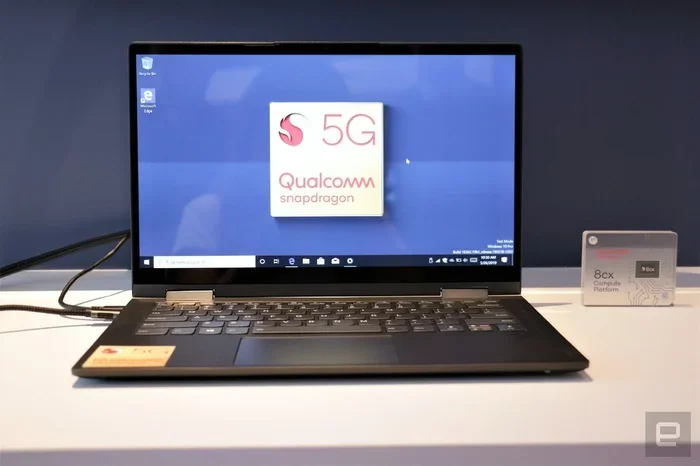
Most cellular-enabled laptops support 4G LTE networks. Some newer models now support 5G laptop connections. This means you can get download speeds that rival home broadband in some areas. The signal strength depends on your location and your carrier’s coverage in that area.
Is a Laptop With Cell Service the Same as a Mobile Hotspot?
Not exactly. A mobile hotspot is a separate device or a phone feature that shares its internet connection. A laptop with cell service has its own built-in connection. It does not rely on another device. This makes it more convenient and often more reliable.
However, both serve the same purpose: getting you online when Wi-Fi is not available. The key advantage of a built-in SIM laptop is that you do not carry extra gear. Everything is inside the machine.
Top Laptops With Cell Service Built In
The market for laptops with cell service has grown significantly. Several major brands now offer models with embedded wireless capability. Here are the top options you should consider.
HP Elite Dragonfly Max
The HP Elite Dragonfly Max is one of the most popular cellular-enabled laptops on the market. It is a lightweight business laptop that weighs just a few pounds. It comes with an optional built-in SIM card slot for direct carrier connectivity.
This laptop is ideal for professionals who travel often. It has a long battery life, a bright display, and strong performance. The cellular option is available through major carriers like Verizon and AT&T.
Lenovo ThinkPad X13s
Lenovo has been a leader in laptop connectivity for years. The ThinkPad X13s offers a laptop with built-in SIM support. It is a rugged, reliable machine built for business use.
The X13s supports 4G LTE and some configurations offer 5G connectivity. It has excellent keyboard quality and strong build quality. Lenovo also offers great business support and warranty options.
Dell Latitude 5440
Dell’s Latitude series is a favorite among corporate users. The Latitude 5440 offers an optional mobile broadband feature. This means you can add embedded wireless connectivity during purchase.
Dell partners with several carriers to offer integrated data plans. The setup process is straightforward. You choose your carrier, activate your plan, and you are connected.
Comparison Table: Best Laptops With Cell Service
Here is a quick look at how the top models compare.
| Model | Cellular Support | Weight | Price Range | Best For |
|---|---|---|---|---|
| HP Elite Dragonfly Max | 4G LTE / 5G | ~2.2 lbs | $1,400-$1,800 | Business travelers |
| Lenovo ThinkPad X13s | 4G LTE / 5G | ~2.9 lbs | $1,200-$1,600 | Corporate users |
| Dell Latitude 5440 | 4G LTE | ~3.1 lbs | $1,100-$1,500 | Enterprise teams |
| HP ProBook 645 G10 | 4G LTE | ~3.3 lbs | $1,000-$1,400 | Budget-conscious users |
Quick Tip: Check for Unlocked Options
When shopping for a laptop with cell service, look for unlocked models. An unlocked laptop lets you switch carriers anytime. You are not tied to one provider. This gives you flexibility and often saves money in the long run.
How Much Does It Cost to Use a Laptop With Cell Service?
The upfront cost of a cellular-enabled laptop is one thing. But the ongoing cost of a data plan is another. Let us break this down so you know what to expect.
Upfront Costs
A laptop with built-in cell service typically costs $100 to $300 more than the non-cellular version of the same model. This premium covers the modem chip and the antenna hardware inside the laptop. It is a one-time cost.
Some carriers offer deals where you can get a discount on the laptop if you sign up for a data plan. Keep an eye out for these promotions. They can save you real money.
Monthly Data Plans
Data plans for laptops with cell service work just like phone plans. You pay a monthly fee for a set amount of data. Here are the typical options:
- Prepaid plans: Pay in advance for a month of data. No contract. No credit check. Great for flexibility.
- Postpaid plans: Get billed at the end of the month. Often includes more perks like roaming or extra data.
- Pay-as-you-go: Only pay for the data you use. Good for occasional users who do not need a lot of data.
Most plans range from $20 to $80 per month depending on the data allowance. A 10GB plan usually costs around $30-$40. If you use your laptop heavily, you may need 20GB or more.
Common Mistakes to Avoid
One big mistake is forgetting to check coverage. A laptop with cell service is only as good as the network it connects to. Before you buy, check your carrier’s coverage map for the areas where you will use the laptop most.
Another mistake is ignoring data limits. Streaming video and large file downloads eat up data fast. If you are not careful, you can run out of data mid-month and face overage charges.
Who Benefits Most From a Laptop With Cell Service?
Not everyone needs a laptop with built-in cell service. But for certain groups, it is an absolute game-changer. Let us look at who benefits the most.
Remote Workers and Digital Nomads
If you work from coffee shops, co-working spaces, or different cities, a laptop with cell service keeps you productive. You never have to worry about finding a Wi-Fi network. You just open your laptop and work.
Many remote workers use their phone as a hotspot. But this drains the phone battery quickly. A built-in SIM laptop solves this problem entirely.
Frequent Travelers
Travelers know the frustration of unreliable airport Wi-Fi and spotty hotel connections. A laptop with cell service gives you a reliable connection wherever you go. As long as there is a cell tower nearby, you are online.
This is especially helpful for international travelers. Some cellular-enabled laptops support global roaming, so you can stay connected in multiple countries.
Students in Rural Areas
Students in rural or underserved areas often struggle with slow or unavailable internet. A laptop with built-in cell service can bridge this gap. It provides a direct connection to the internet through cell networks.
Some carriers offer special student data plans at discounted rates. This makes mobile broadband laptops more affordable for education.
Field Workers and Healthcare Professionals
People who work in the field need connectivity on the move. Nurses, delivery drivers, surveyors, and inspectors all benefit from a laptop with cell service. They can access databases, submit reports, and communicate with their team from anywhere.
Quick Tip: Consider an eSIM Laptop
If you want the easiest setup experience, look for a laptop with eSIM technology. eSIM laptops let you activate a plan without swapping physical SIM cards. You just scan a QR code or use your carrier’s app. It is fast, clean, and very convenient.
How to Set Up Cell Service on Your Laptop
Setting up cell service on a laptop is simpler than most people think. Here is a step-by-step guide.
Step 1: Choose Your Carrier
Pick a carrier that offers good coverage in your area. Major options include AT&T, Verizon, T-Mobile, and several MVNOs (Mobile Virtual Network Operators). MVNOs often offer cheaper plans since they use the same networks.
Step 2: Get a Data Plan
Sign up for a data plan that fits your usage. If you browse, email, and video call, 10-15GB per month is usually enough. If you download large files or stream a lot of video, go for 20GB or more.
Step 3: Activate the Connection
If your laptop has a physical SIM slot, insert the SIM card. If it uses eSIM, go to your network settings and follow the activation prompts. Most laptops have a clear setup wizard to guide you through this process.
Step 4: Manage Your Data Usage
Keep an eye on your data usage. Most laptops with cell service have a built-in data tracker. You can also set alerts to warn you when you are approaching your limit.
Expert Insight: The Role of eSIM in Modern Laptops
Industry experts predict that eSIM technology will become standard in most laptops within the next few years. eSIM eliminates the need for physical SIM cards. It makes switching carriers faster and easier. If you are buying a new laptop with cell service today, eSIM support is a feature worth prioritizing.
Laptop With Cell Service vs. Phone Hotspot: Which Is Better?
This is a common question. Both options get you online, but they work very differently. Let us compare them.
Convenience
A laptop with cell service is more convenient. You do not need to carry your phone or keep it charged. The laptop connects directly to the network. A phone hotspot requires both devices to be on and nearby.
Battery Life
Using your phone as a hotspot drains its battery fast. It also heats up the phone. A laptop with built-in cell service uses its own battery for the connection. Your phone stays charged and ready for calls and messages.
Speed and Performance
Both options use the same cellular network. So speeds are generally similar. However, a dedicated laptop modem may perform better than a phone hotspot in weak signal areas. The laptop antenna is designed for data transmission, not voice calls.
Cost Comparison
A phone hotspot uses your existing phone data plan. A laptop with cell service requires a separate data plan. This can mean two bills instead of one. But if you already have generous phone data, a hotspot may be the cheaper option.
Here is a quick comparison to help you decide.
| Feature | Laptop With Cell Service | Phone Hotspot |
|---|---|---|
| Separate device needed? | No | Yes (your phone) |
| Battery drain on phone? | No | Yes |
| Separate data plan? | Yes | No (uses phone plan) |
| Setup complexity | Moderate | Very easy |
| Best for | Frequent travelers, remote workers | Occasional users |
Common Mistakes When Buying a Laptop With Cell Service
Before you buy a laptop with cell service, avoid these common pitfalls.
- Not checking carrier compatibility: Some laptops are locked to specific carriers. Always confirm that the laptop works with your preferred carrier before purchasing.
- Ignoring data limits: Unlimited plans exist but can be pricey. Know your usage patterns and choose a plan that matches.
- Overlooking coverage maps: A laptop with built-in SIM is useless in areas with no cell coverage. Always check the coverage map for your most-used locations.
- Forgetting about eSIM vs. physical SIM: Some laptops only support one or the other. Make sure the model you choose supports the SIM type you prefer.
- Skipping the unlocked option: Locked laptops tie you to one carrier. An unlocked laptop gives you freedom to switch plans or carriers anytime.
Final Thoughts: Is a Laptop With Cell Service Worth It?
A laptop with cell service built in is no longer a luxury. It is a practical tool for many people. If you travel frequently, work remotely, or live in an area with unreliable Wi-Fi, the investment pays for itself quickly.
The technology has matured. Speeds are faster. Options are more abundant. And the setup process is simpler than ever. Whether you choose an HP Elite Dragonfly, a Lenovo ThinkPad, or a Dell Latitude, you will enjoy the freedom of staying connected anywhere.
Just remember to choose the right carrier, pick a data plan that fits your needs, and keep an eye on your usage. With the right setup, a laptop with cell service can transform the way you work and stay connected.
The future of laptop connectivity is bright. As 5G networks expand and eSIM technology becomes standard, these laptops will only get better. Now is a great time to explore your options and find the perfect laptop with built-in cell service for your needs.
Frequently Asked Questions
Can I add cell service to any laptop?
No, not every laptop supports built-in cellular connectivity. You need to specifically purchase a model that includes a modem and SIM slot or eSIM support. Check the product specifications before buying to confirm the feature is available.
Is a laptop with cell service more expensive than a regular laptop?
Yes, there is typically a premium of $100 to $300 for the cellular modem hardware. However, this is a one-time cost. The ongoing expense comes from the monthly data plan, which varies by carrier and data allowance.
Can I use any carrier with a cellular laptop?
It depends on the model. Some laptops with cell service are locked to a specific carrier. Others are unlocked and work with any carrier that supports the laptop’s cellular bands. Always check compatibility before purchasing.
Do I need a separate data plan for my laptop?
Yes, a laptop with built-in cell service requires its own data plan. This is separate from your phone plan. You can choose prepaid, postpaid, or pay-as-you-go options depending on your usage and budget.
What is the difference between eSIM and a physical SIM in a laptop?
A physical SIM is a small card you insert into the laptop. An eSIM is a digital SIM built into the laptop’s hardware. With eSIM, you activate your plan through your carrier’s app or website. No physical card is needed, making it faster and more convenient.
Will a laptop with cell service replace my home internet?
For some users, yes. If you live in an area with strong 5G coverage and do not need ultra-high speeds, a laptop with cell service can serve as your primary internet connection. However, most users still keep a home Wi-Fi setup for heavy usage and backup.
=== CONCLUSION ===
A laptop with cell service built in is a powerful tool for staying connected in today’s mobile world. From business travelers to remote workers and students, the benefits are clear. You get reliable internet without Wi-Fi, without hotspots, and without carrying extra devices.
The market offers more choices than ever. Brands like HP, Lenovo, and Dell have made cellular-enabled laptops accessible and affordable. With 4G LTE and 5G options available, you can find the right speed and coverage for your needs.
Take the time to compare models, check carrier compatibility, and choose a data plan that fits your lifestyle. A laptop with cell service is not just a gadget. It is a gateway to staying productive, informed, and connected wherever life takes you.