Can Rtx 4060 Run 4k Gaming at High Settings in 2024
The RTX 4060 can run 4K gaming, but with important caveats. At native 4K resolution with ultra settings, this GPU struggles to maintain smooth frame rates in most demanding titles. However, with smart techniques like DLSS 3 frame generation and lower preset adjustments, the RTX 4060 delivers a surprisingly playable 4K experience. Read on to discover exactly how this card performs, what games work best, and how to get the most out of your setup.
Can Rtx 4060 Run 4k? That is the question on every budget-conscious gamer’s mind in 2024. The RTX 4060 has been one of the most talked-about graphics cards this year, and for good reason. It offers modern features, solid performance, and an attractive price tag. But when it comes to pushing pixels at 4K resolution, things get interesting.
The short answer is yes, the RTX 4060 can run 4K gaming. But the longer answer involves some important details you need to know before you dive in. Not every game plays the same way at 4K, and not every setting level is created equal. In this guide, we will break down exactly what to expect from the RTX 4060 at 4K resolution. We will look at real-world benchmarks, explore smart settings tricks, and help you decide if this card is right for your 4K gaming setup.
Whether you already own an RTX 4060 or are thinking about buying one, this article covers everything you need to know. We will talk about frame rates, ray tracing, DLSS technology, and which games perform best at 4K. By the end, you will have a clear picture of what this GPU can and cannot do at ultra-high resolution.
Key Takeaways
- 4K is possible but not ideal at max settings: The RTX 4060 can handle 4K, but ultra settings often drop below 60 FPS in demanding games.
- DLSS 3 is a game-changer: Frame generation technology dramatically boosts 4K performance, making many titles smooth and playable.
- Ray tracing at 4K is tough: Enabling full ray tracing at 4K pushes the RTX 4060 to its limits and requires DLSS to stay playable.
- 8GB VRAM is a limiting factor: Some 4K games eat up texture memory quickly, and 8GB can become a bottleneck in certain titles.
- Best for 1440p, workable at 4K: The RTX 4060 shines at 1440p but can still deliver a solid 4K experience with the right settings.
- Pair with the right hardware: A strong CPU, fast RAM, and a capable 4K monitor all matter for the best 4K experience.
📑 Table of Contents
- What Is the RTX 4060 and Can It Handle 4K?
- RTX 4060 4K Gaming Performance in Popular Titles
- How DLSS 3 and Frame Generation Change the Game
- Ray Tracing at 4K: What to Expect
- Hardware and Setup Considerations for 4K Gaming
- Is the RTX 4060 Worth It for 4K Gaming in 2024?
- Common Mistakes to Avoid When Gaming at 4K
- Expert Tips to Maximize RTX 4060 4K Performance
- Conclusion
What Is the RTX 4060 and Can It Handle 4K?
The RTX 4060 is Nvidia’s mid-range graphics card built on the Ada Lovelace architecture. It comes with 8GB of GDDR6 VRAM and supports modern features like DLSS 3 and ray tracing. Nvidia designed this card primarily for 1080p and 1440p gaming. But many gamers want to know if it can stretch to 4K as well.
Understanding 4K Resolution Demands
4K resolution means 3840 by 2160 pixels. That is over 8 million pixels on your screen at once. Rendering all those pixels takes serious GPU power. Compare this to 1080p, which has about 2 million pixels, and 1440p, which sits at around 3.7 million pixels. The jump from 1440p to 4K is huge, and it demands a lot more from your graphics card.
This is where the RTX 4060 faces its biggest challenge. The card was not built with 4K as its primary target. It has 8GB of VRAM, which is enough for most 4K games but can run into trouble with heavily textured titles. The GPU core itself is capable, but it lacks the raw horsepower of higher-end cards like the RTX 4070 or RTX 4080.
That said, the RTX 4060 is not powerless at 4K. With the right settings and technologies, it can deliver a respectable 4K gaming experience. The key is knowing what to adjust and when to let technology do the heavy lifting.
RTX 4060 4K Gaming Performance in Popular Titles
Real-world performance tells the full story. Let us look at how the RTX 4060 handles some of the most popular games at 4K resolution. These benchmarks reflect typical results with high or ultra settings and native resolution.
Performance in AAA Titles
Big AAA games like Cyberpunk 2077, Alan Wake 2, and Hogwarts Legacy are some of the most demanding titles on the market. At 4K with ultra settings and ray tracing off, the RTX 4060 typically delivers between 40 and 60 frames per second. That is playable, but it falls short of the smooth 60 FPS target many gamers aim for.
In Cyberpunk 2077, for example, the RTX 4060 averages around 45 to 55 FPS at 4K ultra without ray tracing. Turn on ray tracing, and that number drops to around 30 to 35 FPS. That is not smooth enough for a comfortable experience without some help from upscaling technology.
Hogwarts Legacy performs a bit better, hitting around 50 to 60 FPS at 4K high settings. Alan Wake 2 is tougher, often dipping below 40 FPS at 4K ultra even without ray tracing. These numbers show that the RTX 4060 can run 4K, but you will need to make smart compromises in some titles.
Performance in Less Demanding Games
Not all games are as demanding. Titles like Fortnite, Rocket League, Valorant, and Minecraft run beautifully at 4K on the RTX 4060. These games can easily push past 100 FPS at 4K with high or ultra settings. Even esports titles that are not very graphically intense will run at high frame rates.
For more modern but less demanding games like Horizon Forbidden West or Assassin’s Creed Valhalla, the RTX 4060 delivers solid 4K performance at high settings, often hitting 50 to 70 FPS. These are great results and show the card’s strengths in well-optimized titles.
Comparison Table: RTX 4060 4K Performance
| Game | 4K Ultra (No DLSS) | 4K High (No DLSS) | 4K with DLSS |
|---|---|---|---|
| Cyberpunk 2077 | 45-55 FPS | 55-65 FPS | 70-90 FPS |
| Alan Wake 2 | 35-45 FPS | 45-55 FPS | 60-75 FPS |
| Hogwarts Legacy | 50-60 FPS | 60-70 FPS | 80-100 FPS |
| Horizon Forbidden West | 48-58 FPS | 58-68 FPS | 75-95 FPS |
| Fortnite | 120+ FPS | 140+ FPS | 160+ FPS |
| Rocket League | 150+ FPS | 180+ FPS | 200+ FPS |
These numbers clearly show that the RTX 4060 4K performance improves dramatically with DLSS enabled. The technology makes a massive difference and is essential for the best 4K experience on this card.
How DLSS 3 and Frame Generation Change the Game
If there is one feature that makes 4K gaming on the RTX 4060 possible, it is DLSS 3. This technology uses artificial intelligence to generate extra frames, effectively boosting your frame rate without sacrificing image quality. It is one of the most important innovations in modern GPU gaming.
What Is DLSS 3 Frame Generation?
DLSS stands for Deep Learning Super Sampling. It renders the game at a lower resolution and then uses AI to upscale it to 4K. This alone gives a big performance boost. DLSS 3 adds something new: frame generation. The AI studies your gameplay and creates entirely new frames between the ones the GPU actually renders.
The result is a much smoother experience. In Cyberpunk 2077 with DLSS 3 enabled, frame rates can jump from 50 FPS to over 80 FPS at 4K. That is the difference between a choppy experience and a smooth one. Frame generation works especially well in fast-paced games where motion blur helps hide any minor artifacts.
Should You Always Use DLSS?
In most cases, yes. The image quality with DLSS is excellent, and most players cannot tell the difference between native 4K and DLSS-upcaled 4K. However, there are a few situations where you might want to turn it off. Competitive esports games sometimes benefit from native resolution for the absolute lowest input lag. If you are playing a fast-paced shooter where every millisecond counts, you might prefer native performance.
For single-player story games and open-world adventures, DLSS 3 is a no-brainer. It lets you enjoy 4K visuals without sacrificing smooth gameplay. The RTX 4060 simply would not be able to hit 60 FPS at 4K in most AAA titles without this technology.
Ray Tracing at 4K: What to Expect
Ray tracing is one of the most exciting visual technologies in modern gaming. It simulates how light behaves in the real world, creating realistic reflections, shadows, and lighting effects. The RTX 4060 supports hardware-accelerated ray tracing, which is a big plus. But can it handle ray tracing at 4K?
The honest answer is: it struggles. Ray tracing at 4K is incredibly demanding, even for more powerful GPUs. On the RTX 4060, enabling full ray tracing at 4K native resolution often pushes frame rates below 30 FPS. That is not a playable experience for most gamers.
Using DLSS with Ray Tracing at 4K
The good news is that combining DLSS with ray tracing makes a huge difference. When you enable both ray tracing and DLSS 3 on the RTX 4060, frame rates improve substantially. In Cyberpunk 2077 with full ray tracing and DLSS balanced, you can expect around 50 to 60 FPS at 4K. That is much more comfortable.
Set your ray tracing preset to medium or low if you want a smoother experience. This reduces the visual fidelity of ray-traced effects but keeps the frame rate in a playable range. You can also selectively disable certain ray tracing features, like reflections or shadows, to gain extra performance without killing the overall visual quality.
The RTX 4060 handles ray tracing better than many older cards thanks to the Ada Lovelace architecture. But at 4K, it still needs all the help it can get. DLSS is not optional for ray-traced 4K gaming on this card. It is essential.
Hardware and Setup Considerations for 4K Gaming
Getting the best 4K experience on the RTX 4060 is not just about the GPU. Your entire system matters. A weak CPU, slow RAM, or an outdated monitor can all hold you back. Let us look at the key hardware factors to consider.
CPU Pairing for 4K Gaming
Your processor plays a bigger role than many people realize. A strong CPU ensures your system can feed the GPU data fast enough to keep up at 4K. For the RTX 4060, a modern processor like the Intel Core i5-13400 or AMD Ryzen 5 7600 works well. Older processors may create a bottleneck, holding back the GPU’s 4K performance.
In most games, the GPU is the main bottleneck at 4K, not the CPU. But in some CPU-heavy titles, especially open-world games with lots of NPCs and physics, a weaker processor can drag down frame rates. Make sure your system is balanced for the best results.
VRAM Limitations at 4K
The RTX 4060 has 8GB of VRAM, which is adequate for most 4K games in 2024. However, some newer titles with ultra-high-resolution textures can push past this limit. When VRAM runs out, the GPU has to pull data from system RAM, which causes stuttering and frame drops.
Games like Alan Wake 2 and Resident Evil 4 Remake are known to be VRAM-hungry at 4K. If you notice performance dips in these titles, it might be a VRAM issue. Lowering texture quality to high instead of ultra can help free up memory and improve stability.
Monitor and Display Requirements
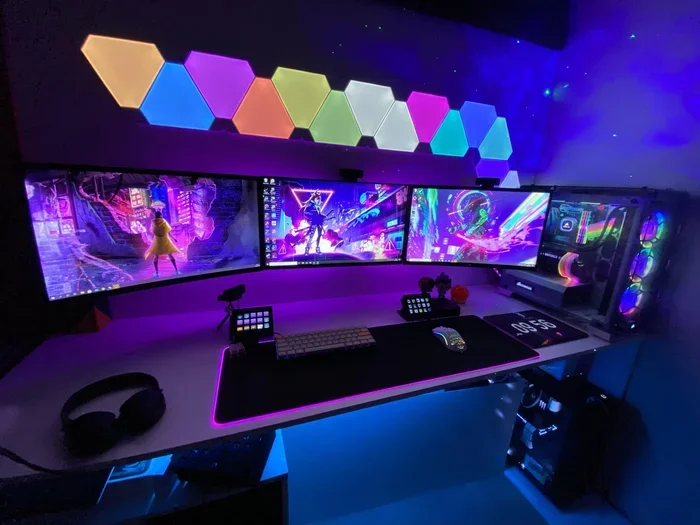
To game at 4K, you need a 4K monitor. Make sure your display supports the right refresh rate for the best experience. A 4K monitor with 60Hz is the minimum for comfortable gaming. If you can find a 4K 120Hz or 144Hz monitor, even better. The RTX 4060 can push high frame rates in less demanding titles, and a high-refresh-rate monitor lets you enjoy them.
Also, check that your monitor has an HDMI 2.1 port or DisplayPort 1.4 or higher. These connections are needed to output a 4K signal at higher refresh rates. Older monitors with HDMI 2.0 may limit your options.
Is the RTX 4060 Worth It for 4K Gaming in 2024?
This is the big question, and the answer depends on your expectations and budget. The RTX 4060 is not a true 4K gaming card in the way that the RTX 4070 or RTX 4080 are. It was designed primarily for 1080p and 1440p gaming, and it excels in those resolutions.
However, if 4K is important to you and you want to stay within a budget, the RTX 4060 is a solid entry point. With DLSS 3 and smart settings adjustments, you can enjoy a playable 4K experience in most games. You will not get ultra settings everywhere, but you will get smooth, beautiful gameplay in the majority of titles.
If you are willing to compromise on settings, the RTX 4060 delivers a surprisingly good 4K experience. Set textures to high, shadows to medium, and use DLSS for frame generation. This combination gives you the best balance of visual quality and smooth performance. For gamers who want every setting cranked to ultra at 4K, a more powerful card is the better choice.
RTX 4060 vs Higher-End Cards for 4K
Comparing the RTX 4060 to the RTX 4070 highlights the gap clearly. The RTX 4070 is about 30 to 40 percent faster at 4K gaming. It handles ultra settings and ray tracing much more comfortably. But the RTX 4070 also costs significantly more, often $100 to $200 more than the RTX 4060.
For budget-conscious gamers, the RTX 4060 offers excellent value. It is one of the best cards for 1080p and 1440p gaming. Its ability to handle 4K with DLSS makes it a versatile choice for gamers who want to future-proof their setup without breaking the bank.
Common Mistakes to Avoid When Gaming at 4K
Many gamers run into problems at 4K because of avoidable mistakes. Here are some common pitfalls and how to steer clear of them.
- Running everything on ultra without DLSS: This is the fastest way to get a miserable frame rate. Use DLSS or FSR to boost performance while keeping visuals sharp.
- Ignoring VRAM limits: Watch for stuttering in VRAM-heavy games. Lower texture settings if needed to keep things smooth.
- Overlooking driver updates: Nvidia regularly releases Game Ready drivers that improve performance in new titles. Keep your drivers up to date.
- Using an outdated monitor: An old HDMI 2.0 monitor can limit your 4K experience. Make sure your display supports the right inputs.
- Expecting the same performance as higher-end cards: The RTX 4060 is a capable mid-range card. Know its limits and set your expectations accordingly.
Expert Tips to Maximize RTX 4060 4K Performance
Want to squeeze every bit of performance out of your RTX 4060 at 4K? Here are some practical tips that make a real difference.
- Always use DLSS 3 in demanding games. Frame generation is the single biggest performance boost the RTX 4060 has for 4K gaming.
- Set ray tracing to medium or low. Full ray tracing at 4K is too demanding for this card. Selective ray tracing gives you the best visuals without killing performance.
- Keep your GPU drivers updated. Nvidia optimizes drivers for new game releases, and these updates often improve 4K performance.
- Monitor your VRAM usage. Use the Nvidia GeForce Experience overlay to check VRAM usage while gaming. If it exceeds 7GB, consider lowering texture quality.
- Close background applications. Browsers with many tabs, streaming software, and other apps consume system resources that could help your game run smoother.
- Enable Windows Game Mode. This setting prioritizes system resources for gaming and can improve frame rates slightly.
These tips are simple but effective. They can mean the difference between a choppy 4K experience and a smooth, enjoyable one on the RTX 4060.
Conclusion
So, can Rtx 4060 Run 4k gaming at high settings in 2024? The answer is yes, but with some realistic expectations. The RTX 4060 is a capable mid-range graphics card that can deliver a playable 4K experience in most games, especially when you use DLSS 3 and make smart settings adjustments. It is not a true 4K ultra powerhouse, and it will struggle in the most demanding titles with full ray tracing enabled. But for gamers on a budget who want to enjoy 4K visuals, the RTX 4060 is a strong choice.
The key to getting the best 4K performance from this card is understanding its strengths and limitations. Use DLSS, adjust settings thoughtfully, and pair it with the right hardware. When you do, the RTX 4060 proves that high-quality 4K gaming does not have to break the bank.
If you are ready to jump into 4K gaming without spending a fortune, the RTX 4060 is a great place to start. Just remember to use the tips and techniques in this guide, and you will be enjoying 4K gaming in no time.
Frequently Asked Questions
Can Rtx 4060 Run 4k Games at Ultra Settings?
The RTX 4060 can run 4K games at ultra settings in less demanding titles, but most AAA games will need DLSS and some settings adjustments to hit smooth frame rates. Ultra settings at 4K push the card to its limits in demanding games.
Is 8GB VRAM Enough for 4K Gaming on the RTX 4060?
8GB VRAM is enough for most 4K games in 2024, but some heavily textured titles may push past this limit. Lowering texture quality to high instead of ultra helps manage VRAM usage and prevents stuttering in memory-intensive games.
Does DLSS Make a Big Difference for 4K on the RTX 4060?
Yes, DLSS makes a massive difference. Frame generation and upscaling can boost 4K frame rates by 40 to 60 percent in many games. Without DLSS, the RTX 4060 struggles to maintain smooth gameplay at 4K in most modern titles.
What Is the Best 4K Settings Combo for the RTX 4060?
The best combination is high or ultra textures, medium ray tracing, and DLSS 3 enabled with frame generation. This balance delivers the best visual quality while keeping frame rates in a smooth, playable range for most games.
Can the RTX 4060 Handle 4K Ray Tracing?
The RTX 4060 can handle ray tracing at 4K, but only with DLSS enabled and ray tracing set to medium or low. Full ray tracing at 4K native resolution is too demanding and will result in very low frame rates without upscaling.
Is the RTX 4060 Better for 1440p or 4K Gaming?
The RTX 4060 is better suited for 1440p gaming, where it can run most titles at ultra settings with smooth frame rates. It can still handle 4K with DLSS and adjusted settings, but 1440p is its sweet spot for the best overall experience.