Can Usb A Deliver Power To Charge Your Devices Quickly
Yes, USB A can deliver power to charge a wide range of devices, but the speed and capability depend on the USB version, cable quality, and device requirements. USB A power delivery has evolved over the years, with USB 3.0 and USB 2.0 offering different wattage levels. Understanding how USB A charging works helps you choose the right cable and charger for your needs.
Have you ever plugged your phone into a USB A port and wondered if it was really charging as fast as it could? You are not alone. Can USB A deliver power efficiently? The short answer is yes. But the full story is a bit more interesting. USB A power delivery has been the backbone of device charging for decades. From keyboards to smartphones, the humble USB A port has powered countless gadgets. In this article, we will break down everything you need to know about USB A charging. You will learn how much power it can deliver, which devices benefit most, and how to get the fastest speeds possible.
Whether you are a tech enthusiast or just someone who wants their phone charged quickly, this guide has you covered. We will explore USB A power output in detail, compare it with other USB types, and share practical tips you can use today. Let us dive right in.
Key Takeaways
- USB A can deliver power: Standard USB A ports supply power for charging, but speeds vary by USB version.
- Power output matters: USB 2.0 delivers up to 2.5W, while USB 3.0 can provide up to 4.5W through USB A.
- Cable quality affects charging: A high-quality USB A cable ensures efficient power transfer and faster charging.
- USB A is not the fastest option: USB C and Thunderbolt offer higher power delivery for demanding devices.
- Quick tips boost speed: Using the right charger, avoiding cheap cables, and keeping ports clean all improve USB A charging performance.
📑 Table of Contents
- What Is USB A and How Does It Deliver Power?
- Can USB A Deliver Power Fast Enough for Modern Devices?
- Which Devices Work Best with USB A Power Delivery?
- How to Maximize USB A Charging Speed
- Common Mistakes People Make with USB A Charging
- The Future of USB A Power Delivery
- Quick Tips for Better USB A Charging
- Conclusion
What Is USB A and How Does It Deliver Power?
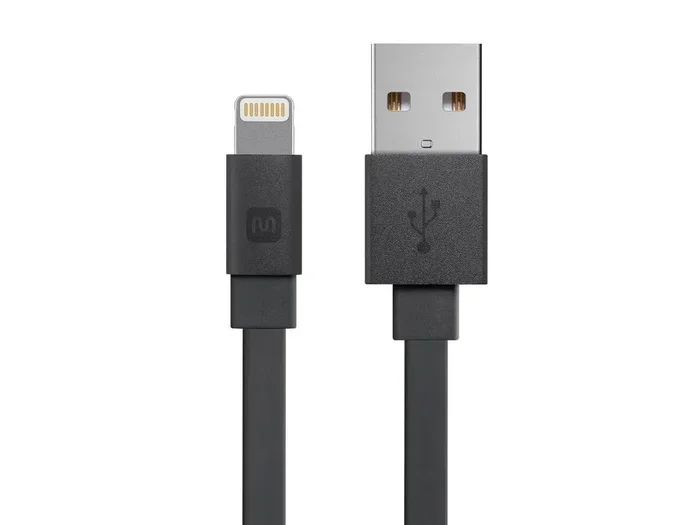
The USB A connector is one of the most recognizable ports in the world. It is the flat, rectangular plug you have likely used hundreds of times. USB A power delivery works by sending electrical current through the connector to charge devices or power them directly. The port contains multiple pins, and two of those pins are specifically dedicated to power delivery.
Here is how it works in simple terms. When you plug a device into a USB A port, the power source sends voltage through the connector. The device then draws the current it needs to charge. This process is governed by the USB standard the port follows. Older versions like USB 2.0 and newer ones like USB 3.0 have different power capabilities. Understanding these differences is key to getting the most out of your charging setup.
The Role of Voltage and Amperage in USB A Charging
Two numbers determine how much power a USB A port can deliver: voltage and amperage. Voltage is the electrical pressure, and amperage is the flow of current. Together, they create wattage, which is the total power output. USB 2.0 typically provides 5 volts at 0.5 amps, giving you 2.5 watts. USB 3.0 bumps that up to 5 volts at 0.9 amps, or 4.5 watts.
These numbers might seem small compared to modern fast chargers. But for many devices, they are more than enough. Keyboards, mice, fitness trackers, and portable speakers all work well with USB A power delivery. The key is matching the port to the device. A fitness tracker needs very little power, and USB A handles that easily.
Can USB A Deliver Power Fast Enough for Modern Devices?
This is the question most people really want answered. Can USB A deliver power fast enough to keep up with today’s power-hungry devices? The honest answer depends on what you are charging. USB A charging works well for smaller devices with smaller batteries. But for larger devices like tablets or laptops, it falls short.
Modern smartphones have big batteries and fast-charging technology. A standard USB A port simply cannot keep up with fast chargers that use USB C or proprietary fast-charging protocols. However, if you are charging an e-reader, a Bluetooth speaker, or a wireless mouse, USB A power delivery is perfectly fine. It is all about matching the right port to the right device.
USB A Power Output Compared to USB C
To understand where USB A stands today, it helps to compare it with the newer USB C standard. USB C supports much higher power delivery. It can handle up to 100 watts with USB Power Delivery protocols. USB A maxes out at around 4.5 watts in its standard form. That is a huge difference.
Here is a simple comparison to put things in perspective:
- USB 2.0 A: 2.5 watts, 5V at 0.5A
- USB 3.0 A: 4.5 watts, 5V at 0.9A
- USB C with PD: Up to 100 watts, 5V to 20V at up to 5A
As you can see, USB A power delivery is limited by design. It was built in an era when devices needed very little power. Today, our devices demand much more. This does not mean USB A is useless. It just means you need to understand its limits.
Which Devices Work Best with USB A Power Delivery?
Not all devices need the same amount of power. Some thrive on USB A charging, while others need more. Here is a breakdown of devices that work well with a USB A port.
Devices That Charge Great on USB A
- Wireless mice and keyboards: These use very little power and charge fully on USB A power delivery.
- Fitness trackers and smartwatches: Small batteries benefit from the steady, low-power output of USB A.
- Bluetooth speakers: Charging a portable speaker via USB A works just fine for everyday use.
- E-readers: Devices like Kindle use minimal power and charge reliably on USB A.
- USB flash drives and hubs: While these primarily transfer data, they also draw power from USB A ports.
Devices That Struggle with USB A Charging
On the other hand, some devices simply do not get enough power from a standard USB A port. Here are examples:
- Modern smartphones: Fast charging requires more watts than USB A can provide. You will notice slower charging speeds.
- Tablets: Large batteries take a very long time to charge on USB A power delivery.
- Laptops: Most modern laptops need USB C or a dedicated power adapter. USB A cannot supply enough wattage.
- Gaming controllers: Some controllers with built-in batteries charge slowly on USB A compared to dedicated docks.
If you want to learn more about how electronic devices communicate through different connectivity standards, you might find our guide on advantages and disadvantages of using a value added network for electronic commerce communication helpful for understanding the broader ecosystem of device connectivity.
How to Maximize USB A Charging Speed
Even though USB A has limits, you can still get the best possible charging speed from it. A few simple changes can make a noticeable difference. Here are practical tips to improve your USB A charging experience.
Use a High-Quality USB A Cable
The cable you use matters more than you think. A cheap or damaged USB A cable can limit power delivery significantly. Look for cables that are certified and made by reputable brands. Thicker cables with better wiring carry power more efficiently. If your cable is frayed or old, replace it. A simple cable swap can improve USB A power delivery right away.
Choose the Right Wall Charger
Not all wall chargers are the same. A low-quality charger may not push enough current through the USB A port. Invest in a charger that matches the USB standard your port supports. For USB 3.0 A ports, look for chargers rated at 0.9 amps or higher. This ensures the port can deliver its full USB A power output.
Keep Your USB Ports Clean
Dust and debris can build up inside USB A ports over time. This can affect the connection and reduce power transfer. Use a can of compressed air or a soft brush to clean your ports gently. A clean connection means better USB A charging and faster power delivery.
Avoid Using Your Device While Charging
This tip applies to all charging methods, but it is especially important for USB A power delivery. When you use your device while it charges, the power is split between charging the battery and running the device. This slows down the charging process significantly. Let your device rest while it charges for the best results.
Check for Firmware and Software Updates
Some devices manage power delivery through software. Keeping your device updated ensures optimal USB A charging performance. Manufacturers often release updates that improve how devices handle power from USB A ports. It is a small step that can make a real difference.
When building your setup for electronic accessories and connectivity, it is also worth understanding how different connection standards affect the broader ecosystem of device communication. Our article on value added networks in electronic commerce provides insights into how connectivity standards shape device interactions across platforms.
Common Mistakes People Make with USB A Charging
Many of us make small mistakes that hurt our USB A charging speed without even realizing it. Here are the most common ones and how to avoid them.
Using Damaged or Fake Cables
This is the biggest culprit. Fake cables often have thin wiring that cannot handle proper USB A power delivery. They might also lack the correct resistors that tell the charger how much power to send. Always buy cables from trusted brands or verified sellers. Your device will thank you.
Plugging Into the Wrong Port
Not all USB A ports are created equal. Some ports on computers or hubs are designed for data only and limit power output. If you notice slow charging, try a different port. Charging directly into a wall adapter with a USB A cable usually gives the best results.
Ignoring the USB Version
People often do not realize that USB 2.0 and USB 3.0 ports deliver different amounts of power. Plugging a device into a USB 2.0 A port when a USB 3.0 A port is available means you are leaving power on the table. Check your ports and use the one that supports higher power delivery.
Using Extension Cords or Low-Quality Hubs
Extension cords and cheap hubs add resistance to the power path. This reduces the USB A power output that reaches your device. If you need to extend your reach, use a high-quality powered hub. It ensures your device gets the full USB A power delivery it needs.
Understanding these mistakes helps you get more from every charging session. Small changes lead to better USB A charging and longer device battery life.
The Future of USB A Power Delivery
So what does the future hold for USB A deliver power capabilities? The truth is, USB C is slowly taking over. Most new devices are moving away from USB A toward the more versatile USB C connector. USB C offers faster data transfer and much higher power delivery.
However, USB A is not disappearing anytime soon. Millions of devices still use USB A ports. Chargers, hubs, and accessories with USB A connectors remain widely available. The transition will take years. In the meantime, understanding USB A power delivery is still very relevant.
Manufacturers are also working on ways to squeeze more power from the USB A standard. Some proprietary implementations push the limits of what USB A charging can do. But for the most part, USB A will remain a reliable, if limited, power source for smaller devices.
If you are curious about how connectivity standards like USB A fit into the larger picture of electronic communication and commerce, exploring resources on network-based device interaction can give you a broader perspective on how these standards shape our connected world.
Quick Tips for Better USB A Charging
- Always use the original cable that came with your device, or a certified replacement.
- Plug directly into a wall outlet instead of a computer USB port for faster charging.
- Remove thick phone cases while charging to prevent heat buildup.
- Avoid charging in hot environments, as heat slows down USB A power delivery.
- Check your charger’s output rating to make sure it matches your USB A port specifications.
These quick tips take almost no effort but can significantly improve your daily charging routine. Consistent, reliable USB A charging starts with these simple habits.
Conclusion
Can USB A deliver power? Absolutely. It has been doing so for years and continues to power millions of devices every day. USB A power delivery may not be the fastest option available today, but it is reliable, widely compatible, and perfect for many everyday gadgets. Understanding its limits and strengths helps you make smarter choices about how you charge your devices.
Use high-quality cables, choose the right charger, and keep your ports clean. These small steps go a long way in maximizing USB A charging speed. While the industry moves toward USB C and newer standards, USB A remains a solid and dependable choice for devices that need moderate power. Embrace what works, stay informed about new standards, and keep your devices powered up and ready to go.
Frequently Asked Questions
Can USB A deliver power to charge a smartphone?
Yes, USB A can charge a smartphone, but the speed is slower compared to USB C or proprietary fast chargers. Standard USB A power delivery provides around 2.5 to 4.5 watts, which is enough for a full charge but takes longer.
How much power can a USB A port deliver?
A USB 2.0 A port delivers up to 2.5 watts, while a USB 3.0 A port can provide up to 4.5 watts. These numbers are based on standard specifications and may vary slightly depending on the device and cable quality.
Is USB A fast charging?
USB A is not considered fast charging by today’s standards. It works well for smaller devices like earbuds and fitness trackers, but for fast charging, you need a charger with higher wattage, typically through USB C with Power Delivery support.
Can I use any USB A cable for charging?
You can use most USB A cables, but using a high-quality, certified cable ensures better USB A power delivery. Cheap or damaged cables may limit power output and slow down your charging speed significantly.
Will USB A be replaced completely?
USB C is gradually replacing USB A in new devices, but USB A is still widely used and will remain relevant for years. Many accessories, chargers, and peripherals continue to feature USB A connectors.
Why is my USB A charging so slow?
Slow USB A charging can be caused by a low-quality cable, a weak wall charger, a dirty port, or using the device while it charges. Try switching to a better cable or charging directly from a wall outlet to improve speed.