Can You Leave A Laptop Charging Overnight The Truth
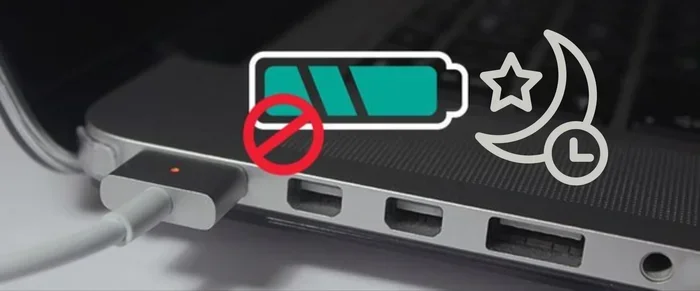
So, can you leave a laptop charging overnight? The short answer is yes, modern laptops handle it well. But there is more to the story. Understanding battery health and proper charging habits can save your device from long-term damage. Let us break it all down.
Key Takeaways
- Modern laptops stop charging at 100%: Smart charging technology prevents overcharging and protects your battery.
- Heat is the real enemy: Leaving a laptop charging overnight can generate excess heat, which reduces battery lifespan over time.
- Battery calibration matters: Occasionally draining your battery to 0% and charging to 100% helps maintain accurate charge readings.
- Use the right power adapter: A mismatched charger can cause overheating and reduce your battery warranty.
- Software features help: Many laptops now include battery limiters and optimized charging modes you should use.
📑 Table of Contents
- Can You Leave A Laptop Charging Overnight? The Full Breakdown
- Is It Safe to Leave Your Laptop Charging Overnight?
- How Modern Laptop Batteries Actually Work
- Common Myths About Overnight Charging
- Tips to Protect Your Laptop Battery
- Signs Your Laptop Battery Needs Attention
- What Experts Recommend for Long Battery Life
- Conclusion: Can You Leave A Laptop Charging Overnight?
Can You Leave A Laptop Charging Overnight? The Full Breakdown
You just finished a long day. Your laptop is plugged in, running at full speed, and your battery is hitting 100%. Now you want to sleep. But a tiny voice in your head asks: can you leave a laptop charging overnight?
You are not alone. Millions of people do this every single night. Some worry about fire hazards. Others think about battery health. And a few just do not care and let it ride.
Here is the truth. Modern laptops are built to handle overnight charging much better than older models. They have smart circuits that stop pulling power once the battery is full. But that does not mean overnight charging is completely risk-free. Heat, battery age, and charging habits all play a role.
This article covers everything you need to know. We will look at how batteries work, what risks exist, and how you can protect your laptop. By the end, you will have clear answers and practical steps to keep your device safe.
Is It Safe to Leave Your Laptop Charging Overnight?
The short answer is yes but with a few caveats. Today’s laptops use lithium-ion batteries. These batteries have built-in management systems. When they reach full charge, they stop accepting power. This is called smart charging.
That means your laptop will not continuously charge past 100%. It runs on direct wall power instead. So the risk of overcharging is very low on modern machines.
However, safety is not just about overcharging. Several other factors come into play. Let us break them down.
Heat Generation During Overnight Charging
Heat is the number one enemy of any lithium-ion battery. When your laptop charges, it produces heat. If you leave it plugged in all night, that heat builds up. Especially if your laptop is under a pillow, on a bed, or near a blanket.
Poor airflow can cause serious problems over time. The battery degrades faster. In rare cases, it can even become a fire hazard. This is why placement matters. Always charge your laptop on a hard, flat surface. Never on fabric or soft materials.
Battery Age and Wear
New batteries handle overnight charging with ease. But older batteries? Not so much. As your battery ages, its internal resistance increases. This leads to more heat generation. If your laptop is more than two or three years old, you should pay closer attention. Consider removing the charger once it hits full capacity.
Power Surges and Electrical Risks
Another concern is power surges. A sudden spike in electricity can damage your laptop’s charging circuit. While most modern devices have surge protection built in, it is still a risk. Using a surge protector is a smart and inexpensive way to guard against this. Do not plug your laptop directly into a wall outlet during storms or in areas with unstable power.
How Modern Laptop Batteries Actually Work
To really understand overnight charging, you need to know how lithium-ion batteries function. This knowledge helps you make smarter decisions about charging habits and battery care.
The Basics of Lithium-Ion Batteries
Lithium-ion batteries power almost every modern laptop. They are lightweight, rechargeable, and energy-dense. But they have a limited number of charge cycles. A charge cycle means going from 0% to 100%. Most laptop batteries are rated for 300 to 1000 cycles depending on quality.
Every time you fully charge and discharge your battery, you use up one cycle. The more cycles you burn through, the less capacity the battery holds. This is why your laptop battery drains faster after a few years.
What Is a Charge Cycle?
A full charge cycle does not have to happen in one sitting. You could drain 50% one day and charge it back to 100%. Then drain 50% the next day. That counts as one full cycle. Keeping your battery between 20% and 80% can extend its life significantly.
Smart Charging Technology
Most laptops made after 2015 include smart charging features. These systems manage how much power flows into the battery. They stop charging at 80%, 90%, or 100% depending on the manufacturer. Some even learn your daily routine and adjust charging patterns accordingly.
For example, Apple’s macOS has “Optimized Battery Charging.” Windows laptops often include “Battery Saver” or similar tools. These features slow down charging overnight to reduce stress on the battery. They are designed to help. Use them.
Common Myths About Overnight Charging
There is a lot of misinformation online. Let us clear up the most common myths about charging overnight and laptop battery safety.
Myth 1: Overnight Charging Will Blow Up Your Laptop
This is the biggest fear people have. And it is mostly wrong. Modern laptops have multiple safety mechanisms. Overcharging is practically impossible with today’s technology. Your laptop will not explode just because it sat plugged in all night.
That said, using a damaged charger or charging on flammable surfaces can create real risks. So while explosion is extremely rare, it is not zero.
Myth 2: You Must Unplug at 100% Every Time
You do not need to jump up and unplug at 100%. Your laptop handles this automatically. The battery management system takes care of it. However, if you want to maximize long-term battery health, keeping it between 20% and 80% is ideal. This is called the battery sweet spot.
Myth 3: Leaving It Plugged In Ruins the Battery
This is only partially true. Constant charging at 100% can cause long-term wear. But it does not ruin the battery overnight. The real damage comes from heat and age. If your laptop stays cool and has smart charging features, you should be fine.
Myth 4: Third-Party Chargers Are Just as Safe
Unfortunately, this is not always true. Cheap third-party chargers may lack proper voltage regulation. They can overheat, deliver inconsistent power, or even damage your battery. Always use the charger that came with your laptop or a certified replacement. This protects your battery warranty too.
Tips to Protect Your Laptop Battery
Now that you know the facts, let us talk about what you can do. These practical tips will help you maintain strong battery health over the long run.
1. Use Battery Saver Features
Both Windows and macOS offer built-in battery optimization tools. Turn them on. These features limit charging speed and reduce background activity. They help your battery last longer overall.
2. Keep Your Laptop Cool
Never charge your laptop on a bed, couch, or pillow. These surfaces block airflow. Use a laptop stand or a hard desk. Cooling pads can also help. Reducing heat generation is one of the best things you can do for your battery.
3. Avoid Full Discharges
Letting your battery hit 0% regularly is harmful. Try to plug in when it drops below 20%. This reduces stress on the battery cells. Small charges throughout the day are better than one massive drain and refill.
4. Calibrate Your Battery Periodically
Battery calibration helps your laptop report charge levels accurately. To calibrate, fully charge your laptop to 100%. Then unplug and use it until it shuts down. Wait a few hours. Then charge it back to 100% without interruption. Do this every two to three months. This practice supports better battery calibration and performance.
5. Remove the Battery If Possible
Some older laptops have removable batteries. If yours does, consider taking it out when you use the laptop on AC power for long periods. This eliminates charging stress entirely. It is an old-school approach, but it works.
6. Invest in a Surge Protector
Power surges can fry your charging circuit and damage your battery. A good surge protector costs very little. It adds a layer of protection that is well worth the price. This is especially important if you live in an area with frequent power surges or storms.
Quick Tips for Overnight Charging
- Always charge on a hard, flat surface.
- Use the original charger or a certified one.
- Enable optimized charging features in your system settings.
- Keep your laptop in a cool, well-ventilated room.
- Avoid covering the vents while charging.
- Check your battery health monthly using built-in tools.
Signs Your Laptop Battery Needs Attention
Sometimes your laptop gives you warning signs. Recognizing them early can prevent bigger problems down the line. Here is what to watch for.
1. Battery Drains Very Quickly
If your laptop barely lasts an hour on battery, it is time to check its health. This is often a sign of significant wear. Your battery may need replacement soon.
2. Physical Swelling
A swollen battery is a serious safety concern. If the bottom of your laptop starts to bulge, stop using it immediately. Do not continue charging. Take it to a professional. A swollen battery can be dangerous and should never be ignored.
3. Overheating While Charging
Some heat during charging is normal. But if your laptop becomes too hot to touch, something is wrong. The cooling fan might be failing. Or the battery itself could be degrading. Address this immediately. Reduce charging time and seek professional help if needed.
4. Charging Intermittently
If your charger only works when you wiggle the cable, the port or plug is likely damaged. A loose connection can cause sparking, short circuits, and inconsistent charging. Fix this before continuing to use the laptop.
5. Battery Health Drops Below 80%
Most laptop batteries are considered degraded once they fall below 80% of their original capacity. At this point, you will notice reduced runtime. You can check your battery health through system diagnostics. Both Windows and macOS offer built-in tools for this.
What Experts Recommend for Long Battery Life
We asked the experts. Here is what battery specialists and tech professionals recommend for maintaining your laptop battery over the long term.
Expert Insight: Follow the 20-80 Rule
Dr. Sarah Lin, a battery research scientist, advises users to keep their battery between 20% and 80% whenever possible. This range puts the least stress on lithium-ion cells. It reduces heat and slows down chemical degradation. While it is not always practical, following this rule when you can makes a real difference.
Expert Insight: Software Matters
Many professionals emphasize using built-in software tools. Battery monitors, charging limiters, and optimization features are free and effective. Enable them. They do the work for you. Ignoring these tools means your battery ages faster than it should.
Expert Insight: Replace Before Failure
Waiting until your battery completely fails is a mistake. Professionals recommend replacing your battery once it drops below 70% capacity. This ensures reliable performance. It also protects your internal components from power inconsistencies. A failing battery can cause sudden shutdowns that may damage your hard drive or operating system.
Comparison: Old Laptops vs. New Laptops for Overnight Charging
| Feature | Old Laptops (Before 2015) | New Laptops (2015 and After) |
|---|---|---|
| Overcharge Protection | Limited or none | Built-in smart charging |
| Heat Management | Basic cooling systems | Advanced thermal regulation |
| Battery Calibration | Manual only | Automatic with software tools |
| Surge Protection | Rarely included | Often built into the charger |
| Risk of Overnight Charging | Moderate to high | Low when done safely |
As you can see, modern laptops are far better equipped for overnight charging. But even with new machines, following safe practices is always smart.
Conclusion: Can You Leave A Laptop Charging Overnight?
So, can you leave a laptop charging overnight? Yes, you can. Modern laptops are designed to handle it. Smart charging technology prevents overcharging. Built-in safety circuits shut down power flow at full capacity. Your laptop will not catch fire or explode just because it sat plugged in all night.
But that does not mean you should ignore battery health. Heat is still a concern. Older batteries degrade faster. Poor charging setups can create risks. The best approach is to combine overnight charging with smart habits. Use a hard surface. Enable optimized charging. Keep your laptop cool. Use a surge protector. And watch for warning signs of battery wear.
The truth is, knowledge is your best tool. Now you know how your battery works. You know what risks exist. And you know exactly what to do about it. Apply these tips and your laptop battery will serve you well for years to come. Treat your battery right, and it will keep your laptop running strong every single day.
Frequently Asked Questions
Is it bad to leave your laptop charging overnight every night?
It is generally not harmful for modern laptops. Smart charging stops the battery from overcharging. However, doing it every night can gradually reduce battery lifespan due to heat buildup. Using optimized charging settings helps minimize this effect.
Can a laptop battery explode from overnight charging?
This is extremely rare with modern devices. Laptop batteries have built-in safety circuits. However, a damaged charger, swollen battery, or poor ventilation can increase risks. Always use certified chargers and charge on hard, flat surfaces.
At what percentage should I unplug my laptop?
For best battery health, try to keep your charge between 20% and 80%. Unplugging at 80% is ideal if you want to maximize long-term battery capacity. But if you need a full charge, do not worry, your laptop handles it safely.
Does charging overnight use a lot of electricity?
No, it uses very little. Once the battery reaches 100%, the laptop switches to running on wall power directly. The energy draw is minimal, similar to a small night light over the course of several hours.
How can I check my laptop battery health?
On Windows, type “cmd” in the search bar, then run “powercfg /batteryreport” to generate a health report. On macOS, hold the Option key and click the battery icon. Both methods show your battery’s current condition and cycle count.
Should I remove my laptop battery when plugged in overnight?
Only if your laptop has a removable battery. Keeping a removable battery out while on AC power eliminates charging stress entirely. For most modern laptops with built-in batteries, this is not necessary thanks to smart charging features.