Can You Use Free Wi Fi In Airplane Mode While Traveling
Many travelers wonder if you can use free Wi-Fi in airplane mode. The short answer is yes, in most cases. You can reconnect Wi-Fi or Bluetooth after turning on airplane mode, giving you access to airport and in-flight networks without paying for cellular data. Understanding how airplane mode works helps you save money and stay connected during your trip. This guide covers everything you need to know about using free Wi-Fi while traveling with airplane mode enabled.
This is a comprehensive guide about Can You Use Free Wi Fi In Airplane Mode.
Key Takeaways
- Airplane mode does not block Wi-Fi: You can manually turn Wi-Fi back on while airplane mode is active to connect to free networks.
- Airport lounges offer free Wi-Fi: Most airports provide complimentary wireless internet access in terminals and lounges.
- In-flight Wi-Fi is often free: Many airlines now offer free messaging and browsing through their onboard Wi-Fi networks.
- Bluetooth works alongside airplane mode: You can enable Bluetooth separately to connect wireless headphones and other devices.
- Common mistakes drain battery: Leaving Wi-Fi searching in airplane mode can drain your phone battery faster than expected.
- Offline tools are your best friend: Download maps, documents, and entertainment before your flight to stay productive without any connection.
[FEATURED_IMAGE_PLACEHOLDER]
What Is Airplane Mode and How Does It Work?
Airplane mode is a setting on your phone, tablet, or laptop that turns off all wireless signals. When you flip this switch, your device stops sending and receiving cellular data, Wi-Fi, and Bluetooth. The name comes from the old rule that devices should not transmit signals during a flight.
But here is the thing many people do not realize. Airplane mode does not permanently kill your wireless connections. It simply disables them. You can turn specific connections back on one by one. This is the key to understanding how free Wi-Fi works when airplane mode is on.
When you enable airplane mode, your phone stops looking for cell towers. It stops trying to connect to mobile networks. This saves battery life and prevents interference with aircraft systems. But your Wi-Fi chip is still there. It is just waiting for you to turn it back on.
Think of airplane mode like a pause button. It stops all wireless activity but does not delete anything or break any hardware. You can always press play again by toggling individual connections back on. This simple fact opens up a lot of possibilities for travelers.
Why Do Airlines Ask You to Use Airplane Mode?
Airlines ask passengers to use airplane mode for safety reasons. Old devices could sometimes interfere with cockpit instruments. While modern planes are built to handle more signals, the rule still exists as a precaution. The Federal Aviation Administration, or FAA, requires devices to be in airplane mode or have cellular connections disabled during takeoff and landing.
However, the FAA does allow Wi-Fi and Bluetooth to be used once the plane reaches cruising altitude. This is why you can turn Wi-Fi back on after enabling airplane mode. The rule is about cellular signals, not wireless internet. Understanding this distinction helps you stay connected without breaking any rules.
Can You Use Free Wi-Fi When Airplane Mode Is On?
The direct answer is yes. You can use free Wi-Fi even when airplane mode is turned on. Here is how it works. When airplane mode is active, all wireless connections are disabled by default. But you can go into your settings and turn Wi-Fi back on manually. Your device will then search for available networks and connect to them.
This works on almost every modern smartphone, tablet, and laptop. Whether you use an iPhone, Android device, or a Windows laptop, the process is the same. Toggle airplane mode on, then go to your Wi-Fi settings and turn the connection back on. Your device will start scanning for nearby networks immediately.
Many travelers use this trick to save money on data charges. Instead of paying for roaming or buying a local SIM card, they rely on free Wi-Fi networks. This is especially useful in airports, cafes, and hotels where free internet is widely available.
How In-Flight Wi-Fi Works With Airplane Mode
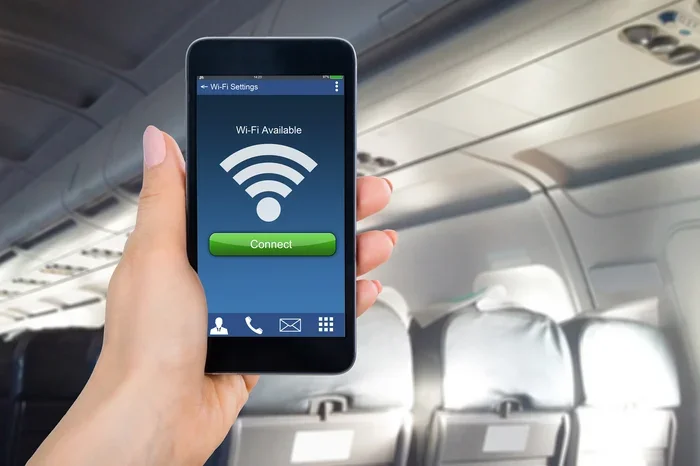
Once a plane reaches cruising altitude, flight attendants often announce that passengers can now use electronic devices. This is when you can turn Wi-Fi back on while airplane mode is still active. The in-flight Wi-Fi network will appear in your list of available networks.
Some airlines offer free basic Wi-Fi that lets you browse websites and check messages. Other airlines charge for faster streaming and video calls. The free tier usually covers messaging apps like WhatsApp, iMessage, and Facebook Messenger. You can stay in touch with family and friends without spending a dime.
To connect, simply tap the Wi-Fi icon in your settings. Look for the airline’s network name. It is usually something like “Airline Wi-Fi” or the carrier’s brand name. Follow the on-screen instructions to connect. Sometimes you need to open a browser and accept the terms of service first.
How to Connect to Free Wi-Fi While in Airplane Mode
Connecting to free Wi-Fi while airplane mode is on is simple. Follow these steps and you will be online in seconds.
- Turn on airplane mode from your quick settings or control center.
- Go to Settings and tap on Wi-Fi.
- Toggle Wi-Fi back on even though airplane mode is active.
- Wait for your device to scan for available networks.
- Select a free network from the list.
- Enter the password if required, or accept the terms of service.
- Open your browser and start browsing.
The whole process takes less than a minute. Once connected, your device will use the Wi-Fi network for internet access. Your cellular radio stays off, which saves battery and avoids roaming charges.
Which Devices Support This Trick?
Almost all modern devices support this method. iPhones running iOS 13 or later let you turn Wi-Fi on independently of airplane mode. Android phones from Samsung, Google Pixel, and other brands work the same way. Laptops running Windows 10, Windows 11, macOS, or ChromeOS also allow this.
Even some older devices support this feature. If your phone has a Wi-Fi settings menu that you can access while airplane mode is on, you are good to go. Check your device manual if you are unsure. The feature has been standard on most gadgets for many years now.
Best Places to Find Free Wi-Fi While Traveling
Finding free Wi-Fi while traveling is easier than you might think. Airports, cafes, hotels, and even some public spaces offer complimentary internet access. Here are the best places to look.
Airports
Most major airports around the world offer free Wi-Fi to travelers. You can connect while waiting for your flight, during layovers, or after landing. Some airports require you to watch a short ad before connecting. Others let you browse freely without any restrictions.
Premium airport lounges often provide faster and more reliable connections. If you have access to a lounge through a credit card or frequent flyer status, take advantage of it. The internet speed is usually much better than the free terminal Wi-Fi.
Cafes and Coffee Shops
Coffee shops like Starbucks, local cafes, and fast-food chains often offer free Wi-Fi to customers. You do not even need to buy anything in some places. Just walk in, connect to their network, and enjoy your meal or drink while browsing the web.
This is a great option during long layovers or when you need a quiet place to work. Many cities have dozens of cafes with reliable free internet. Apps like Wi-Fi Map can help you find them quickly.
Hotels and Hostels
Most hotels and hostels provide free Wi-Fi to guests. The quality varies widely. Luxury hotels usually offer fast and stable connections. Budget accommodations and hostels may have slower speeds but still work for basic browsing and messaging.
Always ask the front desk for the Wi-Fi password when you check in. Some places display it in the lobby or on your key card. Connecting to hotel Wi-Fi is one of the easiest ways to stay online while traveling without using your cellular data.
Public Spaces and City Wi-Fi Networks
Many cities now offer free public Wi-Fi in parks, plazas, and tourist areas. Municipal governments and private companies install these hotspots to attract visitors. Look for network names that include the city name or a local brand.
Some public Wi-Fi networks require you to register with an email address. Others let you connect instantly. Always be cautious when using public Wi-Fi. Avoid accessing sensitive accounts or entering passwords for banking sites unless you use a VPN.
Common Mistakes People Make With Airplane Mode and Wi-Fi
Even though connecting to Wi-Fi in airplane mode is simple, many travelers make avoidable mistakes. Here are the most common ones and how to fix them.
Forgetting to Turn Wi-Fi Back On
The most common mistake is turning on airplane mode and forgetting to re-enable Wi-Fi afterward. Your device will not connect to any network until you manually turn Wi-Fi back on. This leaves you disconnected even though a free network is right in front of you.
Make it a habit to check your Wi-Fi settings after enabling airplane mode. A quick glance at the top of your screen will tell you if Wi-Fi is active. If the Wi-Fi icon is not showing, go into settings and toggle it on.
Leaving Wi-Fi Searching in Airplane Mode
Another mistake is leaving Wi-Fi on while airplane mode is active with no networks nearby. Your device will keep searching for a signal, which drains your battery faster. This is especially problematic during long flights or layovers when you are not actively using the internet.
Turn Wi-Fi off when you do not need it. This saves battery life and keeps your device running smoothly. You can always turn it back on when you need to connect to a network.
Connecting to Unsafe Networks
Free Wi-Fi is convenient, but not all networks are safe. Public Wi-Fi in airports, cafes, and hotels can be vulnerable to hackers. Someone on the same network could potentially intercept your data if you are not careful.
Always use a virtual private network, or VPN, when connecting to public Wi-Fi. A VPN encrypts your internet traffic and keeps your data private. Avoid accessing banking apps or entering sensitive information on open networks. Use your cellular data for anything important when public Wi-Fi is not secure.
Expert Tips for Staying Connected Without Paying
Staying connected while traveling does not have to cost you a fortune. Here are some expert tips that will help you use free Wi-Fi effectively and keep your data safe.
Download Everything Before You Fly
One of the best habits you can build is downloading content before your trip. Download offline maps from Google Maps or Apple Maps. Save your boarding passes and travel documents to your device. Download movies, podcasts, and books for entertainment during the flight.
When you have offline content ready, you do not need Wi-Fi at all for many tasks. This takes the pressure off finding a free network and gives you peace of mind during the journey.
Use Wi-Fi Calling and Messaging Apps
Apps like WhatsApp, Telegram, and Signal work great over Wi-Fi. You can send messages, make voice calls, and even video call friends and family without using any cellular data. These apps use your Wi-Fi connection, which is free in most travel situations.
Wi-Fi calling is another great feature. Many carriers support it, which means you can make phone calls over Wi-Fi even when your cellular signal is weak or unavailable. This is especially helpful when you are traveling internationally and want to avoid roaming charges.
Carry a Portable Wi-Fi Hotspot
If you travel frequently, consider investing in a portable Wi-Fi hotspot device. These small gadgets connect to local cellular networks and create a Wi-Fi hotspot for your devices. Some models support multiple devices at once, so your whole travel group can stay connected.
Portable hotspots are not free, but they can save you money in the long run compared to paying roaming charges. Look for prepaid data plans that work in your destination country. This gives you reliable internet without relying on public Wi-Fi networks.
Check for Airline and Hotel Loyalty Wi-Fi Benefits
Many airlines and hotel chains offer free Wi-Fi as a perk for loyalty program members. If you fly frequently or stay at certain hotel brands, check if you qualify for complimentary internet access. The savings add up quickly over time.
Some credit cards also include free Wi-Fi access as a travel benefit. Check your card perks before your next trip. You might be surprised at how many free connectivity options are available through your existing accounts.
Key Takeaways
- Airplane mode does not block Wi-Fi: You can manually turn Wi-Fi back on while airplane mode is active to connect to free networks.
- Airport lounges offer free Wi-Fi: Most airports provide complimentary wireless internet access in terminals and lounges.
- In-flight Wi-Fi is often free: Many airlines now offer free messaging and browsing through their onboard Wi-Fi networks.
- Bluetooth works alongside airplane mode: You can enable Bluetooth separately to connect wireless headphones and other devices.
- Common mistakes drain battery: Leaving Wi-Fi searching in airplane mode can drain your phone battery faster than expected.
- Offline tools are your best friend: Download maps, documents, and entertainment before your flight to stay productive without any connection.
Conclusion
Using free Wi-Fi in airplane mode is not only possible but also very practical. Whether you are at the airport, on a plane, or sitting in a cafe, you can stay connected without spending a dime on data charges. The key is understanding how airplane mode works and knowing that it does not permanently block your wireless connections.
Turn airplane mode on to save battery and avoid cellular signals. Then toggle Wi-Fi back on when you need internet access. This simple two-step process works on virtually every modern device. You can connect to free networks in airports, cafes, hotels, and public spaces around the world.
Stay safe by using a VPN on public networks. Download offline content before your trip to reduce your dependence on Wi-Fi. And take advantage of airline and hotel loyalty benefits whenever possible. With these tips, you will stay connected during your travels without breaking the bank.
Free Wi-Fi and airplane mode are not enemies. They are actually a powerful combination for smart travelers. Use them together, and you will enjoy seamless connectivity wherever your journey takes you.
Frequently Asked Questions
Can I use Wi-Fi on a plane with airplane mode turned on?
Yes, you can. Airplane mode disables cellular and Bluetooth by default, but you can manually turn Wi-Fi back on. Once the plane reaches cruising altitude, flight attendants usually allow device usage. Simply toggle Wi-Fi on and connect to the airline’s in-flight network.
Does airplane mode completely block all internet access?
No, airplane mode does not block Wi-Fi or Bluetooth permanently. It disables all wireless connections by default, but you can turn them back on individually. This allows you to connect to free Wi-Fi networks even while airplane mode is active.
Is it safe to use free airport Wi-Fi in airplane mode?
Using free airport Wi-Fi is generally safe for basic browsing and messaging. However, public networks can be vulnerable to interception. Always use a VPN when connecting to free Wi-Fi in airports or any public space. Avoid accessing banking or sensitive accounts on open networks.
Will using Wi-Fi in airplane mode drain my battery?
It depends. If you leave Wi-Fi on while airplane mode is active and no network is nearby, your device will keep searching, which drains battery. Turn Wi-Fi off when you are not actively using it. Once connected to a stable network, battery usage is normal.
Can I use Bluetooth with airplane mode still on?
Yes, you can. Airplane mode disables Bluetooth by default, but you can turn it back on manually just like Wi-Fi. This lets you connect wireless headphones, keyboards, and other Bluetooth devices while keeping cellular signals off.
Do all airlines offer free Wi-Fi when airplane mode is on?
Not all airlines offer free Wi-Fi. Some provide free basic messaging, while others charge for full internet access. Airlines like JetBlue, Delta, and Alaska offer free Wi-Fi on many routes. Check your airline’s website before your flight to see what Wi-Fi options are available.
Frequently Asked Questions
What is Can You Use Free Wi Fi In Airplane Mode?
Can You Use Free Wi Fi In Airplane Mode is an important topic with many practical applications.