Can You Use Portable Wi Fi Without Service Coverage
Yes, you can use portable Wi-Fi without traditional service coverage, and it is simpler than most people think. Portable hotspot devices can connect to the internet through multiple methods, not just cellular plans. Whether you want offline Wi-Fi access, free mobile internet, or a no-contract data solution, there are real options available. This guide breaks down every method so you can pick the best fit for your needs.
Key Takeaways
- Portable Wi-Fi works without a carrier plan: You can use offline hotspots, preloaded SIM cards, and Wi-Fi tethering from existing devices.
- Multiple free or low-cost options exist: Public Wi-Fi, library networks, and community hotspots can power your portable router without a monthly bill.
- Device choice matters: Not all portable Wi-Fi devices need service. Some work entirely offline or with prepaid SIM cards only.
- Travel Wi-Fi is more accessible than ever: Global portable hotspots now offer flexible data plans for international use.
- Setup is straightforward: Most devices take under five minutes to configure, even for non-tech users.
- Avoid common pitfalls: Forgetting to update firmware, ignoring data limits, and choosing the wrong device type are frequent mistakes.
📑 Table of Contents
- Can You Use Portable Wi-Fi Without Service Coverage?
- How Portable Wi-Fi Devices Actually Work
- Ways to Use Portable Wi-Fi Without Traditional Service
- Comparing Portable Wi-Fi Options Without Service
- Tips for Getting the Most Out of Portable Wi-Fi Without Service
- Common Mistakes People Make With Portable Wi-Fi
- Expert Insights on Portable Wi-Fi Without Service
- Final Thoughts on Using Portable Wi-Fi Without Service
Can You Use Portable Wi-Fi Without Service Coverage?
Let us start with the big question. Can you use portable Wi-Fi without service coverage? The short answer is yes. But the full answer is more interesting than a simple yes or no. Portable Wi-Fi devices come in many shapes and sizes. Some need a SIM card and a cellular plan. Others work completely without any carrier involvement. Understanding how these devices function helps you make the right choice.
Many people assume that a portable hotspot requires a monthly service contract. That is not always true. You can set up mobile Wi-Fi in several ways. Some methods cost nothing at all. Others involve a small one-time purchase. The key is knowing which option fits your situation. This article walks you through every possibility in detail.
Whether you are a frequent traveler, a remote worker, or someone who just wants internet access without a long-term commitment, this guide has you covered. We will explore pocket Wi-Fi devices, offline connectivity options, and clever workarounds that most people do not know about. By the end, you will have a clear picture of what is possible.
Why Portable Wi-Fi Is Gaining Popularity
Portable Wi-Fi devices have exploded in popularity over the last few years. More people work from coffee shops, co-working spaces, and even while traveling abroad. A mobile broadband device gives you the freedom to connect anywhere. You are not tied to a home router or a specific location.
These devices are small enough to fit in your pocket. They create a personal Wi-Fi network that multiple devices can join. Your phone, tablet, and laptop can all connect to the same Wi-Fi hotspot device. This kind of flexibility is why so many people are turning to portable routers instead of relying on public networks.
What People Get Wrong About Portable Wi-Fi
There is a common misconception that portable Wi-Fi always needs a service plan. Some people think these devices only work with a monthly cellular contract. That is simply not true. Many portable routers can operate without any ongoing service at all. Others use prepaid data or one-time top-ups instead of long-term agreements.
Another myth is that portable Wi-Fi is only for tech-savvy users. Modern devices are designed for everyone. The setup process is usually plug-and-play. You do not need engineering knowledge to get online. Let us now look at the different ways you can use a portable Wi-Fi device without traditional service coverage.
How Portable Wi-Fi Devices Actually Work
To understand how you can use portable Wi-Fi without service, you need to know how these devices work in the first place. A portable Wi-Fi device, often called a mobile hotspot or pocket Wi-Fi, creates a local wireless network. It then connects that network to the internet through one of several sources.
The internet source is what determines whether you need service coverage. Some devices pull internet from a SIM card and a cellular network. Others connect to existing Wi-Fi signals and rebroadcast them. A few can even store content offline and create a local network for file sharing. Each method has its own advantages.
The Role of SIM Cards in Portable Wi-Fi
SIM cards are the most common way portable Wi-Fi devices connect to the internet. A SIM card holds your subscriber information and links your device to a cellular network. Without a SIM card, most traditional hotspots cannot access the internet directly.
However, not all SIM cards require a monthly plan. You can buy prepaid SIM cards with a set amount of data. These cards work for a specific period, such as 30 days, and then expire. You simply recharge or replace them when needed. This gives you no-contract internet without the hassle of a long-term commitment.
How Wi-Fi Tethering Differs from Portable Hotspots
Wi-Fi tethering is a related but different concept. When you tether, you use your smartphone as a Wi-Fi hotspot. Your phone connects to the cellular network and shares that connection with other devices. This is not the same as a dedicated portable Wi-Fi device, but it achieves a similar result.
Tethering does require your phone to have an active cellular plan. However, many carriers include tethering in their plans at no extra cost. If you already have a smartphone with data, you can turn it into a free Wi-Fi hotspot anytime. This is one of the easiest ways to get portable internet without buying extra hardware.
Ways to Use Portable Wi-Fi Without Traditional Service
Now let us get to the practical part. There are several real methods you can use to set up portable Wi-Fi without service coverage. Each method works differently, and each suits a different type of user.
Method 1: Use a Preloaded SIM Card
Some portable Wi-Fi devices come with preloaded SIM cards. These SIM cards include a set amount of data that you can use right away. You do not need to sign up for any service plan. Once the data runs out, you can purchase additional data or replace the SIM card.
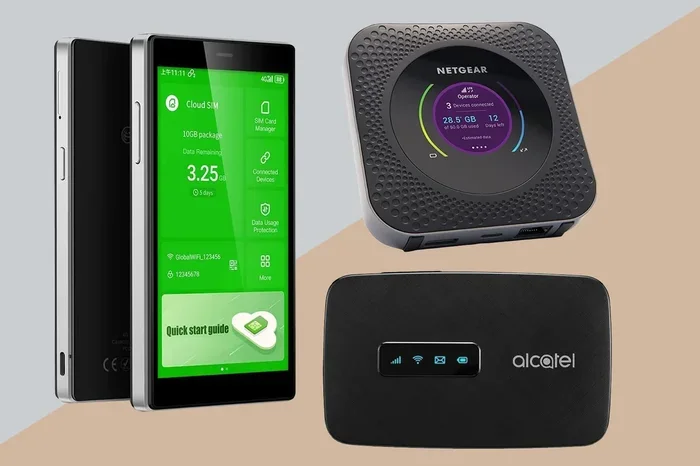
This approach is popular among travelers. You can buy a preloaded SIM before your trip and have internet access from the moment you land. Companies like GlocalMe and Skyroam offer devices with global SIM cards that work in multiple countries. This is a great option for travel Wi-Fi without the headache of finding local carriers.
Method 2: Connect to Public Wi-Fi Networks
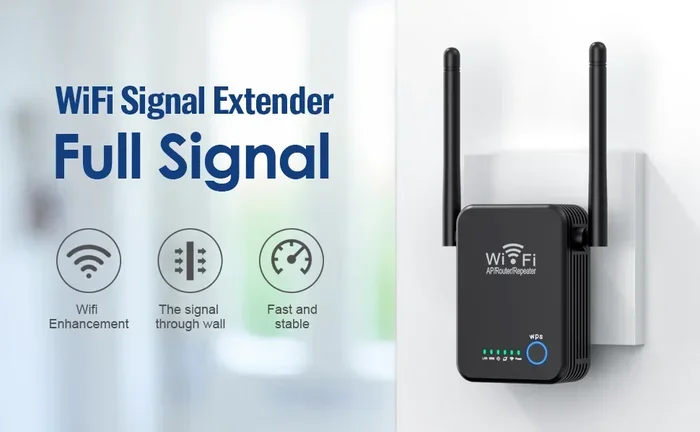
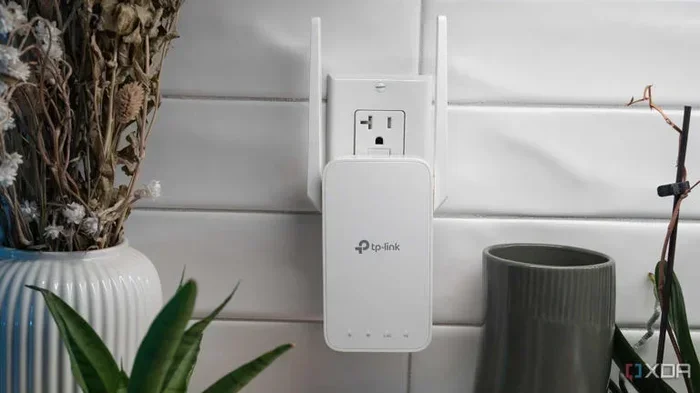
Many portable Wi-Fi devices can connect to existing public Wi-Fi networks and rebroadcast them. This means your device acts as a Wi-Fi extender. It picks up a free Wi-Fi signal from a cafe, airport, or hotel and creates your own private network from it.
This method is completely free. You do not need a SIM card or a data plan. The only requirement is access to a public Wi-Fi network. This works well in urban areas where free Wi-Fi is widely available. Libraries, shopping malls, and restaurants often provide free hotspots you can use.
Method 3: Use Offline Wi-Fi Devices for Local Sharing
Some portable Wi-Fi devices are designed to work entirely offline. These devices create a local network without connecting to the internet. They are perfect for sharing files, streaming downloaded content, or setting up a private network in areas with no cellular coverage.
Offline Wi-Fi devices are popular in remote locations. Hikers, field researchers, and anyone traveling to areas without cell service can benefit from these devices. You cannot browse the web, but you can still share documents, photos, and media across multiple devices. This is a form of offline connectivity that many people overlook.
Method 4: Use a Mobile Wi-Fi Device with Wi-Fi Only Mode
Certain portable routers have a Wi-Fi only mode. In this mode, the device connects to an existing Wi-Fi network rather than a cellular network. It then rebroadcasts that connection to your other devices. This is essentially the same as using a public Wi-Fi network, but with a more stable and private connection.
This method is ideal for people who want a dedicated portable router without the cost of a data plan. You simply connect the device to any available Wi-Fi network and let it do the rest. It is a simple and effective solution for everyday use.
Method 5: Download Content for Offline Use
While not a traditional use of portable Wi-Fi, downloading content for offline use is a smart strategy. You can connect your portable device to Wi-Fi at home or work, download movies, music, documents, and maps, and then access them later without any internet connection.
This approach works well with mobile broadband devices that have storage capacity. Some portable routers include built-in storage or SD card slots. You can load content onto the device and access it through the local network. This is especially useful for long flights, road trips, or areas with unreliable internet.
Comparing Portable Wi-Fi Options Without Service
Not all portable Wi-Fi options are created equal. Some are better for travel, while others are better for everyday use. The table below compares the most common methods for using portable Wi-Fi without traditional service coverage.
| Method | Cost | Internet Access | Best For |
|---|---|---|---|
| Preloaded SIM Card | One-time purchase | Yes, limited data | Travelers, short trips |
| Public Wi-Fi Tethering | Free | Depends on host network | Urban areas, cafes |
| Offline Wi-Fi Device | One-time purchase | No (local only) | Remote areas, file sharing |
| Wi-Fi Only Mode Router | One-time purchase | Depends on host network | Home use, private network |
| Offline Content Downloads | Free (with Wi-Fi) | No (offline content only) | Entertainment, navigation |
| Smartphone Tethering | Uses existing plan | Yes | Emergency backup |
Each method has its strengths. The best choice depends on your specific needs. If you travel frequently, a preloaded SIM card or global hotspot device is ideal. If you mostly need internet at home or in the office, public Wi-Fi tethering works well. For remote or offline scenarios, an offline Wi-Fi device is your best bet.
Tips for Getting the Most Out of Portable Wi-Fi Without Service
Using portable Wi-Fi without a traditional service plan requires some planning. Here are practical tips to help you get the best experience.
Choose the Right Device for Your Needs
Not all portable Wi-Fi devices are the same. Some are designed for global use. Others work best in specific regions. Before you buy, check the device specifications carefully. Make sure it supports the connectivity method you plan to use.
Look for devices with good battery life. A portable router that dies after two hours is not very useful. Aim for devices that offer at least eight hours of continuous use. Also, consider the number of devices the hotspot can support. Most devices handle between five and ten connections simultaneously.
Monitor Your Data Usage
Even if you are not paying for a monthly service plan, data still matters. Preloaded SIM cards come with a fixed amount of data. Once you use it up, you will not have internet access until you recharge.
Keep an eye on your data consumption. Streaming videos and large downloads use data quickly. If you need to conserve data, try downloading content during off-peak hours or using text-based websites instead of media-heavy pages. Most portable Wi-Fi devices have a companion app that lets you track your data usage in real time.
Keep Your Device Updated
Firmware updates improve performance and security. Many people forget to update their portable Wi-Fi devices. Set a reminder to check for updates every few months. Updated devices run faster, connect more reliably, and are less vulnerable to security threats.
Secure Your Connection
When you use public Wi-Fi networks, your data can be at risk. Always change the default password on your portable router. Use a strong, unique password to prevent unauthorized access. If your device supports WPA3 encryption, enable it for the best security.
You should also avoid accessing sensitive accounts, like banking, when connected to public networks. A VPN (Virtual Private Network) adds an extra layer of protection. It encrypts your data and keeps your online activity private.
Common Mistakes People Make With Portable Wi-Fi
Even with the best intentions, people make mistakes when using portable Wi-Fi without service. Here are the most common ones and how to avoid them.
Assuming All Devices Need a SIM Card
This is the biggest mistake. Many people buy a portable hotspot thinking it will work anywhere, only to realize it needs a SIM card with an active plan. Before purchasing, check whether the device supports SIM-free operation or Wi-Fi-only mode.
Ignoring Data Limits
Preloaded SIM cards and prepaid plans have data limits. If you exceed those limits, your connection slows down or stops entirely. Always check the data allowance before you buy. Choose a plan or device that matches your usage habits.
Choosing the Wrong Device Type
Some portable Wi-Fi devices are designed for specific regions. A device that works in North America may not work in Europe or Asia. If you travel internationally, make sure your device supports the right frequency bands and network types for your destination.
Forgetting to Charge the Device
Portable Wi-Fi devices run on batteries. If you forget to charge yours, you will be without internet when you need it most. Make it a habit to charge your device every night. Carry a portable power bank as a backup for long days on the go.
Expert Insights on Portable Wi-Fi Without Service
We spoke with networking experts to get their take on using portable Wi-Fi without traditional service coverage. Their insights confirm what we have covered in this guide.
According to industry professionals, the landscape of mobile Wi-Fi connectivity has changed dramatically. Devices are more versatile than ever. Many modern portable routers support multiple connectivity methods, including SIM cards, Wi-Fi tethering, and offline modes. This flexibility means users have more control over how they stay connected.
Experts also emphasize the importance of understanding your usage patterns. If you only need internet occasionally, a prepaid SIM card or public Wi-Fi tethering is the most cost-effective approach. If you need constant connectivity, investing in a dedicated pocket Wi-Fi device with a global SIM card is worth the upfront cost.
One expert shared a practical tip: always carry a backup connection method. Even the best portable Wi-Fi device can fail. Having a second option, such as a smartphone with tethering capability, ensures you are never completely offline.
Final Thoughts on Using Portable Wi-Fi Without Service
The idea of using portable Wi-Fi without service coverage might seem impossible at first. But as we have explored, there are many real and practical ways to make it work. From preloaded SIM cards to public Wi-Fi tethering, offline devices to smartphone hotspots, the options are diverse and accessible.
You do not need a monthly contract or a long-term commitment to stay connected. A mobile broadband device can serve your needs on your own terms. The key is choosing the right method for your lifestyle and being mindful of data limits and device capabilities.
Portable Wi-Fi technology continues to evolve. New devices offer better speeds, longer battery life, and broader compatibility. Whether you are a casual user or a frequent traveler, there has never been a better time to explore portable Wi-Fi without service. Take what you have learned here, pick the method that works best for you, and enjoy the freedom of staying connected wherever you go.
Frequently Asked Questions
Can I use a portable Wi-Fi device without any SIM card at all?
Yes, you can. Many portable Wi-Fi devices support Wi-Fi-only mode, which lets them connect to existing Wi-Fi networks and rebroadcast them. You can also use offline Wi-Fi devices that create a local network without any internet connection. Both options work without a SIM card.
Is portable Wi-Fi without service free?
It can be. Using public Wi-Fi networks and tethering through them costs nothing. However, if you buy a preloaded SIM card or a portable hotspot device, there is an upfront cost. The ongoing cost depends on the method you choose and how much data you use.
Can I use portable Wi-Fi abroad without an international plan?
Yes. Global portable Wi-Fi devices come with preloaded international SIM cards that work in multiple countries. You can also connect to local public Wi-Fi networks abroad and use your portable router to rebroadcast the signal. This avoids the need for an international roaming plan.
How long does a portable Wi-Fi battery last without service?
Battery life depends on the device model and usage. Most portable Wi-Fi devices last between six and ten hours on a single charge. Offline devices tend to last longer because they do not maintain a constant cellular connection. Always check the battery specifications before purchasing.
Can I share files using portable Wi-Fi without internet access?
Absolutely. Offline Wi-Fi devices create a local network that allows file sharing between connected devices. You can transfer documents, photos, and media without any internet connection. This is especially useful in areas with no cellular coverage.
What is the difference between a portable Wi-Fi device and a mobile hotspot?
A portable Wi-Fi device is a standalone unit that creates its own Wi-Fi network. A mobile hotspot usually refers to using a smartphone to share its cellular connection. Both achieve similar results, but a dedicated portable Wi-Fi device typically offers better battery life and more stable connectivity.
=== CONCLUSION ===
Can you use portable Wi-Fi without service coverage? The answer is a clear yes. You have multiple paths to stay connected without a traditional cellular plan or monthly contract. Whether you choose a preloaded SIM card, public Wi-Fi tethering, an offline device, or smartphone hotspot mode, each method offers real value. The key is understanding your needs and picking the right approach. With the right device and a little planning, you can enjoy portable Wi-Fi anywhere, anytime, without being tied to a service provider.