Definition of a Multimedia Projector and How It Works
A multimedia projector is a display device that projects images, videos, and presentations onto a large screen or surface using light and lenses. It takes digital content from a computer, phone, or media player and enlarges it for group viewing. This guide covers how multimedia projectors work, the different types available, and what to look for when buying one.
A multimedia projector is one of the most useful devices you can own for entertainment, education, or work. Whether you want to watch movies on a big wall or present slides to a room full of people, this tool makes it happen. But what exactly is a multimedia projector, and how does it turn a small digital signal into a huge image? In this guide, we will break it all down in simple terms. You will learn how these devices work, the different types available, and what features matter most. By the end, you will feel confident choosing the right one for your needs.
Many people think a projector is just a fancy TV, but it is much more than that. A multimedia projector can connect to laptops, phones, gaming consoles, and even USB drives. It turns any blank wall or portable screen into a cinema-sized display. The technology behind it is fascinating, and the results are impressive. Let us dive into the details and explore everything you need to know about this versatile device.
Key Takeaways
- What a multimedia projector is: A device that projects digital content onto a screen using light and lenses.
- How it works: It takes a video signal, processes it through a chip or panel, and shines it through a lens onto a surface.
- Main types: LCD, DLP, and LCoS projectors each use different technology to create images.
- Key features to consider: Brightness, resolution, throw distance, and connectivity options matter most.
- Common uses: Home theaters, classrooms, business presentations, and outdoor movie nights.
- Maintenance tips: Regular cleaning and timely lamp replacement keep your projector running smoothly.
📑 Table of Contents
What Is a Multimedia Projector?
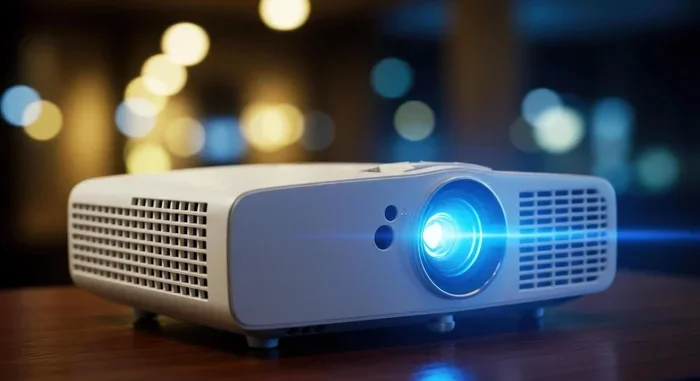
A multimedia projector is an optical device that takes a video or image signal and projects it onto a surface, usually a screen or wall. Think of it as a powerful magnifying glass for digital content. Instead of looking at a small laptop screen, you can enjoy the same content scaled up to 100 inches or more. This makes it perfect for sharing with a group or creating an immersive viewing experience.
The word “multimedia” means it handles more than one type of media. A basic video projector might only show video signals. But a multimedia projector can display images, text, videos, animations, and even live feeds from a camera. This versatility is what makes it so popular in homes, schools, and offices.
How Is It Different from a Regular Projector?
A regular projector might only handle one input type or one resolution level. A multimedia projector, on the other hand, comes with multiple ports and compatibility options. It often includes HDMI, USB, VGA, and even wireless connections. This means you can plug in almost any device and start projecting right away. The flexibility is a big reason why people choose a multimedia projector over a standard one.
Who Uses Multimedia Projectors?
Almost everyone benefits from a multimedia projector. Teachers use them for classroom lessons. Businesses use them for meetings and multimedia presentations. Families set them up for a home theater experience. Even event organizers use portable versions for outdoor movie nights or concerts. The uses are incredibly varied, which is part of what makes this device so valuable.
How Does a Multimedia Projector Work?
Understanding how a multimedia projector works does not require a degree in engineering. The basic process is simple. A light source shines through or onto an image chip. That chip processes the digital signal and creates the picture. Then, a projector lens magnifies that image and throws it onto a screen or wall. The whole process happens in fractions of a second.
Let us break this down step by step so it is easy to follow.
Step 1: Receiving the Signal
First, the multimedia projector receives a signal from a source device. This could be a laptop, a smartphone, a DVD player, or a gaming console. The signal travels through a cable like HDMI or through a wireless connection. The projector’s internal processor reads this signal and prepares it for display. Think of this as the projector “listening” to what it needs to show.
Step 2: Processing the Image
Once the signal is received, the projector’s processor breaks it down into pixels. Each pixel gets a color and brightness value. In an LCD projector, this happens through liquid crystal panels that open and close to let light through. In a DLP projector, tiny mirrors on a chip reflect the light to create the image. Both methods produce sharp, colorful pictures, but they use different projection technology.
Step 3: Projecting the Image
After processing, the image is sent through the projector lens. The lens focuses the light and projects it onto the screen. The size of the image depends on the throw distance, which is how far the projector sits from the screen. Some projectors can create a huge image from just a few feet away. Others need more space. This is an important factor to consider during projector setup.
The Role of the Light Source
The light source is the heart of any multimedia projector. Most traditional projectors use a projector lamp that produces bright, white light. This light passes through the image chip and carries the picture to the screen. Newer models may use LED light sources or laser technology. These alternatives often last longer and use less energy. If you are wondering whether you can swap a lamp for an LED, check out our guide on Can I Replace Projector Lamp With LED for helpful insights.
Types of Multimedia Projectors
Not all projectors are the same. Different technologies produce images in different ways, and each type has its own strengths. Here are the most common types of multimedia projectors you will encounter.
LCD Projectors
An LCD projector uses three liquid crystal panels to create red, green, and blue images. These panels combine to form the final picture. LCD projectors are known for their sharp image quality and accurate colors. They tend to be more affordable than other types, which makes them a popular choice for classrooms and small businesses. However, they may not be as bright as some other options, and they can show a “screen door” effect if the resolution is low.
DLP Projectors
DLP stands for Digital Light Processing. A DLP projector uses a chip made of thousands of tiny mirrors. Each mirror represents a pixel, and it tilts back and forth to create light and dark areas. DLP projectors are popular for their smooth motion and compact size. They are a great choice for a home theater setup. One thing to watch for is the “rainbow effect,” which some people notice during fast-moving scenes. Overall, DLP technology offers excellent value and performance.
LCoS Projectors
LCoS stands for Liquid Crystal on Silicon. This technology combines elements of both LCD and DLP. LCoS projectors use a reflective chip with liquid crystal layers. They produce very high-quality images with excellent color accuracy and smooth visuals. The downside is that they tend to be more expensive. If you want the best image quality and do not mind paying more, an LCoS multimedia projector is worth considering.
LED and Laser Projectors
LED and laser projectors use modern light sources instead of traditional bulbs. An LED projector can last much longer than a lamp-based model, often up to 20,000 hours or more. Laser projectors offer even brighter output and better color accuracy. Both types are becoming more popular as prices drop. They are ideal for anyone who wants a low-maintenance video projector that stays reliable for years.
Portable vs. Fixed Projectors
A portable projector is lightweight and easy to carry around. It is perfect for travel, outdoor movies, or quick setups in different rooms. A fixed projector is designed to stay in one place, usually mounted on a ceiling or shelf. Fixed models often offer more brightness and better features. When choosing between the two, think about where and how often you will use the device.
Key Features to Look For
When shopping for a multimedia projector, the number of options can feel overwhelming. But focusing on a few key features will help you make a smart choice. Here is what matters most.
Brightness
Projector brightness is measured in lumens. The higher the lumen count, the brighter the image. For a dark room or a home theater, 1,500 to 2,000 lumens is usually enough. For a bright classroom or a room with windows, you will want 3,000 lumens or more. Always match the brightness to your environment. A dim projector in a bright room will look washed out.
Resolution
Projector resolution determines how sharp the image looks. Common options include 720p, 1080p (Full HD), and 4K. A 1080p projector offers great detail for most uses. If you plan to watch movies or play games on a big screen, a higher resolution like 4K makes a noticeable difference. For basic presentations, 720p may be sufficient. Consider what you will display most often when choosing resolution.
Throw Distance
Throw distance is the space between the projector and the screen. A short-throw projector can create a large image from just a few feet away. This is great for small rooms. A standard-throw projector needs more space. Some models even offer ultra-short-throw capabilities, meaning they can sit right on a table inches from the wall. Check your room size before buying to make sure the throw distance fits your space.
Connectivity Options
Good projector connectivity makes the device easy to use. Look for at least one HDMI port, as this is the most common connection for modern devices. USB ports are handy for playing media directly from a drive. Some projectors also offer VGA, audio ports, and even Bluetooth or Wi-Fi for wireless streaming. If you often connect your phone to a projector with a USB cable, make sure the model supports your phone’s output type.
Lamp Life and Maintenance
The lamp life of a projector affects how often you need to replace the bulb. Traditional lamps last between 2,000 and 5,000 hours. LED and laser light sources can last 15,000 to 20,000 hours or more. Longer lamp life means less maintenance and lower costs over time. It is also a good idea to check whether the projector lamp is easy to replace and how much replacements cost.
Keystone Correction and Mounting
Keystone correction helps you fix a skewed image when the projector is not perfectly aligned with the screen. This feature is especially useful when you cannot mount the projector directly in front of the screen. If you are wondering about placement flexibility, you might want to read our article on Can I Mount My Projector Off Center. It covers how to get the best image even with unconventional setups.
Common Uses for Multimedia Projectors
The versatility of a multimedia projector is what sets it apart from other display devices. Here are some of the most popular ways people use them.
Home Theater
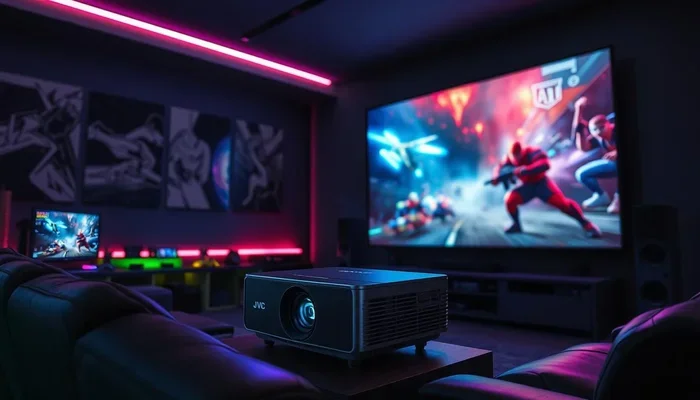
Creating a home theater is one of the most exciting uses for a multimedia projector. Instead of watching movies on a small TV, you can project them onto a wall or a pull-down screen. A portable projector paired with a white sheet or a black cloth for projector screen can create a surprisingly cinematic experience. The big image makes movies, sports, and gaming feel more immersive. Many families now prefer a projector over a traditional TV for their main entertainment setup.
Business and Education
In offices and classrooms, a multimedia projector is an essential tool. Teachers use it to display lessons, diagrams, and videos to an entire class. Business professionals use it for multimedia presentations, product demos, and team meetings. The ability to show content on a large screen ensures everyone in the room can see and engage with the material. A reliable projector can make any presentation more impactful and memorable.
Outdoor Entertainment
Outdoor movie nights and gatherings are a blast, and a multimedia projector makes them possible. You can project a movie onto a white wall, a portable screen, or even a bedsheet. For Halloween events, some people use projectors to create spooky projections on their homes or yards. If you are curious about this, check out Can I Use Any Projector For Halloween for tips and ideas. Just make sure your projector is bright enough to overcome ambient light outdoors.
Gaming and Sports
Gamers love the big-screen experience a projector provides. Playing on a 100-inch display makes games feel more exciting and immersive. Sports fans also enjoy watching games on a large projected image. The shared viewing experience brings people together. Whether it is a soccer match or a video game tournament, a video projector adds a new level of fun to the activity.
Tips for Setting Up Your Multimedia Projector
Setting up a multimedia projector does not have to be complicated. A few simple tips can make a big difference in image quality and ease of use.
Choose the Right Screen or Surface
A dedicated projection screen gives the best results, but you can also project onto a clean white wall. Avoid projecting onto colored or textured surfaces, as they can distort the image. Some people use a black cloth for projector setups to boost contrast and reduce glare. Experiment with different surfaces to find what works best in your space.
Position the Projector Correctly
Place the projector at the right distance and angle for the clearest image. Most projectors work best when they are level and centered with the screen. If you need to place it off to the side, use keystone correction or lens shift features. A stable surface or a ceiling mount keeps the image steady and prevents blurry edges.
Control the Room Lighting
Dimming the lights or closing the curtains improves the projected image significantly. A multimedia projector works best in darker environments because the light has less competition. If you must use the projector in a bright room, choose a model with higher lumens. You can also use a black cloth for projector screen to help absorb stray light and improve contrast.
Keep the Projector Clean and Ventilated
Dust can build up on the lens and vents over time. Wipe the lens gently with a microfiber cloth and keep the vents clear for proper airflow. Overheating can shorten the life of your device. If you notice the image getting dim, it might be time to check the projector lamp. Regular maintenance keeps your projector performing at its best for years.
Consider a Short-Throw or Ultra-Short-Throw Lens
If your room is small, a short-throw multimedia projector can save you space. These models project a large image from a very short distance. This means you can place the projector on a small table right in front of the screen. It also reduces the risk of people walking in front of the beam and casting shadows on the image.
Common Mistakes to Avoid
Even experienced users can make mistakes when using a multimedia projector. Here are a few pitfalls to watch out for.
- Buying a projector that is too dim for your room. Always match the brightness to your environment.
- Ignoring the throw distance. Measure your space before purchasing to make sure the projector fits.
- Forgetting about ventilation. Blocked vents cause overheating and can damage the device.
- Using the wrong cable or connection. Always use high-quality HDMI cables for the best picture.
- Neglecting maintenance. Regular cleaning and timely lamp replacement extend the life of your projector.
- Not checking compatibility. Make sure your projector supports the resolution and input type of your source devices.
Conclusion
A multimedia projector is a powerful and versatile device that can transform how you watch, learn, and present. From home theater setups to classroom lessons, it offers a big-screen experience that few other devices can match. Understanding how it works, the different types available, and the key features to look for helps you make a confident purchase. Whether you need a portable projector for travel or a high-powered model for a dedicated theater room, there is a perfect option out there for you.
Take your time, compare your options, and think about how you will use the device most often. With the right multimedia projector, every movie night, presentation, or game session becomes a memorable experience. The technology is accessible, the results are impressive, and the possibilities are endless. Start exploring your options today and bring your content to life on a big screen.
Frequently Asked Questions
What is the main difference between a multimedia projector and a regular projector?
A multimedia projector supports multiple types of media and input sources, including HDMI, USB, and wireless connections. A regular projector may only handle one or two input types. The multimedia version is more flexible and works with a wider range of devices.
How long does a multimedia projector lamp last?
A traditional projector lamp typically lasts between 2,000 and 5,000 hours. LED and laser light sources can last 15,000 to 20,000 hours or more. The actual lifespan depends on usage hours, brightness settings, and the type of light source your projector uses.
Can I use a multimedia projector outdoors?
Yes, you can use a multimedia projector outdoors, but you need a bright model with at least 3,000 lumens. You should also set up in the evening or in a shaded area to reduce ambient light. A portable screen or a clean white wall works well for outdoor setups.
Do I need a special screen for a multimedia projector?
A dedicated projection screen gives the best image quality, but you can project onto a white wall or even a bedsheet. Using a black cloth for projector screen can improve contrast and reduce glare. The key is to use a smooth, light-colored surface for the clearest picture.
What is the best resolution for a multimedia projector?
For most users, 1080p (Full HD) is the sweet spot for quality and value. If you want the sharpest image for movies or gaming, a 4K multimedia projector is ideal. For basic presentations and slideshows, 720p is usually sufficient. Choose based on what you plan to display most often.
Can I connect my phone directly to a multimedia projector?
Yes, many modern projectors support phone connections through HDMI adapters, USB cables, or wireless casting. If you prefer a wired connection, you can connect your phone to a projector with a USB cable for a simple and reliable setup. Wireless options like Miracast or Chromecast also work well with compatible models.