Do All Laptop Chargers Work For All Laptops Explained
Do All Laptop Chargers Work For All Laptops? The short answer is no. Not every charger fits every laptop. Different brands use unique connectors, voltage requirements, and power standards. Using the wrong charger can damage your device or fail to charge it altogether. This guide breaks down everything you need to know about laptop charger compatibility.
This is a comprehensive guide about Do All Laptop Chargers Work For All Laptops.
Key Takeaways
- Not universal: Laptop chargers are not one-size-fits-all due to different connector types and power requirements.
- Check voltage and wattage: Matching the correct voltage and amperage is essential for safe charging.
- USB-C is changing the game: Many modern laptops use USB-C charging, which is more universal than older connectors.
- Proprietary chargers exist: Brands like Dell, HP, and Apple often use their own unique charger designs.
- Using the wrong charger risks damage: Too much or too little voltage can harm your laptop battery or internal components.
- Universal chargers work with adapters: A universal laptop charger with the right tips can fit multiple devices.
- Always check your laptop specs: Your laptop manual or label tells you exactly what charger you need.
[FEATURED_IMAGE_PLACEHOLDER]
Do All Laptop Chargers Work For All Laptops?
If you have ever grabbed a charger and plugged it into your laptop only to find it does not fit, you are not alone. The question Do All Laptop Chargers Work For All Laptops comes up all the time. The answer is a clear no. Laptop chargers are not universal in the way we might hope.
Different laptop brands use different connector shapes, voltage levels, and power delivery standards. A charger made for one laptop may not work with another at all. In some cases, using the wrong charger can even cause damage. This is why understanding laptop charger compatibility matters so much.
In this article, we will break down everything you need to know. We will cover connector types, voltage and wattage requirements, USB-C charging, and whether a universal charger can solve your problems. By the end, you will know exactly what kind of charger your laptop needs.
Why Laptop Chargers Are Not Universal
You might wonder why laptop makers do not just standardize chargers. The truth is that there are many reasons. Each brand wants to control its own ecosystem. This means they design chargers that work best with their specific devices. Let us look at the main reasons Do All Laptop Chargers Work For All Laptops is a question with a negative answer.
Different Connector Types
One of the biggest reasons chargers do not fit all laptops is the connector. The plug that goes into your laptop comes in many shapes and sizes. Here are the most common types you will encounter:
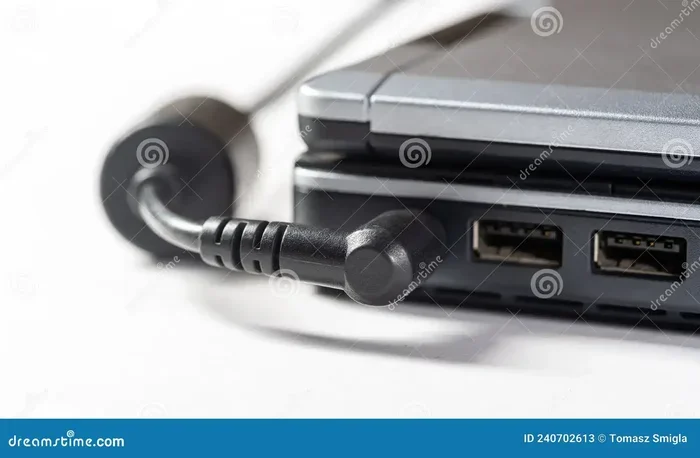
- Barrel connectors: These are the round plugs found on many older and budget laptops. They come in different sizes too.
- USB-C connectors: This is the newer standard. Many modern laptops now use USB-C for charging.
- MagSafe connectors: Apple uses its own magnetic connector design for MacBooks.
- Proprietary rectangular plugs: Brands like Dell and HP have their own unique rectangular connector shapes.
Because these connectors look and fit differently, a charger from one brand simply cannot plug into a laptop from another brand. The physical shape alone stops most chargers from being universal.
Voltage and Wattage Differences
Even if a charger physically fits, it still might not work safely. Every laptop has specific voltage requirements and wattage needs. These numbers tell you how much power the laptop expects.
Voltage is measured in volts (V). Amperage is measured in amps (A). Wattage is the combination of both (Volts x Amps). If you give your laptop too much voltage, you can fry its internal components. Too little voltage means it will not charge at all or will charge very slowly.
For example, a Dell laptop might need 19.5V and 3.34A. An HP laptop might need 20V and 4.5A. These are different power profiles. Swapping them without checking can lead to problems.
Proprietary Charging Standards
Some laptop brands use their own proprietary charging systems. Apple is the most well-known example. Its MagSafe and USB-C chargers are designed specifically for MacBooks. Microsoft Surface devices also use a unique connector and charging protocol.
These proprietary systems mean that even if a charger has the right voltage, it may not communicate properly with the laptop. The laptop might refuse to charge or might charge at a reduced speed. This is another big reason why Do All Laptop Chargers Work For All Laptops remains a no.
Understanding Laptop Charger Specifications
To find the right charger, you need to understand what the numbers on your power adapter mean. Every laptop power adapter has a label with key specs. Let us break these down so you can shop with confidence.
What the Label on Your Charger Tells You
Flip over your current charger and look at the label. You will see a few important numbers:
- Output Voltage (V): This is the electrical pressure the charger provides. Most laptops need between 15V and 20V.
- Output Amperage (A): This is the flow of electrical current. Typical values range from 2A to 6A.
- Output Wattage (W): This is the total power delivered. It equals voltage multiplied by amperage.
- Connector Size: For barrel connectors, the inner and outer diameter matters a lot.
When you buy a replacement charger, all of these numbers must match or exceed your laptop requirements. If the charger meets or exceeds the voltage and amperage, it should work safely.
How to Find Your Laptop Charging Specs
Not sure what your laptop needs? Here is how you can find out:
- Check the label on your current charger for output specs.
- Look at the bottom or back of your laptop for a sticker with power details.
- Open your laptop manual or visit the manufacturer website.
- Go to your laptop settings and look for battery or power information.
Once you know your voltage and wattage needs, you can confidently shop for a charger. This is the best way to avoid buying the wrong AC adapter and damaging your device.
USB-C Charging: A Step Toward Universality
USB-C has changed the laptop charging game in a big way. Many newer laptops now use a simple USB-C cable for power. This is a welcome change for people who own multiple devices. But does USB-C mean all chargers are now universal?
The Promise of USB-C
USB-C is a small, reversible connector that can carry data, video, and power. The USB Power Delivery (USB-PD) standard allows USB-C chargers to deliver up to 100W of power. This is more than enough for most laptops.
Because USB-C is a standard connector, any USB-C charger with USB-PD support can potentially charge a USB-C laptop. This is a huge step forward. You no longer need a special proprietary brick for every device.
But There Are Still Limits
Here is the catch. Not all USB-C chargers are created equal. Some only deliver 45W. Others deliver 65W or 100W. Your laptop needs a certain wattage to charge properly while running at full speed.
For instance, a 100W laptop used with a 45W USB-C charger will still charge. But it might charge very slowly. In some cases, the laptop battery might drain even while plugged in if the charger cannot keep up with the power demand.
Also, not all USB-C cables support high power delivery. The cable matters just as much as the charger. A cheap or old USB-C cable might limit the power flow and slow down your charging speed.
Which Laptops Use USB-C Charging?
Here are some popular laptops that use USB-C charging:
- Apple MacBook Air and MacBook Pro
- Dell XPS 13 and XPS 15
- Lenovo ThinkPad X1 Carbon
- HP Spectre x360
- Microsoft Surface Laptop (some models)
- Google Pixelbook
If your laptop is on this list, a quality USB-C charger with USB-PD support is a great choice. Just make sure the wattage matches your laptop needs.
Can You Use a Universal Laptop Charger?
A universal laptop charger is a charger that comes with multiple connector tips. The idea is that one charger can fit many different laptops. This sounds great in theory. But how well does it work in practice?
How Universal Chargers Work
Universal chargers come with a base unit and a set of interchangeable tips. You swap the tip to match your laptop connector. They also usually let you adjust the voltage setting. This gives them more flexibility than a single-brand charger.
Popular universal charger brands include Targus, Belkin, and Remax. These can be handy if you have multiple laptops at home or travel often.
Pros and Cons of Universal Chargers
Let us look at the good and the bad:
- Pros: They work with many laptop brands. They are cost-effective. They are great for travel. They come with multiple tips.
- Cons: The tips can feel loose. The build quality is often lower. They may not support fast charging or USB-PD. They can be bulky.
If you go the universal route, make sure the charger matches your laptop voltage and wattage. Also check that the tip fits snugly. A loose connection can cause intermittent charging or even sparking.
When a Universal Charger Works Well
Universal chargers work best for older laptops with standard barrel connectors. They also work well for backup chargers at the office or in a bag. If you just need a reliable charger to top up your battery, a universal option is a solid pick.
However, if you have a modern USB-C laptop, a dedicated USB-C charger with USB-PD support is a better choice. It will charge faster and more safely.
What Happens If You Use the Wrong Charger?
Using the wrong laptop charger is risky. Many people do it without thinking. But the consequences can range from minor annoyances to serious damage. Let us walk through what can go wrong.
Too Much Voltage
If your charger delivers more voltage than your laptop expects, the results can be serious. Excess voltage can fry the charging circuit. It can damage the motherboard or other internal parts. In the worst case, it can even cause the battery to swell or catch fire.
This is why you must never ignore the voltage rating on your laptop. Always match it exactly.
Too Little Voltage
A charger with too low voltage might not charge your laptop at all. Or it might charge extremely slowly. Your laptop might also display a warning message about an incompatible power source.
In some cases, the laptop will run on battery power even while plugged in. The low-voltage charger simply cannot keep up with the power demand.
Wrong Connector Size
A connector that is slightly too big or too small will not make proper contact. This can lead to intermittent charging. Your laptop might charge when you wiggle the plug a certain way. But this is unreliable and can wear out the charging port over time.
Using the wrong connector tip can also damage the charging port on your laptop. This is an expensive repair that is easy to avoid.
Incompatible Charging Protocols
Some laptops use specific charging protocols. These are communication standards between the charger and the laptop. If the charger does not speak the right protocol, the laptop might not recognize it as a valid power source.
This is common with Apple devices and some Microsoft Surface laptops. Even if the voltage and connector are correct, the wrong protocol can prevent charging entirely.
Quick Tips for Choosing the Right Laptop Charger
Finding the right charger does not have to be confusing. Follow these simple tips and you will get it right every time:
- Check your laptop label: Look at the bottom of your laptop or the battery compartment for power specs.
- Match the voltage exactly: The output voltage of the charger must match your laptop requirements.
- Match or exceed the amperage: The charger amperage should be equal to or higher than what your laptop needs.
- Get the right connector: Make sure the plug shape and size fit your laptop charging port snugly.
- Choose USB-C with USB-PD for modern laptops: This gives you flexibility and fast charging.
- Buy from reputable brands: Stick with trusted charger brands like Anker, Belkin, or the original manufacturer.
- Avoid cheap knockoffs: Low-quality chargers can lack proper safety certifications and damage your laptop.
Expert Insight: What Repair Technicians Say
Laptop repair technicians see the damage caused by wrong chargers more often than you might think. The most common mistake is buying a charger based on connector shape alone without checking the voltage and wattage.
One technician shared that a simple 5-dollar charger from an unknown brand fried a laptop motherboard. The replacement cost was over 300 dollars. The lesson is clear. Always invest in a quality charger that matches your laptop specifications.
Another common mistake is assuming that all USB-C chargers are the same. As we discussed earlier, wattage and USB-PD support vary widely. Always double-check the charger output before plugging it in.
Common Mistakes People Make With Laptop Chargers
Even smart people make mistakes when it comes to charging their laptops. Here are the most common errors to avoid:
- Assuming all USB-C chargers are the same: Wattage and protocol matter a lot.
- Ignoring the connector size: A barrel connector that is 1mm off will not work properly.
- Using a phone charger for a laptop: Most phone chargers output only 10W to 20W. Laptops need 45W to 100W.
- Buying the cheapest option: Cheap chargers often lack safety features and may deliver inconsistent power.
- Not checking the polarity: Barrel connectors have a positive and negative center. Wrong polarity can damage your laptop.
- Ignoring manufacturer recommendations: The laptop maker knows what works best with their device.
Avoiding these mistakes will keep your laptop safe and your battery healthy for years to come.
Conclusion
So, Do All Laptop Chargers Work For All Laptops? The answer is clearly no. Each laptop has its own power needs, connector type, and charging protocol. Using the wrong charger can lead to slow charging, no charging, or even permanent damage to your device.
The good news is that with a little knowledge, choosing the right charger is easy. Check your laptop specifications, match the voltage and wattage, and pick the right connector type. If you have a modern laptop, USB-C with USB-PD support is your best bet for a versatile and reliable charging solution.
Take a few minutes today to look at your current charger label and your laptop specs. This small step can save you money, time, and a lot of frustration in the long run. The right charger keeps your laptop running smoothly and your battery healthy for the long haul.
Do All Laptop Chargers Work For All Laptops?
No, they do not. Different laptops use different connectors, voltages, and charging protocols. Always check your laptop specifications before buying a charger.
Can I Use a USB-C Charger for Any Laptop?
Only if your laptop has a USB-C charging port. Even then, the charger must support the right wattage and USB Power Delivery protocol for your specific model.
What Happens If I Use a Charger With Higher Wattage?
A higher wattage charger is generally safe. Your laptop will only draw the power it needs. Just make sure the voltage matches exactly.
Are Universal Laptop Chargers Worth It?
They can be useful for people with multiple laptops. However, they may not support fast charging or the latest USB-PD standards. They work best as backup chargers.
How Do I Know What Charger My Laptop Needs?
Check the label on your current charger for output voltage and amperage. You can also look at the sticker on your laptop or consult the manufacturer website.
Can Using the Wrong Charger Damage My Laptop?
Yes, using a charger with the wrong voltage or connector can damage your charging port, battery, or internal components. Always use a charger that matches your laptop specs.
Frequently Asked Questions
What is Do All Laptop Chargers Work For All Laptops?
Do All Laptop Chargers Work For All Laptops is an important topic with many practical applications.