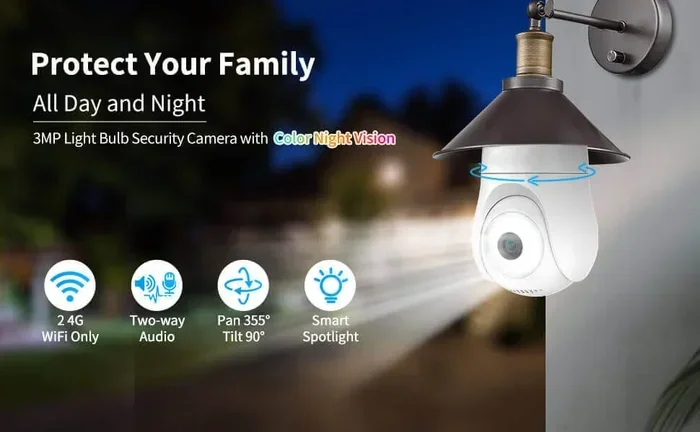
Do Light Bulb Cameras Still Work When The Light Is Off
Yes, light bulb cameras can still work when the light is off. These clever smart home devices use night vision technology and infrared sensors to capture video even in complete darkness. Whether you need indoor surveillance or a hidden security camera, understanding how they function in low-light conditions helps you make a smarter purchase decision.
Key Takeaways
- Light bulb cameras keep recording: They use built-in infrared LEDs to capture video in total darkness without needing the light turned on.
- Night vision is standard: Most modern bulb cameras include night vision as a core feature, not an extra add-on.
- WiFi connectivity matters: You need a stable wireless connection for live streaming and cloud storage, so can wireless Wi Fi work anywhere is a good question to ask.
- Apps are required: Just like you need an app to print from your phone, you need a companion app to control your light bulb camera settings.
- Power never stops: The camera module runs independently from the light bulb, so turning off the light does not disable recording.
- Privacy is a real concern: Always check local laws before using any hidden camera device in your home.
📑 Table of Contents
How Do Light Bulb Cameras Actually Work
Light bulb cameras are one of the coolest smart home devices on the market right now. They look like regular light bulbs. But inside, they pack a tiny security camera with a lens, microphone, and recording chip. The idea is simple. You screw the bulb into a normal lamp fixture. The light works just like any other bulb. But it also watches your room.
These devices sit right in the middle of home security and everyday lighting. You get illumination and surveillance in one package. That is what makes them so appealing. You do not need to mount a separate camera on your wall. You just replace a light bulb. And suddenly, you have a surveillance device in place.
The technology inside is surprisingly advanced. A tiny camera sensor sits at the base of the bulb. The lens peeks through the frosted cover. When the light is on, it captures video normally. But what happens when you flip the switch off? That is where things get interesting.
The Basic Technology Inside
Inside every light bulb camera, you will find a few key components. There is the camera sensor, which captures images. There is the microphone, which picks up audio. There is also a small processor that compresses and stores the footage. And then there is the LED array that produces light.
Here is the key detail. The camera sensor and the LED light are separate components. They share the same housing. But they operate independently. When you turn off the light, the LED stops working. But the camera sensor keeps running. It does not need visible light to function. It has its own built-in lighting system for dark environments.
The camera uses a small infrared LED array. These LEDs emit invisible light. The human eye cannot see it. But the camera sensor can. This is the same technology used in night vision goggles and professional security systems. It allows the camera to see in pitch black conditions.
How They Connect To Your Home Network
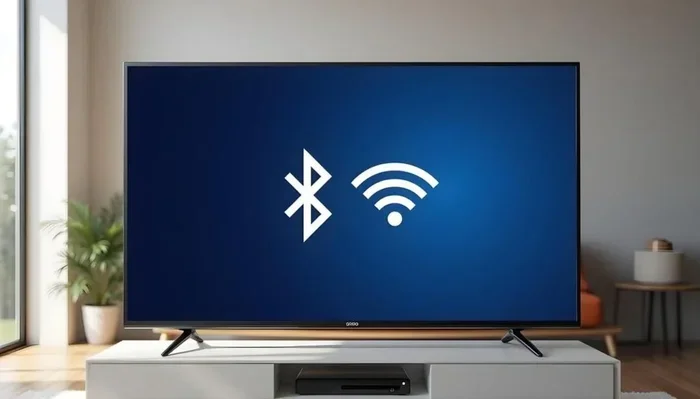
Most light bulb cameras connect to your home wireless network. They use WiFi to send video to your phone or to a cloud server. This means you need a working WiFi router nearby. Without a connection, the camera may still record locally. But you will not get live streaming or remote viewing.
Setting up the camera is usually straightforward. You screw the bulb into a socket. You download the companion app. You follow the on-screen instructions to connect to your WiFi. Within a few minutes, the camera is live. You can view the feed from anywhere with an internet connection.
Now, you might wonder whether can wireless Wi Fi work anywhere. The honest answer is no. Your camera needs a signal from your router. If you place the bulb too far from the router, the connection may drop. This is something to keep in mind when you decide where to install the bulb.
What Happens When You Turn Off The Light
This is the question that most people want answered. And the answer is reassuring. When you turn off the light switch, the light bulb stops emitting visible light. But the camera keeps working. The infrared LEDs kick in automatically. They flood the room with invisible light. The camera sensor picks up this light and creates a visible image.
Think of it like this. The camera has its own set of eyes. Visible light is just one way to see. Infrared light is another. The camera switches between them based on the lighting conditions. In a bright room, it uses the normal visible spectrum. In a dark room, it switches to infrared. You do not have to do anything manually.
Do They Stop Recording?
No. Turning off the light does not stop the camera from recording. The recording function runs on its own power circuit. It is separate from the light-emitting component. Whether the room is bright or pitch black, the camera continues to capture footage.
Some models record continuously. Others only record when they detect motion. This depends on your settings in the companion app. Either way, the light being off has no impact on the recording function. The camera is always on and always watching.
You can check the live feed from your phone at any time. Even in a completely dark room, you will see a clear image. The infrared night vision makes this possible. It is one of the main reasons people buy these devices in the first place.
Power And Battery Considerations
Light bulb cameras draw power from the light socket. As long as the bulb is screwed in and the fixture has power, the camera stays on. Turning off the light switch does not cut power to the camera in most setups. The camera and the light share the same power source but operate on separate circuits inside the bulb.
However, there is one important exception. Some light fixtures have a switch that completely cuts power to the socket. If you turn off that switch, the bulb loses all power. The camera stops recording too. This is a common mistake. People think the camera will keep working. But it cannot without electricity.
If you want the camera to work all the time, do not turn off the power to the fixture. Simply use the regular wall switch to control the light. Leave it on if you want continuous surveillance. Or use a smart switch that lets you control the light remotely while keeping camera power active.
Night Vision And Low-Light Performance
Night vision is the star feature of any light bulb camera. Without it, the camera would be useless in the dark. With it, you get clear footage even at midnight. Understanding how this technology works helps you set realistic expectations.
Infrared Technology Explained
Infrared light is a type of electromagnetic radiation. It has a longer wavelength than visible light. Humans cannot see it. But camera sensors can detect it easily. The infrared sensor inside the bulb camera emits this invisible light. It bounces off objects in the room. The sensor picks up the bounced light and creates an image.
The result is a black and white image in complete darkness. This is the standard for most security cameras. The image may not be colorful. But it is clear enough to identify faces, objects, and movement. Most bulb cameras offer a range of about 10 to 15 feet in total darkness. Some premium models go even further.
The quality of the night vision depends on the number of infrared LEDs. More LEDs mean better illumination in the dark. Cheaper models may have fewer LEDs. This results in a shorter range and grainier images. If night vision is important to you, check the specifications before buying.
Color vs Black And White Night Vision
Some advanced light bulb cameras offer color night vision. These models use a special sensor that can capture color even in low light. The image is not as vibrant as daytime footage. But it is far more useful than pure black and white. You can see colors like red, blue, and green in dim conditions.
Standard infrared cameras only produce black and white images. Both types have their place. Black and white is better for long-range detection. Color is better for identifying details like clothing or vehicle colors. Choose based on your specific surveillance needs.
Do Light Bulb Cameras Need WiFi To Function
WiFi is a critical part of the light bulb camera experience. Most models rely on a wireless connection to send video to your phone or to cloud storage. Without WiFi, the experience changes significantly. Let us break down exactly what happens.
How Connectivity Affects Recording
When the WiFi connection is strong, you get smooth live streaming. You receive motion alerts on your phone instantly. The video uploads to the cloud without delays. This is the ideal setup for home security.
When the WiFi is weak or absent, the camera may still record locally. Some models have a built-in SD card slot. They save footage directly to the card. But you will not get remote access or live streaming. You would need to physically remove the card and view the footage on a computer.
If you are concerned about your WiFi range, consider whether can two wifi have the same ssid. Setting up a mesh network or a dedicated access point for your smart home devices can improve reliability. This is a smart move if you plan to add multiple smart home devices to your setup.
Setting Up Your Home Network For Best Results
Place your WiFi router close to the room where you install the camera. Walls and distance weaken the signal. A strong connection ensures smooth video playback and reliable alerts. If your router is far away, consider a WiFi extender.
Also, make sure your internet speed is sufficient. Streaming video requires a decent upload speed. Most light bulb cameras work fine with standard broadband. But if your connection is very slow, you may experience lag or dropped frames.
Pros And Cons Of Using Light Bulb Cameras
Like any technology, light bulb cameras come with both advantages and limitations. Understanding both sides helps you decide if they are right for your home.
Advantages You Should Know
- Disguised and discreet: They look like normal light bulbs. Nobody suspects they are cameras. This makes them excellent for hidden camera surveillance.
- Two-in-one functionality: You get lighting and security in a single device. It saves space and reduces clutter.
- Easy installation: Just screw the bulb into a standard socket. No drilling, no mounting hardware, no complicated setup.
- Night vision capability: The infrared sensors work in complete darkness. You get 24/7 surveillance regardless of lighting.
- Remote access: View your camera feed from anywhere using your phone or tablet.
- Affordable: Many models are reasonably priced. They are cheaper than traditional security camera systems.
Limitations To Consider
- Dependence on the light socket: The camera only works where there is a compatible light fixture. You cannot place it anywhere you want.
- Limited field of view: The camera lens is small. The viewing angle is narrower than a dedicated security camera.
- Privacy concerns: Using a hidden camera in private spaces like bathrooms or bedrooms raises serious ethical and legal questions.
- Power dependency: If the fixture loses power, the camera stops working entirely.
- WiFi required for full functionality: Without a stable connection, you lose remote viewing and cloud storage features.
Tips For Getting The Most Out Of Your Light Bulb Camera
Once you have your light bulb camera set up, a few best practices help you get the best results. These tips come from real-world experience and user feedback.
First, place the bulb in a fixture that stays on at night. This ensures the camera always has power and can record overnight. A porch light or a hallway fixture works great. These areas see a lot of foot traffic and are common entry points.
Second, adjust the motion detection sensitivity in the app. If it is too sensitive, you will get alerts every time a pet walks by. If it is too low, you might miss important events. Find a balance that works for your space.
Third, regularly check your storage. Most cameras use either an SD card or cloud storage. When the storage fills up, older footage gets overwritten. If you need to keep specific recordings, save them to another device.
Fourth, update the firmware regularly. Manufacturers release updates that fix bugs and improve performance. Keeping your camera updated ensures it runs smoothly and securely.
Fifth, be mindful of privacy laws. In most places, recording people without their consent is illegal. Use the camera in public or semi-public areas only. Avoid pointing it at private spaces like bathrooms or bedrooms.
Final Thoughts
Light bulb cameras are a smart and practical choice for home security. They work when the light is off. The infrared night vision ensures continuous recording in complete darkness. The camera and the light operate independently, so flipping the switch does not disable surveillance.
These devices are easy to install, affordable, and surprisingly effective. They are not a replacement for a full security system. But they are a great addition. They fill gaps that traditional cameras cannot. They blend into your home seamlessly. And they provide peace of mind without the bulky setup.
Just remember to keep your WiFi connection strong. Place the bulb in a fixture that stays powered. And always respect the privacy of others. Follow these simple guidelines and your light bulb camera will serve you well for years to come.
Frequently Asked Questions
Can a light bulb camera record in complete darkness?
Yes, absolutely. Most light bulb cameras use infrared LEDs that emit invisible light. The camera sensor detects this light and creates a clear black and white image even when the room is pitch black. You do not need to leave the light on for the camera to work at night.
Do light bulb cameras need WiFi to record?
Not necessarily. Many models can record locally to an SD card without WiFi. However, you will lose the ability to view live footage remotely or receive motion alerts on your phone. WiFi is needed for full smart features like cloud storage and real-time streaming.
Can I use a light bulb camera outdoors?
It depends on the model. Most light bulb cameras are designed for indoor use only. They are not weatherproof. If you want outdoor surveillance, look for a model rated for outdoor use or choose a dedicated outdoor security camera instead.
Does turning off the light switch stop the camera from working?
Usually no. The camera and the light operate on separate circuits inside the bulb. Turning off the light switch stops the visible light but keeps the camera running. However, if the fixture has a switch that cuts all power to the socket, the camera will stop too.
How long can a light bulb camera record on a single charge?
Most light bulb cameras do not have a battery. They draw power directly from the light socket. This means they can record continuously as long as the fixture has power. Battery-powered models exist but are less common and need regular recharging.
Are light bulb cameras legal to use?
In most places, using a light bulb camera in your own home is legal. However, recording someone without their consent in private spaces like bathrooms or bedrooms is illegal in many jurisdictions. Always check your local laws and use the camera responsibly and ethically.