Do Wi Fi Calls Show Up On Your Monthly Cell Phone Bill
Do Wi Fi calls show up on your bill? The short answer is usually no, but it depends on your mobile carrier and plan. WiFi calling uses your internet connection to make calls, not traditional cell towers. Understanding how WiFi calls appear on your bill helps you avoid surprise charges and manage your mobile plan wisely.
Have you ever wondered, do Wi Fi calls show up on bill? You’re not alone. Millions of people use WiFi calling every day. They make calls from home, at work, or in areas with weak cell signal. But the billing side of things stays confusing for many users. This guide breaks it all down in simple terms.
WiFi calling lets you make phone calls using a WiFi network instead of the traditional cellular network. It works through a calling app or your phone’s built-in feature. But here is the big question most people ask: does it show up on the monthly cell phone bill? The answer depends on a few factors. Let’s explore them together.
Understanding how WiFi calls are billed can save you money. It also helps you avoid confusion when you review your phone bill. Whether you use an iPhone or Android device, the rules are similar across most carriers. Let’s dive into the details.
Key Takeaways
- WiFi calls typically do not appear on your bill: Most carriers don’t list WiFi calls as separate line items.
- Your mobile carrier determines billing: Some carriers may show a note, while others keep it completely off the statement.
- No extra charges for domestic WiFi calls: Making calls over WiFi usually does not cost additional minutes or fees.
- International WiFi calls can save money: Calling abroad over WiFi often costs less than standard roaming rates.
- Check your call logs for details: Even if WiFi calls don’t show on the bill, they may appear in your account’s call history.
- Data usage matters: WiFi calling uses minimal data, so it won’t eat into your data plan.
- Not all carriers treat WiFi calls the same: Always confirm with your specific mobile service provider.
📑 Table of Contents
- What Is WiFi Calling and How Does It Work?
- Do Wi Fi Calls Show Up On Your Bill?
- What Appears on Your Cell Phone Bill?
- Does WiFi Calling Use Data or Minutes?
- Common Mistakes People Make With WiFi Calling
- Quick Tips for Managing WiFi Calls and Your Bill
- Expert Insights on WiFi Calling and Billing
- How to Check if Your WiFi Calls Are Showing Up
- WiFi Calling vs. Regular Cellular Calls: A Comparison
- Final Thoughts: Do Wi Fi Calls Show Up On Bill?
What Is WiFi Calling and How Does It Work?
WiFi calling is a feature that lets you make voice calls over a wireless internet connection. Instead of routing your call through cell towers, it uses your home or office WiFi network. This technology is also known as VoIP, or Voice over Internet Protocol. Many mobile carriers now support it as a standard feature.
When you make a WiFi call, your phone sends voice data over the internet. That data travels to your carrier’s servers and then connects to the other person. The whole process happens in seconds. You might not even notice a difference compared to a regular call.
Why Do People Use WiFi Calling?
There are several reasons people turn on WiFi calling. Here are the most common ones:
- Poor cell signal: If you live in a basement or a rural area, WiFi calling keeps you connected.
- International travel: You can call home without paying expensive roaming fees.
- Indoor coverage: Buildings with thick walls often block cell signals. WiFi solves this problem.
- Battery savings: WiFi calls can use less battery than searching for weak cell towers.
- Free domestic calls: Most carriers do not charge extra for WiFi calls within your country.
Using a WiFi hotspot for calls is another popular option. You can connect to public WiFi or your personal hotspot and make calls just like you would on a regular network. It is a simple and effective way to stay in touch.
Do Wi Fi Calls Show Up On Your Bill?
This is the question at the heart of this guide. The short answer is: it depends on your carrier. Most major mobile carriers do not list WiFi calls as a separate line item on your bill. However, some carriers may include a small note or reference.
Here is what typically happens behind the scenes. When you make a WiFi call, your carrier treats it as a regular call. It counts against your monthly call minutes. But the billing system usually does not flag it as a WiFi call specifically. So when you look at your phone bill details, you might not even notice those calls are there.
How Different Carriers Handle WiFi Call Billing
Each mobile carrier has its own approach. Here is a general look at how the big names handle WiFi call billing:
- AT&T: WiFi calls usually do not show up separately. They count toward your regular minute allowance.
- Verizon: Similar to AT&T. Calls over WiFi appear as regular calls in your call logs.
- T-Mobile: WiFi calling is included at no extra cost. It blends into your normal usage.
- Regional carriers: Smaller providers may handle this differently. Always check with your specific carrier.
The key takeaway is that your carrier billing system is designed to keep things simple. WiFi calls are treated as part of your normal calling plan in most cases. You will not see a separate WiFi call charge on your bill.
What Appears on Your Cell Phone Bill?
Understanding what shows up on your bill helps put WiFi calls in context. A typical cell phone bill includes several sections. Let us walk through them so you know exactly what to look for.
Common Line Items on a Phone Bill
When you open your monthly statement, you will usually see these items:
- Base plan cost: The monthly fee for your cellular plan.
- Data usage charges: If you went over your data limit.
- Call minutes: Usage beyond your included minutes.
- Text message fees: If you send or receive SMS beyond your plan.
- Roaming charges: Fees for using service outside your home network.
- Add-ons and extras: Things like insurance, premium apps, or international packages.
- Taxes and fees: Government-imposed charges on your service.
Notice that WiFi calls do not have their own line item in most cases. They get bundled into your regular calling usage. This is great news if you are worried about surprise charges.
Call Logs vs. Billing Statements
Here is an important distinction. Your phone bill shows charges and totals. But your call logs show individual calls. Even if WiFi calls do not appear on the billing statement, they often show up in your call history. You can check this in your phone app under recent calls. The call may be labeled with a WiFi icon or noted as a VoIP call.
This means you can still track your WiFi calls. You just need to look in the right place. Your carrier’s online account portal usually has detailed call logs. You can log in and review your activity there.
Does WiFi Calling Use Data or Minutes?
Another common question is whether WiFi calls use your data or your minutes. The answer is: it uses your data, not your cellular minutes. But the amount is tiny. A typical WiFi call uses about 1 MB of data per minute. That is very little compared to streaming video or browsing the web.
So when you make a WiFi call, it does not eat into your cellular plan. It uses your internet data instead. If you have unlimited WiFi at home, this is a huge advantage. You can talk as much as you want without worrying about minutes.
WiFi Calling on International Calls
One of the biggest benefits of WiFi calling is savings on international calls. When you call a number in another country over WiFi, your carrier often charges much less. Some carriers even include international WiFi calls for free. This is a game changer for people with family abroad.
Regular international calls through the cellular network can cost a fortune. Rates can range from 20 cents to several dollars per minute. WiFi calling can cut that cost dramatically. Always check with your mobile service provider about their international WiFi calling rates.
Common Mistakes People Make With WiFi Calling
Even though WiFi calling is simple, people still make mistakes. Here are some common ones to avoid:
- Assuming all WiFi calls are free: While domestic calls are usually free, international rates still apply. Check your plan details.
- Not setting WiFi calling as default: If you do not enable it, your phone will use the cellular network automatically.
- Ignoring data usage: WiFi calls use data. If you are on a limited data plan, keep an eye on usage.
- Confusing WiFi calling with VoIP apps: Apps like WhatsApp or Skype are different from your carrier’s WiFi calling feature.
- Forgetting to charge your phone: WiFi calling can drain your battery faster if the signal is weak.
Avoiding these mistakes keeps your experience smooth. It also ensures you get the full benefit of WiFi calling without any billing surprises.
Quick Tips for Managing WiFi Calls and Your Bill
Here are some practical tips to keep your billing simple and your WiFi calls working well:
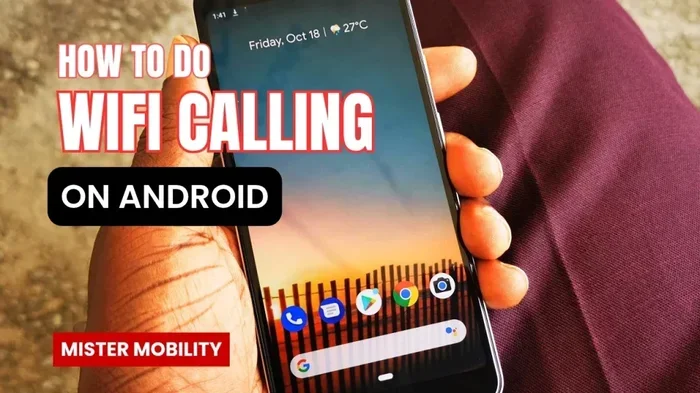
- Check your carrier settings: Go to your phone settings and look for WiFi calling. Make sure it is turned on.
- Review your bill monthly: Even if WiFi calls do not show, regular review helps you catch anything unusual.
- Use your carrier’s app: Most carriers have an app that lets you check call logs and data usage in real time.
- Contact customer support: If you are unsure, ask your carrier directly. They can confirm how WiFi calls appear on your specific account.
- Keep your phone updated: Software updates often improve WiFi calling quality and battery performance.
These small steps go a long way. They help you stay in control of your mobile plan and your communication costs.
Expert Insights on WiFi Calling and Billing
Industry experts agree that WiFi calling is one of the most useful features on modern smartphones. According to telecom analysts, more than 60 percent of smartphone users now use WiFi calling in some form. The trend continues to grow as carriers improve their networks and make WiFi calling easier to access.
From a billing perspective, experts recommend that users understand their carrier’s specific policies. While most carriers treat WiFi calls the same way, small differences exist. Reading your plan’s terms or asking a representative can clarify any doubts. It is always better to know for sure than to guess.
One telecom expert shared this insight: “WiFi calling is designed to be seamless. Carriers want users to adopt it because it reduces network congestion and improves coverage. The billing side is intentionally simple so users do not need to think about it.” This confirms that in most cases, WiFi calls blend into your regular usage without any extra steps on your part.
How to Check if Your WiFi Calls Are Showing Up
If you want to verify how your WiFi calls appear, here is a simple process:
- Log in to your carrier’s online account portal.
- Navigate to the billing or usage section.
- Look for call logs or detailed usage information.
- Check for any WiFi or VoIP indicators next to call entries.
- Compare the dates and times with your own records.
This process works for most carriers. If you do not see WiFi-specific labels, that is normal. It simply means your carrier groups them with regular calls. Your WiFi calls are still being recorded and counted. They just do not have a separate label on the bill.
WiFi Calling vs. Regular Cellular Calls: A Comparison
Let us compare WiFi calling with regular cellular calls side by side. This makes the differences clear at a glance:
Key Differences
- Network used: WiFi calling uses your internet connection. Regular calls use cell towers.
- Billing treatment: Both count toward your minutes. WiFi calls usually do not show separately.
- Coverage area: WiFi calling works anywhere with internet. Regular calls need cell signal.
- International rates: WiFi calling often costs less for international numbers.
- Data usage: WiFi calls use data. Regular calls use cellular network resources.
- Call quality: WiFi calling quality depends on your internet speed. Regular calls depend on cell signal strength.
Both types of calls serve the same purpose. They let you connect with others. The main difference is how they travel to reach the other person. And from a billing perspective, the treatment is very similar in most cases.
Final Thoughts: Do Wi Fi Calls Show Up On Bill?
So, do Wi Fi calls show up on bill? In most cases, the answer is no. Your WiFi calls blend into your regular calling usage. They do not create a separate charge or line item. This is true for the vast majority of mobile carriers and plans.
However, WiFi calls do count toward your total call minutes. They also use a small amount of data. If you are on an unlimited plan, none of this matters. But if you have a limited plan, keeping an eye on usage is smart.
The best thing you can do is stay informed. Check your carrier’s policies. Review your bill regularly. And do not hesitate to reach out to customer service if you have questions. Understanding your mobile service keeps you in control and saves you money over time.
WiFi calling is a powerful tool. It keeps you connected in places where cell signal falls short. It saves you money on international calls. And it does all of this without cluttering your bill with confusing extra charges. Embrace it, use it, and enjoy the peace of mind that comes with knowing exactly how your calls are billed.
Take a few minutes today to check your WiFi calling settings. Review your last bill. And make sure everything aligns with what you expect. A little knowledge goes a long way toward managing your mobile phone bill with confidence.
Frequently Asked Questions
Will WiFi calls appear as a separate charge on my phone bill?
No, in most cases WiFi calls do not appear as a separate charge. Your carrier treats them as regular calls and bundles them into your existing plan. You will not see a specific WiFi call fee listed on your bill.
Can I see WiFi calls in my call history even if they do not show on the bill?
Yes, absolutely. Even if WiFi calls do not appear on your billing statement, they usually show up in your call logs. Check your phone app or your carrier’s online portal for a detailed call history with timestamps and duration.
Does WiFi calling use my cellular minutes or data?
WiFi calling uses your data, not your cellular minutes. The amount of data used is very small, typically around 1 MB per minute. This means your cellular minute allowance stays untouched when you call over WiFi.
Are there any hidden fees for WiFi calling?
Most carriers include WiFi calling at no extra cost. However, international WiFi calls may still incur charges depending on your plan. Always check with your mobile service provider to confirm their specific WiFi calling policies.
Will my WiFi calls show up differently if I use a calling app instead of the built-in feature?
Yes, third-party calling apps like WhatsApp or Skype work differently than your carrier’s built-in WiFi calling. These app calls use internet data and do not appear on your cellular bill at all. They only affect your data usage.
What should I do if I see unexpected charges related to WiFi calls?
If you notice unexpected charges, contact your carrier’s customer support right away. They can review your account and explain any charges. Sometimes billing errors happen, and carriers can adjust your bill if the charges are incorrect.
=== CONCLUSION ===
Understanding how WiFi calls affect your bill is simpler than you might think. The answer to do Wi Fi calls show up on bill is mostly no. They blend into your regular calling usage and do not create separate charges. This makes WiFi calling a convenient, cost-effective way to stay connected.
By following the tips in this guide, you can manage your mobile plan with confidence. Check your call logs, review your bill, and reach out to your carrier when needed. Knowledge is power, and it keeps your wallet happy.
Start using WiFi calling today if you have not already. It is a smart move for better coverage, lower costs, and fewer worries about your monthly cell phone bill. You will wonder why you did not turn it on sooner.