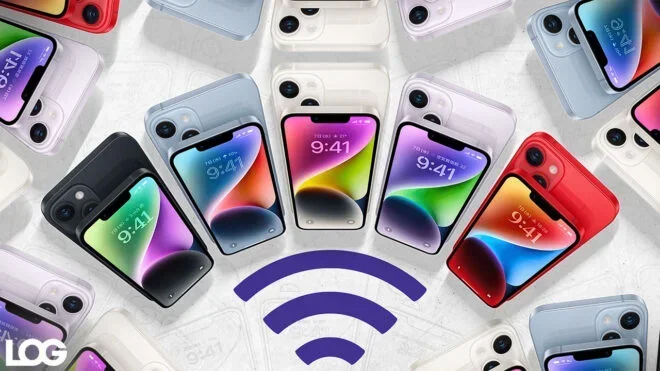
Does Iphone 15 Have Wifi 6e And What It Means For You
The iPhone 15 does not support WiFi 6E, but it does support WiFi 6. This means you get fast wireless speeds and solid performance, but you miss out on the 6GHz band that WiFi 6E offers. Only the iPhone 15 Pro and Pro Max models include WiFi 6E support. Understanding this difference helps you make the most of your wireless connection.
Apple released the iPhone 15 in September 2023, and many people immediately asked one question: does this phone support WiFi 6E? The answer is more nuanced than a simple yes or no. The standard iPhone 15 supports WiFi 6, which is still very fast and reliable. But it does not support WiFi 6E. Only the Pro models, the iPhone 15 Pro and iPhone 15 Pro Max, include WiFi 6E capability. This distinction matters a lot if you care about wireless speed, network performance, and future-proofing your device.
In this guide, we will break down everything you need to know about the iPhone 15 and WiFi 6E. We will cover what WiFi 6E actually is, how it differs from WiFi 6, and what it means for your daily use. Whether you are streaming movies, gaming online, or just browsing the web, understanding your phone’s wireless capabilities helps you get the most out of your connection. Let us dive in.
Key Takeaways
- The iPhone 15 supports WiFi 6, not WiFi 6E.
- WiFi 6E adds the 6GHz band for faster, less crowded connections.
- The iPhone 15 Pro and Pro Max do have WiFi 6E.
- WiFi 6 still delivers excellent speeds for most users.
- Your router matters just as much as your phone for WiFi performance.
- You can still use AirPlay and other wireless features with WiFi 6.
- Future iPhones may bring even faster wireless standards.
📑 Table of Contents
- What Is WiFi 6E And Why Does It Matter?
- Does The iPhone 15 Support WiFi 6E?
- WiFi 6 vs WiFi 6E: What Is The Real Difference?
- What Does WiFi 6 Mean For iPhone 15 Users?
- How To Get The Most Out Of Your iPhone 15’s WiFi
- Common Mistakes People Make With iPhone WiFi
- Expert Insights: What The Future Holds For iPhone WiFi
- Final Thoughts: Is The iPhone 15’s WiFi Good Enough?
What Is WiFi 6E And Why Does It Matter?
WiFi 6E is the extended version of WiFi 6. The “E” stands for “Extended.” It adds support for the 6GHz frequency band, which was not available in the original WiFi 6 standard. This new band opens up more channels and reduces interference from other devices.
To understand why this matters, think about a busy highway. WiFi 6 uses the 2.4GHz and 5GHz bands. These are like the main lanes on that highway. When too many cars (devices) try to use the same lanes, traffic slows down. WiFi 6E adds a whole new highway lane — the 6GHz band — so devices have more space to move faster.
How WiFi 6E Improves Wireless Performance
WiFi 6E offers several real-world benefits that regular WiFi 6 cannot match:
- Less interference: The 6GHz band is much less crowded. Fewer devices use it, so your connection stays clean and stable.
- Higher speeds: With more available channels, WiFi 6E can deliver faster data transfer rates.
- Lower latency: Games, video calls, and streaming all benefit from reduced lag.
- Better multitasking: You can run multiple high-bandwidth activities at once without slowdowns.
These improvements are especially noticeable in homes with many smart devices. If you have a smart TV, multiple phones, tablets, and IoT gadgets all competing for bandwidth, WiFi 6E makes a real difference. You can also check out how AirPlay works without WiFi to understand how wireless performance affects streaming.
Does The iPhone 15 Support WiFi 6E?
The short answer is no. The standard iPhone 15 supports WiFi 6 (802.11ax) but does not include WiFi 6E. Apple kept WiFi 6E exclusive to the Pro models for this generation. This decision was likely a cost-saving measure, but it also creates a clear distinction between the two lines.
iPhone 15 vs iPhone 15 Pro: WiFi Comparison
Here is a quick comparison of the WiFi capabilities between the two models:
- iPhone 15: WiFi 6 (802.11ax), 2.4GHz and 5GHz bands
- iPhone 15 Pro: WiFi 6E (802.11ax), 2.4GHz, 5GHz, and 6GHz bands
- iPhone 15 Pro Max: WiFi 6E (802.11ax), 2.4GHz, 5GHz, and 6GHz bands
Both phones support the latest wireless protocol (WiFi 6). The difference is the extra 6GHz band on the Pro models. If you want the full WiFi 6E experience, you need to step up to a Pro model.
If you are curious about other iPhone connectivity features, you might want to read about whether you can force your phone to use 2.4GHz WiFi for better range.
WiFi 6 vs WiFi 6E: What Is The Real Difference?
It is easy to confuse WiFi 6 and WiFi 6E because they share the same core technology. Both use the same 802.11ax standard. Both offer faster speeds, better efficiency, and improved battery life compared to older WiFi standards. The key difference is the frequency band support.
Frequency Bands Explained
WiFi frequencies work on different bands, much like radio stations. Here is a simple breakdown:
- 2.4GHz band: Older, slower, but wider range. Good for basic tasks like browsing and email.
- 5GHz band: Faster but shorter range. Great for streaming and gaming.
- 6GHz band (WiFi 6E only): The fastest and least crowded. Ideal for heavy tasks like 4K streaming and competitive gaming.
The 6GHz band is the game-changer. It provides wide, clear channels that are not shared with older devices. This means your WiFi 6E phone can connect to a dedicated highway that nobody else is using.
Even though the iPhone 15 does not have WiFi 6E, it still uses the latest WiFi 6 technology. WiFi 6 is a massive upgrade from WiFi 5 (802.11ac). It brings faster speeds, better handling of multiple devices, and improved power efficiency. Most home networks today use WiFi 6 routers, so the iPhone 15 pairs perfectly with modern equipment.
What Does WiFi 6 Mean For iPhone 15 Users?
Even without WiFi 6E, the iPhone 15 delivers excellent wireless performance. WiFi 6 is fast enough for nearly everything you do on your phone. Here is what you can expect:
Faster Downloads And Uploads
WiFi 6 can theoretically reach speeds up to 9.6Gbps. In real-world use, you will not hit that number, but you will still get much faster speeds than WiFi 5. Downloading apps, updating iOS, and backing up to iCloud all happen quicker on WiFi 6.
Better Performance In Crowded Areas
One of WiFi 6’s biggest strengths is handling multiple devices. If you are at a coffee shop, airport, or stadium, WiFi 6 keeps your connection stable. The technology uses something called OFDMA (Orthogonal Frequency Division Multiple Access) to manage traffic efficiently. This means your phone stays connected even when many devices are competing for the same network.
Improved Battery Life
WiFi 6 includes a feature called Target Wake Time (TWT). This allows your phone to schedule when it checks for data, reducing unnecessary power usage. The result is better battery life when you are connected to WiFi. This is a small but meaningful improvement over older WiFi standards.
Can You Use WiFi 6E Features Without A WiFi 6E Phone?
Yes and no. You need a WiFi 6E phone to access the 6GHz band. But your WiFi 6 router can still benefit your iPhone 15 in other ways. A good WiFi 6 router improves the overall network for all devices. It handles traffic better, reduces lag, and provides faster speeds on the 5GHz band. So even without WiFi 6E, the iPhone 15 still gets a great experience on a modern network.
If you are setting up a home network, you might want to check if Google WiFi can work as an access point to extend your coverage.
How To Get The Most Out Of Your iPhone 15’s WiFi
Since the iPhone 15 does not have WiFi 6E, you want to make sure you are squeezing every bit of performance from WiFi 6. Here are some practical tips to improve your wireless experience.
1. Use A WiFi 6 Router
The iPhone 15 works best with a WiFi 6 router. If you still have an older WiFi 5 router, upgrading will make a noticeable difference. Look for routers that support the 802.11ax standard. Popular options include the Apple Airport Express (discontinued but still usable), Netgear Nighthawk AX series, and TP-Link Archer AX series.
2. Position Your Router Strategically
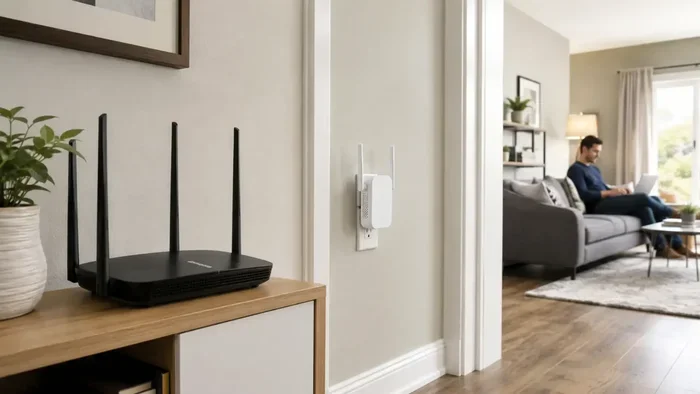
Router placement matters a lot. Keep your router in a central location in your home. Avoid placing it near walls, metal objects, or appliances that cause interference. The 5GHz band that WiFi 6 uses has a shorter range than 2.4GHz, so proximity to the router is key.
3. Reduce Network Congestion
If you have many devices on your network, congestion can slow things down. WiFi 6 handles this better than older standards, but you can still help by:
- Disconnecting devices you are not using
- Setting up a separate network for IoT devices
- Using Quality of Service (QoS) settings on your router
- Updating your router firmware regularly
4. Use The 5GHz Band When Possible
Most modern routers broadcast both 2.4GHz and 5GHz networks. The 5GHz band is faster and less congested. Your iPhone 15 should automatically connect to 5GHz when available. If you want to check or change this, go to Settings, then WiFi, and look at your network details. You can also learn more about managing WiFi bands by reading about how to force your phone to use 2.4GHz WiFi if you need better range instead of speed.
5. Keep Your iPhone Updated
Apple regularly releases iOS updates that improve WiFi performance and fix connectivity bugs. Always keep your iPhone 15 running the latest version of iOS. These updates often include optimizations for WiFi 6 routers and improvements to wireless stability.
Quick Tips For Better WiFi On iPhone 15
- Restart your router once a month to clear cached data
- Turn off WiFi Assist if it causes unnecessary cellular data usage
- Forget and rejoin your network if you experience slow speeds
- Use a VPN only when necessary, as it can slow down your connection
- Reset network settings if you have persistent WiFi issues
If you are concerned about calling over WiFi, you can check if any phone supports WiFi calling to stay connected even in weak signal areas.
Common Mistakes People Make With iPhone WiFi
Even with a great phone like the iPhone 15, people often make mistakes that hurt their WiFi performance. Here are a few to avoid:
- Assuming all iPhone 15 models are the same: The standard iPhone 15 and the Pro models have different WiFi capabilities. Always check the specs before buying.
- Ignoring router placement: A great phone cannot fix a poorly placed router. Put your router in a central, elevated location.
- Not updating firmware: Both your iPhone and your router need updates for optimal performance. Outdated firmware causes slow speeds and dropped connections.
- Overloading your network: Too many devices on one network slows everyone down. Consider a mesh network setup for larger homes.
- Confusing WiFi 6 with WiFi 6E: They are not the same. Make sure you know what your phone and router support before expecting certain speeds.
Another common mistake is thinking that WiFi 6E is necessary for everyday use. For most people, WiFi 6 is more than enough. You only really need WiFi 6E if you have a very busy network, do heavy gaming, or work from home with multiple video calls throughout the day.
Expert Insights: What The Future Holds For iPhone WiFi
Apple tends to introduce new WiFi standards a few years after they become mainstream. The iPhone 15 brought WiFi 6 to the base model, which was a smart move. Looking ahead, we can expect future iPhones to support WiFi 7 (802.11be), which promises even faster speeds and better efficiency.
WiFi 7 is expected to offer speeds up to 46Gbps, which is a massive jump from WiFi 6E’s theoretical maximum. Apple will likely include WiFi 7 in future iPhone models, possibly starting with the iPhone 16 or iPhone 17 series. Until then, WiFi 6 on the iPhone 15 remains more than capable for everyday use.
For now, if WiFi 6E is a must-have for you, the iPhone 15 Pro is your best option among the iPhone 15 lineup. It gives you access to the 6GHz band and all the benefits that come with it. If you are curious about other connectivity features, you might also enjoy reading about whether you can use FaceTime on Royal Caribbean WiFi or whether you can use FaceTime without WiFi at all.
Final Thoughts: Is The iPhone 15’s WiFi Good Enough?
The iPhone 15 does not have WiFi 6E, but it has WiFi 6. And WiFi 6 is excellent. It delivers fast speeds, handles multiple devices well, and improves battery life. For the vast majority of users, WiFi 6 is more than enough to meet all their daily needs.
The only reason to look at WiFi 6E specifically is if you have a WiFi 6E router and want to use the 6GHz band for the fastest possible connections. If that describes your setup, you should consider the iPhone 15 Pro or Pro Max instead of the standard iPhone 15.
For everyone else, the iPhone 15 provides a fantastic wireless experience. Pair it with a good WiFi 6 router, keep your software updated, and follow the tips in this guide. You will have a fast, reliable, and enjoyable wireless experience every day.
Technology moves fast, and Apple keeps improving with each new generation. The iPhone 15 is a solid device that handles modern wireless demands with ease. Whether you are streaming, gaming, working, or just browsing, you can trust the iPhone 15 to keep you connected.
Frequently Asked Questions
Does The iPhone 15 Support WiFi 6E?
No, the standard iPhone 15 does not support WiFi 6E. It supports WiFi 6 (802.11ax). Only the iPhone 15 Pro and iPhone 15 Pro Max include WiFi 6E support with the 6GHz band.
What Is The Difference Between WiFi 6 And WiFi 6E?
WiFi 6E is the extended version of WiFi 6. Both use the same 802.11ax standard, but WiFi 6E adds support for the 6GHz frequency band. This provides more channels, less interference, and faster speeds in crowded environments.
Is WiFi 6 Fast Enough For The iPhone 15?
Yes, WiFi 6 is very fast and more than enough for most users. It offers speeds up to 9.6Gbps theoretically, handles multiple devices well, and provides lower latency than older WiFi standards. For streaming, gaming, and everyday browsing, WiFi 6 delivers an excellent experience.
Can I Upgrade My iPhone 15 To Support WiFi 6E?
No, WiFi support is built into the phone’s hardware. You cannot add WiFi 6E to the iPhone 15 through a software update. The wireless chip in the standard iPhone 15 does not support the 6GHz band.
Should I Buy A WiFi 6E Router If I Have An iPhone 15?
You can, and it will benefit all your WiFi 6 devices on the network. However, you will not be able to access the 6GHz band with the iPhone 15. A WiFi 6E router is more valuable if you have WiFi 6E devices like the iPhone 15 Pro or certain laptops and tablets.
Which iPhone Has WiFi 6E Support?
The iPhone 15 Pro and iPhone 15 Pro Max support WiFi 6E. Earlier models like the iPhone 14 and iPhone 13 only support WiFi 6 at most. Always check the specific model’s specs before assuming WiFi 6E support.