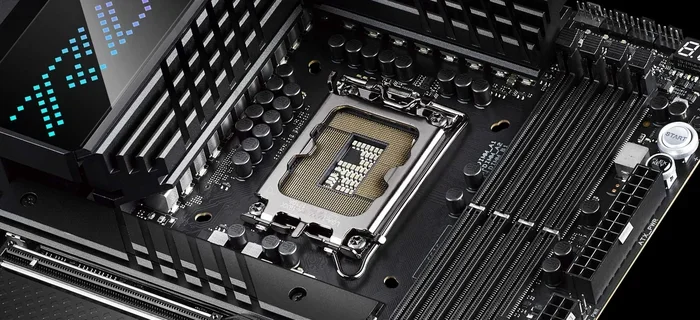
Does The Z690 P D4 Have Bluetooth Built In Features
The ASUS PRIME Z690-P D4 motherboard does include built-in Bluetooth support, giving you seamless wireless connectivity without extra hardware. This board leverages the Intel Z690 chipset to deliver Bluetooth 5.2 and WiFi 6E capabilities right out of the box. In this guide, we break down every detail about the Z690 P D4 Bluetooth features, setup process, and what you need to know.
If you are building or upgrading a desktop PC around the ASUS PRIME Z690-P D4 motherboard, one question likely popped into your head. Does the Z690 P D4 have Bluetooth? The short answer is yes. But there is a lot more to know about how this board handles wireless connectivity, what versions it supports, and how to get everything working smoothly.
In this article, we are going to walk you through everything you need to know about Z690 P D4 Bluetooth features. Whether you want to connect wireless headphones, a Bluetooth keyboard, or even a speaker, this motherboard has you covered. Let us dive right in.
Key Takeaways
- Yes, the Z690 P D4 has Bluetooth built in: It supports Bluetooth 5.2 for wireless peripherals and audio.
- No extra adapter needed: The motherboard includes integrated wireless capabilities, saving you money and desk space.
- Setup is straightforward: You just need to install the right drivers and pair your devices through Windows.
- Bluetooth 5.2 offers better range and speed: You get improved connectivity compared to older Bluetooth versions.
- Check your BIOS and drivers: Keeping them updated ensures the best wireless performance and stability.
- Works with a wide range of devices: From headphones and keyboards to speakers and printers, the Z690 P D4 handles them all.
📑 Table of Contents
- What Is the Z690 P D4 Motherboard?
- Does the Z690 P D4 Have Bluetooth?
- How to Set Up Bluetooth on the Z690 P D4
- What Devices Can You Connect via Bluetooth?
- Bluetooth vs. WiFi on the Z690 P D4
- Common Bluetooth Issues and How to Fix Them
- Do You Need a Bluetooth Adapter If You Have the Z690 P D4?
- Expert Insights on Motherboard Bluetooth
- How the Z690 P D4 Bluetooth Compares to Other Boards
- Final Thoughts
What Is the Z690 P D4 Motherboard?
The ASUS PRIME Z690-P D4 is a mid-range motherboard built around Intel’s Z690 chipset. It supports 12th and 13th generation Intel Core processors and uses DDR4 memory. This board strikes a nice balance between performance and value, making it popular among PC builders who want solid features without breaking the bank.
One of the standout features of this board is its integrated wireless capabilities. Unlike some budget boards that leave you needing a separate WiFi card or Bluetooth adapter, the Z690 P D4 comes with both WiFi and Bluetooth built right into the board. This means less clutter, fewer cables, and a cleaner setup overall.
Key Specs at a Glance
- Chipset: Intel Z690
- Socket: LGA 1200
- Memory: DDR4 (Dual Channel)
- WiFi: WiFi 6E (802.11ax)
- Bluetooth: Bluetooth 5.2
- Form Factor: ATX
- Expansion Slots: PCIe 5.0 x16, PCIe 4.0 x1
Does the Z690 P D4 Have Bluetooth?
Yes, the Z690 P D4 has Bluetooth built in. Specifically, it supports Bluetooth 5.2, which is one of the latest wireless standards available on consumer motherboards. This is not an afterthought or something you need to add separately. The Bluetooth module is integrated directly into the board’s wireless combo card.
This is great news if you want a clean, wireless setup. You can connect wireless peripherals like mice, keyboards, and controllers without plugging anything into a USB port. You can also stream audio to wireless speakers or headphones, making your desktop experience much more flexible.
What Bluetooth Version Means for You
Bluetooth 5.2 brings several improvements over older versions. You get a longer wireless range, faster data transfer speeds, and better battery efficiency on connected devices. If you have ever dealt with Bluetooth dropouts or lag, upgrading to a board with Bluetooth 5.2 can make a noticeable difference.
For comparison, older boards with Bluetooth 4.2 or 5.0 often struggle with interference and shorter range. The Z690 P D4’s Bluetooth 5.2 support means you can move around your desk or room without losing your connection. This matters especially if you like to stretch out while gaming or watching media.
How to Set Up Bluetooth on the Z690 P D4
Setting up Bluetooth on the Z690 P D4 is a pretty simple process. You do not need any extra hardware or dongles. Everything you need is already on the board. Here is how to get started.
Step 1: Install the Wireless Drivers
When you first boot up your new build, Windows might not automatically recognize the wireless module. You need to install the drivers that come with the motherboard or download them from the ASUS support website. Look for the Intel Wireless driver package, which includes both WiFi and Bluetooth drivers.
Once you install the drivers, restart your PC. After the reboot, your system should detect the Bluetooth module automatically.
Step 2: Pair Your Devices
Open the Windows Settings app and go to Devices > Bluetooth & other devices. Toggle Bluetooth on and click “Add device.” Your PC will start scanning for nearby Bluetooth devices. Select the device you want to pair and follow the on-screen prompts.
Most devices like headphones, mice, and keyboards pair within seconds. If a device does not show up, make sure it is in pairing mode and within close range of your PC.
Step 3: Test Your Connection
After pairing, test your device to make sure everything works. Play some audio through your Bluetooth headphones or move your wireless mouse around. If the connection feels stable, you are all set.
Quick Tip: If you are having trouble finding Bluetooth in Windows settings, check the device manager. The Bluetooth icon should appear under “Bluetooth” or “Network adapters.” If it does not, reinstall the wireless drivers from ASUS’s official website.
What Devices Can You Connect via Bluetooth?
The beauty of having Bluetooth built in is the sheer number of devices you can connect. Here is a list of popular peripherals and accessories that work seamlessly with the Z690 P D4:
- Wireless headphones and earbuds: Perfect for music, gaming, and video calls without wires.
- Bluetooth speakers: Stream audio to a portable speaker in any room.
- Wireless keyboards and mice: Keep your desk clean and free of cables.
- Game controllers: Connect Xbox, PlayStation, or Nintendo Switch controllers wirelessly.
- Printers: Some Bluetooth-enabled printers can connect directly to your PC.
- Smartwatches and fitness trackers: Sync your wearable devices without a USB cable.
- Phone tethering: Share your phone’s internet connection with your PC over Bluetooth.
The Bluetooth 5.2 standard on this board handles all of these use cases with ease. You get reliable connections and solid range, which makes it perfect for both work and entertainment setups.
Bluetooth vs. WiFi on the Z690 P D4
Some people wonder whether the Bluetooth and WiFi features on the Z690 P D4 share the same module or if they are separate. The truth is, most modern motherboards use a single wireless combo card that handles both WiFi and Bluetooth. The Z690 P D4 follows this design.
This means the WiFi and Bluetooth functions share some resources. In most cases, this does not cause any issues. However, if you are running heavy WiFi traffic while also using multiple Bluetooth devices, you might notice a slight dip in performance. This is rare and usually only happens in very demanding scenarios.
One thing to keep in mind: the Z690 P D4 supports WiFi 6E, which operates on the 6 GHz band. This is separate from the Bluetooth frequency, so they do not interfere with each other in most situations. The result is smooth, reliable wireless performance across all your devices.
Common Bluetooth Issues and How to Fix Them
Even with built-in Bluetooth, you might run into occasional issues. Here are the most common problems and their solutions.
Bluetooth Not Showing Up in Windows
If Bluetooth does not appear in your settings, the driver is likely not installed correctly. Go to the ASUS website, find the Z690-P D4 support page, and download the latest Intel Wireless driver. Install it and restart your PC.
Devices Won’t Pair
If a device refuses to pair, try turning Bluetooth off and on again on both your PC and the device. Also, make sure the device is in pairing mode. Sometimes removing old pairings from the device list helps too.
Connection Drops or Lag
Interference from other wireless devices can cause dropouts. Move your PC closer to the Bluetooth device and reduce the number of active wireless connections. Updating the Bluetooth driver can also improve stability.
Poor Audio Quality
If your Bluetooth audio sounds choppy or low quality, check that you are using the correct audio codec. Bluetooth 5.2 supports LDAC and AAC codecs, which deliver much better sound than older SBC codecs. Make sure your headphones and PC both support the codec you want to use.
Do You Need a Bluetooth Adapter If You Have the Z690 P D4?
No, you do not need a separate Bluetooth adapter with the Z690 P D4. The board has Bluetooth 5.2 built in, which covers all your wireless needs. Adding an external adapter would be redundant and could even cause driver conflicts.
However, if you are building a system with a different motherboard that lacks Bluetooth, a USB Bluetooth adapter is a great option. You can plug one into any available USB port and get wireless connectivity in seconds. Just make sure the adapter supports Bluetooth 5.0 or higher for the best experience.
If you ever upgrade to a different board or build a second PC, you might wonder whether you can reuse the same Bluetooth adapter across multiple systems. The answer is yes. A USB Bluetooth dongle is portable and works with any PC that has a USB port. Just install the drivers on each system, and you are good to go.
Expert Insights on Motherboard Bluetooth
When it comes to desktop Bluetooth, the motherboard you choose matters a lot. Higher-end boards tend to have better wireless modules with stronger antennas and more stable connections. The Z690 P D4 sits in the mid-range category, and its Bluetooth performance is solid for most users.
Professional builders and tech reviewers often recommend checking the wireless module specifications before purchasing a motherboard. The Z690 P D4 uses a proven Intel wireless solution that is reliable and well-supported. This means fewer headaches and better long-term performance.
If you are planning a home theater PC or a gaming setup where wireless audio is important, the Z690 P D4 is a great choice. The Bluetooth 5.2 support ensures you can connect high-quality wireless headphones or speakers without any noticeable lag. Whether you are gaming, streaming, or just listening to music, the wireless experience is smooth and dependable.
One more thing worth mentioning: keeping your drivers up to date is essential for the best Bluetooth performance. ASUS regularly releases BIOS and driver updates that improve wireless stability and compatibility. Make it a habit to check for updates every few months.
How the Z690 P D4 Bluetooth Compares to Other Boards
To put things in perspective, let us look at how the Z690 P D4 stacks up against other popular motherboards in its class when it comes to Bluetooth support.
| Feature | Z690 P D4 | Typical Budget Board | High-End Z690 Board |
|---|---|---|---|
| Bluetooth Version | 5.2 | 4.2 or None | 5.2 or 5.3 |
| WiFi Support | WiFi 6E | WiFi 5 or None | WiFi 6E or 7 |
| Built-in Wireless | Yes | Rare | Yes |
| External Adapter Needed | No | Yes | No |
| Driver Support | Excellent | Varies | Excellent |
As you can see, the Z690 P D4 holds its own against both budget and high-end options. The inclusion of Bluetooth 5.2 and WiFi 6E at its price point makes it a compelling choice for anyone who values wireless convenience.
Final Thoughts
So, does the Z690 P D4 have Bluetooth? Absolutely. With Bluetooth 5.2 built right into the board, you get modern wireless connectivity that works with a wide range of devices. Whether you are a gamer, a content creator, or just someone who prefers a cable-free desk, this motherboard delivers.
The setup process is simple, the performance is reliable, and the wireless range is more than adequate for most home and office environments. Combined with WiFi 6E support, the Z690 P D4 offers a complete wireless package that eliminates the need for extra adapters or dongles.
Just remember to keep your drivers updated and your devices in pairing mode, and you will have a smooth Bluetooth experience in no time. This board proves that you do not need to spend a fortune to get solid wireless features on your desktop PC.
If you are in the market for a Z690 motherboard with Bluetooth, the Z690 P D4 deserves a spot at the top of your list. It is affordable, capable, and ready for all your wireless needs today and in the future.
Frequently Asked Questions
Does the Z690 P D4 come with Bluetooth built in?
Yes, the ASUS PRIME Z690-P D4 has Bluetooth 5.2 built directly into the motherboard. You do not need to buy any additional adapters or hardware to use Bluetooth with this board.
Can I connect wireless headphones to the Z690 P D4?
Absolutely. The Z690 P D4 supports Bluetooth 5.2, which works with virtually all wireless headphones and earbuds. Simply pair them through Windows Bluetooth settings and start listening.
Do I need to install drivers for Bluetooth on the Z690 P D4?
Yes, you need to install the Intel Wireless driver package that includes both WiFi and Bluetooth drivers. You can find these on the ASUS support website for the Z690-P D4 model.
What is the Bluetooth range on the Z690 P D4?
Bluetooth 5.2 offers a range of up to about 30 meters in open spaces. In a typical home or office environment, you can expect reliable connectivity within 10 to 15 meters.
Can I use a USB Bluetooth adapter with the Z690 P D4 if I already have built-in Bluetooth?
While you can physically plug in a USB Bluetooth adapter, it is not necessary. The built-in Bluetooth 5.2 module on the Z690 P D4 is more than sufficient for most users. Using both at the same time could cause driver conflicts.
Is the Z690 P D4 Bluetooth version good enough for gaming?
Yes, Bluetooth 5.2 is excellent for gaming. It provides low latency and stable connections for wireless gaming headsets, controllers, and peripherals. Most gamers will not notice any difference compared to wired connections.