How Do I Choose A Bluetooth Adapter For Beginners
Choosing the right Bluetooth adapter doesn’t have to be confusing. This guide breaks down everything beginners need to know, from Bluetooth versions and range to compatibility and audio quality. You’ll learn how to match the right wireless adapter to your devices and avoid common buying mistakes.
So you want to add wireless connectivity to your TV, car, or stereo. Maybe your favorite headphones don’t connect the way you want, or your old speaker setup feels stuck in the past. Whatever the reason, a Bluetooth adapter can be a simple and affordable fix.
But here’s the thing — not all adapters are the same. Some are tiny and plug straight into a USB port. Others look like small boxes that connect via cable. And the Bluetooth version, range, and audio quality can vary a lot between brands. If you’re new to all of this, it can feel overwhelming fast.
That’s exactly why we put this guide together. By the end, you’ll know exactly what to look for, what to avoid, and how to pick the right Bluetooth device for your setup. No tech jargon. No confusion. Just clear, practical advice you can use right away.
Key Takeaways
- Know your needs first: Decide whether you need a Bluetooth adapter for audio, data transfer, or both before shopping.
- Check Bluetooth version: Newer versions like Bluetooth 5.0 offer better range, speed, and stability.
- Compatibility matters: Make sure the adapter works with your TV, laptop, car, or stereo system.
- Range and signal strength: Choose an adapter with enough wireless range for your space and use case.
- Read real reviews: User feedback helps you spot quality issues that specs alone won’t reveal.
- Price vs. quality: You don’t always need the most expensive option, but very cheap adapters often underperform.
📑 Table of Contents
- What Is a Bluetooth Adapter and Why Do You Need One?
- Understanding Bluetooth Versions and What They Mean
- Types of Bluetooth Adapters: Which One Is Right for You?
- Key Features to Look for When Choosing a Bluetooth Adapter
- Comparing Popular Bluetooth Adapter Options
- Common Mistakes to Avoid When Buying a Bluetooth Adapter
- Expert Tips for Getting the Most Out of Your Bluetooth Adapter
- Where to Buy a Bluetooth Adapter
- Final Thoughts: Making the Right Choice for Your Setup
What Is a Bluetooth Adapter and Why Do You Need One?
A Bluetooth adapter is a small device that adds wireless capability to equipment that doesn’t have it built in. Think of it as a bridge between your old device and modern wireless technology. It lets two devices talk to each other without cables.
You might need one if your TV lacks Bluetooth. Or if your car stereo is too old to connect wirelessly. Maybe you want to stream audio from your phone to your home speakers. A wireless adapter makes all of this possible without buying brand new equipment.
The good news is that most adapters are plug-and-play. You don’t need to be a tech expert to set one up. Just plug it in, pair your device, and you’re good to go. That simplicity is exactly why so many people are choosing to upgrade their setups with a Bluetooth receiver or transmitter.
Common Devices That Benefit from Bluetooth Adapters
You might be surprised how many devices can use a Bluetooth adapter. Here are some of the most common ones:
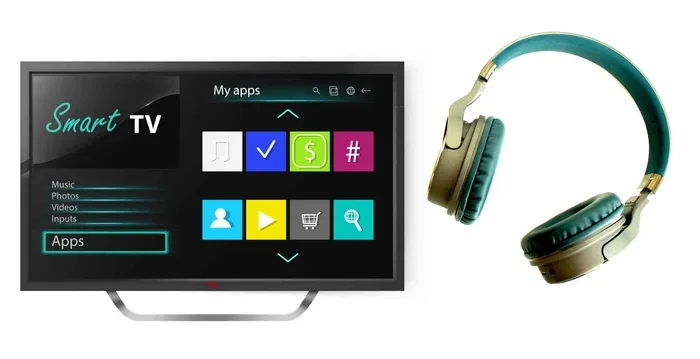
- Televisions — Add wireless audio output to any TV, even older models. This is especially helpful if you want to use wireless headphones while watching late-night shows.
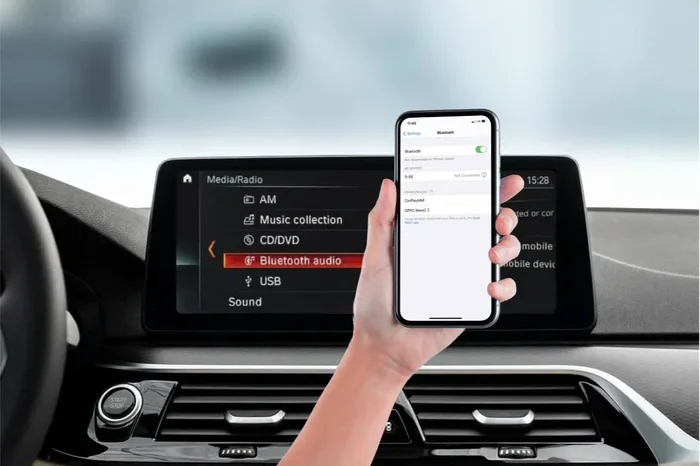
- Car stereos — Turn your old car radio into a Bluetooth-enabled system for hands-free calls and music streaming.
- Home stereos and speakers — Give your wired speakers the ability to receive audio from your phone or tablet.
- Laptops and desktops — Add wireless connectivity to computers that don’t have built-in Bluetooth.
- Gaming consoles — Some adapters let you connect wireless headphones to gaming systems for a more immersive experience.
As you can see, the uses go way beyond just listening to music. A Bluetooth adapter opens up a whole world of wireless convenience across your home and even your car.
Understanding Bluetooth Versions and What They Mean
Not all Bluetooth technology is created equal. The version number on an adapter tells you a lot about its performance. Higher numbers generally mean better speed, range, and efficiency. Let’s break this down in simple terms.
Bluetooth 4.0 vs. Bluetooth 5.0 vs. Bluetooth 5.3
Most adapters you’ll find today fall into one of three categories: Bluetooth 4.0, Bluetooth 5.0, or Bluetooth 5.3. Here’s what each means for your experience:
- Bluetooth 4.0: This is the older standard. It still works fine for basic audio streaming. But the range is shorter, usually around 30 feet. You might notice more dropouts if you move around the room.
- Bluetooth 5.0: This version doubled the range and improved speed. You can expect up to 80 feet of coverage in open space. It also handles multiple devices better and uses less battery power.
- Bluetooth 5.3: The newest standard at the time of writing. It offers the most stable connection, better energy efficiency, and improved audio quality. If you want the best wireless audio experience, look for this version.
When choosing an adapter, always check the Bluetooth version first. It’s the single biggest factor in how well your adapter will perform. Spending a little more on a newer version can save you frustration down the road.
Types of Bluetooth Adapters: Which One Is Right for You?
Not all adapters look the same, and the type you choose depends on what you’re connecting and how you plan to use it. There are three main types to consider.
USB Bluetooth Dongles
A USB Bluetooth dongle is the most popular type. It’s a small stick that plugs directly into a USB port. These are compact, affordable, and easy to set up. They work great with laptops, desktop computers, and even some smart TVs.
If you’re looking to add Bluetooth to your TV or computer, a USB dongle is usually the way to go. Just make sure the USB port is accessible and not blocked by other devices. Some dongles are so small they stay tucked away without getting in the way.
One thing to keep in mind: not all USB dongles are the same quality. Cheap ones from unknown brands might struggle with signal strength or audio delays. Stick with reputable brands and read user reviews before buying.
Bluetooth Transmitters and Receivers
These are slightly larger devices that connect via a 3.5mm audio cable or optical cable. A Bluetooth transmitter sends audio from a non-Bluetooth device to your wireless headphones or speakers. A Bluetooth receiver does the opposite — it sends wireless audio to a non-Bluetooth speaker or stereo.
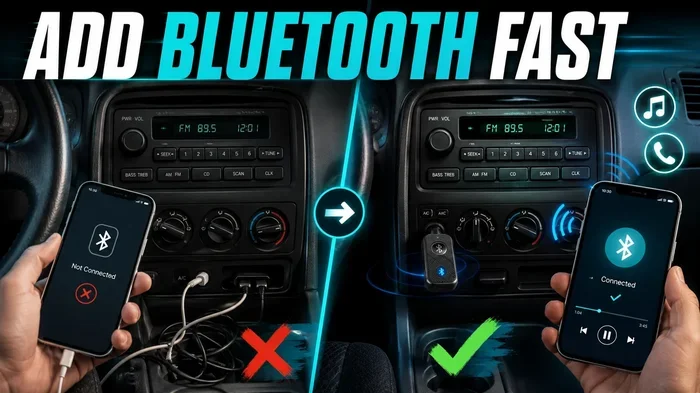
If you want to turn your stereo into Bluetooth or connect wireless headphones to your TV, a transmitter or receiver combo is ideal. These are especially popular for car audio setups too. You can even find options that let you use a Bluetooth transmitter for your car and enjoy wireless music during your commute.
Built-In Bluetooth Modules
Some adapters come as internal cards that you install inside a computer. These are less common for everyday users but are useful for desktop builds or professional setups. If you’re not comfortable opening up your computer, skip this type and go with a USB dongle or external transmitter.
Key Features to Look for When Choosing a Bluetooth Adapter
Now that you know the types, let’s talk about the specific features that matter most. These are the things that will make or break your experience.
Range and Signal Strength
The Bluetooth range tells you how far you can move away from the connected device without losing the signal. For most home uses, 30 to 50 feet is plenty. But if you need more coverage, look for adapters that advertise 80 feet or more.
Keep in mind that walls, furniture, and other electronics can reduce the effective range. If you’re using an adapter in a large room or through multiple walls, a stronger signal matters more. Bluetooth 5.0 and newer versions handle this much better than older versions.
Audio Quality and Latency
Nobody wants to watch a movie where the dialogue doesn’t match the lips. Audio latency is the delay between the audio source and what you hear. Cheap adapters often have noticeable lag, which is especially annoying for video watching and gaming.
Look for adapters that support aptX or LDAC codecs. These are advanced audio codecs that deliver higher quality sound with less delay. If you care about sound quality, this is a feature you should not skip.
Multipoint Connection
Some adapters let you connect to two devices at the same time. This is called multipoint pairing. For example, you could have your TV and phone connected to the same adapter simultaneously. When a call comes in on your phone, the adapter switches over automatically.
This feature is incredibly handy and saves you the hassle of disconnecting and reconnecting devices. Not all adapters offer it, so check the specs if this matters to you.
Compatibility with Your Devices
Before you buy, make sure the adapter works with your specific devices. Most adapters work with any device that supports Bluetooth profiles like A2DP (for audio streaming) or HFP (for hands-free calling). But some adapters are designed specifically for certain use cases.
If you’re connecting to a TV, check whether the adapter supports your TV’s output options. For car use, make sure it works with your car stereo’s input. Compatibility is one of the most overlooked factors, and it can lead to frustration if you don’t check early.
Ease of Setup and Use
The best Bluetooth adapter in the world won’t help you if it’s a pain to set up. Look for adapters that advertise plug-and-play functionality. Most quality adapters will pair within seconds and don’t require additional software or drivers.
Some adapters come with their own companion app, which can be helpful for updating firmware or adjusting settings. But for most users, a simple setup process is all you need. If an adapter requires complicated configuration, it’s probably not the best choice for beginners.
Comparing Popular Bluetooth Adapter Options
To help you visualize the differences, here’s a quick comparison of the most common adapter types based on key features.
| Feature | USB Dongle | Transmitter/Receiver | Internal Module |
|---|---|---|---|
| Price Range | $10 – $40 | $15 – $60 | $20 – $50 |
| Setup Difficulty | Very Easy | Easy | Moderate |
| Best For | Laptops, TVs, PCs | Stereos, Car Radios, TVs | Desktop Builds |
| Portability | Excellent | Good | Poor (Internal) |
| Audio Quality | Good to Great | Great | Great |
| Bluetooth Version | 4.0 to 5.3 | 4.0 to 5.3 | 4.0 to 5.3 |
As you can see, each type has its strengths. USB dongles win on convenience and price. Transmitter/receiver combos offer better audio quality for stereo and car setups. Internal modules are best for custom PC builds where looks don’t matter as much.
If you’re still unsure, a USB dongle is the safest starting point for most beginners. It’s affordable, easy to use, and works with a wide range of devices. You can always upgrade to a transmitter or receiver later if your needs change.
Common Mistakes to Avoid When Buying a Bluetooth Adapter
Even with the best intentions, it’s easy to make a poor choice. Here are some mistakes beginners should watch out for.
- Ignoring Bluetooth version: Buying a cheap adapter with an older version means worse range and slower speeds. Always check the version number.
- Skipping compatibility checks: Not every adapter works with every device. Make sure it supports your TV, car, or stereo before you buy.
- Focusing only on price: The cheapest option isn’t always the best. Very low-priced adapters often have poor build quality and weak signals.
- Overlooking audio codecs: If sound quality matters to you, make sure the adapter supports codecs like aptX or LDAC for better wireless audio.
- Not reading reviews: Real user experiences reveal problems that product descriptions won’t mention. Always check reviews before purchasing.
Avoiding these mistakes will save you time, money, and the headache of returning a product that doesn’t work for your needs.
Expert Tips for Getting the Most Out of Your Bluetooth Adapter
Once you’ve chosen your adapter, a few simple tips can help you get the best performance every time.
First, keep your adapter away from other wireless devices. Wi-Fi routers, microwaves, and cordless phones can interfere with the Bluetooth signal. Placing the adapter in a clear, open spot helps maintain a strong connection.
Second, keep your adapter’s firmware up to date. Many manufacturers release updates that improve connection stability and audio quality. Check the brand’s website or app for updates every few months.
Third, if you’re using the adapter with a TV, make sure your TV supports the audio output format the adapter needs. Some adapters work best with optical output, while others use a 3.5mm jack. Matching the right connection type makes a big difference.
Finally, if you ever want to connect a wireless printer with a USB cable or explore other wireless accessories, the same principles apply. Check compatibility, version support, and signal strength before purchasing any Bluetooth device.
Where to Buy a Bluetooth Adapter
Bluetooth adapters are widely available both online and in stores. Popular online retailers like Amazon, Best Buy, and Walmart carry a large selection. When shopping online, filter by Bluetooth version, customer rating, and price to narrow down your options.
If you prefer to see the product in person, electronics stores like Best Buy or Micro Center let you compare different models side by side. Store staff can also answer basic questions about compatibility and setup.
Just remember that price doesn’t always equal quality. Some mid-range adapters outperform expensive ones. Focus on the features that matter most for your setup rather than brand names alone.
Final Thoughts: Making the Right Choice for Your Setup
Choosing the right Bluetooth adapter comes down to understanding your needs and matching them to the right features. Decide whether you need a USB dongle, a transmitter, or a receiver. Check the Bluetooth version and make sure it’s compatible with your devices. Pay attention to range, audio quality, and ease of setup.
A good Bluetooth adapter can transform how you listen to music, watch movies, and even make phone calls in your car. It’s a small investment that adds a lot of convenience to your daily life. With the right choice, you’ll enjoy wireless connectivity without any of the hassle.
Take your time, compare a few options, and don’t be afraid to read a few reviews. The right adapter is out there, and now you have everything you need to find it. Happy listening!
Frequently Asked Questions
Can I use a Bluetooth adapter on my TV?
Yes, absolutely. Most modern TVs support Bluetooth adapters through a USB port or audio output. If your TV doesn’t have built-in Bluetooth, a simple USB Bluetooth dongle or audio transmitter can add wireless capability. Just make sure the adapter is compatible with your TV’s connection options.
What’s the difference between a Bluetooth transmitter and a Bluetooth adapter?
A Bluetooth adapter typically refers to a small USB device that adds Bluetooth to a computer or TV. A Bluetooth transmitter sends audio wirelessly from a non-Bluetooth device to Bluetooth headphones or speakers. Some devices work as both a transmitter and a receiver, giving you more flexibility.
Do I need to install drivers for a Bluetooth adapter?
Most modern Bluetooth adapters are plug-and-play and don’t require driver installation. However, some adapters may need a driver, especially on older computers. Always check the product description or manufacturer’s website for setup instructions before buying.
Can I connect any Bluetooth headphones to my TV with an adapter?
In most cases, yes. A Bluetooth adapter allows you to connect virtually any wireless headphones to your TV. However, some TVs have specific Bluetooth profiles that work better with certain headphones. If you run into issues, check whether your TV and headphones support the same Bluetooth profile like A2DP.
How far can I be from my device with a Bluetooth adapter?
Most Bluetooth adapters work within a range of 30 to 80 feet, depending on the version. Bluetooth 5.0 and newer versions offer the longest range. Walls and other obstacles can reduce the effective distance, so keep your adapter in a clear line of sight when possible.
Is it worth paying more for a Bluetooth 5.0 adapter?
Yes, for most users it is. Bluetooth 5.0 offers better range, faster data transfer, and more stable connections than older versions. If you plan to use your adapter regularly for audio streaming or hands-free calls, the upgrade is well worth the small price difference.