Can You Watch Laser TV In Daylight Without Squinting
Yes, you can watch a laser TV in daylight, but it takes the right setup. Laser TVs are brighter than traditional projectors, which makes them better for daytime viewing. However, you still need a bright room, the right screen, and smart placement to avoid squinting and eye strain. This guide covers everything you need to know about using your laser TV in daylight conditions.
Watching your favorite show on a big screen feels amazing. But what happens when the sun is shining right through your window? Can you still enjoy that cinematic experience without squinting your eyes or straining to see the picture? The answer is yes. Laser TVs have changed the game when it comes to daytime viewing. They are brighter, sharper, and more reliable than older projection systems. In this article, we will walk you through everything you need to know about using a laser TV in daylight. You will learn what makes them work, what to look for, and how to set up your space for the best possible picture.
If you have been thinking about buying a laser TV or already own one, this guide is for you. We will break down the science behind the brightness, compare different options, and give you practical tips you can use right away. Whether you want to watch sports during the day or stream movies with the curtains open, you will find the answers here. Let us dive in.
Key Takeaways
- Laser TVs handle daylight better than standard projectors thanks to their high brightness levels and advanced light source technology.
- Screen choice matters a lot — a high-gain screen can make a huge difference in daylight visibility.
- Room positioning and lighting control are just as important as the TV itself for a great viewing experience.
- Contrast ratio and ambient light rejection play key roles in keeping your image sharp during the day.
- Laser TVs offer long-lasting performance with low maintenance compared to traditional lamp-based projectors.
- You do not need a dark room anymore to enjoy big-screen entertainment with modern laser projection technology.
📑 Table of Contents
- What Is a Laser TV and How Does It Work?
- Can You Really Watch Laser TV in Daylight?
- Choosing the Right Screen for Daytime Viewing
- Setting Up Your Laser TV for Daylight Viewing
- What to Watch on Your Laser TV During the Day
- Common Mistakes to Avoid When Using a Laser TV in Daylight
- Benefits of Using a Laser TV Over a Regular TV
- Expert Tips for the Best Daytime Viewing Experience
- Final Thoughts on Watching Laser TV in Daylight
What Is a Laser TV and How Does It Work?
A laser TV is a type of projection system that uses laser light instead of a traditional lamp. This might sound like a small change, but it makes a big difference. Laser light is more focused, more energy-efficient, and much brighter than older bulb-based projectors. That extra brightness is exactly what helps a laser TV perform better in daylight.
Here is how it works in simple terms. The laser creates a very bright beam of light. That light passes through a chip called a DLP or LCoS chip. The chip adds color and detail to the image. Then the light projects onto your screen. Because the light source is so powerful, the final image stays visible even when room lights are on.
Most laser TVs range from 2,000 to 4,000 lumens or more. For comparison, a standard TV might produce around 300 to 500 nits of brightness. That is why many people choose a laser TV for a big-screen experience that competes with flat-screen displays. The technology has improved a lot in recent years, and the latest models are truly impressive.
Laser TV vs Traditional Projector
If you have used a projector before, you know the struggle. Traditional projectors look washed out in daylight. The colors fade. The image gets blurry. A laser TV solves most of these problems. The laser light source is more consistent and produces a much higher contrast ratio. This means darker areas stay dark, and bright areas stay bright.
Traditional projectors also lose brightness over time as the lamp ages. A laser TV keeps its brightness for thousands of hours. You will not notice a fade in image quality for a very long time. This makes laser projectors a better long-term choice for anyone who wants to watch content during the day.
Some people wonder if they should just buy a bigger smart TV instead. That is a fair question. But for many rooms, a laser TV delivers a larger image at a lower cost per inch. If you want a 100-inch screen, a laser projector setup is often more affordable than buying a 100-inch flat panel. You can also check out Can I Use A Projector Instead Of A Tv for a deeper comparison.
Can You Really Watch Laser TV in Daylight?
The short answer is yes. But the real answer depends on a few factors. A laser TV can handle daylight, but not all setups are equal. The amount of light in your room, the type of screen you use, and the placement of your projector all matter.
Let us talk about brightness first. When we say a laser TV is bright, we mean it is bright compared to other projectors. It does not mean it can outshine direct sunlight. If you have a window with full sun hitting your screen, no projector will look perfect. But if you have natural light or moderate room lighting, a laser TV will perform beautifully.
Most people watch TV in living rooms with curtains or blinds. In these conditions, a laser TV works great. The image stays clear and colorful. You will not need to squint or lean forward to see the details. That is a huge improvement over older projection technology.
The Role of Ambient Light
Ambient light is any light in the room that is not part of the TV image. This includes sunlight, ceiling lights, and lamps. The more ambient light there is, the harder it is for any screen to show a crisp image.
Here is the good news. Laser TVs produce enough light to compete with moderate ambient light. They are not perfect in a sun-drenched room, but they are much better than standard projectors. If you want to maximize your daylight viewing, consider these steps:
- Close the blinds or curtains on the window that faces the sun.
- Use warm, dim lighting instead of bright overhead lights.
- Position the screen away from windows so light does not hit it directly.
- Turn off unnecessary lamps in the room during viewing time.
These small changes can make a big difference. You will be surprised how much better your laser TV image looks with just a little light control.
Choosing the Right Screen for Daytime Viewing
The screen you use with your laser TV matters just as much as the projector itself. A regular white wall might work in a dark room, but it will not do you any favors during the day. You need a screen designed to handle ambient light and reflect the image clearly.
Not all screens are the same. Some are designed to bounce light back to the viewer. Others spread light out more evenly. For daylight viewing, you want a screen that focuses light toward your seating area. This makes the image brighter and easier to see.
Screen Gain Explained
You have probably heard the term screen gain. It is a measure of how much light a screen reflects back to the viewer. A screen with a gain of 1.0 reflects light evenly in all directions. A screen with a gain of 1.3 or higher reflects more light back toward the audience.
For watching a laser TV in daylight, a screen with a gain of 1.1 to 1.5 is ideal. It boosts the brightness without creating hot spots or uneven coloring. Too much gain can cause problems, so finding the right balance is key.
Some screens also use ambient light rejection technology. These screens are designed to filter out light from the room and focus on the light coming from the projector. This is a great feature if you cannot control the light in your room. You can also read about Can I Use Black Cloth For Projector to learn about DIY screen options that can help with light control.
Matte White vs Gray Screens
Matte white screens are the most common choice. They work well in most rooms and provide a natural look. Gray screens, on the other hand, absorb more ambient light. This can help improve contrast ratio in brighter rooms.
If your room gets a lot of natural light, a gray screen might be a better option. It will not make the image brighter, but it will keep the blacks looking deeper. The choice between white and gray depends on your room and your preferences.
| Screen Type | Best For | Daylight Performance |
|---|---|---|
| Matte White | Dark to moderate light rooms | Good with a bright laser TV |
| Gray | Rooms with lots of ambient light | Better contrast in bright rooms |
| ALR (Ambient Light Rejecting) | Bright rooms with windows | Excellent for daylight viewing |
Investing in the right screen is one of the best things you can do for your laser TV setup. It makes a noticeable difference in image quality, especially during the day.
Setting Up Your Laser TV for Daylight Viewing
Setting up a laser TV for daytime use is not complicated, but it does require some thought. Where you place the projector, how you angle the screen, and what you do about room light all play a role. Let us walk through the setup process step by step.
Placement and Positioning
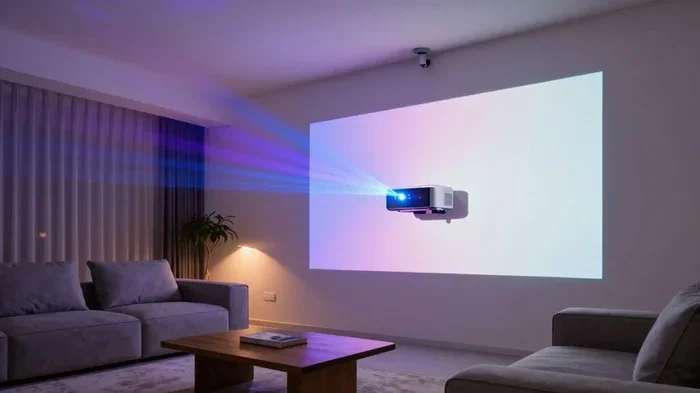
The first thing to consider is where the projector sits. You want it placed so the light hits the screen at the best possible angle. Most laser TVs work well when mounted on a ceiling or placed on a table at the front of the room.
Make sure the projector is not pointing toward a window or a bright light source. The light from the projector should travel directly to the screen without interference. If the projector has to shine through a lot of ambient light, the image quality will suffer.
Distance also matters. Check the projector’s manual for the recommended throw distance. This is how far the projector needs to be from the screen to create a sharp image. A laser TV placed too close or too far will not look its best.
Dealing with Glare
Glare is one of the biggest enemies of daylight viewing. It happens when light from the room bounces off the screen and into your eyes. This washes out the image and makes it hard to see details.
To reduce glare, position the screen so it does not reflect windows or light fixtures directly into your seating area. You can also use a matte screen surface, which scatters light more evenly and reduces hot spots.
If you have a projector that supports it, consider using a short-throw lens. This lets you place the projector closer to the screen, which reduces the amount of light the beam has to travel through. Less travel means less interference from ambient light.
Brightness Settings and Calibration
Most laser TVs come with brightness settings you can adjust. In a bright room, you may want to increase the brightness to keep the image visible. But be careful not to push it too high, as this can wash out the colors.
Here are some quick tips for calibration:
- Set the brightness to about 70 to 80 percent for daylight viewing.
- Use the movie or cinema mode for the most balanced colors.
- Adjust the contrast so dark areas are still visible but not crushed.
- Turn off any dynamic brightness features that automatically change the picture.
Taking a few minutes to calibrate your laser TV can dramatically improve the viewing experience. The picture will look sharper, the colors will pop, and you will not need to squint at all.
What to Watch on Your Laser TV During the Day
Not all content looks the same on a laser TV in daylight. Some types of content work better than others. Understanding this can help you make the most of your setup.
Sports and live events are great for daytime viewing. The bright colors and fast motion look fantastic on a laser TV. Even in a room with some natural light, you can follow the action easily. The high brightness keeps the picture lively and engaging.
Animated movies and cartoons also work well. These have bold colors and simple backgrounds that stand out even in brighter rooms. You will not lose much detail or vibrancy when watching animated content on a laser TV.
However, dark movies and film noir can be trickier. Dark scenes lose detail when there is ambient light in the room. If you love watching darker content during the day, consider dimming the room lights or choosing a gray screen to improve contrast.
For streaming, you can connect your laptop or phone wirelessly to the TV. Check out Can I Connect My Laptop To Tv Wirelessly for tips on making wireless connections work smoothly with your setup.
Streaming and Smart Features
Most modern laser TVs come with smart features built in. You can stream content directly from apps like Netflix, YouTube, and Disney+. This makes it easy to enjoy your favorite shows without extra devices.
If your laser TV does not have built-in streaming, you can use a streaming stick or box. These plug right into an HDMI port and give you access to all your favorite apps. Just make sure the streaming device supports 4K resolution if you want the best picture quality.
You can also use a Roku device with your projector setup. To learn more, check out Can I Use A Roku With A Projector for helpful guidance.
Common Mistakes to Avoid When Using a Laser TV in Daylight
Even with a great laser TV, there are some common mistakes that can ruin your viewing experience. Avoiding these will help you get the most out of your setup.
Skipping the screen. Some people project directly onto a wall. This might work at night, but it will not look good during the day. Always use a proper projector screen for the best results.
Ignoring room light. A laser TV is bright, but it is not magic. If you have a room full of direct sunlight, the image will still look washed out. Control the light in your room as much as possible.
Choosing the wrong screen gain. A screen with too low a gain will not reflect enough light. A screen with too high a gain will create hot spots. Stick to a gain between 1.1 and 1.5 for most setups.
Not calibrating the TV. Out-of-the-box settings are often not optimized for your room. Take the time to adjust brightness, contrast, and color settings. Your eyes will thank you.
Placing the projector in the wrong spot. If the projector is too close or too far, the image will be blurry or too dim. Follow the throw distance guidelines in your manual.
Forgetting about ventilation. Laser projectors can generate heat. Make sure the projector has enough space around it for airflow. Overheating can reduce performance and shorten the life of the unit.
Benefits of Using a Laser TV Over a Regular TV
There are several reasons why people choose a laser TV over a traditional flat-screen TV. These benefits make laser TVs a compelling choice for many households.
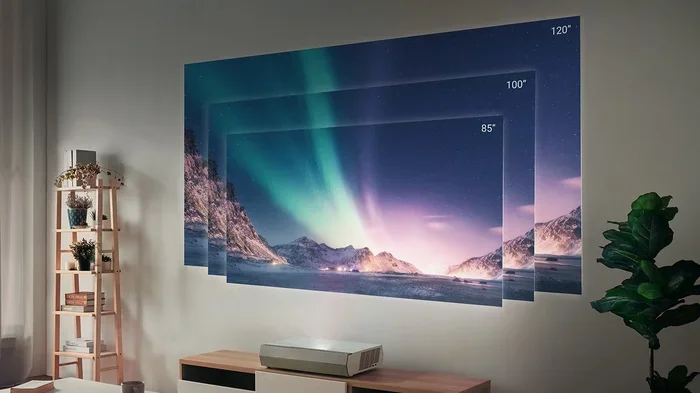
- Bigger screen size. You can easily project an image over 100 inches. Most flat-screen TVs max out around 85 inches, and those are expensive.
- Better brightness. Laser TVs produce more light than lamp-based projectors, making them suitable for daytime viewing.
- Longer lifespan. Laser light sources last up to 20,000 hours or more. You will not need to replace bulbs like you do with traditional projectors.
- Energy efficiency. Laser projectors use less power than lamp-based models. They also produce less heat, which keeps your room comfortable.
- Excellent color accuracy. Laser light produces a wide color gamut. This means the colors on your screen look rich and true to life.
- Low maintenance. With no lamps to replace, a laser TV requires very little upkeep over the years.
All of these benefits add up to a better viewing experience. Whether you are watching in the daytime or at night, a laser TV delivers impressive performance.
Expert Tips for the Best Daytime Viewing Experience
We asked experts and enthusiasts for their top tips on getting the most out of a laser TV in daylight. Here is what they recommend.
Tip 1: Use a screen with ambient light rejection. ALR screens are designed to reject light from the room and focus on the projector light. This gives you a much clearer image in bright conditions.
Tip 2: Position your seating area carefully. The best viewing angle is usually straight on to the screen. Sitting at an angle can reduce brightness and distort the image. Make sure your favorite couch or chair is centered with the screen.
Tip 3: Keep the projector lens clean. Dust and fingerprints on the lens can reduce image sharpness. Wipe the lens gently with a microfiber cloth before each use.
Tip 4: Use a high-quality HDMI cable. A good cable ensures the signal from your source device reaches the projector without loss. This is especially important for 4K content and high frame rate gaming.
Tip 5: Consider the throw ratio. Short-throw projectors are great for smaller rooms. They can project a large image from a short distance, which reduces the chance of shadows and interference.
Tip 6: Manage your content sources well. Connect your devices using the best available ports. If you are connecting a laptop, check Can I Connect My Phone To Hdmi Tv for helpful tips on connecting mobile devices to your display.
Tip 7: Give your eyes a break. Even with a bright laser TV, watching for too long can cause eye strain. Follow the 20-20-20 rule: every 20 minutes, look at something 20 feet away for 20 seconds.
Final Thoughts on Watching Laser TV in Daylight
So, can you watch a laser TV in daylight without squinting? Absolutely. With the right brightness, the right screen, and a little light control, your laser TV can deliver a fantastic picture even when the sun is shining. The technology has come a long way, and modern laser projectors are built to handle real-world viewing conditions.
Remember that no projector is perfect in direct sunlight. But for most living rooms, bedrooms, and media rooms, a laser TV handles daylight with ease. The key is to set things up correctly and make smart choices about your screen and room layout.
Take the time to calibrate your settings, pick the right screen, and control the light in your room. You will be amazed at how good a big-screen image can look during the day. A laser TV is a wonderful investment for anyone who loves movies, sports, and streaming content on a large display. Enjoy the show.
Frequently Asked Questions
Can a laser TV compete with a bright flat-screen TV in daylight?
A high-brightness laser TV can come close to a bright flat-screen TV in daylight, especially on a 100-inch or larger screen. While flat-screen TVs have an edge in rooms with direct sunlight, a laser TV with a good ALR screen can hold its own in most living room conditions.
How many lumens do I need for a laser TV to work in daylight?
For daytime viewing, aim for a laser TV with at least 2,500 to 3,000 lumens. This brightness level is enough to produce a clear and colorful image in a room with moderate natural light. If your room gets a lot of sun, consider a model with 3,500 lumens or more.
Is eye strain a problem when watching a laser TV in daylight?
Eye strain can happen if the image is not bright enough or if there is too much glare on the screen. A good laser TV setup with proper calibration and an ambient light rejection screen will minimize eye strain and keep your viewing comfortable during the day.
Can I use a laser TV in a room with large windows?
Yes, but you will need to manage the light. Use blinds or curtains to block direct sunlight during viewing hours. A high-gain or ALR screen will also help your laser TV produce a better image in a bright room with windows.
Are laser TVs worth the money for daytime viewing?
For many people, yes. Laser TVs offer a big-screen experience that flat-screen TVs cannot match at the same price point. They are especially worth it if you watch content during the day and want a bright, colorful image without squinting or straining.
What is the best screen for watching a laser TV in daylight?
An ambient light rejection (ALR) screen is the best choice for daylight viewing. These screens are designed to reflect projector light back to the viewer while rejecting light from the room. A gray screen with a gain of 1.1 to 1.5 is also a solid option for brighter rooms.