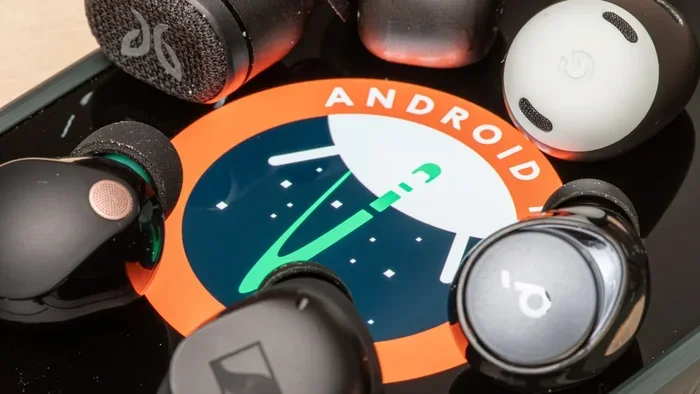
Do Wireless Earbuds Work With Android Phones in 2024
Yes, wireless earbuds work with Android phones in almost all cases. Most modern Bluetooth earbuds connect seamlessly to any Android device, regardless of brand or price range. The real question is whether your earbuds will deliver the full experience Android offers. This guide covers compatibility, pairing, features, and the best picks for Android users in 2024.
Do wireless earbuds work with Android phones? It is one of the most common questions people ask when shopping for new earbuds. The short answer is yes. Almost every pair of wireless earbuds on the market connects to Android devices without any hassle. But the full story is a bit more detailed than that.
In 2024, the wireless audio market has grown massively. Millions of people use Bluetooth earbuds every day for music, calls, podcasts, and videos. Android phones dominate the global smartphone market, which means manufacturers design their products with Android users in mind. Whether you use a Samsung, Google Pixel, OnePlus, or any other Android phone, you have plenty of options.
This guide walks you through everything you need to know. We cover how pairing works, which features matter most, and what to look for when choosing wireless earbuds for Android. By the end, you will feel confident picking the right pair.
## How Wireless Earbuds Connect to Android Phones
Wireless earbuds use Bluetooth technology to communicate with your phone. Bluetooth is a universal wireless standard built into every modern Android device. This means your phone and earbuds can talk to each other without any cables.
### The Pairing Process
Pairing wireless earbuds with an Android phone is straightforward. Here is how it usually works:
- Turn on your earbuds and put them in pairing mode. Most earbuds have a button or sensor you need to press.
- Open the Settings app on your Android phone.
- Tap on Connected Devices or Bluetooth, depending on your phone model.
- Make sure Bluetooth is turned on.
- Your earbuds should appear in the list of available devices.
- Tap on the earbuds to connect.
That is it. Most connections take less than 30 seconds. Some earbuds even support fast pairing, which lets you connect by simply opening the case near your phone.
### Why Android Makes It Easy
Android has built-in Bluetooth support at the operating system level. Google works closely with chipmakers and earbud manufacturers to ensure smooth connections. This is why you rarely run into major issues when connecting wireless headphones to an Android device.
If you have ever wondered whether earbuds work with non-Apple devices, the answer is a resounding yes. The Bluetooth standard is device-agnostic. It does not matter if your earbuds were designed for iPhones or Android phones. They will connect to both.
## Are All Wireless Earbuds Compatible with Android?
The good news is that almost all wireless earbuds are compatible with Android. Bluetooth is a universal language. Your earbuds and phone do not need to be from the same brand to work together.
### What About Proprietary Features?
Some earbuds come with companion apps that offer extra features. These apps let you customize the sound profile, update firmware, or activate noise cancellation. Most of these apps work perfectly fine on Android. However, a few brands design their apps primarily for iOS. In those rare cases, you might miss out on certain features.
For example, some earbuds from Apple use the Apple H1 or H2 chips. These chips work best with iPhones. But they still connect to Android phones via Bluetooth. You just lose access to some smart features like automatic device switching.
This is different from does Bluetooth work on Apple Watch without iPhone, where the ecosystem lock-in is much tighter. Earbuds are generally more open and flexible.
### Budget vs Premium Earbuds
Budget earbuds under $30 work fine with Android for basic listening. They use standard Bluetooth codecs like SBC and AAC. Premium earbuds in the $100 to $300 range often support advanced codecs like aptX and aptX Adaptive. These codecs deliver better audio quality and lower latency.
Here is a quick comparison of what to expect at different price points:
- Budget ($10-$30): Basic Bluetooth connectivity, SBC codec, decent battery life, limited app support.
- Mid-Range ($30-$100): Better sound quality, AAC or aptX support, companion apps, ANC in some models.
- Premium ($100+): Advanced codecs, multipoint connection, excellent ANC, custom EQ, long battery life.
## Best Wireless Earbuds for Android Phones in 2024
Not all earbuds are created equal. Some work better with Android phones because of features like Android-compatible apps, codec support, and seamless integration.
### What to Look For in Android Earbuds
When shopping for wireless earbuds that work great with Android, keep these factors in mind:
- Bluetooth Version: Look for Bluetooth 5.0 or higher for a stable connection and longer range.
- Codec Support: aptX, aptX HD, or LDAC support means better audio quality on Android.
- Companion App: An Android-friendly app lets you customize your listening experience.
- Battery Life: Look for at least 6 hours per charge, with the case adding extra charges.
- Multipoint Connection: This lets you connect to two devices at the same time.
- Noise Cancellation: ANC reduces background noise for clearer calls and better music listening.
### Top Picks for Android Users
Here are some of the best wireless earbuds that work well with Android phones in 2024:
- Samsung Galaxy Buds3 Pro: These are built specifically for Android. They offer excellent sound, ANC, and seamless integration with Samsung phones.
- Google Pixel Buds Pro 2: Designed for Google devices but work with any Android phone. Great sound quality and smart features.
- Sony WF-1000XM5: Industry-leading ANC and sound quality. Full Android compatibility with the Sony Headphones Connect app.
- Jabra Elite 10 Gen 2: Excellent call quality and comfort. Works well with the Jabra Sound+ app on Android.
- OnePlus Buds Pro 3: Great value for Android users. Supports LDAC for high-resolution audio.
## Bluetooth Features That Matter for Android Users
Not all Bluetooth connections are the same. The features your earbuds support can make a big difference in your daily experience. Understanding these features helps you make a smarter purchase.
### Audio Codecs Explained
An audio codec is a technology that compresses and decompresses audio data during Bluetooth streaming. Different codecs deliver different levels of quality.
- SBC: The default Bluetooth codec. Every device supports it. It works fine for casual listening but is not the best for audiophiles.
- AAC: Common on Apple devices but also supported by many Android phones. Offers good quality at moderate bitrates.
- aptX: An Android-friendly codec that delivers better sound quality than SBC. Many mid-range and premium Android phones support it.
- aptX Adaptive: A newer version of aptX that adjusts quality based on your connection. Great for both music and calls.
- LDAC: Sony’s codec that supports very high bitrates. Ideal for audiophiles who want the best possible sound on Android.
If you care about sound quality, look for earbuds that support at least aptX or AAC. This is especially important if you listen to music on Spotify, YouTube Music, or Tidal.
### Multipoint Connection
Multipoint connection is a feature that lets your earbuds connect to two devices at the same time. For example, you can be connected to your Android phone and your laptop simultaneously. When a call comes in on your phone, the earbuds switch automatically.
This feature is incredibly useful for people who work from home or switch between devices often. Not all earbuds support multipoint, so check before you buy.
### Hands-Free Calling
Most wireless earbuds support hands-free calling through Android. You can answer calls, adjust volume, and use voice assistants directly from your earbuds. The microphone quality varies, so if calls are important to you, look for earbuds with multiple microphones and AI noise reduction.
## Common Problems and How to Fix Them
While wireless earbuds work well with Android most of the time, you might run into occasional issues. Here are the most common problems and how to solve them.
### Earbuds Won’t Connect
If your earbuds do not connect to your Android phone, try these steps:
- Make sure Bluetooth is turned on in your phone settings.
- Turn off Bluetooth and turn it back on.
- Reset your earbuds by holding the power button for 10 seconds.
- Remove the earbuds from your phone’s Bluetooth memory and pair them again.
- Restart your Android phone.
### Audio Keeps Cutting Out
Interference can cause audio dropouts. Here is what to do:
- Move closer to your phone. Bluetooth works best within 30 feet.
- Stay away from Wi-Fi routers and other Bluetooth devices that might cause interference.
- Make sure your earbuds and phone firmware are up to date.
- Check if another device is connected to the earbuds.
### One Earbud Is Quieter
If one earbud sounds quieter than the other:
- Clean the speaker mesh on both earbuds with a soft dry cloth.
- Check the balance settings in your phone’s accessibility menu.
- Reset the earbuds and reconnect them.
### Battery Drains Quickly
To get the most battery life from your wireless earbuds:
- Turn off ANC if you do not need it.
- Lower the volume slightly. High volume drains battery faster.
- Keep the earbuds in their case when not in use.
- Update the firmware through the companion app.
## Quick Tips for Getting the Most Out of Your Wireless Earbuds on Android
Here are some practical tips to improve your experience:
- Use the companion app: Most earbuds come with a free app. Download it from the Google Play Store to unlock EQ settings, firmware updates, and ANC controls.
- Keep firmware updated: Manufacturers release updates that fix bugs and improve performance. Check for updates regularly.
- Store earbuds in their case: This protects them and keeps them charged between uses.
- Use the right codec: In your Android developer settings, you can select your preferred Bluetooth codec for better audio quality.
- Enable absolute volume: In Developer Options, this lets you control earbud volume directly from your phone’s volume slider.
## Final Thoughts
So, do wireless earbuds work with Android phones? Absolutely. The wireless audio ecosystem is built on open standards that work across devices and brands. Whether you buy budget earbuds for $20 or premium ones for $300, your Android phone will connect without any problems.
The key is to choose earbuds that match your needs. If you care about sound quality, look for aptX or LDAC support. If you want the best features, pick earbuds with a solid Android companion app. And if you just need something reliable for calls and casual listening, even the most basic wireless earbuds will do the job.
The world of wireless audio is better than ever in 2024. Android users have more choices and better compatibility than at any point in the past. Take your time, read reviews, and pick the pair that fits your lifestyle. You will not be disappointed.
If you are curious about other Bluetooth connectivity questions, check out whether you can use any Bluetooth headphones with your TV or learn about talking on the phone with Bluetooth headphones. These topics share many of the same principles and can help you get the most from your wireless audio devices.
You might also enjoy reading about listening to your Samsung TV with Bluetooth headphones, which explores how Samsung devices pair with wireless audio accessories.
## FAQs
Can any wireless earbuds connect to Android phones?
Yes, almost all wireless earbuds can connect to Android phones. Bluetooth is a universal standard that works across all devices and brands. The only difference is in the features and app support you get.
Do I need a special app to use wireless earbuds with Android?
No, you do not need an app for basic functionality. Your Android phone handles Bluetooth connections natively. However, a companion app lets you access extra features like EQ customization, ANC controls, and firmware updates.
Why do my wireless earbuds sound different on Android compared to iPhone?
This usually comes down to codec support. iPhones use the AAC codec, while Android phones support a wider range including aptX and LDAC. Your earbuds may sound different because of the codec your phone is using for the connection.
Can I use wireless earbuds for phone calls on Android?
Yes, wireless earbuds work great for phone calls on Android. Most models have built-in microphones and support hands-free profiles. Premium earbuds offer better call quality with noise reduction features.
How far can I move away from my Android phone with wireless earbuds?
Bluetooth 5.0 and newer can reach up to 30 feet in open spaces. Walls and obstacles reduce this range. For best results, keep your phone within arm’s reach when using wireless earbuds.
Are wireless earbuds safe to use with Android for long periods?
Yes, wireless earbuds are safe for extended use on Android devices. Bluetooth emits low levels of non-ionizing radiation, which is considered safe by health authorities. If you are concerned, take regular breaks and keep the volume at a comfortable level.
Key Takeaways
- Universal Compatibility: Nearly all wireless earbuds work with Android phones thanks to the universal Bluetooth standard.
- Codec Support Matters: Android supports multiple audio codecs like aptX and AAC, which affect sound quality.
- Android-Specific Features: Some earbuds offer companion apps, ANC controls, and multipoint connections tailored for Android.
- Pairing Is Simple: Connecting earbuds to an Android device takes less than a minute in most cases.
- Troubleshooting Helps: Common connection issues can usually be fixed with a few simple steps.
- Not All Earbuds Are Equal: Premium earbuds offer better battery life, sound profiles, and app integration than budget options.
Frequently Asked Questions
What is Do Wireless Earbuds Work With Android?
Do Wireless Earbuds Work With Android is an important topic with many practical applications.