How Do I Connect Bluetooth Speakers Together for Great Sound
Connecting Bluetooth speakers together lets you enjoy bigger, richer sound in any room. You can pair two speakers in stereo mode, chain them for wider coverage, or use a Bluetooth adapter to link older speakers. This guide walks you through every method with clear steps and practical tips.
Want to fill your room with richer, louder sound? Connecting Bluetooth speakers together is one of the easiest ways to upgrade your audio setup. Whether you are hosting a party or just want better sound while relaxing, linking two or more speakers can make a huge difference.
In this guide, we will walk you through every method step by step. You will learn how to pair speakers in stereo mode, chain multiple speakers together, and even use adapters to make older speakers wireless. By the end, you will know exactly how to set up your own multi-speaker system at home.
Bluetooth speaker pairing has become simpler over the years. Most modern speakers support one-touch connecting, and many brands offer dedicated apps that do the heavy lifting for you. You do not need to be a tech expert to get this done.
Key Takeaways
- Stereo pairing splits audio between two speakers for left and right sound.
- Speaker chaining lets you connect multiple speakers to one source for louder coverage.
- Bluetooth adapters can make non-Bluetooth speakers wireless and linkable.
- Match your speakers by brand and model for the best sync and sound quality.
- Keep speakers close within Bluetooth range to avoid audio lag or dropouts.
- Check your Bluetooth version to ensure compatibility and stable connections.
- Use the manufacturer’s app for the easiest and most reliable pairing process.
📑 Table of Contents
What Is Bluetooth Speaker Pairing?
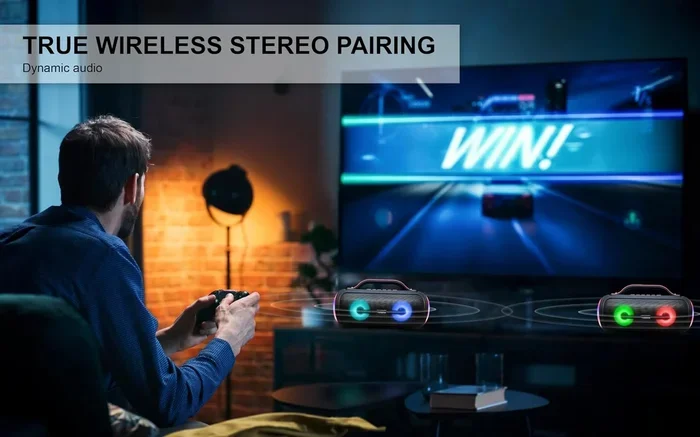
Bluetooth speaker pairing means linking two or more wireless speakers so they play audio from the same source. The most common setup is stereo pairing, where one speaker handles the left channel and the other handles the right channel. This creates a wider, more immersive soundstage.
You can also chain speakers, which means connecting several speakers to play the same audio at the same time. This is great for filling large rooms or outdoor spaces with consistent sound. Both methods have their uses, and we will explore each one in detail below.
The process depends on your speaker brand and model. Some speakers connect directly to each other, while others need a phone or tablet as the middleman. Either way, the goal is the same: better, fuller sound without messy wires.
How to Connect Two Bluetooth Speakers Together
Connecting two Bluetooth speakers is easier than most people think. The exact steps vary by brand, but the general process follows a similar pattern. Here is a breakdown of the most common methods.
Method 1: Use the Manufacturer’s App
Many popular speaker brands like JBL, Sony, and Bose offer free apps. These apps make the pairing process smooth and intuitive. Here is how it usually works:
- Download the app from the App Store or Google Play.
- Turn on both speakers and place them near each other.
- Open the app and select the option to add a speaker.
- Follow the on-screen prompts to complete the pairing.
- Choose stereo mode or party mode depending on your preference.
Using an app gives you more control over your speaker settings. You can adjust volume levels, set up equalizer presets, and even update firmware. This is the most reliable method for most users.
Method 2: Use the Speaker’s Built-In Button
Many speakers allow you to pair them without an app. Look for a dedicated button on the speaker, often labeled “Pair,” “Link,” or “Party.” Here is the general process:
- Turn on the first speaker and put it in pairing mode.
- Press and hold the pair button on the second speaker.
- Wait for the LED light to flash, indicating a successful connection.
- Play music from your phone and enjoy the sound.
This method works great for quick setups. However, you may have fewer customization options compared to using an app. Check your speaker’s manual for specific button combinations.
Method 3: Use a Bluetooth Transmitter
If your speakers do not support direct pairing, a Bluetooth transmitter can help. This small device plugs into your speaker’s audio input and sends a wireless signal from your phone or TV. You can connect two transmitters to two speakers and play from one source.
This method is especially useful for older speakers that do not have built-in Bluetooth. It is also a great option if you want to connect speakers from different brands. Just make sure both transmitters are set to the same channel for synced audio.
Different Methods for Linking Speakers
Not all speaker setups are the same. Depending on your needs, you can choose from several linking methods. Each method has its own strengths and ideal use cases.
Stereo Pairing
Stereo pairing splits the audio signal into left and right channels. One speaker plays the left channel, and the other plays the right channel. This creates a natural, balanced sound that feels like you are at a live concert.
Stereo pairing works best when the two speakers are placed a few feet apart, ideally on opposite sides of your listening area. Most speakers that support stereo mode will have a specific setting in their app or manual to enable it.
Party Mode (Mono Mode)
Party mode, sometimes called mono mode, plays the same audio on all connected speakers. This is perfect for large gatherings where you want consistent volume throughout the room. There is no left or right separation in party mode.
To use party mode, you typically need to activate it through the speaker’s app or button combination. Keep in mind that party mode can drain your batteries faster since all speakers are working at full volume.
Chaining Multiple Speakers
Chaining means connecting more than two speakers in a series. Some brands support daisy-chaining, where you connect Speaker A to Speaker B, and then Speaker B to Speaker C. This is ideal for outdoor events or large open spaces.
Not all speakers support chaining, so check your product specifications before buying. Brands like JBL and Ultimate Ears offer models that make chaining easy and reliable.
Using a Bluetooth Adapter for Non-Bluetooth Speakers
What if your favorite speakers are not Bluetooth-enabled? You can still connect them wirelessly by using a Bluetooth adapter. A Bluetooth adapter plugs into the speaker’s aux input and receives a wireless signal from your phone or other device.
You can pair two adapters together to create a wireless link between two non-Bluetooth speakers. This is a budget-friendly way to get the benefits of wireless audio without buying new speakers. If you are curious about making older speakers wireless, you can read our guide on how to make old Bose speakers Bluetooth for more ideas.
Tips for the Best Sound Quality
Connecting speakers is only half the battle. To get the best possible sound, you need to pay attention to a few important details. These tips will help you get the most out of your setup.
Keep Speakers Close Together
Bluetooth range is typically around 30 feet (10 meters) in open space. However, walls and obstacles can reduce this range significantly. For the best audio sync, keep your speakers within 10 to 15 feet of each other and of the audio source.
If you notice lag or audio dropping out, try moving the speakers closer together. Physical barriers like concrete walls and metal objects are the biggest culprits for Bluetooth interference.
Match Your Speakers
For the best sound, try to use speakers from the same brand and model. Matching speakers ensure that the left and right channels have the same volume, frequency response, and timing. This creates a balanced and natural listening experience.
If you must use different speakers, look for ones with similar wattage and driver sizes. Mismatched speakers can sound uneven, with one speaker overpowering the other.
Check Your Bluetooth Version
The Bluetooth version on your phone and speakers affects connection quality. Bluetooth 5.0 and newer offer better range, faster pairing, and lower latency. If your phone or speaker uses an older version, you may experience audio lag or dropouts.
You can check your phone’s Bluetooth version in the settings. For speakers, check the product specifications on the manufacturer’s website. Upgrading to a Bluetooth 5.0 compatible setup can make a noticeable difference in wireless connectivity quality.
Use the Equalizer Settings
Most speaker apps include an equalizer (EQ) that lets you adjust the sound. Experiment with bass, midrange, and treble settings to find the perfect balance for your room. If your speakers sound too muddy, try reducing the bass slightly. If they sound harsh, lower the treble.
Charge Your Speakers Fully
Low battery can affect sound quality and Bluetooth performance. Always charge your speakers fully before a long listening session. Some speakers also have a battery saver mode that reduces volume slightly to extend playback time.
Reduce Interference from Other Devices
Wi-Fi routers, microwaves, and other Bluetooth devices can interfere with your speaker connection. If you notice audio issues, try moving away from these devices or turning them off temporarily. A clean Bluetooth environment leads to a smoother, more reliable connection.
Common Problems and How to Fix Them
Even with the best setup, you might run into occasional issues. Here are the most common problems and simple fixes.
Speakers Will Not Pair
If your speakers refuse to connect, try resetting them. Most speakers have a reset button or a specific button combination to factory reset. After resetting, put both speakers back into pairing mode and try again. Also, make sure your phone’s Bluetooth is turned on and visible to other devices.
Audio Is Out of Sync
Audio lag is a common issue, especially with older Bluetooth versions. To fix this, move the speakers closer to the audio source and to each other. If the problem persists, try using a Bluetooth 5.0 transmitter or upgrading your phone if it supports newer Bluetooth standards.
One Speaker Is Louder Than the Other
This usually happens when speakers are not properly matched. Check the volume balance settings in your phone or app. If the issue continues, the louder speaker may have a settings override. Some speakers have a “volume lock” feature that keeps both speakers at the same level.
Connection Keeps Dropping
Intermittent disconnections are often caused by distance or interference. Move the speakers closer to the source device and away from other wireless devices. If you are using a Bluetooth adapter, make sure it is fully charged and within range.
Speakers Will Not Connect to the Same Source
Some speakers only allow one active Bluetooth connection at a time. If this is the case, you may need to use a Bluetooth splitter or transmitter that supports multiple outputs. This device takes one Bluetooth input and sends it to two or more speakers simultaneously.
Final Thoughts
Connecting Bluetooth speakers together is a simple and affordable way to dramatically improve your audio experience. Whether you choose stereo pairing for balanced sound or party mode for loud, room-filling music, the process is straightforward and works with most modern speakers.
Start by matching your speakers, keeping them close together, and using the manufacturer’s app for the easiest setup. If your speakers are older, a Bluetooth adapter can bridge the gap and bring wireless connectivity to your existing setup. With the right setup and a few tweaks, you can enjoy rich, immersive sound in any room of your home.
For more tips on Bluetooth devices and connectivity, check out our article on using a Bluetooth adapter on your TV to learn how to expand your wireless audio setup even further.
Now that you know how to connect Bluetooth speakers together, it is time to try it out. Grab a friend, pull up your favorite playlist, and enjoy the sound. You will be amazed at how much better your audio sounds with just one extra speaker.
Frequently Asked Questions
Can I connect Bluetooth speakers from different brands together?
Yes, in most cases you can. The easiest way is to use a Bluetooth transmitter that supports multiple outputs. This device sends the same audio signal to both speakers regardless of brand. Direct pairing between different brands is less common but may work if both speakers support the same connecting protocol.
How many Bluetooth speakers can I connect at once?
The number depends on your speaker brand and model. Some speakers support connecting up to four or more speakers at once. Others only allow two. Check your speaker’s manual or app for the maximum number of supported connections. Using a Bluetooth splitter can also increase the number of speakers you can link together.
Does connecting two Bluetooth speakers reduce battery life?
Yes, connecting multiple speakers uses more power. Both speakers are actively transmitting and receiving audio data, which drains the battery faster. To maximize battery life, keep your speakers charged and consider using a power outlet if you are using them indoors for long periods.
What is the difference between stereo mode and party mode?
Stereo mode splits audio into left and right channels for a wider, more balanced sound. Party mode plays the same audio on all connected speakers for louder, uniform coverage. Stereo mode is best for music listening, while party mode is ideal for gatherings and events.
Can I connect Bluetooth speakers to my TV for better sound?
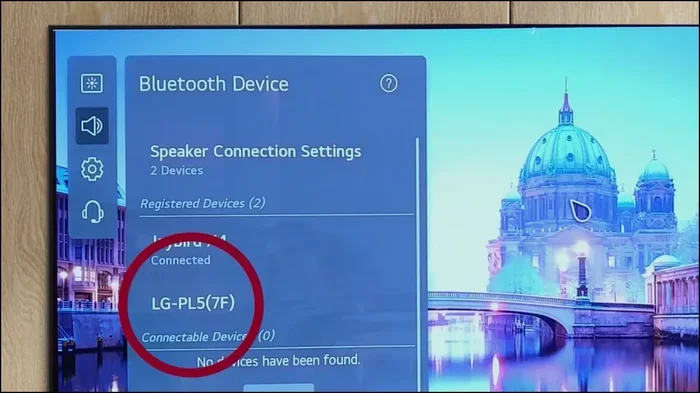
Yes, you can. Many TVs support Bluetooth audio output, or you can use a Bluetooth adapter. Connecting speakers to your TV gives you richer sound for movies and shows. For a detailed guide on using Bluetooth with your TV, check out our article on using a Bluetooth adapter on your TV.
Why is there a delay when I connect two Bluetooth speakers?
Audio delay, or latency, happens because Bluetooth takes time to transmit data. Older Bluetooth versions have higher latency. Using Bluetooth 5.0 or newer reduces this delay significantly. Keeping speakers close to the source device and away from interference also helps minimize lag.