Does iPhone Support Wi Fi 7 and What You Need to Know
The iPhone does not yet support Wi-Fi 7 as of 2024 and early 2025. Current models like the iPhone 15 and iPhone 16 max out at Wi-Fi 6E. However, Wi-Fi 7 is coming soon, and future iPhones will likely adopt it. Understanding wireless technology and network connectivity helps you plan your next upgrade.
Does iPhone support Wi-Fi 7? This is a question a lot of people are asking right now. Wi-Fi 7 is the newest wireless technology standard, and it promises blazing fast speeds and lower latency. But when it comes to Apple devices, the answer is not as simple as yes or no.
Right now, no iPhone model supports Wi-Fi 7. The latest iPhones, including the iPhone 15 Pro, iPhone 15 Pro Max, iPhone 16, and iPhone 16 Pro, all use Wi-Fi 6E. That is still a very capable wireless standard. But the tech world moves fast, and network connectivity standards keep evolving. So what does this mean for you as an iPhone user?
In this guide, we will break down everything you need to know. We will cover what Wi-Fi 7 actually is, which iPhones support it (or will support it soon), and whether you need to rush out and upgrade your gear. We will also look at how your router plays a role in all of this. By the end, you will have a clear picture of where Apple stands with the latest wireless standards.
Key Takeaways
- No Wi-Fi 7 Yet: Current iPhone models do not support the Wi-Fi 7 standard.
- Wi-Fi 6E Is the Latest: The newest iPhones use Wi-Fi 6E, which is still very fast and reliable.
- Future iPhones Will Likely Get Wi-Fi 7: Apple typically adopts new wireless standards within a year or two of their release.
- Your Router Matters Too: To get the best wireless speeds, you need both a Wi-Fi 7 device and a Wi-Fi 7 router.
- Wi-Fi 6E Is More Than Enough for Most Users: Streaming, gaming, and video calls all run smoothly on Wi-Fi 6E.
- Check Your Router: Before upgrading your phone, make sure your network connectivity setup can keep up.
📑 Table of Contents
- What Is Wi-Fi 7 and Why Does It Matter?
- Which iPhones Support Wi-Fi 7 Right Now?
- Why Your Router Matters More Than You Think
- How Wi-Fi 7 Will Change the iPhone Experience
- Should You Upgrade Your Gear Now?
- Common Mistakes People Make with Wi-Fi and iPhone
- Quick Tips for the Best Wi-Fi Experience on Your iPhone
- Expert Insights on the Future of iPhone Wi-Fi
- Conclusion
What Is Wi-Fi 7 and Why Does It Matter?
Wi-Fi 7 is the seventh generation of wireless technology. It is also known as 802.11be. The standard was officially ratified in 2024, and manufacturers are already rolling out Wi-Fi 7 routers and devices. But what makes it different from what your phone uses today?
Wi-Fi 7 builds on the foundation of Wi-Fi 6 and Wi-Fi 6E. It brings several major improvements:
- Faster Speeds: Wi-Fi 7 can deliver speeds up to 46 Gbps. That is way faster than Wi-Fi 6E, which tops out around 9.6 Gbps.
- Lower Latency: Latency reduction is a big deal for gamers and video callers. Wi-Fi 7 cuts down lag significantly.
- Wider Channels: It uses 320 MHz channels, which are double the width of Wi-Fi 6E’s 160 MHz channels.
- Better Multi-Device Handling: With advanced MIMO technology, Wi-Fi 7 routers can talk to many devices at once without slowing down.
- Improved Performance in Crowded Spaces: If you live in an apartment building or a busy office, Wi-Fi 7 handles interference much better.
So why should you care? Well, even if your phone does not support it yet, your home network connectivity setup will benefit. And when Apple does bring Wi-Fi 7 support to the iPhone, you will want a compatible router ready.
How Wi-Fi 7 Compares to Wi-Fi 6E
Let us put this into perspective. Wi-Fi 6E is the current standard for the newest iPhones. It brought 6 GHz frequency bands to the table, which opened up more space for wireless speeds. Wi-Fi 7 takes that further.
Think of it like a highway. Wi-Fi 6 was a two-lane road. Wi-Fi 6E added a third lane on a new road (the 6 GHz band). Wi-Fi 7 turns that into a massive multi-lane superhighway. More lanes mean more traffic can flow at once, and everything moves faster.
| Feature | Wi-Fi 6E | Wi-Fi 7 |
|---|---|---|
| Max Speed | 9.6 Gbps | 46 Gbps |
| Channel Width | 160 MHz | 320 MHz |
| Frequency Bands | 2.4 GHz, 5 GHz, 6 GHz | 2.4 GHz, 5 GHz, 6 GHz |
| Latency | Low | Very Low |
| MIMO Support | 8×8 | 16×16 |
| iPhone Support | iPhone 15 and later | Not yet available |
As you can see, Wi-Fi 7 is a huge leap forward. But your iPhone is not there yet. So what does this mean for your daily use?
Which iPhones Support Wi-Fi 7 Right Now?
The short answer is none. As of now, no iPhone model supports Wi-Fi 7. Here is a quick look at what each recent model offers:
- iPhone 15 and iPhone 15 Plus: Wi-Fi 6E
- iPhone 15 Pro and iPhone 15 Pro Max: Wi-Fi 6E
- iPhone 16 and iPhone 16 Plus: Wi-Fi 6E
- iPhone 16 Pro and iPhone 16 Pro Max: Wi-Fi 6E
All of these phones use the same wireless standard. Apple has not yet announced any iPhone with Wi-Fi 7 support. But history tells us Apple usually adopts new wireless technology within one to two years of the standard being finalized.
When Will the iPhone Get Wi-Fi 7?
Most industry experts expect Apple to introduce Wi-Fi 7 support in the iPhone 17 lineup, which could launch in late 2025 or 2026. Apple tends to wait until a new wireless standard is well-established before adopting it. This ensures stability and avoids early bugs.
That said, Apple has surprised us before. Sometimes they jump on new network connectivity trends early. But for now, all signs point to the iPhone 17 or iPhone 18 as the first Wi-Fi 7 iPhones.
So if you are shopping for a new phone and wondering whether to wait, you do not need to hold out for Wi-Fi 7. The iPhone 16 and iPhone 15 are excellent devices with fast wireless speeds that will serve you well for years.
Why Your Router Matters More Than You Think
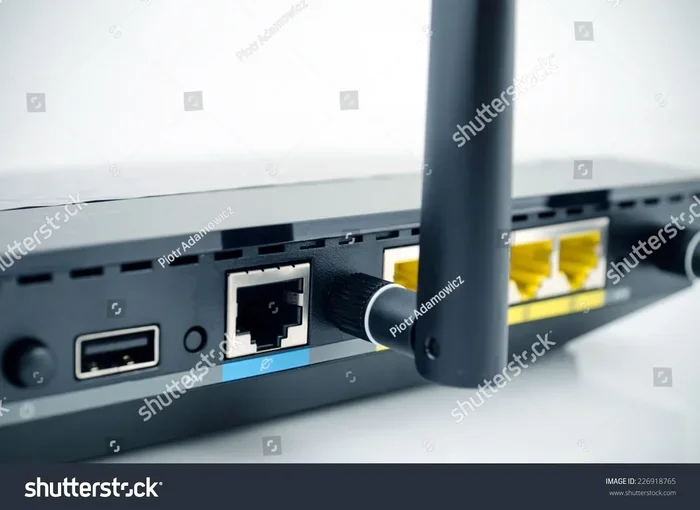
Here is something many people overlook. Even if your iPhone supported Wi-Fi 7 tomorrow, your router needs to support it too. Network connectivity is a two-way street. Your phone can only go as fast as your router allows.
If you have a Wi-Fi 6 router and a Wi-Fi 7 phone, your connection will still run on Wi-Fi 6 speeds. The same goes for older routers. Device compatibility between your phone and router is essential for getting the best wireless speeds.
Do You Need a Wi-Fi 7 Router Now?
If you have an iPhone 15 or iPhone 16, a Wi-Fi 7 router is not necessary yet. Your Wi-Fi 6E connection is more than fast enough for streaming, gaming, video calls, and everything else. But if you are planning to build or upgrade your home network for the future, a Wi-Fi 7 router is a smart investment.
On the other hand, if you have older devices like a security camera that does not use Wi-Fi at all, you might want to explore wired alternatives. Some people prefer wired connections for reliability. You can learn more about getting a security camera without Wi-Fi if that interests you.
How Far Can Your Wi-Fi Signal Reach?
Another factor to consider is range. Even the fastest wireless technology is useless if the signal does not reach your devices. Wi-Fi signals weaken over distance, and walls, floors, and furniture can block them.
If you have a large home, you might struggle with coverage. Some people try to extend their Wi-Fi to 200 feet away using repeaters or mesh systems. This is a great way to improve signal strength throughout your home without buying a new router.
A good rule of thumb is to place your router in a central location. Keep it elevated and away from walls. This simple step can make a big difference in your network connectivity.
How Wi-Fi 7 Will Change the iPhone Experience
When Apple finally brings Wi-Fi 7 support to the iPhone, what changes can you expect? Let us look at the practical benefits.
Faster Downloads and Uploads
With speeds up to 46 Gbps, downloading large files will take seconds instead of minutes. Broadband performance will improve dramatically. Streaming 4K and even 8K video will be smoother than ever. Cloud storage uploads will happen in the blink of an eye.
Better Gaming and Video Calls
Latency reduction is one of the biggest selling points of Wi-Fi 7. For mobile gamers, this means less lag and a more responsive experience. For anyone on video calls, it means clearer audio and video with fewer interruptions.
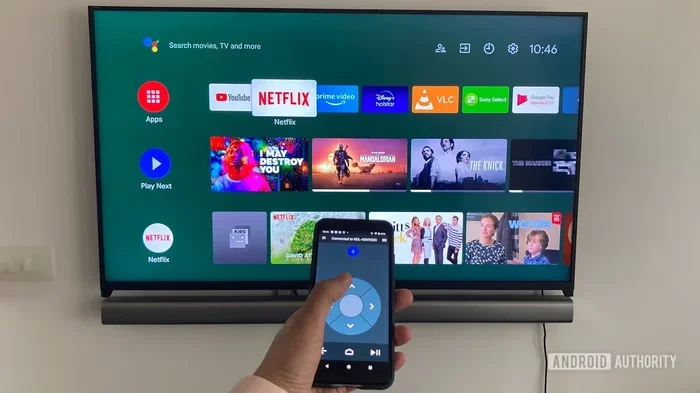
If you like to connect your phone to your TV for streaming or screen sharing, Wi-Fi 7 will make that experience much smoother. The low latency and high bandwidth mean no stuttering or buffering.
Smarter Multi-Device Homes
Most households have many connected devices. Phones, tablets, laptops, smart TVs, smart speakers, and IoT devices all compete for bandwidth. Wi-Fi 7 handles this much better than previous standards. It uses a technology called MIMO (Multiple Input Multiple Output) that allows the router to communicate with many devices simultaneously.
This means your wireless speeds stay consistent even when everyone in your home is streaming, gaming, and browsing at the same time.
Should You Upgrade Your Gear Now?
This is the question on everyone’s mind. Should you rush out and buy a Wi-Fi 7 router or wait for a new iPhone? The answer depends on your situation.
Reasons to Upgrade Now
- Future-Proofing: Buying a Wi-Fi 7 router now means your network is ready when Apple adds support.
- Faster Speeds for All Devices: Even if your phone is on Wi-Fi 6E, other devices can benefit from Wi-Fi 7 speeds.
- Better Range and Coverage: Wi-Fi 7 routers often come with improved antennas and better range.
- Lower Latency: Even on older devices, Wi-Fi 7 reduces lag compared to Wi-Fi 6.
Reasons to Wait
- Cost: Wi-Fi 7 routers are still expensive. Prices will likely drop as the technology becomes more common.
- No iPhone Support Yet: Without a Wi-Fi 7 iPhone, you cannot take full advantage of the new standard.
- Wi-Fi 6E Is Plenty Fast: For most users, Wi-Fi 6E delivers more than enough speed for everyday tasks.
If you want to boost your current setup, you might consider a Wi-Fi booster. These devices can extend your existing network without the cost of a whole new router. They are a budget-friendly way to improve network connectivity in your home.
Common Mistakes People Make with Wi-Fi and iPhone
There are a few mistakes that hold people back from getting the best wireless speeds on their iPhones. Let us avoid them.
Assuming Your Phone Is the Problem
Many people blame their iPhone when the Wi-Fi signal is slow. But the problem is often the router, not the phone. An old router can bottleneck your connection no matter how fast your phone is.
Ignoring Router Placement
Where you put your router matters a lot. Placing it in a closet or behind a TV can weaken the signal. Keep it out in the open for the best signal strength.
Not Updating Your Router Firmware
Router manufacturers release updates that improve performance and fix bugs. Check your router settings regularly and install updates. This simple step can boost your network connectivity significantly.
Overlooking Interference
Other electronic devices can interfere with your Wi-Fi signal. Microwaves, baby monitors, and even Bluetooth devices can cause problems. If your wireless speeds drop unexpectedly, check for sources of interference.
Using the Wrong Frequency Band
Most modern routers offer both 2.4 GHz and 5 GHz bands. The 5 GHz band is faster but has a shorter range. The 2.4 GHz band is slower but reaches further. Choosing the right band for your situation can make a big difference. You can also learn more about switching between frequency bands to optimize your connection.
Quick Tips for the Best Wi-Fi Experience on Your iPhone
Want to get the most out of your iPhone’s wireless connectivity? Here are some quick tips:
- Restart Your Router Regularly: A simple reboot can fix many connection issues and improve speed.
- Keep Your iPhone Updated: Apple releases updates that improve Wi-Fi performance and fix bugs.
- Forget and Reconnect to Networks: Sometimes removing a saved network and reconnecting fixes slow speeds.
- Use a VPN Wisely: A VPN can slow down your connection. Use one only when you need it.
- Check for Interference: Move away from walls and other electronics that might block your signal.
- Consider a Mesh System: If your home is large, a mesh Wi-Fi system can eliminate dead zones and improve signal strength everywhere.
Expert Insights on the Future of iPhone Wi-Fi
Industry analysts expect Apple to follow the same pattern it has with previous wireless standards. Apple usually adopts a new wireless protocol about one to two years after it becomes widely available. This gives time for the standard to mature and for bugs to be worked out.
When Wi-Fi 7 does arrive on the iPhone, it will likely be a highlight feature. Apple markets its devices based on cutting-edge wireless technology, and Wi-Fi 7 is a big deal. Expect Apple to push broadband performance and low latency as key selling points.
One thing to keep in mind is that Apple often introduces new wireless standards across its entire ecosystem at once. So when the iPhone gets Wi-Fi 7, you can expect the iPad, Mac, and Apple Watch to follow shortly after. This creates a seamless network connectivity experience across all your devices.
Some people also wonder about security and privacy with new wireless standards. Wi-Fi 7 includes improved encryption and security features. So you can feel confident that your data stays safe as wireless technology evolves.
Conclusion
So, does iPhone support Wi-Fi 7? Not yet. The current lineup of iPhones uses Wi-Fi 6E, which is still an excellent standard. But Wi-Fi 7 is on the horizon, and future iPhones will almost certainly adopt it.
Until then, you can still enjoy fast wireless speeds, low latency, and great network connectivity with your current iPhone. If you want to future-proof your home network, consider investing in a Wi-Fi 7 router now. That way, when Apple finally brings Wi-Fi 7 to the iPhone, you will be ready to go.
The world of wireless technology is always changing. Staying informed helps you make smart decisions about your devices and your network. Whether you are streaming movies, gaming, or just browsing the web, understanding Wi-Fi standards helps you get the most out of your setup.
Keep an eye on Apple announcements. When the first Wi-Fi 7 iPhone arrives, it will be a big moment for mobile network connectivity. And when that day comes, you will already know what to expect.
Frequently Asked Questions
Which iPhone model will first support Wi-Fi 7?
Most industry reports suggest the iPhone 17 lineup, expected in late 2025 or 2026, will be the first to support Wi-Fi 7. Apple has not officially confirmed this yet, but it follows their usual pattern of adopting new wireless standards within a year or two of release.
Is Wi-Fi 6E fast enough for everyday use?
Absolutely. Wi-Fi 6E offers speeds up to 9.6 Gbps, which is more than enough for streaming, gaming, video calls, and browsing. Most users will not notice a difference between Wi-Fi 6E and Wi-Fi 7 for daily tasks.
Can I use a Wi-Fi 7 router with my current iPhone?
Yes, you can. A Wi-Fi 7 router is backward compatible with older devices. Your iPhone will connect using Wi-Fi 6E speeds. The router will also benefit other Wi-Fi 7 compatible devices in your home.
How much faster is Wi-Fi 7 compared to Wi-Fi 6E?
Wi-Fi 7 can be up to five times faster than Wi-Fi 6E in ideal conditions. It also offers much lower latency, which is great for gaming and real-time applications. However, real-world speeds depend on many factors including your router, devices, and environment.
Do I need to upgrade my router to get Wi-Fi 7 speeds?
Yes, you need both a Wi-Fi 7 router and a Wi-Fi 7 compatible device to experience Wi-Fi 7 speeds. If you only have one or the other, your connection will default to the older standard’s speeds.
Will Wi-Fi 7 improve battery life on iPhone?
Wi-Fi 7 includes features that can improve efficiency, which may lead to better battery life over time. However, the impact depends on many factors including how you use your phone and your network setup. The latency reduction and smarter data handling in Wi-Fi 7 contribute to potential battery savings.