Can You Use Bluetooth Headphones Without the Internet
Yes, you can absolutely use Bluetooth headphones without the internet. Bluetooth is a short-range wireless technology that connects devices directly to each other — no Wi-Fi or data connection needed. You can listen to music, watch videos, and take calls offline with your wireless headphones.
You are sitting on a long flight. You have your favorite playlist ready. Your Bluetooth headphones are fully charged. But wait — there is no Wi-Fi on this plane. Can you still listen to your music? The short answer is yes. You can use Bluetooth headphones without the internet and still enjoy high-quality wireless audio.
Many people confuse Bluetooth with Wi-Fi. They assume that if there is no internet connection, their wireless headphones will not work. That is not true. Bluetooth is a completely different technology from Wi-Fi. It uses short-range radio waves to send audio directly from one device to another. You do not need a router, a data plan, or an internet service provider.
In this guide, we will walk you through everything you need to know about using Bluetooth headphones offline. We will explain how Bluetooth works, what devices you can connect to, and share practical tips for the best experience. Whether you are traveling, gaming, or just want to cut the cord at home, this article has you covered.
Key Takeaways
- Bluetooth works offline: Bluetooth headphones connect directly to your device using radio waves, not the internet.
- No Wi-Fi or data required: You can enjoy wireless audio anywhere — on a plane, in a car, or in a remote cabin.
- Pairing is simple: Just put your headphones in pairing mode and connect them to your phone, TV, or computer.
- Range matters: Bluetooth typically works within 30 feet, so stay close to your source device for the best experience.
- Battery life is key: Offline listening still drains your headphone battery, so keep them charged before you go offline.
- Multiple devices work: You can pair Bluetooth headphones with phones, tablets, TVs, gaming consoles, and more.
📑 Table of Contents
- How Bluetooth Headphones Work Without Internet
- What Devices Can You Connect Bluetooth Headphones To?
- Best Uses for Bluetooth Headphones Without Internet
- Limitations of Using Bluetooth Headphones Offline
- Quick Tips for the Best Offline Bluetooth Experience
- Common Mistakes People Make with Offline Bluetooth
- Expert Insights on Bluetooth Offline Use
- Conclusion
How Bluetooth Headphones Work Without Internet
Understanding how Bluetooth technology works makes it easy to see why you do not need the internet. Bluetooth creates a small, personal network between two devices. This network is called a piconet. One device acts as the sender, and the other acts as the receiver.
When you pair your headphones to your phone, they form a direct connection. Your phone sends audio signals through radio waves to your headphones. These signals travel through the air. They do not travel through the internet. That is the key difference.
The Role of Bluetooth Profiles
Bluetooth uses something called profiles. These profiles define what the connection can do. The most important one for headphones is A2DP, which stands for Advanced Audio Distribution Profile. This profile handles high-quality audio streaming from your device to your headphones.
Another important profile is HFP, or Hands-Free Profile. This one lets you take phone calls through your headphones. Both of these profiles work entirely offline. They do not need any internet connection at all. Your audio stays on your device and travels directly to your ears.
Bluetooth vs. Wi-Fi: What Is the Difference?
People often mix up Bluetooth and Wi-Fi. Here is a quick comparison:
- Bluetooth connects devices directly to each other over short distances.
- Wi-Fi connects devices to a router, which connects to the internet.
- Bluetooth uses very little power.
- Wi-Fi uses more power because it sends data over longer distances.
- Bluetooth is perfect for audio streaming between two nearby devices.
- Wi-Fi is better for streaming content from the internet, like Netflix or Spotify online.
So when you are using Bluetooth headphones offline, you are using a direct device-to-device connection. The internet is not part of the equation.
What Devices Can You Connect Bluetooth Headphones To?
One of the best things about wireless headphones is how versatile they are. You can connect them to many devices, and none of them need an internet connection to stream local audio.
Smartphones and Tablets
Your phone is the most common device to pair with Bluetooth headphones. You can listen to music stored on your phone, watch downloaded videos, or play offline games. All of this works without Wi-Fi or mobile data. Just pair your headphones and go.
If you want to talk on the phone with Bluetooth headphones, that also works offline. Your phone calls use the cellular network, not Wi-Fi. So as long as you have signal, you can take calls through your wireless headphones anywhere.
Televisions
Many people want to use Bluetooth headphones with their TV without needing smart TV internet features. The good news is that most modern TVs support Bluetooth. You can pair your headphones directly to your TV and watch shows or movies with private audio.
If your TV does not have built-in Bluetooth, you can use a Bluetooth adapter. These small devices plug into your TV and add wireless capability. You can also make your TV Bluetooth with an adapter easily. This is a great option for older TVs.
Some users specifically want to listen to their Samsung TV with Bluetooth headphones. Samsung TVs from recent years have built-in Bluetooth support. You can pair your headphones directly in the settings menu. No internet required.
Gaming Consoles
Gamers often ask whether they can use Bluetooth headphones with PS4. The PS4 does not support standard Bluetooth audio out of the box. However, you can use a Bluetooth transmitter connected to the controller or TV to make it work. This lets you game wirelessly without relying on the internet.
Computers and Laptops
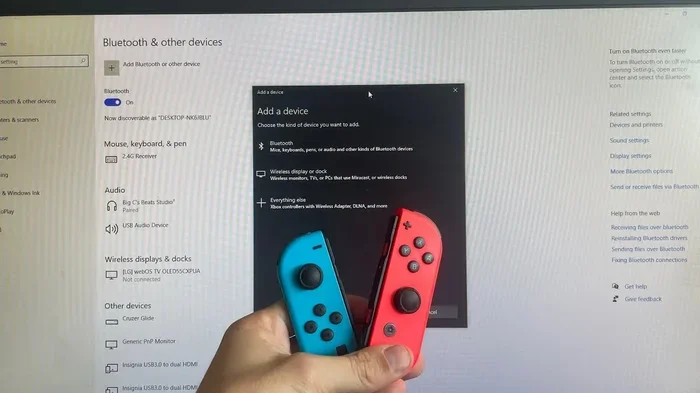
Most laptops and desktop computers have Bluetooth built in. You can pair your wireless headphones with your PC and listen to offline music, watch downloaded movies, or use offline apps. This is perfect for long flights or work trips where you do not have internet access.
Best Uses for Bluetooth Headphones Without Internet
Now that you know how Bluetooth headphones work offline, let us look at the best situations to use them without an internet connection.
Traveling
Traveling is one of the top reasons people use wireless headphones offline. On airplanes, trains, and buses, Wi-Fi is often slow or unavailable. But your Bluetooth headphones work perfectly. Download your favorite playlists before you leave home, and you have hours of entertainment.
Pro tip: Download content before your trip. Use services like Spotify offline mode or Netflix downloads. Then pair your headphones and enjoy wireless freedom without needing any internet at all.
Gaming Sessions
Gaming is another area where offline Bluetooth shines. You can immerse yourself in your favorite game with wireless audio. No lag from buffering, no dependence on a stable connection. Just pure gaming audio delivered straight to your ears.
If you are wondering about playing PS4 without a console, that is a different topic. But using Bluetooth headphones with your console while playing offline is totally doable with the right setup.
Home Entertainment
At home, you might want to watch TV late at night without disturbing anyone. Bluetooth headphones let you enjoy your shows privately. You do not need the internet for this — just pair them to your TV and settle in.
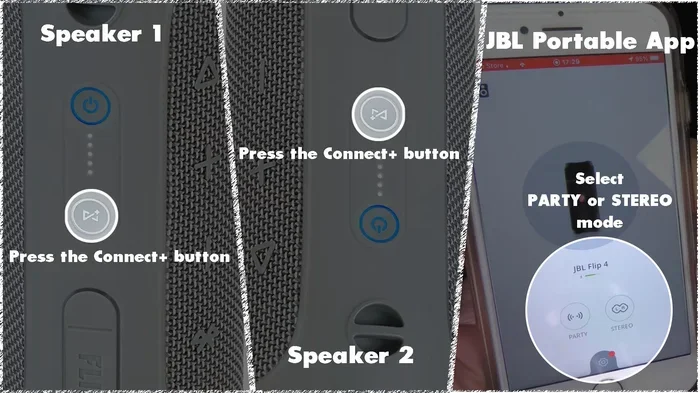
Some people also use Bluetooth headphones to play their car radio on a Bluetooth speaker or to listen to music in rooms without Wi-Fi. The possibilities are wide open when you go offline.
Work and Focus
Many people use wireless headphones for deep focus work. Noise-canceling Bluetooth headphones block out distractions. You can listen to offline music, white noise, or meditation tracks. No internet needed. Just pure concentration.
Limitations of Using Bluetooth Headphones Offline
While using Bluetooth headphones without the internet is simple and convenient, there are a few limitations to keep in mind.
Bluetooth Range
Bluetooth typically works within about 30 feet (10 meters). If you walk too far from your source device, the connection drops. This is not an internet issue — it is a physical range limitation of the Bluetooth signal itself.
To avoid interruptions, keep your paired device within close range. If you go to another room, you might lose the connection briefly. This is normal and expected with offline Bluetooth use.
No Streaming from Online Services
The obvious limitation is that you cannot stream music from services like Spotify, Apple Music, or YouTube if you have no internet. But you can still listen to music stored on your device. Download your favorite albums and playlists ahead of time, and you will be set.
Battery Life Considerations
Bluetooth headphones use battery power to maintain the wireless connection. Offline listening still drains the battery. If you plan a long trip without access to a charger, make sure your headphones are fully charged beforehand.
Some tips to save battery:
- Turn off Bluetooth when you are not listening.
- Lower the volume slightly to reduce power consumption.
- Use headphones with good battery life — many modern ones last 20-40 hours.
- Carry a portable charging case if your headphones support it.
Audio Quality
Offline Bluetooth audio quality depends on your device and headphones. Modern Bluetooth versions (5.0 and above) offer excellent sound. Older versions may have lower quality or more latency. But none of this depends on the internet. The audio quality is determined by your hardware and the Bluetooth version your devices support.
Quick Tips for the Best Offline Bluetooth Experience
Here are some practical tips to get the most out of your Bluetooth headphones without internet:
- Download content ahead of time. Store music, podcasts, and videos on your device before you go offline.
- Keep your devices updated. Bluetooth performance improves with firmware updates on both your headphones and source device.
- Stay within range. Keep your source device within 30 feet for a stable connection.
- Charge fully before trips. Do not start a journey with a half-charged battery.
- Disable unnecessary connections. Turn off Wi-Fi and mobile data if you want to conserve battery on your phone.
- Use airplane mode wisely. Airplane mode turns off all wireless connections, but you can re-enable Bluetooth separately to keep your headphones connected.
These simple steps ensure you get a smooth, uninterrupted wireless audio experience no matter where you are.
Common Mistakes People Make with Offline Bluetooth
Avoid these common pitfalls when using Bluetooth headphones without internet:
- Forgetting to download content. Nothing is worse than realizing you cannot play anything offline after you lose your connection.
- Not checking Bluetooth compatibility. Some older TVs and devices do not support Bluetooth. Always check before you buy headphones for a specific device.
- Ignoring battery levels. A dead headphone battery is the fastest way to ruin your offline experience.
- Standing too far from the source device. Walls and distance weaken the Bluetooth signal. Stay close for the best performance.
- Confusing Bluetooth with Wi-Fi streaming. Remember that Bluetooth is a direct connection. It does not need the internet, but it also cannot access online content without one.
Expert Insights on Bluetooth Offline Use
Audio engineers and tech experts agree that Bluetooth connectivity for offline listening is one of the most reliable wireless technologies available today. The direct device-to-device connection means there is no middleman — no router, no internet service, no buffering from a distant server.
According to Bluetooth SIG (the organization that manages Bluetooth standards), modern Bluetooth versions offer robust audio delivery even in environments with lots of wireless interference. This makes offline Bluetooth headphone use dependable in crowded places like airports, malls, and trains.
The key takeaway from experts is simple: if you want wireless audio freedom, Bluetooth headphones are your best friend. They work anywhere, anytime, as long as you have a charged device to pair with.
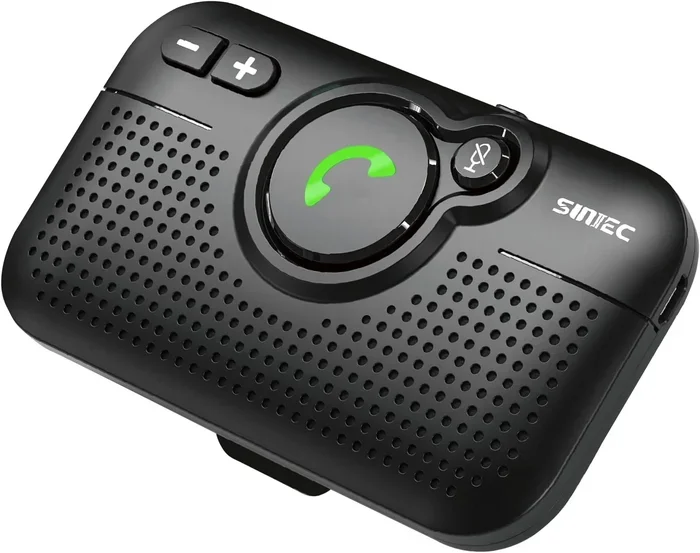
For those who also want to use their headphones for phone calls, Bluetooth headphones make phone calls easy even without internet, as long as your phone has cellular service. The call audio routes through the Bluetooth connection directly.
Conclusion
The answer to whether you can use Bluetooth headphones without the internet is a clear and resounding yes. Bluetooth technology was designed for direct, short-range wireless connections. It does not rely on Wi-Fi, mobile data, or any internet service. You can listen to music, watch videos, take calls, and game — all without being online.
From smartphones and TVs to gaming consoles and laptops, wireless headphones connect to a wide range of devices offline. The key is understanding that Bluetooth and Wi-Fi are two different technologies serving different purposes. Once you grasp that, you unlock the full potential of your wireless audio gear.
So the next time you are on a flight, in a remote cabin, or simply want to disconnect from the internet, grab your Bluetooth headphones and enjoy. You do not need the world wide web to enjoy great sound. You just need your device and your headphones. That is all it takes for a fantastic offline listening experience.
Download your content, charge your headphones, and embrace the freedom of wireless audio without limits. The offline world sounds just as good — maybe even better — when you are not tethered to a router.
Frequently Asked Questions
Do Bluetooth headphones need Wi-Fi to work?
No, Bluetooth headphones do not need Wi-Fi at all. They connect directly to your device using radio waves. Wi-Fi is only needed if you want to stream content from the internet, not for the Bluetooth connection itself.
Can I use Bluetooth headphones on an airplane?
Yes, you can use Bluetooth headphones on most airlines. Just download your music or movies before the flight. During takeoff and landing, you may need to put your device in airplane mode, but you can re-enable Bluetooth separately on most devices.
How far can Bluetooth headphones work without internet?
Bluetooth headphones typically work within 30 feet (about 10 meters) of the source device. This range does not depend on the internet. It is a physical limit of the Bluetooth radio signal. Walls and obstacles can shorten this distance.
Can I make phone calls with Bluetooth headphones without internet?
Yes, you can make and receive phone calls through Bluetooth headphones without internet. Phone calls use the cellular network, and the audio is transmitted via Bluetooth to your headphones. You just need cellular signal, not Wi-Fi.
Does offline Bluetooth audio quality differ from online?
No, the audio quality is the same whether you are online or offline. Bluetooth transmits the audio file directly from your device to your headphones. The internet does not affect the Bluetooth connection or the sound quality.
What Bluetooth version is best for offline listening?
Bluetooth 5.0 or newer is best for offline listening. It offers better range, stronger signal, lower power consumption, and higher audio quality compared to older versions. Most modern headphones and phones support Bluetooth 5.0 or above.
===
SEO Title: Can You Use Bluetooth Headphones Without the Internet
Meta Title: Can You Use Bluetooth Headphones Without Internet? Yes!
URL Slug: can-you-use-bluetooth-headphones-without-internet
=== INTERNAL LINKS USED ===
1. Can I Use Bluetooth Headphones With PS4
2. Can I Talk on the Phone With Bluetooth Headphones
3. Can I Listen to My Samsung TV With Bluetooth Headphones
4. Can I Make My TV Bluetooth With an Adapter