Do Xfi Pods Extend Wifi Coverage Throughout Your Home
Xfi Pods are Comcast’s mesh WiFi extension devices designed to boost WiFi coverage in larger homes. They work as mesh nodes that pair with your existing gateway to eliminate WiFi dead zones and improve wireless coverage in every room. Setting them up is simple, and they can significantly improve your home network performance without extra monthly fees.
Have you ever walked into a certain room in your house and watched your phone lose signal? Or maybe your smart TV buffers every time you sit on the couch? You are not alone. Many homes struggle with WiFi coverage, especially as square footage grows and walls get in the way. That is where Xfi Pods come into the picture.
Comcast launched Xfi Pods as a simple way to boost your home network without buying a whole new system. But do they really work? Can a couple of small pods really extend WiFi to every corner of your house? In this guide, we will break it all down. You will learn how they work, when they help, and whether they are worth your money.
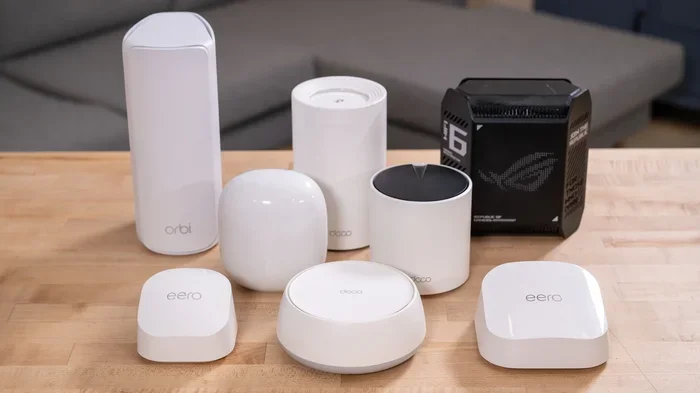
Xfi Pods are small mesh devices made by Comcast for Xfinity internet users. They plug into wall outlets and work with your existing gateway to spread your wireless signal further. Think of them as little helpers that pass your WiFi signal from room to room. Instead of one router doing all the work, the pods share the load. This creates a mesh WiFi system that covers more square footage.
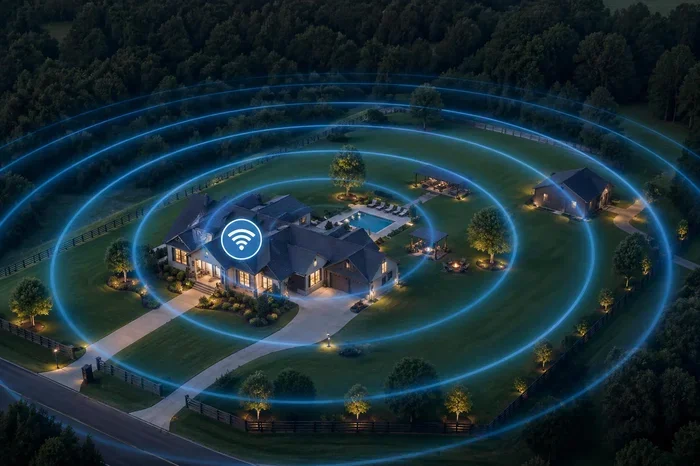
The idea is simple. Your gateway sends a signal. The pods pick it up and rebroadcast it in areas where the signal is weak. This helps reduce WiFi dead zones — those annoying spots where your internet just stops working. Whether you are in the basement, the backyard, or the farthest bedroom, pods aim to keep you connected.
Key Takeaways
- Xfi Pods extend WiFi coverage: They create a mesh network that spreads your signal to hard-to-reach areas.
- Easy setup: You can pair them in minutes using the Xfinity app.
- No extra monthly cost: If you already pay for Xfinity internet, pods are included or available at a low upfront price.
- They are not magic: Pod placement matters a lot for WiFi signal strength and performance.
- Mesh vs. traditional extenders: Xfi Pods offer a smoother experience than older WiFi range extenders.
- Best for mid-to-large homes: If you have dead zones, pods can make a real difference.
📑 Table of Contents
How Do Xfi Pods Work to Extend WiFi Coverage
Understanding how Xfi Pods extend your signal starts with knowing what a mesh network is. A mesh network uses multiple devices (called nodes) to spread a single WiFi network across your home. Each pod acts as a node. They all share the same network name and password.
When you connect your phone to the network, your device automatically connects to the strongest signal. If you walk from the kitchen to the bedroom, your phone might switch from the gateway to a pod without you even noticing. This seamless handoff is one of the biggest advantages of a mesh WiFi system over older range extenders.
The Role of Your Gateway
Your Xfinity gateway is the brain of the operation. It connects to your modem and creates the main WiFi network. The Xfi Pods then extend that network outward. They do not replace your gateway. They work alongside it. Each pod connects back to the gateway (or to another pod) to form a chain of coverage.
This is similar to how a mesh WiFi access point works in other systems. The pods talk to each other and to your gateway to route data efficiently. As a result, your internet speed stays more consistent across different areas of your home.
Dual-Band WiFi and Pod Performance
Most Xfi Pods support dual-band WiFi, meaning they use both the 2.4 GHz and 5 GHz frequency bands. The 2.4 GHz band travels farther but is slower. The 5 GHz band is faster but has a shorter range. Pods automatically choose the best band for your device.
If you want to learn more about how different WiFi bands affect your connection, you can check out whether you can force your phone to use a specific WiFi band. Understanding this can help you troubleshoot slow speeds in certain rooms.
Do Xfi Pods Actually Extend WiFi Coverage
The short answer is yes. Xfi Pods do extend WiFi coverage throughout your home. But how much they extend depends on several factors. Your home size, wall materials, and pod placement all play a role.
In a small apartment, one pod might be enough. In a large two-story house, you may need two or three pods to cover every floor. The key is to place them in spots where the signal from your gateway starts to fade. This way, each pod picks up a strong signal and rebroadcasts it effectively.
How Far Can a Single Pod Reach
A single Xfi Pod can typically extend your WiFi range by about 1,000 to 1,500 square feet. Of course, this varies based on your home layout. Open floor plans let the signal travel farther. Thick walls, metal appliances, and mirrors can block the signal.
If you are dealing with a long hallway or a detached garage, you might need more than one pod. The goal is to make sure every pod connects to a strong source signal. If a pod is too far from the gateway, it will rebroadcast a weak signal, and your WiFi performance will suffer.
Real-World Coverage Scenarios
Let us look at a few common scenarios to see how Xfi Pods perform in real life.
- Scenario 1 — Small Home (1,000 sq ft): One pod placed in the middle of the house may be enough to cover every room. Your wireless coverage should be strong throughout.
- Scenario 2 — Two-Story Home (2,000 sq ft): Two pods work well here. Place one on each floor to ensure even network coverage across both levels.
- Scenario 3 — Large Home (3,000+ sq ft): Three or more pods may be needed. Focus on areas where you use the internet the most, like the living room, home office, and master bedroom.
For homes with stubborn dead zones, you might also explore whether you can extend your WiFi to 200 feet away using additional hardware or placement strategies.
Setting Up Xfi Pods for Best Results
Setting up Xfi Pods is one of the easiest parts of the whole process. Comcast designed the setup to be beginner-friendly. You do not need to be a tech expert to get them working.
Step-by-Step Setup Guide
- Download the Xfinity app. Make sure you are logged in with your Xfinity account.
- Plug in your first pod. Place it in an outlet halfway between your gateway and the area with weak signal.
- Follow the in-app instructions. The app will walk you through pairing the pod with your gateway.
- Add more pods if needed. Repeat the process for each additional pod. The app will show you the best placement.
- Test your coverage. Walk around your home and check the signal strength in each room.
Where to Place Your Pods
Pod placement is critical. A badly placed pod can do more harm than good. Here are some quick tips:
- Place pods in open areas, not inside cabinets or behind furniture.
- Keep pods within range of your gateway or another pod.
- Avoid placing pods near microwaves, cordless phones, or baby monitors — these can cause interference.
- Elevate pods off the floor. Wall outlets are usually better than floor outlets.
- Place a pod in the room where you experience the worst WiFi dead zone.
Quick Tip: The Xfinity app has a coverage map feature. Use it to see where your signal is strong and where it is weak. This helps you decide exactly where to place each pod for maximum wireless coverage.
Xfi Pods vs. Traditional WiFi Extenders
Not all WiFi boosters are created equal. Xfi Pods belong to the mesh category, but traditional range extenders are still popular. Let us compare the two so you can make an informed decision.
| Feature | Xfi Pods (Mesh) | Traditional WiFi Extender |
|---|---|---|
| Seamless roaming | Yes | No (separate network names) |
| Setup difficulty | Easy (app-based) | Moderate |
| Price | Low upfront or included | $20 – $100+ |
| Signal handoff | Automatic | Manual in most cases |
| Compatibility | Xfinity gateways only | Works with any router |
| WiFi performance | Consistent across home | Can lose speed with each hop |
The biggest advantage of Xfi Pods over traditional extenders is the seamless handoff. With a traditional extender, your device might stay stuck on a weak signal even when a stronger one is available. Mesh pods solve this by letting your device roam freely between nodes.
However, if you are not an Xfinity customer, Xfi Pods will not work for you. In that case, you would need to look at third-party mesh systems like Google WiFi or Eero. For Xfinity users, pods are a convenient and cost-effective choice.
Common Problems with Xfi Pods and How to Fix Them
Even with the best setup, you might run into issues. Here are the most common problems and how to solve them.
Pod Keeps Going Offline
If your pod keeps disconnecting, it might be too far from the gateway or another pod. Move it closer to a stronger signal source. Also, check that the outlet is working properly. Sometimes a loose connection causes intermittent dropouts.
Slow Speeds in Certain Rooms
Slow speeds often happen when a pod is rebroadcasting a weak signal. Try moving the pod closer to the gateway. You can also check if too many devices are connected to one pod. Spreading devices across multiple pods can improve overall network coverage.
Pod Not Showing Up in the App
If a pod does not appear in the Xfinity app, try resetting it. Unplug it, wait 30 seconds, and plug it back in. Make sure your phone is near the pod during setup. A weak phone signal during pairing can cause setup failures.
Are Xfi Pods Worth It
After looking at all the details, the big question remains: are Xfi Pods worth buying? For most Xfinity customers, the answer is yes. They are affordable, easy to set up, and they genuinely improve WiFi coverage in homes with dead zones.
If you live in a small apartment with strong signal everywhere, you probably do not need pods. But if you have a larger home or a tricky layout, they can make a noticeable difference. The seamless mesh experience, combined with no extra monthly fees, makes them a solid choice.
One thing to keep in mind: Xfi Pods are designed to work best with Xfinity gateways. If you plan to upgrade your router in the future, make sure the new router is compatible with the pods. Mixing equipment from different brands can sometimes cause connectivity issues.
Overall, Xfi Pods are a practical, no-nonsense solution for extending your home WiFi. They are not the most powerful mesh system on the market, but they get the job done for most households at a very reasonable price point.
Frequently Asked Questions
How many Xfi Pods do I need for my home?
It depends on your home size and layout. A small apartment may only need one pod. A two-story home usually benefits from two pods. Large homes over 3,000 square feet may require three or more. The Xfinity app can help you determine the right number based on your coverage needs.
Do Xfi Pods cost extra every month?
No. There is no monthly fee for using Xfi Pods. They are either included with your Xfinity plan or available for a one-time purchase. Once you buy or receive them, they are yours to use at no additional cost.
Can I use Xfi Pods with a non-Xfinity router?
No. Xfi Pods are designed specifically to work with Xfinity gateways. They will not function as standalone mesh nodes with third-party routers. If you are not an Xfinity customer, you will need a different mesh WiFi system.
Will Xfi Pods slow down my internet speed?
Not significantly. When placed correctly, pods maintain your existing internet speeds. However, if a pod is too far from the gateway or too many devices connect to one pod, you may notice a slight drop in performance. Proper placement is key to maintaining strong WiFi signal strength.
Can I move my Xfi Pods to a different room?
Yes. You can unplug a pod and move it anywhere in your home. Simply plug it into a new outlet and use the Xfinity app to reconnect it. The app makes it easy to reposition pods whenever your coverage needs change.
Do Xfi Pods work with the latest WiFi 6 technology?
Some newer Xfi Pods support WiFi 6, which offers faster speeds and better performance in crowded areas. Check your specific pod model to confirm its WiFi standard. WiFi 6 pods provide a noticeable boost for homes with many connected devices.
=== CONCLUSION ===
Do Xfi Pods extend WiFi? Absolutely. They are a simple, effective way to boost your home network and eliminate frustrating dead zones. Whether you are streaming movies, working from home, or just browsing the web, these small pods can make a big difference. With easy setup, no monthly fees, and seamless mesh performance, Xfi Pods are a smart choice for most Xfinity internet users. Place them strategically, test your coverage, and enjoy stronger WiFi in every room of your home.