Does Hp Stream Work Without Internet Access at All
The HP Stream can do some things without internet, but it is not a fully offline device. You can still use local apps, edit documents, and enjoy downloaded media. However, most of its core features rely on a Wi-Fi connection and cloud services. This guide covers exactly what works offline and what does not.
So you just got an HP Stream, or you are thinking about buying one. Maybe you travel a lot, or your home Wi-Fi is spotty. Either way, you are wondering the same thing: does HP Stream work without internet? It is a great question, and the answer is not a simple yes or no. The truth is, the HP Stream can do some things offline, but it really shines when connected to the web.
This laptop was built with cloud computing in mind. That means it leans heavily on a wireless network for most of its best features. But that does not mean it is useless without internet. You can still get a lot done, watch some content, and stay productive. Let us break it all down for you.
In this article, we will cover exactly what works, what does not, and how to get the most out of your HP Stream when you are off the grid. Whether you are a student, a traveler, or just someone who deals with unreliable internet, this guide has you covered.
Key Takeaways
- Limited Offline Use: The HP Stream can run some apps and access local files without internet, but it is not designed to be a fully offline device.
- Cloud Services Are Core: Many essential features like email, storage, and updates need a wireless network to function properly.
- You Can Still Be Productive: Offline Microsoft Office apps, local media, and saved files let you work even without Wi-Fi connectivity.
- Mobile Hotspot Is a Fix: You can use a mobile hotspot as a workaround if you need temporary internet access.
- Offline Entertainment Exists: Downloaded movies, music, and games keep you entertained without a wireless network.
- System Updates Need Internet: The HP Stream will miss critical patches and security updates when offline for long periods.
- Know Before You Buy: Understanding the offline limits helps you decide if the HP Stream fits your connectivity needs.
📑 Table of Contents
- What Is the HP Stream and Why Does It Need Internet?
- What the HP Stream Can Do Without Internet
- What the HP Stream Cannot Do Without Internet
- How to Stay Productive on the HP Stream Offline
- Can You Use the HP Stream for Entertainment Without Internet?
- HP Stream Offline vs. Online: A Comparison
- Common Mistakes People Make with the HP Stream Offline
- Expert Tips for Getting the Most Out of Your HP Stream
- Final Thoughts
What Is the HP Stream and Why Does It Need Internet?
Understanding the HP Stream Laptop
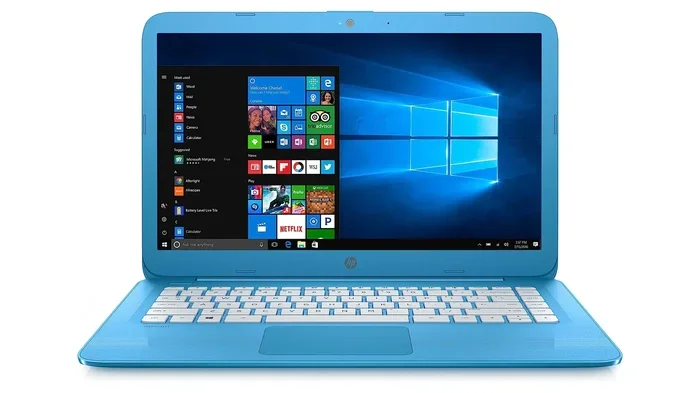
The HP Stream is a lightweight laptop designed for everyday tasks. It runs Windows and comes with cloud-based storage through OneDrive. The idea is simple: keep everything in the cloud so you can access it from anywhere. But that also means the device depends on a Wi-Fi connection more than a traditional laptop.
Unlike heavier laptops, the HP Stream has limited local storage. It usually comes with 32 GB or 64 GB of space, and much of that is already used by the operating system. So the device pushes you toward cloud storage. This design choice makes internet access a big part of the experience.
Think of the HP Stream like a smartphone in many ways. You can use it offline for basic tasks, but the real magic happens when you are connected. The device relies on cloud services for email, file storage, and even some system functions.
Why Internet Is So Important for the HP Stream
Here is the honest truth. The HP Stream is not a full-powered laptop. It is a budget-friendly device meant for light use. And light use, for the most part, means being online. Let us look at why internet matters so much for this device.
- Cloud Storage: OneDrive is the main storage solution. Without internet, you cannot access files stored there.
- System Updates: Windows updates and security patches download through a wireless network.
- App Functionality: Many apps, especially those from the Microsoft Store, need internet to sync and work properly.
- Email and Messaging: Outlook and other apps rely on a live connection to send and receive messages.
- Web Browsing: Chrome or Edge need an active connection to load any website.
So yes, internet access is deeply woven into the HP Stream experience. But that does not mean you are completely stuck without it. There is still plenty you can do.
What the HP Stream Can Do Without Internet
Offline Tasks You Can Still Perform
Even without a wireless network, the HP Stream is not completely helpless. You can still do a number of things that do not require a live internet connection. Here are some of the most useful offline capabilities.
- Use Microsoft Office Offline: Word, Excel, and PowerPoint work without internet if they are already installed. You can create, edit, and save documents locally.
- Access Local Files: Any files saved directly to the laptop hard drive or an external drive are fully accessible.
- Listen to Downloaded Music: If you have music files saved on your device, you can play them anytime.
- Watch Downloaded Videos: Movies or shows you have already downloaded will play without a connection.
- Play Offline Games: Games installed on the device do not need internet to run.
- Take Notes: The built-in Sticky Notes app and other local note-taking tools work fine offline.
These tasks cover a good chunk of everyday use. If you mainly need a device for writing, note-taking, or watching downloaded content, the HP Stream can still serve you well without internet.
Offline Apps and Software
Not every app on the HP Stream needs the internet. Many desktop applications run entirely on your local system. For example, you can use offline photo editors, media players, and even some PDF readers without any connection. The key is making sure these apps are installed before you lose your Wi-Fi connectivity.
One thing to keep in mind is that some apps may try to check for updates or licenses online. If you are offline, they might show a warning or refuse to open. But most core apps will work just fine. Just make sure everything is set up while you still have a wireless network available.
What the HP Stream Cannot Do Without Internet
Features That Require a Live Connection
Now let us talk about the other side of the coin. There are many things the HP Stream simply cannot do without internet. Understanding these limits is just as important as knowing what works offline.
- Web Browsing: You cannot open any websites without a connection. This includes Google, social media, and news sites.
- Email Syncing: Outlook will not send or receive new messages when offline.
- Cloud Storage Access: OneDrive files stored only in the cloud are not accessible.
- Streaming Services: Netflix, YouTube, and other streaming platforms need internet to play content.
- Video Calls: Apps like Zoom or Skype require a live connection. If you need to make calls, you might want to explore options like FaceTime working without Wi-Fi for similar connectivity challenges.
- App Downloads and Updates: You cannot download new apps or update existing ones without a network.
- System Updates: Windows will not download or install updates offline.
As you can see, the list of things you cannot do is quite long. This is why the HP Stream really depends on having a reliable internet connection for its full feature set.
Why Streaming and Cloud Features Fail Offline
The HP Stream was designed to be a cloud-first device. That means it pushes you toward online services for storage, entertainment, and communication. When you remove the internet, all of those services become unavailable. It is not a flaw, it is just how the device was built.
If you are used to a traditional laptop with a large hard drive, this might feel limiting. But if you understand the trade-off, you can plan around it. The HP Stream is best for people who have regular access to a wireless network and want a lightweight, affordable device for everyday tasks.
How to Stay Productive on the HP Stream Offline
Tips for Working Without Wi-Fi
Just because you do not have internet does not mean you cannot be productive. Here are some practical tips to help you get the most out of your HP Stream when you are offline.
- Download Files Before You Go Offline: Save any documents, videos, or music you might need to your local drive before you lose connection.
- Use Offline Microsoft Office: Make sure your Office apps are set to work in offline mode. You can do this by opening an app while connected, then switching to offline use.
- Sync Your Files Regularly: When you do have internet, sync your OneDrive files so the most recent versions are available offline.
- Keep a Backup USB Drive: An external drive is a great way to store important files that you can access without a wireless network.
- Disable Unnecessary Apps: Some apps constantly check for a connection. Disabling them can reduce frustration when you are offline.
These simple steps can make a big difference. You will be surprised how much you can accomplish on the HP Stream without a live internet connection.
Using a Mobile Hotspot as a Backup
If you need internet on the go but do not have access to Wi-Fi, a mobile hotspot can be a lifesaver. You can share your phone’s data connection with the HP Stream. This gives you temporary access to the web, email, and cloud services.
Just keep in mind that using a hotspot uses your phone’s data plan. If you have a limited data plan, this might not be ideal for long-term use. But for short bursts of connectivity, it works great. If you are curious about getting a hotspot without phone service, you can check out our guide on getting a hotspot without phone service.
Can You Use the HP Stream for Entertainment Without Internet?
Downloaded Content Is Your Friend
Entertainment is one of the biggest reasons people want to use devices offline. The good news is that the HP Stream can handle downloaded content pretty well. You can pre-download movies, TV shows, music, and podcasts while connected to a wireless network.
For example, Netflix and YouTube both allow you to download content for offline viewing. Just make sure you do this while you still have internet access. Once downloaded, you can watch or listen without any connection at all.
Similarly, if you use Spotify or other music apps, you can download playlists for offline listening. This makes the HP Stream a decent travel companion for entertainment on the go.
Gaming Offline
Do you like to game? The HP Stream is not a gaming powerhouse, but it can handle casual games. Many games installed on the device can be played offline. Solitaire, Minesweeper, and other built-in Windows games work without any connection. You can also play offline-compatible games from the Microsoft Store.
Just remember that multiplayer games and online gaming platforms need a live internet connection. If you want to game with friends, you will need to be online.
HP Stream Offline vs. Online: A Comparison
To make things even clearer, let us compare what the HP Stream can do in both scenarios. This table gives you a quick overview of the offline and online experience.
| Feature | Offline | Online |
|---|---|---|
| Web Browsing | Not Available | Fully Available |
| Microsoft Office | Available (Local Files) | Fully Available |
| Cannot Send/Receive | Fully Available | |
| Cloud Storage (OneDrive) | Limited Access | Fully Available |
| Streaming Video | Downloaded Content Only | Fully Available |
| Music Playback | Downloaded Files Only | Fully Available |
| App Downloads/Updates | Not Available | Fully Available |
| System Updates | Not Available | Fully Available |
| Local File Access | Fully Available | Fully Available |
| Gaming (Single Player) | Fully Available | Fully Available |
| Gaming (Multiplayer) | Not Available | Fully Available |
As the table shows, the HP Stream is much more capable online. But it still has some useful offline features that can keep you going when you are not connected.
Common Mistakes People Make with the HP Stream Offline
Assuming It Works Like a Regular Laptop
The biggest mistake is treating the HP Stream like a traditional laptop. It is not. This device is built around cloud services and Wi-Fi connectivity. If you expect the same offline experience as a laptop with a large hard drive, you will be disappointed.
Many people buy the HP Stream, expect it to work like a full-powered laptop, and then get frustrated when it struggles offline. Understanding its limitations upfront saves you a lot of headaches.
Not Downloading Content Before Going Offline
Another common mistake is forgetting to download content before you lose your connection. If you know you will be without internet for a while, take a few minutes to save everything you need locally. This includes documents, videos, music, and even offline maps.
A little preparation goes a long way. A few minutes of planning can save you hours of frustration later.
Ignoring System Updates
When you are offline for extended periods, the HP Stream will miss important system updates. This can leave your device vulnerable to security risks. As soon as you get back online, make sure to check for and install any pending updates.
If you want to learn more about keeping your HP device running smoothly, check out our article on keeping your HP drivers up to date.
Expert Tips for Getting the Most Out of Your HP Stream
Optimize Storage for Offline Use
The HP Stream has limited storage, so you need to be smart about what you keep on the device. Use external storage for large files, and keep your local drive for essentials. This way, you always have what you need even when you are offline.
One great tip is to use the “Available Offline” feature in OneDrive. This lets you pin specific files to your device so you can access them without a connection. When you go back online, the files sync automatically.
Keep Your Battery Charged
The HP Stream has decent battery life, but offline use can sometimes drain it faster. Apps running in the background, screen brightness, and other factors all play a role. Keep your device charged, especially if you plan to use it for long periods without access to a wireless network.
Consider a Portable Wi-Fi Device
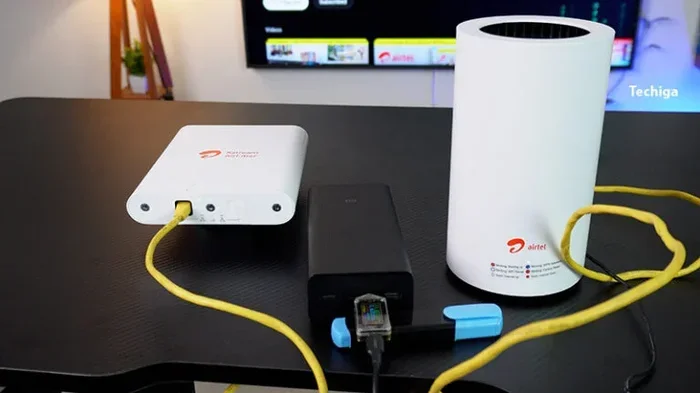
If you often find yourself without internet, consider investing in a portable Wi-Fi hotspot device. These small gadgets create your own wireless network using a SIM card and cellular data. They are a great way to stay connected on the go without relying on public Wi-Fi.
Alternatively, you can also look into whether a modem can give you internet in areas where traditional service is unavailable. Having a backup plan for connectivity makes a huge difference.
Final Thoughts
So, does HP Stream work without internet? The answer is both yes and no. You can do some things offline, like using Microsoft Office, watching downloaded videos, and playing local games. But the HP Stream is really designed to be used with a Wi-Fi connection. Most of its best features depend on being online.
If you have regular access to internet, the HP Stream is a great budget-friendly option. It is lightweight, affordable, and perfect for everyday tasks. But if you need a device that works fully offline, you might want to look at other options.
For those who deal with spotty internet or travel frequently, the HP Stream can still work for you. Just plan ahead, download what you need, and keep a backup connectivity option handy. With the right approach, you can get a lot out of this device even without a constant internet connection.
Remember, the HP Stream is a tool, and like any tool, it works best when you understand its strengths and limitations. Use it wisely, and it will serve you well in most situations.
Frequently Asked Questions
Can I use Microsoft Office on the HP Stream without internet?
Yes, you can use Microsoft Office offline as long as the apps are already installed. You can create, edit, and save documents locally. Just remember that syncing with OneDrive and accessing cloud-based features will not work until you reconnect.
What happens if my HP Stream has no internet for a long time?
Without internet for a long time, you will miss system updates, security patches, and app updates. Your cloud storage will be inaccessible, and apps that rely on online services will not work. However, local files and offline apps will continue to function normally.
Can I watch Netflix on the HP Stream without Wi-Fi?
Yes, but only if you have already downloaded content through the Netflix app. You cannot stream live content without an internet connection. Download your shows and movies while connected, and enjoy them offline anytime.
How can I get internet for my HP Stream when I am away from Wi-Fi?
You can use a mobile hotspot from your smartphone or invest in a portable Wi-Fi hotspot device. These options let you connect your HP Stream to the internet using cellular data. Just be mindful of your data usage and plan accordingly.
Is the HP Stream good for offline work?
The HP Stream is decent for light offline work, especially using local Microsoft Office apps and accessing saved files. However, it is not ideal for heavy offline use because it relies so heavily on cloud services and a wireless network for most of its features.
Does the HP Stream need internet to turn on?
No, the HP Stream does not need internet to turn on. It will boot up normally and you can access local files and offline apps. But you will not be able to use any features that require a live connection until you are back online.
=== CONCLUSION ===
The HP Stream is a capable little laptop, but it is not built to thrive without internet. Its reliance on cloud services, Wi-Fi connectivity, and online features means that offline use is limited. Still, with the right preparation, you can do a surprising amount of work, entertainment, and productivity without a connection.
Understanding what works offline and what does not is the key to getting the most from your HP Stream. Download your content, use offline apps, and keep a backup connectivity plan in place. If you do these things, the HP Stream can still serve you well even when the internet is not available.
At the end of the day, the HP Stream is best suited for people who have regular access to a wireless network. If that describes you, you will love this device. But if you need full offline capability, you may want to explore other options. Know your needs, plan accordingly, and the HP Stream can be a great companion for your digital life.