Does a Vtech Monitor Need Wi Fi or Can It Work Offline
A Vtech monitor does not always need Wi Fi to work. Many Vtech baby monitors can operate in offline or standalone mode, providing core features like video and audio without an internet connection. However, remote viewing and smart features require a Wi Fi network. This guide covers everything you need to know about Vtech monitor connectivity, setup, and troubleshooting.
When you bring a new baby home, one of the first things you want is peace of mind. A baby monitor helps you keep an eye on your little one from another room. But what happens when the Wi Fi goes down? Does a Vtech monitor still work? The short answer is yes, but with some limits.
Many parents assume their Vtech baby monitor needs a constant internet connection to function. That is not always true. Vtech monitors come in different models, and each has different connectivity needs. Some work fully offline, while others rely on Wi Fi for advanced features.
In this article, we will break down exactly how Vtech monitors work with and without Wi Fi. We will cover setup, range, smart features, and common problems. By the end, you will know exactly what to expect from your Vtech monitor, whether you have a strong internet connection or none at all.
Key Takeaways
- Vtech monitors can work offline: Basic video and audio functions do not need Wi Fi.
- Remote viewing needs internet: To check on your baby from anywhere, a Wi Fi connection is essential. Smart features depend on Wi Fi: Motion alerts, two-way audio streaming, and app notifications require a connection.
- Range matters: Even without Wi Fi, Vtech monitors have a limited range that depends on the model.
- Wi Fi boosters help: If your signal is weak, a Wi Fi booster can improve performance.
- Humidity can interfere: Environmental factors like moisture can weaken your wireless signal and affect monitor performance.
- Setup is simple: Connecting a Vtech monitor to Wi Fi takes just a few minutes with the right steps.
📑 Table of Contents
- What Is a Vtech Monitor and How Does It Connect?
- Does a Vtech Monitor Need Wi Fi to Work?
- How to Set Up a Vtech Monitor With and Without Wi Fi
- Vtech Monitor Range: How Far Can It Work?
- Common Vtech Monitor Wi Fi Problems and How to Fix Them
- Can You Use a Vtech Monitor Without Any Internet At All?
- Expert Tips for Getting the Best Out of Your Vtech Monitor
- Vtech Monitor Offline vs Online: A Quick Comparison
- Final Thoughts
What Is a Vtech Monitor and How Does It Connect?
A Vtech monitor is a baby monitoring device made by Vtech, a company known for baby electronics. These monitors come in two main types. There are audio-only monitors and video monitors. Both types have different ways of connecting to your home setup.
Audio monitors use radio frequencies to transmit sound. They do not need Wi Fi at all. Video monitors, on the other hand, often use Wi Fi to send video to your phone or tablet. Some Vtech video monitors also use a dedicated base station that connects to the camera unit directly.
Understanding how your specific model connects is the first step. Check the product manual or the Vtech website for your model number. This tells you whether your monitor needs Wi Fi for full functionality or if it can work without it.
Types of Vtech Monitor Connections
Vtech monitors use different connection methods depending on the model. Here are the main types you will encounter:
- FHSS (Frequency Hopping Spread Spectrum): This is a radio-based connection. It does not need Wi Fi. It provides a secure and private connection between the camera and the parent unit.
- DECT (Digital Enhanced Cordless Telecommunications): Similar to FHSS, DECT uses radio waves. It offers clear audio and does not depend on your home internet.
- Wi Fi Based: These monitors connect to your home Wi Fi network. They send video and audio to your smartphone through the internet. You can view the feed from anywhere with internet access.
Each connection type has its pros and cons. Radio-based systems work offline but have limited range. Wi Fi systems offer more features but need a stable internet connection.
Does a Vtech Monitor Need Wi Fi to Work?
This is the question most parents ask. The answer depends on what features you need. A basic Vtech monitor can work without Wi Fi. But if you want to use smart features, you will need a connection.
Here is a simple way to think about it. If you just want to hear and see your baby in the same house, you do not need Wi Fi. If you want to check on your baby while you are at work or traveling, Wi Fi becomes essential.
What Works Without Wi Fi
When your Vtech monitor is not connected to the internet, it still provides core functions. These include:
- Live video feed between the camera and the parent unit within range.
- Two-way audio so you can talk to your baby.
- Night vision for viewing in dark rooms.
- Sound and motion alerts on the parent unit.
- Temperature monitoring in your baby’s room.
All of these features work through the radio signal between the camera and the base station. They do not touch your internet at all. This is great news if you live in an area with unreliable internet or if you prefer not to use Wi Fi in the nursery.
What Requires Wi Fi
Now let us talk about features that need a Wi Fi connection. These are the smart features that make a Vtech monitor more than just a basic baby monitor:
- Remote viewing through the Vtech Baby app on your phone.
- Push notifications for motion or sound alerts when you are away from home.
- Two-way audio streaming over the internet.
- Video clip sharing and cloud storage.
- Multi-device access so family members can check in from their phones.
Without Wi Fi, none of these features will work. The monitor will still function as a local video and audio device, but you lose the convenience of checking in from anywhere.
How to Set Up a Vtech Monitor With and Without Wi Fi
Setting up a Vtech monitor is straightforward in both scenarios. Let us walk through each setup process so you know exactly what to expect.
Setting Up Without Wi Fi
If you choose to use your Vtech monitor without Wi Fi, the setup is simple. You do not need to touch any router settings. Here is what to do:
- Plug in the camera unit near your baby’s crib.
- Place the parent unit in your room.
- Turn on both units and let them pair automatically.
- Adjust the camera angle and check the video feed on the parent unit.
- Test the two-way audio and motion alerts.
That is it. Your monitor is now working. The connection stays local between the two units. No internet required. This setup is perfect for parents who want a simple, reliable monitoring solution.
Setting Up With Wi Fi
If you want to use the smart features, you need to connect your Vtech monitor to your home Wi Fi. Here is the general process:
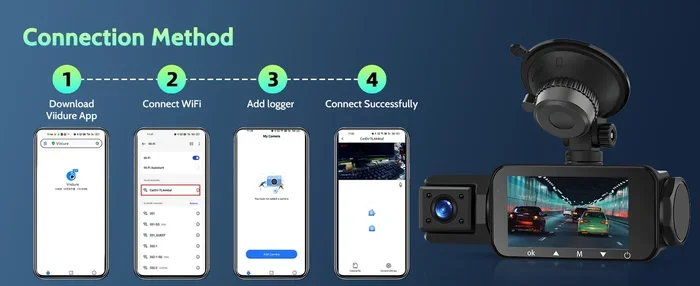
- Download the Vtech Baby app on your smartphone.
- Create an account or log in.
- Power on the camera unit and put it in pairing mode.
- In the app, select “Add Device” and follow the on-screen prompts.
- Choose your Wi Fi network and enter the password.
- Wait for the app to connect to the camera.
- Test the live feed and all smart features.
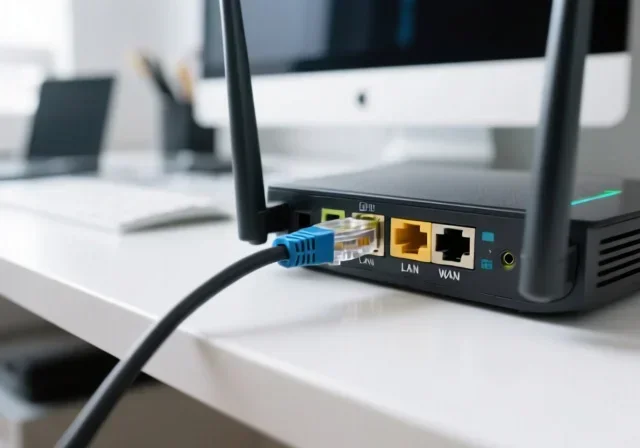
Make sure your Wi Fi signal reaches the camera’s location. If your router is far from the nursery, you may have connection issues. In that case, consider using a Wi Fi range extender to boost the signal to the nursery.
Vtech Monitor Range: How Far Can It Work?
Range is a big deal when it comes to baby monitors. You want to move freely around your home while still keeping an eye on your baby. Vtech monitors offer different range depending on the model and connection type.
Radio-based Vtech monitors typically claim a range of 1,000 feet or more in open space. However, walls, furniture, and other obstacles reduce this range significantly. In a real home setting, expect the range to be around 300 to 500 feet.
Wi Fi based monitors depend on your wireless network coverage. If your Wi Fi reaches the nursery, your monitor will work. If not, you will experience disconnections or a weak feed. You can improve coverage by moving your router closer to the nursery or by using a signal booster.
Keep in mind that humidity and moisture can also affect your wireless signal. Bathrooms and kitchens with steam may weaken the connection. If you notice issues, check if environmental factors are interfering with your monitor’s signal.
Common Vtech Monitor Wi Fi Problems and How to Fix Them
Even with a good internet plan, you may run into issues with your Vtech monitor connecting to Wi Fi. Here are the most common problems and how to solve them.
Monitor Won’t Connect to Wi Fi
This is the most common complaint. If your Vtech monitor will not connect, try these steps:
- Check that your Wi Fi is working on another device first.
- Make sure you are entering the correct Wi Fi password.
- Restart your router and the monitor both.
- Move the camera closer to the router and try again.
- Check if your router uses a 5 GHz band. Some Vtech monitors only work on 2.4 GHz. You can switch your Wi Fi to 2.4 GHz if needed.
Monitor Keeps Disconnecting
A monitor that drops off and on is frustrating. This usually happens when the Wi Fi signal is weak in the nursery. Try these fixes:
- Reposition your router to be closer to the baby’s room.
- Remove physical barriers between the router and the camera.
- Reduce interference from other electronics like microwaves and cordless phones.
- Consider a Wi Fi booster to strengthen the signal in the nursery.
Poor Video Quality Over Wi Fi
If your video feed is laggy or blurry, your internet speed may be the culprit. A slow connection cannot handle live video streaming well. Run a speed test on your phone near the nursery. You need at least 2 Mbps for smooth video. If your speed is lower, contact your internet provider or consider upgrading your plan.
App Won’t Show Live Feed
Sometimes the Vtech Baby app will not load the live video. This can happen if your phone is not connected to the internet or if the app needs an update. Make sure your phone has a working data connection or is on the same Wi Fi network. Also, check for app updates in your device’s app store.
Can You Use a Vtech Monitor Without Any Internet At All?
Yes, you absolutely can. Many parents choose to use their Vtech monitor in offline mode. This is especially common in homes with unreliable internet or for parents who prefer a simpler setup.
When you use a Vtech monitor offline, you still get a live video feed, audio, and alerts. The only thing you lose is remote access. You cannot check on your baby from outside the house. But honestly, for most parents, that is perfectly fine. You are usually within range of the monitor while you are at home.
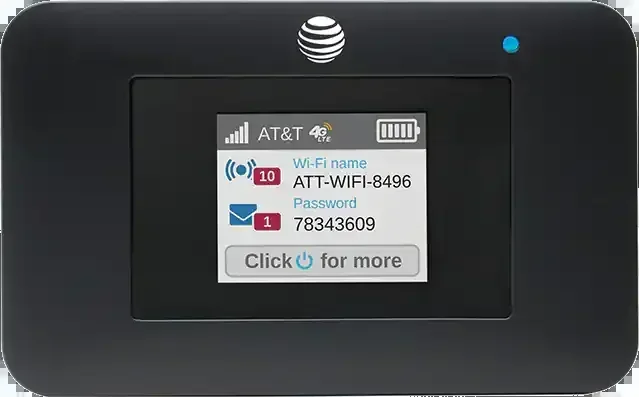
If you do need internet access but your home Wi Fi is not stable, you might consider using a mobile hotspot. Some Vtech monitors can connect to a hotspot as a backup. This gives you a middle ground between full offline mode and a permanent Wi Fi connection.
Another option is to use a portable Wi Fi device that does not rely on your home internet. These devices create their own network, which your Vtech monitor can connect to. This is a great solution for travel or for homes with spotty internet service.
Expert Tips for Getting the Best Out of Your Vtech Monitor
Whether you use your Vtech monitor with or without Wi Fi, these tips will help you get the best performance.
- Place the camera at the right height: Mount the camera at crib level or slightly above. This gives you the best view of your baby.
- Keep the camera away from other electronics: Devices like baby monitors, microwaves, and cordless phones can cause interference.
- Update your firmware regularly: Vtech releases updates that fix bugs and improve connectivity. Check the app for updates often.
- Use a surge protector: Plug your monitor into a surge protector to protect it from power surges.
- Clean the camera lens regularly: A dusty lens can make your video feed blurry. A quick wipe with a soft cloth makes a big difference.
- Test your range: Walk around your home with the parent unit to find the sweet spot where the signal is strongest.
These small steps can make a huge difference in your monitoring experience. They take only a few minutes but save you from headaches down the road.
Vtech Monitor Offline vs Online: A Quick Comparison
To help you decide which mode works best for you, here is a quick comparison of Vtech monitor features with and without Wi Fi:
| Feature | Offline Mode | Online Mode |
|---|---|---|
| Live Video Feed | Yes | Yes |
| Two-Way Audio | Yes | Yes |
| Night Vision | Yes | Yes |
| Motion Alerts | Yes (on parent unit) | Yes (on parent unit and phone) |
| Remote Viewing | No | Yes |
| Push Notifications | No | Yes |
| Cloud Storage | No | Yes |
| Multi-Device Access | No | Yes |
| Internet Required | No | Yes |
As you can see, the offline mode covers all the essentials. The online mode adds convenience and remote access. Your choice depends on your needs and internet situation.
Final Thoughts
So, does a Vtech monitor need Wi Fi? The answer is: it depends on what you want it to do. A Vtech monitor can absolutely work offline. It will still give you a live video feed, audio, and alerts within range. You do not need the internet for these core features.
But if you want to check on your baby from anywhere, get push notifications on your phone, or use cloud storage, then yes, you need Wi Fi. The good news is that switching between offline and online mode is easy. You can use your monitor without internet and add Wi Fi later when you are ready.
No matter how you set up your Vtech monitor, you are making a smart choice for your family’s safety. A baby monitor gives you peace of mind, and Vtech makes some of the best options on the market. Take your time, set it up right, and enjoy the comfort of knowing you can always check on your little one.
Frequently Asked Questions
Can I use a Vtech monitor without Wi Fi?
Yes, you can. Most Vtech monitors work in offline mode using radio frequency. You will still get live video, audio, and alerts on the parent unit. You just lose remote viewing and app-based features.
What happens if my Wi Fi goes down while using a Vtech monitor?
If your monitor is in offline mode, nothing changes. It keeps working as normal. If you are using Wi Fi features like remote viewing, those features will stop working until your internet comes back. The local monitor connection stays active on most models.
Do all Vtech baby monitors need Wi Fi?
No, not all of them. Vtech makes both Wi Fi and non-Wi Fi monitors. Audio-only monitors and some video monitors use radio signals instead of Wi Fi. Always check the product specifications before buying to know what type of connection your monitor uses.
How far can a Vtech monitor work without Wi Fi?
Without Wi Fi, a Vtech monitor uses radio signals with a range of about 300 to 1,000 feet depending on the model. Walls and obstacles reduce this range. In a typical home, you can expect reliable coverage throughout the house.
Can I use my Vtech monitor while traveling without Wi Fi?
Yes, you can use your Vtech monitor in offline mode while traveling. The camera and parent unit connect directly to each other. However, you will not be able to use remote viewing or app features without a Wi Fi or data connection at your travel location.
Is it safe to use a Vtech monitor without Wi Fi?
Absolutely. Using a Vtech monitor offline is very safe. The radio connection between the camera and parent unit is encrypted and private. You do not send any data over the internet, so there is less risk of hacking or unauthorized access.