How Can I Get Internet At Home With These Easy Steps
Getting internet at home is easier than you think. You can choose from several options like cable, fiber, or satellite service. This guide walks you through every step to get internet at home quickly and affordably.
Need to get internet at home? You are not alone. Millions of people search for this every single day. The good news is that you have more choices than ever before. Whether you are moving into a new place or switching providers, this guide has you covered.
Setting up home internet does not have to be confusing. In fact, it can be really simple if you know what to look for. This article breaks everything down into easy steps. You will learn about different types of connections, how to pick the right plan, and how to set things up fast.
By the end of this guide, you will feel confident about choosing the best way to get internet at home. We will cover everything from basic equipment to advanced tips. Let us dive right in.
Key Takeaways
- Multiple options exist: You can get internet at home through cable, fiber, DSL, satellite, or mobile hotspots.
- You don’t always need a phone line: Many modern internet types work without any landline connection.
- Equipment matters: A good modem and router make a big difference in your home network speed and reliability.
- Compare plans wisely: Look at speed, data caps, and price before you sign up with any provider.
- Setup is simple: Most providers offer step-by-step guides to help you set up your home Wi-Fi in minutes.
- Alternatives exist: If traditional internet isn’t available, you can use a mobile hotspot or Wi-Fi without a router to stay connected.
📑 Table of Contents
Understand Your Home Internet Options
Before you sign up for anything, it helps to know what types of internet exist. Each type has its own strengths and weaknesses. Let us look at the most common options you can use to get internet at home.
Cable Internet
Cable internet uses the same lines that deliver TV service. It is widely available in cities and suburbs. Cable speeds are usually fast enough for streaming, gaming, and working from home. Most providers offer download speeds between 50 Mbps and 1 Gbps.
One big plus of cable is that it does not need a phone line. You just need a cable outlet and a modem. Installation is often quick and easy. Many companies bundle cable internet with TV and phone plans too.
Fiber Optic Internet
Fiber internet is the fastest option available today. It uses thin glass cables to send data with light. This means super fast speeds and very low lag. Fiber can deliver speeds up to 2 Gbps or even higher.
However, fiber is not available everywhere. It is mostly found in urban areas. If fiber is available in your neighborhood, it is worth every penny. The reliability and speed are hard to beat.
DSL Internet
DSL stands for Digital Subscriber Line. It uses existing phone lines to deliver internet. DSL is more widely available than fiber. It works well for basic browsing, streaming, and video calls.
Speeds are usually slower than cable or fiber. You can expect speeds between 1 Mbps and 100 Mbps. But DSL is a solid choice if you live in a rural area where other options are limited.
Satellite Internet
Satellite internet beams a signal from space to a dish on your roof. This makes it available almost anywhere. If you live in a remote area, satellite may be your best bet.
The trade-off is that satellite internet often has higher latency and data limits. Weather can also affect the signal. But newer satellite services like Starlink are improving fast. They offer much better speeds than older satellite options.
Pick the Right Internet Plan for Your Home
Once you know which type of internet you want, it is time to choose a plan. Not all plans are the same. Here is what you should think about before you decide.
Check Your Speed Needs
Speed matters a lot. If you just browse the web and check email, you do not need super fast speeds. But if you stream movies, play games, or work from home, you need more bandwidth.
Here is a simple guide to help you decide:
- 1-2 people, light use: 25-50 Mbps is enough
- 3-4 people, streaming and gaming: 100-200 Mbps is ideal
- Large households with many devices: 300 Mbps or more works best
Keep in mind that advertised speeds are usually maximum speeds. Real-world speeds can be a bit lower. But these numbers give you a good starting point.
Watch Out for Data Caps
Some internet plans have data caps. This means you can only use a certain amount of data each month. If you go over, you may pay extra fees or your speed gets cut.
Fiber and cable plans often have no data caps. Satellite plans usually have strict limits. If you watch a lot of videos or download big files, look for plans with unlimited data.
Compare Prices and Contracts
Price is always a factor. But do not just look at the monthly cost. Check for hidden fees like equipment rental charges or installation costs. Some providers lock you into long contracts with early termination fees.
Look for no-contract options if you want flexibility. Many providers now offer month-to-month plans. You can also check if your provider gives discounts for bundling services.
Get the Right Equipment for Your Home Network
To get internet at home, you need the right gear. Most people think they need a lot of equipment, but that is not true. Let us break down what you actually need.
Do You Need a Modem?
A modem is the device that connects your home to the internet. Your internet provider usually gives you one. But you can also buy your own.
Buying your own modem can save you money over time. Most providers charge $10 to $15 per month for modem rental. That adds up fast. If you buy a compatible modem, you can skip that fee. You can learn more about this in our guide on whether you can buy a modem and have internet on your own.
Router vs. Modem: What is the Difference?
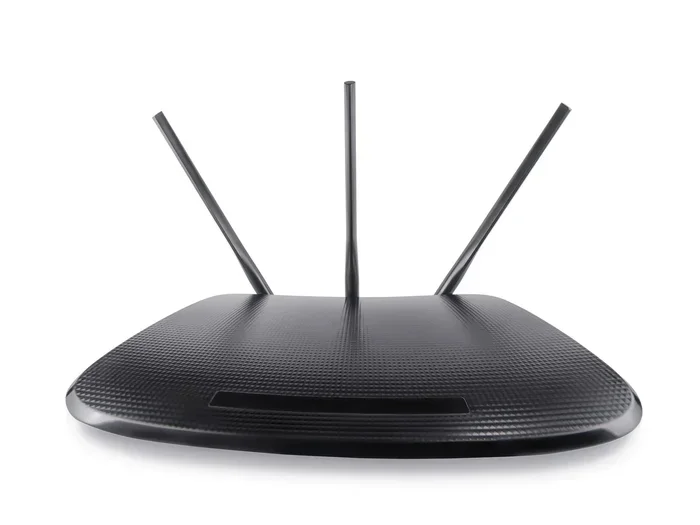
A modem connects you to the internet. A router spreads that connection to all your devices. Many people use a combo unit that does both jobs.
Separate routers give you more control and better performance. They often have stronger signals and more features. But a combo unit works great for most homes. It is simpler to set up and takes up less space.
Can You Get Wi-Fi Without a Router?
Some people wonder if they can get online without a router. The answer is yes, in some cases. You can use your device’s built-in hotspot feature or connect directly with an Ethernet cable. You can also explore options like getting Wi-Fi without a traditional router using mobile devices or USB dongles.
This is especially useful for people who rent or move often. A portable setup gives you flexibility and freedom. You do not need to set up a full home network every time.
Mesh Wi-Fi Systems
If your home is large, a single router might not cover every room. Mesh Wi-Fi systems solve this problem. They use multiple nodes placed around your home to spread the signal evenly.
Mesh systems are easy to set up. Most come with a simple app that walks you through the process. They also let you manage your network from your phone. This is a great option if you have dead zones in your home.
Set Up Your Internet Step by Step
Now that you have your plan and equipment, it is time to set things up. The process is simpler than you might think. Follow these steps to get your home network running.
Step 1: Place Your Modem in the Right Spot
Put your modem near the main internet entry point in your home. This is usually where the cable or phone line comes in. Keep it in a central location for the best coverage.
Avoid placing your modem in closets or behind furniture. Walls and objects can block the signal. A clear, open spot works best.
Step 2: Connect the Modem to Your Router
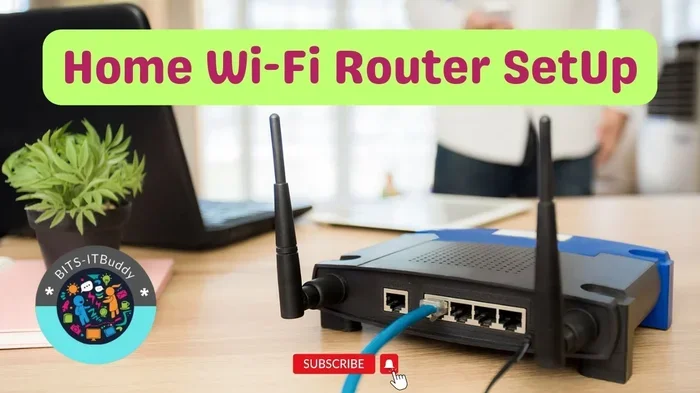
If you have separate devices, connect the modem to the router with an Ethernet cable. Plug one end into the modem and the other into the router’s WAN port.
Wait for both devices to power on fully. The lights on the modem and router will tell you when they are ready. This usually takes about 2 to 3 minutes.
Step 3: Set Up Your Wi-Fi Network
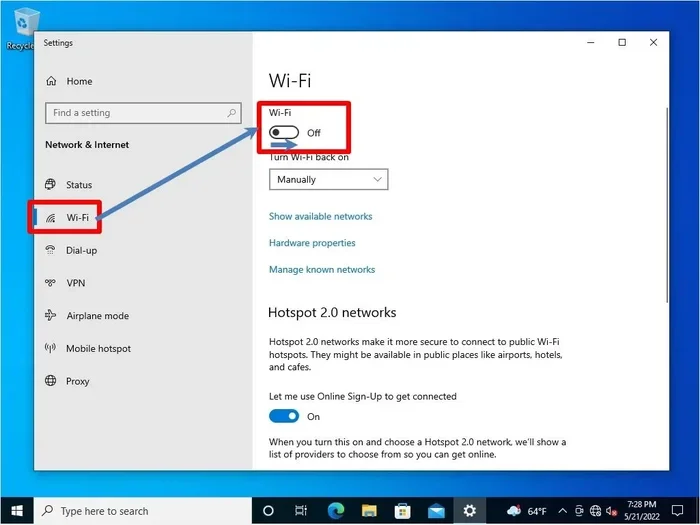
Open your phone or computer’s Wi-Fi settings. Look for the network name that matches your router. The default name and password are usually on a sticker on the router itself.
Connect using the default password. Then go to the router’s settings page to change the network name and password. This keeps your home network safe and secure.
Step 4: Test Your Connection
Once everything is set up, run a speed test. You can use free tools like Speedtest.net or Fast.com. This tells you if you are getting the speeds you paid for.
If your speeds are slow, try moving the router to a different spot. Walls and distance can weaken the signal. A simple repositioning can make a big difference.
Alternative Ways to Get Internet at Home
Traditional internet is not your only option anymore. There are several alternative ways to get online at home. Let us explore some of these.
Mobile Hotspots
A mobile hotspot turns your phone into a Wi-Fi source. You share your phone’s data connection with other devices. This is a quick and easy way to get internet without a traditional plan.
Some carriers offer unlimited hotspot plans. You can check out options for unlimited hotspot plans that give you plenty of data each month. These work great as a backup or a primary connection.
Hotspot Without Phone Service
You do not need a full phone plan to use a hotspot. Some providers let you get a hotspot-only plan. This gives you data without the cost of voice and text services.
This is a smart choice if you mainly need internet for browsing and streaming. You can learn more about this option in our article on getting hotspot without phone service.
Fixed Wireless Internet
Fixed wireless uses a tower signal that goes directly to a receiver on your home. It is similar to satellite but uses ground-based towers. This means lower latency and often better speeds.
Fixed wireless is becoming more popular in rural areas. It offers a reliable alternative to satellite and DSL. Check with local providers to see if it is available in your area.
Powerline Internet Adapters
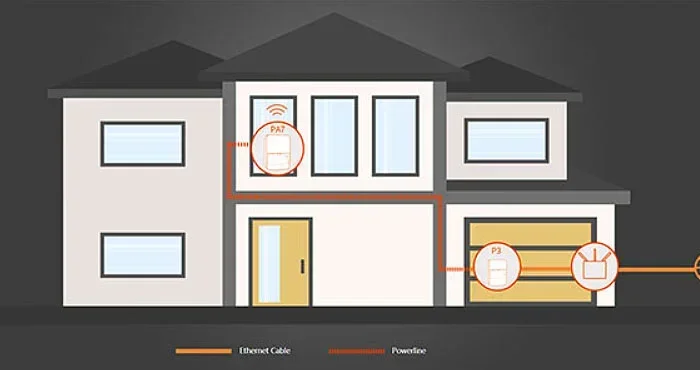
Powerline adapters use your home’s electrical wiring to carry internet signals. You plug one adapter near your router and another in the room where you need internet.
This is a great option if Wi-Fi does not reach certain rooms. It is easy to set up and does not require any new wiring. Speed and reliability depend on your home’s electrical system, but it works well for many households.
Common Mistakes to Avoid When Setting Up Home Internet
Even with the best plans, mistakes can slow down your connection. Here are common pitfalls and how to avoid them.
Skipping the Speed Test
Many people sign up for a plan without testing the speeds they actually get. Always run a speed test after setup. If the speeds are much lower than advertised, contact your provider.
Ignoring Router Placement
Where you put your router matters a lot. Putting it in a corner or behind a TV can weaken the signal. Place it in an open, central spot for the best coverage throughout your home.
Using Default Passwords
Leaving your Wi-Fi on the default password is a security risk. Anyone nearby can access your network. Always change the default password to something strong and unique.
Not Checking for Data Caps
Some people sign up for a cheap plan without checking the data limits. If you go over the cap, you face slow speeds or extra charges. Always read the fine print before you commit.
Forgetting to Update Firmware
Routers and modems need software updates just like phones do. These updates fix bugs and improve performance. Check for updates regularly in your router’s settings panel.
Conclusion
Getting internet at home does not have to be a headache. You now know all the main options, from cable and fiber to satellite and mobile hotspots. You also know how to pick the right plan, set up your equipment, and avoid common mistakes.
The best approach is to assess your needs first. Think about how many people use the internet, what you use it for, and how much data you need. Then choose the type of connection and plan that fits your lifestyle and budget.
Remember, you always have options. If traditional internet is not available or does not work for you, mobile hotspots and fixed wireless are great alternatives. The key is to start with what works best for your home.
Take action today. Pick a plan, get the right equipment, and set up your network. Soon you will be enjoying fast, reliable internet at home. You have got this.
Frequently Asked Questions
What is the cheapest way to get internet at home?
DSL and basic cable plans are usually the most affordable options. Many providers offer starter plans for around $30 to $40 per month. You can also look for no-contract plans that let you cancel anytime without fees. Always compare prices from multiple providers in your area.
Can I get internet at home without a phone line?
Yes, most modern internet types do not require a phone line. Cable, fiber, satellite, and fixed wireless all work without any landline. Even DSL has options that use internet-only phone lines in some cases. Check with local providers to see what is available in your area.
How long does it take to set up home internet?
Self-installation usually takes about 30 to 60 minutes. Professional installation can take a few hours depending on your home. Many providers now offer easy self-setup kits with step-by-step instructions. You can also find helpful video tutorials online to guide you through the process.
Do I need to buy a modem and router, or can I rent them?
You can do either one. Renting from your provider is easier and often includes support. But buying your own equipment saves money over time and gives you more control. A good modem and router combo can pay for itself within a year by avoiding rental fees.
What internet speed do I need for streaming and gaming?
For HD streaming, 25 Mbps is usually enough. For 4K streaming or online gaming, aim for 50 Mbps or higher. If multiple people use the internet at the same time, you will need even more speed. Always add a buffer to your speed needs for the best experience.
Is mobile hotspot a good replacement for home internet?
It can work well for light users or as a backup option. Unlimited hotspot plans give you enough data for browsing, streaming, and video calls. However, hotspots may have slower speeds after heavy use and can drain your phone battery. It is best for temporary or supplementary use rather than as a permanent solution.