Can Any Printer Be an Edible Image Printer for Cakes
Not every printer can print edible images for cakes. You need a food-grade printer with edible ink cartridges and the right paper to create beautiful cake designs. This guide covers which printers work, what supplies you need, and how to start edible cake printing at home or for your business.
Key Takeaways
- Standard printers cannot print edible images: You need a dedicated food-grade printer with edible ink cartridges to print safely on cakes.
- Edible ink and paper are essential: Regular ink is toxic, and regular paper dissolves poorly. Always use edible ink cartridges and icing sheets or wafer paper.
- Several printers work well for edible printing: Models from brands like Epson and Canon are popular choices for cake decorating enthusiasts and professionals.
- Image quality matters for cakes: High-resolution images and proper color profiles make a big difference in how your cake designs turn out.
- Maintenance keeps your printer running: Cleaning your edible printer regularly prevents clogs and ensures consistent, vibrant prints every time.
- You can start small and grow: Whether for personal use or a baking business, edible image printing is affordable and highly rewarding.
📑 Table of Contents
Can Any Printer Be an Edible Image Printer for Cakes?
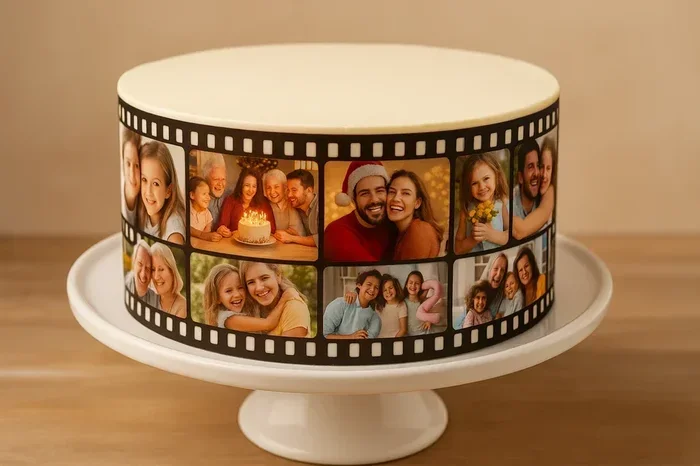
If you love baking and decorating cakes, you have probably seen those stunning custom cakes with photorealistic images on them. Maybe you have wondered, “Can any printer be an edible image printer for cakes?” The short answer is no. Not every printer can handle edible image printing. But the good news is that you do not need a fancy or expensive setup to get started. With the right equipment and a little patience, you can create gorgeous custom cake designs right from your home kitchen.
Edible image printing has exploded in popularity over the past few years. Bakers of all skill levels now use edible image printers to add photos, logos, and artwork to cakes for birthdays, weddings, holidays, and more. The process is simpler than most people think. But it does require specific tools that are different from your everyday office printer. Let us walk through everything you need to know about turning a standard printer into a cake-printing machine.
What Makes a Printer Suitable for Edible Cake Printing?
Not all printers are created equal when it comes to cake decorating with printed images. A printer that works for documents and photos at home is not the same as one that can safely print on edible paper. Here is what sets an edible image printer apart from a regular printer.
First, the printer must use edible ink cartridges. Regular ink contains chemicals that are not safe to eat. Edible ink is made from food-grade ingredients like water, sugar, and food coloring. It looks and feels like a liquid food coloring but is formulated to work inside a printer mechanism.
Second, the printer needs to handle specialty paper without jamming. Edible paper comes in different forms, including icing sheets, wafer paper, and sugar sheets. These materials are thinner and more delicate than regular printer paper. A printer with a smooth feed mechanism and adjustable paper settings works best.
Third, the print resolution matters a lot for cake designs. You want sharp, vibrant images that look great when placed on a frosted cake. Most food-grade printers offer a resolution of at least 4800 x 1200 dots per inch (DPI). This ensures your cake photography prints look crisp and professional.
Why Regular Printers Cannot Be Used for Edible Printing
You might be tempted to load some edible paper into your home office printer and hit print. Please do not do that. Here is why a standard printer cannot be used for edible image printing.
Regular ink cartridges contain solvents and chemicals that are toxic if ingested. Even if the ink looks harmless, it is not food-safe. When you place a printed image on a cake, the ink can transfer to the frosting or the cake itself. This creates a serious health risk, especially for children and people with allergies.
Beyond safety, regular printers are not designed to handle the texture and thickness of edible paper. Icing sheets and wafer paper can jam, wrinkle, or tear inside a standard printer. The rollers may not grip the paper properly, leading to uneven prints or damaged paper. This wastes your time, your edible paper, and your ink.
Another issue is color accuracy. Custom cake designs often require precise color matching. Regular printers use a different color profile than food-grade printers. The colors you see on your screen may not match what prints out, and that is frustrating when you are trying to match a photo or logo for a special cake.
Best Printers for Edible Image Printing
If you are ready to start printing edible images for your cakes, you need the right printer. Here are some of the most popular and reliable options for edible cake printing.
Epson Artisan 1430. This is one of the most recommended printers for edible image printing. It uses Epson edible ink cartridges and delivers high-quality prints at an affordable price. Many home bakers and small cake decorating businesses swear by this model. It handles icing sheets well and produces vibrant colors.
Canon PIXMA iP8720. Canon printers are another solid choice for food-grade printing. The PIXMA iP8720 offers excellent color accuracy and works well with edible paper. It is a bit more expensive than some Epson models, but many bakers find the print quality worth the investment.
Epson Expression Photo HD XP-15000. This printer is great for high-volume edible printing. It handles large batches of icing sheets with ease and produces consistent results. If you plan to print edible images regularly, this is a strong option.
Canon Selphy CP1500. For those who want a compact and portable option, the Selphy CP1500 works well for smaller edible prints. It is perfect for printing individual cake toppers or small images for cupcake toppers.
When choosing your printer, always look for models that are compatible with edible ink cartridges. Some brands sell printers that come pre-packaged with edible ink starter kits. This saves you time and ensures you are using safe, food-grade materials from day one.
What Supplies Do You Need for Edible Image Printing?
Getting started with edible image printing for cakes requires a few key supplies beyond just the printer. Here is a simple checklist of everything you need.
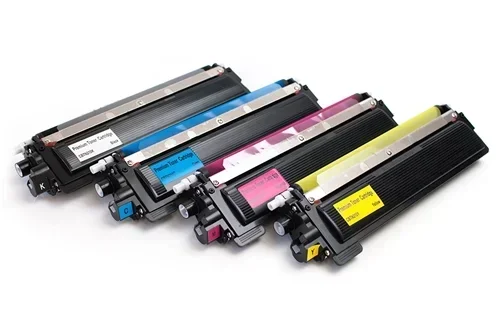
Edible ink cartridges. These replace your regular ink cartridges and are made from food-safe ingredients. You can buy them from most cake decorating supply stores or online. Always check that the cartridges are compatible with your specific printer model.
Edible paper. This is the material you print on. The most common types are:
- Icing sheets: Made from sugar and cornstarch, these are the most popular choice for cake decorating. They have a smooth, white surface that takes ink well and blends seamlessly into frosting.
- Wafer paper: Thin and delicate, wafer paper is made from potato starch. It works well for cake toppers and decorations where you want a more rustic look.
- Sugar sheets: Similar to icing sheets but slightly thicker. They hold up well in humid environments and are great for outdoor events.
A design software. You need a program to create or edit your images before printing. Canva, Adobe Photoshop, and GIMP are all popular choices. Make sure your images are high resolution (at least 300 DPI) for the best print quality.
A smooth spatula or scraper. You will use this to apply the printed edible paper onto your frosted cake without creating air bubbles or wrinkles.
Step-by-Step Guide to Printing Edible Images for Cakes
Now that you have your printer and supplies, here is how to actually print edible images for your cakes. The process is straightforward once you get the hang of it.
Step 1: Prepare your edible paper. Load the edible paper into the printer tray. Make sure it is aligned properly and smooth. Edible paper can curl, so you may need to flatten it gently before loading.
Step 2: Set up your printer. Install the edible ink cartridges according to the manufacturer’s instructions. Run a test print on regular paper first to check alignment and color accuracy.
Step 3: Prepare your design. Open your image in your design software. Resize it to match the dimensions of your edible paper. Adjust the color profile if needed. Most edible printers work best with the sRGB color profile.
Step 4: Print your image. Send the image to the printer and let it do its work. Do not rush this step. Let the ink dry completely before handling the printed edible paper. This usually takes about 5 to 10 minutes.
Step 5: Apply to the cake. Place your printed edible paper onto the frosted cake. Use a smooth spatula to gently press it down, starting from the center and working outward. Smooth out any air bubbles as you go.
Step 6: Trim and finish. Use a sharp knife or scissors to trim any excess edible paper from the edges of the cake. Your custom cake design is now ready to impress!
Common Mistakes to Avoid When Using an Edible Image Printer
Even with the right equipment, beginners often make mistakes that can ruin their edible prints. Here are some common pitfalls to watch out for.
Using regular ink instead of edible ink. This is the biggest and most dangerous mistake. Never put regular ink cartridges in a printer you plan to use for edible printing. Even if you clean the printer afterward, residue from toxic ink can remain and contaminate your food.
Printing on low-quality edible paper. Not all edible paper is created equal. Cheap edible paper may absorb ink unevenly, tear easily, or taste unpleasant. Invest in high-quality icing sheets or wafer paper from reputable brands for the best results.
Ignoring humidity. Edible paper is sensitive to moisture. If your kitchen is humid, the paper can wrinkle or the ink can bleed. Try to print in a cool, dry environment and store your edible paper in airtight packaging.
Skipping the test print. Always do a test print before committing to your final design. This helps you catch alignment issues, color problems, or sizing errors before you waste expensive edible paper.
Applying the image too quickly. If you place the printed edible paper on the cake before the ink is fully dry, the colors can smear or bleed into the frosting. Patience is key here. Let the print dry completely before applying it to your cake.
Expert Tips for Stunning Edible Cake Prints
Want to take your edible cake printing to the next level? Here are some pro tips from experienced cake decorators.
Use high-resolution images. The sharper your original image, the better it will look on your cake. Avoid low-quality photos or images that are pixelated. A resolution of at least 300 DPI at the final print size is ideal for cake photography prints.
Calibrate your monitor. Colors can look different on screen than they do in print. Calibrating your monitor helps ensure that the colors you see on your design software match the printed edible image as closely as possible.
Experiment with different edible papers. Each type of edible paper has its own unique look and feel. Icing sheets give a smooth, professional finish. Wafer paper has a more natural, textured appearance. Try both and see which one you prefer for different cake designs.
Keep your printer maintained. Just like any printer, your edible image printer needs regular cleaning. Run the printer’s cleaning cycle every few weeks, especially if you are not using it frequently. This prevents clogged print heads and ensures consistent print quality.
Store printed edible images properly. If you are not applying the image to a cake right away, store it in a dry, cool place. You can place it between sheets of parchment paper and keep it in an airtight container. This prevents moisture damage and keeps the colors vibrant.
Can You Convert Any Printer to Use Edible Ink?
This is a question that comes up a lot in the cake decorating community. The honest answer is that it depends on the printer. Some printers can be converted to use edible ink cartridges if the cartridge system is compatible. However, this is not a guaranteed fix for every printer model.
The safest and most reliable approach is to buy a printer that is specifically designed or compatible with edible ink cartridges. Many cake supply companies sell starter kits that include a printer, edible ink cartridges, and edible paper. These kits take the guesswork out of the process and ensure everything works together seamlessly.
If you already own a printer and want to try edible printing, check with the manufacturer first. Some printer brands explicitly state that using third-party ink voids the warranty. Using edible ink in a printer not designed for it can also damage the print head or internal components over time.
The Business Side of Edible Image Printing
If you are thinking about starting a cake decorating business, edible image printing is a fantastic skill to have. Custom cakes with printed images command higher prices and stand out in a crowded market. Clients love personalized cakes with photos, messages, and unique designs.
The startup cost is relatively low compared to other baking equipment. A quality edible image printer can cost anywhere from $100 to $300. Add in a few packs of edible paper and ink cartridges, and you are ready to go. Many bakers recoup this investment after just a few custom cake orders.
You can also sell printed edible images to other bakers and cake decorators. Some people prefer to focus on baking and leave the printing to someone else. This creates a great opportunity to offer a specialized service and build a side business around edible printing for cakes.
Marketing your edible cake printing services is also easier than ever. Social media platforms like Instagram and TikTok are perfect for showcasing your custom cake designs. Before-and-after photos of plain cakes transformed with stunning printed images attract attention and generate leads quickly.
Final Thoughts on Edible Image Printing for Cakes
The question “Can any printer be an edible image printer for cakes?” has a clear answer. Not just any printer will do. You need a food-grade printer with edible ink cartridges and the right type of edible paper to create safe, beautiful, and professional-looking cake designs.
But here is the exciting part: getting started is easier and more affordable than most people think. Whether you are a hobbyist baker looking to make your family’s birthday cake extra special or an entrepreneur building a custom cake business, edible image printing opens up a world of creative possibilities.
Start with a compatible printer, invest in quality edible ink and paper, and practice your technique. Soon you will be creating jaw-dropping cakes that look like they came from a professional bakery. The key is to be patient, keep learning, and most importantly, have fun with the process.
Remember that every expert baker started somewhere. Your first few prints might not be perfect, and that is completely okay. Each cake you decorate teaches you something new. Before long, printing edible images for cakes will feel like second nature. So grab your edible image printer, fire up your design software, and start creating cakes that are as beautiful to look at as they are delicious to eat.
Frequently Asked Questions
Can I use my regular home printer for edible cake printing?
No, you should not use a regular home printer for edible cake printing. Regular ink contains chemicals that are not food-safe and can be harmful if ingested. You need a printer that uses edible ink cartridges specifically designed for food-grade printing.
What is the best edible paper for cake printing?
Icing sheets are the most popular choice for cake printing. They have a smooth, white surface that takes ink well and blends seamlessly into frosting. Wafer paper is another great option, especially for cake toppers and decorations with a more rustic look.
How much does an edible image printer cost?
A good edible image printer typically costs between $100 and $300. Starter kits that include the printer, edible ink cartridges, and edible paper are also available and can save you money compared to buying each item separately.
Do edible prints taste good on cakes?
Edible paper and edible ink are designed to be safe to eat, but they are not meant to be the main flavor of the cake. Most people peel the edible image off before eating or eat it along with the frosting. The taste is very mild and does not interfere with the cake’s flavor.
How long do edible printed images last on a cake?
Edible printed images can last on a cake for 2 to 3 days if stored properly. Keep the cake in a cool, dry place away from direct sunlight and moisture. Humidity can cause the edible paper to wilt or the colors to bleed over time.
Can I print colored images on edible paper?
Yes, absolutely! Edible image printers can print full-color images, including photos, logos, and artwork. The key is to use high-resolution images and edible ink cartridges that are compatible with your printer for the best color accuracy and print quality.
=== CONCLUSION ===
So, can any printer be an edible image printer for cakes? The answer is no, but with the right equipment, anyone can learn this fun and rewarding skill. You need a printer compatible with edible ink cartridges, high-quality edible paper, and a bit of practice. The results are well worth the effort. Whether you are decorating a birthday cake for your child, creating a personalized wedding cake, or building a cake decorating business, edible image printing gives you the power to turn ordinary cakes into extraordinary works of art. Start small, keep experimenting, and enjoy the creative journey of bringing your cake designs to life with printed edible images.