Does A VPN Hide Your Location From ISPs And Hackers
Yes, a VPN hides your real location and IP address from hackers and websites, but your ISP can still detect that you are using a VPN. A virtual private network encrypts your traffic and routes it through a remote server, making it nearly impossible for outsiders to track where you are. However, not all VPNs are equal — some keep logs, leak DNS requests, or fail to block WebRTC. This guide breaks down exactly how VPN location privacy works, what to watch out for, and how to choose a VPN that truly protects you.
You have probably heard someone say, “Just use a VPN and nobody can track you.” But is that really true? The short answer is yes, a VPN hides your location from most prying eyes. But the full story is more nuanced than that.
Every time you go online, your internet service provider, the websites you visit, and sometimes even hackers can see where you are. They do this by reading your IP address, which acts like a digital return address for your device. A VPN changes that address and scrambles your data so nobody can follow your movements online.
In this article, we will walk through exactly how a VPN hides your location, whether your ISP can still spot what you are doing, and how you stay safe from hackers. We will also cover the situations where a VPN might fail you and how to pick a service that actually delivers on its promises. Let us get into it.
Key Takeaways
- A VPN masks your IP address: It replaces your real location with the server location, so websites and hackers cannot trace you easily.
- Your ISP knows you use a VPN: Internet providers can see encrypted traffic but cannot read your data or know which sites you visit.
- Hackers are blocked by VPN encryption: On public Wi-Fi, a VPN creates a secure tunnel that keeps your personal information safe.
- VPN leaks can expose you: DNS leaks, WebRTC leaks, and logging policies can undermine your privacy if you pick the wrong provider.
- Not all VPNs are the same: Paid, reputable VPNs offer strong privacy, while free VPNs often sell your data or have weak security.
- Extra features matter: Look for a kill switch, DNS leak protection, and a strict no-logs policy for real location privacy.
📑 Table of Contents
What Does A VPN Do For Your Location?
A virtual private network does one big thing really well. It creates a secure tunnel between your device and a remote server. All your internet traffic passes through this tunnel, which means nobody in the middle can see what you are doing or where you really are.
How VPN Location Masking Works
Think of it like this. Normally, when you visit a website, that site sees your IP address. Your IP address reveals your general location, sometimes down to your neighborhood. Now imagine you put on a disguise. You are still you, but nobody can recognize you. That is basically what a VPN does with your IP address.
When you connect to a VPN server in, say, Tokyo, the website you visit sees a Tokyo IP address. Your real location stays hidden. This is called VPN location masking, and it is the core reason people use VPNs. You can browse, stream, and download without revealing where you actually are.
Here is a simple breakdown of what happens when you turn on a VPN:
- Your device connects to a VPN server through an encrypted tunnel.
- The VPN server replaces your real IP address with its own.
- Websites and online services see the VPN server location instead of yours.
- Your data stays encrypted, so even your internet provider cannot read it.
For people who care about online privacy, this is a game changer. You can browse the web, access geo-restricted content, and communicate without worrying about someone tracking your every move.
VPN Protocols And Encryption
Not all VPN tunnels are created equal. Different VPNs use different protocols, which are basically the rules that govern how your data travels through the tunnel. Some protocols are older and slower, while others are modern and very secure.
Here are the most common protocols you will encounter:
- OpenVPN: Open source, very secure, and widely supported. It is the gold standard for most VPN users.
- WireGuard: Newer, faster, and lighter than OpenVPN. It offers excellent security with less overhead.
- IKEv2/IPSec: Fast and stable, especially good on mobile devices that switch between Wi-Fi and cellular data.
- L2TP/IPSec: An older protocol that still works but is slower and less preferred than modern options.
The encryption side is just as important. Most quality VPNs use AES-256 encryption, which is the same level used by banks and governments. This means your data is scrambled into a format that nobody can read without the decryption key. Even if a hacker intercepts your traffic, all they will see is gibberish.
Does A VPN Hide Your Location From ISPs?
This is one of the most common questions people ask, and the answer is both yes and no. Let us break it down clearly.
How Your ISP Sees Your Traffic
Your internet service provider is the gateway to the internet. Every single request you make passes through their servers first. That gives them a lot of visibility into what you do online. Without a VPN, your ISP can see every website you visit, every file you download, and every service you use.
But here is the key point. When you use a VPN, your traffic is encrypted before it leaves your device. Your ISP can see that data is flowing, but they cannot read what is inside it. They know you are using a VPN, but they do not know which websites you are visiting or what you are searching for.
Think of it like sending a letter in a locked box. The postal service can see you sent a box, but they cannot open it to read what is inside. Your ISP sees the VPN connection, but not your actual browsing activity.
What Your ISP Can And Cannot See
To make this crystal clear, here is a simple comparison:
- Without a VPN: Your ISP sees your IP address, every website you visit, your search queries, and the amount of data you use.
- With a VPN: Your ISP sees that you are connected to a VPN server, the amount of data you use, and the time you spend online. They cannot see which websites you visit or what you do on those sites.
So does a VPN hide your location from ISPs? Partially. Your ISP cannot see your browsing behavior, but they do know you are using a VPN. They also know the IP address of the VPN server you connected to. Some ISPs may even throttle your speeds if they detect VPN traffic, though this is becoming less common.
For true location privacy from your ISP, you need a VPN with a strict no-logs policy. This means the VPN provider itself does not keep records of your activity. Even if your ISP or law enforcement asks for your data, the VPN provider has nothing to hand over.
Can Hackers Track You Without A VPN?
The short answer is yes, hackers can track you pretty easily without a VPN. Without encryption and IP masking, your real location and personal data are out in the open. Let us look at how this works and how a VPN protects you.
Public Wi-Fi Risks
Public Wi-Fi networks at coffee shops, airports, and hotels are notorious for being insecure. When you connect to one of these networks, your data travels through the air unencrypted. Anyone nearby with basic hacking tools can intercept your traffic and steal sensitive information like passwords, credit card numbers, and personal messages.
This is where a VPN becomes essential. When you use a VPN on public Wi-Fi, your data is encrypted before it ever leaves your device. Even if a hacker is sitting next to you and sniffing the network traffic, all they will see is encrypted gibberish. Your real IP address and location remain completely hidden.
It is worth noting that some people think simply avoiding public Wi-Fi is enough. But even at home, your network can be vulnerable if it is not properly secured. A VPN adds a layer of protection that works regardless of where you are.
How A VPN Protects You From Hackers
A good VPN protects you from hackers in several important ways:
- IP masking: Hackers cannot see your real IP address, so they cannot trace your physical location.
- Encryption: Even if they intercept your data, they cannot read it without the encryption key.
- DNS protection: A quality VPN routes your DNS requests through its own secure servers, preventing hackers from hijacking your browsing requests.
- Kill switch: If the VPN connection drops unexpectedly, a kill switch blocks all internet traffic so your real IP address is never accidentally exposed.
These protections work together to create a strong shield around your online activity. Without a VPN, you are essentially walking around with a sign on your back that says “Here I am.” With a VPN, you become invisible to anyone trying to track you.
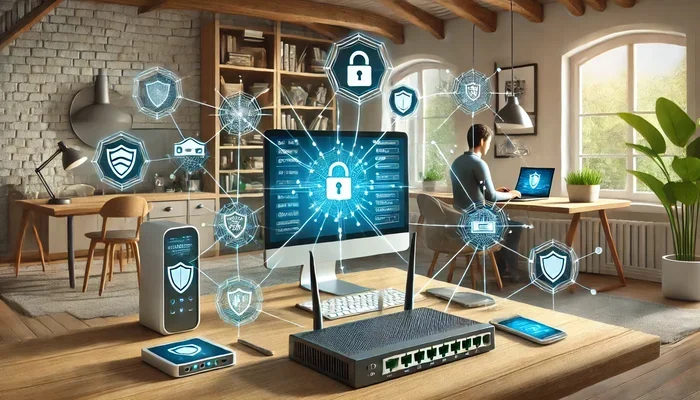
For broader home network security, you might also want to check if your network equipment is functioning properly. For example, can a network switch go bad? A failing switch can create vulnerabilities that hackers can exploit, so keeping your hardware in good shape is another important piece of the privacy puzzle.
When A VPN Might Not Hide Your Location
Here is the honest truth. A VPN is not a magic invisibility cloak. There are several situations where your location can still be exposed, even with a VPN running. Understanding these weaknesses helps you stay truly private.
DNS Leaks And WebRTC Leaks
A DNS leak happens when your device bypasses the VPN’s DNS servers and goes directly to your ISP’s servers to resolve website addresses. This means your ISP can see which websites you are visiting, even though the rest of your traffic is encrypted.
WebRTC leaks are a similar problem, mostly affecting browsers. WebRTC is a feature built into browsers like Chrome and Firefox that allows real-time communication. It can accidentally reveal your real IP address even when you are connected to a VPN. Some VPN providers offer built-in WebRTC leak protection, but not all of them do.
To check for these leaks, you can visit a DNS leak test website while your VPN is running. If the test shows your real IP address or ISP, you have a leak that needs to be fixed.
VPN Logging Policies
This is a big one that many people overlook. Some VPN providers keep logs of your activity, even if they promise they do not. These logs can include your real IP address, connection timestamps, and the servers you use. If the VPN provider is ever compelled to hand over these logs, your privacy is compromised.
This is why it matters so much to choose a VPN with a verified no-logs policy. Look for providers that have been independently audited by third-party security firms. An audit proves that the provider actually does what it claims and does not secretly store your data.
Account-Based Tracking
Even if your IP address is hidden by a VPN, you can still be tracked through your online accounts. If you log into Google, Facebook, or Amazon while using a VPN, those companies already know who you are. They track you based on your account information, not just your IP address.
For example, if you log into someone else’s account while using a VPN, the VPN might hide your location from that account’s platform, but the platform can still track activity tied to that account. This is an important distinction to understand. A VPN protects your network-level privacy, but it does not make you anonymous across all services you use.
For more on this topic, check out whether a VPN can hide your location when logging into someone else’s account on this detailed guide.
Choosing The Right VPN For Location Privacy
Not all VPNs are created equal. Some are excellent at hiding your location, while others barely do the job. Here is what you should look for when choosing a VPN for real privacy.
Features To Look For
When shopping for a VPN, keep these essential features in mind:
- Kill switch: This feature cuts off your internet connection if the VPN drops, preventing accidental exposure of your real IP address.
- DNS and WebRTC leak protection: These built-in features prevent the leaks we discussed earlier.
- Strict no-logs policy: The provider should not store any records of your online activity.
- Multiple server locations: More server locations give you more options for masking your virtual location.
- Strong encryption: Look for AES-256 encryption or newer protocols like WireGuard.
- Split tunneling: This lets you choose which apps go through the VPN and which do not, giving you more control over your privacy.
Free Vs Paid VPNs
You might be tempted to grab a free VPN, but you need to be very careful here. Free VPNs often make their money by collecting and selling your data. That completely defeats the purpose of using a VPN for privacy. Many free VPNs also have weak encryption, limited server options, and slow speeds.
Paid VPNs generally offer much stronger privacy protections, better speeds, and more features. Most reputable paid VPNs cost between five and twelve dollars per month, which is a small price to pay for real online privacy and security.
If you are on a tight budget, look for VPNs that offer a money-back guarantee. This way you can test the service risk-free before committing to a long-term plan.
Beyond VPNs, you might also want to consider your overall network setup. For instance, getting a Wi-Fi extension can help improve your home network coverage, which indirectly supports your privacy by reducing the need to rely on public Wi-Fi networks where your data is most vulnerable.
Final Thoughts On VPN Location Privacy
So, does a VPN hide your location? The answer is a strong yes, with some important caveats. A quality VPN masks your IP address, encrypts your traffic, and keeps your real location hidden from ISPs, hackers, and websites. But it is not a perfect solution on its own. You still need to be mindful of DNS leaks, logging policies, and account-based tracking.
The best approach is to use a VPN as part of a broader privacy strategy. Combine your VPN with strong passwords, two-factor authentication, and careful browsing habits. Together, these tools create a powerful defense that keeps your location and personal data safe from prying eyes.
Take control of your online privacy today. Choose a reputable VPN, understand its limitations, and stay informed about new threats. Your digital safety is worth the effort.
Frequently Asked Questions
Can my ISP see that I am using a VPN?
Yes, your ISP can detect that you are connected to a VPN server. They can see the encrypted traffic and the IP address of the VPN server. However, they cannot see which websites you visit or what you do on those sites because all your data is encrypted inside the VPN tunnel.
Will a VPN hide my location from websites?
Yes, a VPN hides your real IP address from websites. Instead of seeing your actual location, websites will see the location of the VPN server you are connected to. This makes it very difficult for websites to track your real physical location.
Can a free VPN really hide my location?
Some free VPNs can hide your IP address, but many free VPNs have serious privacy issues. They may log your activity, serve ads, or even sell your data to third parties. For reliable location privacy, a paid VPN with a verified no-logs policy is strongly recommended.
What happens if my VPN connection drops?
If your VPN connection drops and you do not have a kill switch enabled, your real IP address can be exposed immediately. Your internet traffic would revert to your normal, unencrypted connection, and websites or hackers could see your real location. Always use a VPN with a kill switch feature to prevent this.
Can law enforcement track me if I use a VPN?
If your VPN has a strict no-logs policy, law enforcement cannot get your browsing data from the VPN provider because there is nothing stored. However, if the VPN keeps logs, those records could potentially be handed over. This is why choosing a reputable, audited VPN provider is so important.
Does a VPN protect me from hackers on public Wi-Fi?
Yes, a VPN is one of the best protections against hackers on public Wi-Fi. It encrypts all your traffic before it leaves your device, so even if a hacker is monitoring the network, they cannot read your data or see your real IP address and location.
=== CONCLUSION ===
A VPN hides your location from ISPs, hackers, and websites by masking your IP address and encrypting your internet traffic. It is one of the most effective tools you can use to protect your online privacy and stay anonymous while browsing. But not every VPN delivers on its promises. The key is to choose a reputable provider with strong encryption, a no-logs policy, leak protection, and a kill switch.
Remember that a VPN is just one layer of protection. Combine it with smart browsing habits, secure passwords, and awareness of tracking methods like account-based profiling. When you use a VPN correctly and pair it with good security practices, you can browse the internet with confidence knowing your real location stays hidden.
Take the time to research VPN options, test for leaks, and stay informed about your privacy rights. Your digital footprint matters, and a good VPN gives you the power to control who sees it and who does not.