Does It Matter What Brand WiFi Extender I Should Use
Does it matter what brand WiFi extender you should use? The short answer is: brand matters less than features, compatibility, and your specific needs. A well-chosen WiFi extender can eliminate dead zones, boost signal strength, and improve your wireless connectivity—regardless of the logo on the box. In this guide, we break down what really counts and help you make a confident choice.
You are standing in the electronics aisle—or scrolling through an online store—trying to pick a WiFi extender. There are dozens of brands, hundreds of models, and a wall of confusing numbers. You probably wonder: does it matter what brand WiFi extender I should use?
The honest answer might surprise you. Brand reputation helps, but it is not the whole story. What really determines performance is a mix of features, your home setup, and how well the device matches your needs. This guide walks you through everything you need to know so you can stop guessing and start choosing with confidence.
We will compare popular brands, break down the features that actually count, and share practical tips to help you eliminate those frustrating WiFi dead zones once and for all. Let us dive in.
Key Takeaways
- Brand alone does not guarantee performance: Features like dual-band support, antenna design, and processor speed matter more than the name on the box.
- Your home layout and internet plan dictate your needs: A large house with thick walls needs a different extender than a small apartment.
- Mesh systems and traditional extenders serve different purposes: Understanding the difference helps you pick the right solution.
- Compatibility with your existing router is critical: Not every extender works well with every router, regardless of brand.
- Price does not always equal quality: Some mid-range extenders outperform expensive options in real-world testing.
- Setup ease and app experience vary widely: A good companion app makes installation painless.
- Read real user reviews: They often reveal problems that spec sheets hide.
📑 Table of Contents
Why WiFi Extender Brand Might Matter
When you look at the shelf (or the search results), brand names like Netgear, TP-Link, Linksys, and ASUS dominate the WiFi extender market. These companies have spent years building trust, and their reputation exists for a reason. But does that mean a lesser-known brand cannot deliver great results?
Here is the truth: brand matters because it often signals quality control, customer support, and software refinement. A trusted brand typically offers:
- Better firmware updates that keep your device secure and running smoothly.
- More reliable customer support when something goes wrong.
- Consistent performance across their product line.
- Easier setup processes with polished companion apps.
However, brand loyalty can also lead to overpaying. Some lesser-known brands offer identical hardware at a fraction of the cost. The key is knowing what to look for beyond the logo.
When Brand Reputation Helps
If you have never set up a wireless signal booster before, going with a well-known brand reduces the risk of headaches. Established brands have more online tutorials, community forums, and troubleshooting guides. When you run into a problem at 10 PM on a Sunday, that support ecosystem becomes invaluable.
Also, premium brands often invest more in research and development. They build better antennas, use faster processors, and fine-tune their software. This does not mean every model from a big brand is excellent—but it does mean the odds are in your favor.
When Brand Matters Less
On the other hand, many budget-friendly brands now produce WiFi range extender devices that punch well above their price point. Some of these brands use the same chipsets and components as the big names. The difference? Marketing budget and packaging.
If you are tech-savvy and willing to do a little homework, you can find a solid network extender from a smaller brand that performs just as well as a premium model. The real differentiator is the spec sheet, not the brand name.
What Features Really Matter More Than Brand
Before you fixate on any brand, focus on these features. They have a far greater impact on your daily experience than whether the device comes from a household name or a newer company.
Dual-Band vs. Single-Band
A dual-band WiFi extender broadcasts on both the 2.4 GHz and 5 GHz frequency bands. This is important because the 2.4 GHz band reaches farther but is slower, while the 5 GHz band is faster but has a shorter range. A single-band extender limits your options and can create bottlenecks.
Almost every modern WiFi extender should be dual-band. If you find a single-band model, it is usually a sign of an older or very cheap device. Avoid these unless you have a very simple setup.
WiFi Standards (WiFi 5, WiFi 6, WiFi 6E)
The WiFi standard your extender supports directly affects speed and compatibility. WiFi 6 (also called 802.11ax) is the current sweet spot, offering faster speeds, better efficiency, and improved performance in crowded environments.
WiFi 5 (802.11ac) still works fine for most homes and is more affordable. WiFi 6E is the newest standard and offers an additional 6 GHz band, but it is still pricey and only matters if your devices support it.
When comparing extenders, match the WiFi standard to your router. If your router is WiFi 6, get a WiFi 6 extender to unlock the full benefits.
Antenna Design and Placement
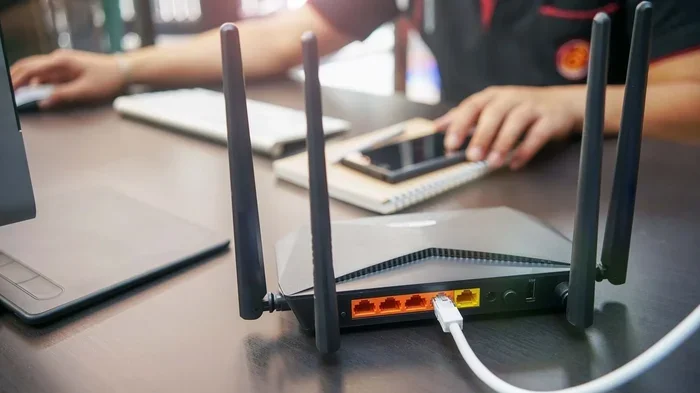
Some extenders have internal antennas, while others have external ones. External antennas generally provide stronger and more directional signals. If you need to target a specific area—like a backyard office or a distant bedroom—external antennas give you more control.
Internal antennas are more compact and aesthetically pleasing. They work well in open floor plans where signal needs to spread evenly. Consider your home layout when choosing between the two.
Ethernet Port and Backhaul
A wired backhaul connection uses an Ethernet cable to link the extender to your router. This delivers the fastest and most reliable performance. Look for an extender with at least one Ethernet port if you can run a cable between devices.
Some brands offer dedicated backhaul bands, which use a separate wireless channel for communication between the extender and the router. This is a nice feature but not essential for every home.
Easy Setup and App Support
Nobody wants to spend an hour configuring a WiFi extender. The best brands provide intuitive apps that walk you through setup in minutes. Look for brands that offer:
- Step-by-step mobile app guidance
- WPS push-button setup
- Automatic firmware updates
- Guest network support
If an extender’s setup process feels clunky, that frustration will follow you every time you need to adjust settings. The app experience matters more than most people realize.
Popular WiFi Extender Brands Compared
Let us look at how the major players stack up. This comparison focuses on what each brand does well and where it falls short.
TP-Link
TP-Link is arguably the most popular WiFi extender brand, and for good reason. Their devices are affordable, reliable, and easy to set up. The TP-Link RE series covers a wide range of budgets and needs, from basic extenders to advanced mesh systems.
Pros: Great value, wide availability, solid app experience, frequent firmware updates.
Cons: Build quality can feel plasticky, and some models lack advanced features found on pricier options.
Netgear
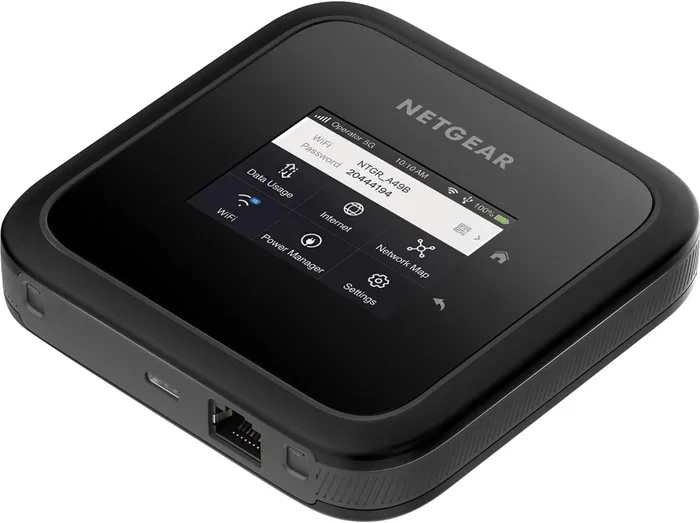
Netgear has been in the networking game for decades. Their WiFi extenders tend to offer strong performance and feature-rich software. The Nighthawk line is particularly well-regarded among power users.
Pros: Excellent performance, robust app, good customer support, premium build quality.
Cons: Higher price point, some models are overkill for simple setups.
Linksys
Linksys combines router and extender ecosystems nicely. Their extenders integrate seamlessly with Linksys routers, but they also work well with other brands. The Velop mesh system is a strong contender in the mesh WiFi space.
Pros: Seamless ecosystem integration, reliable performance, clean design.
Cons: Pricier than TP-Link, app can sometimes be slow to respond.
ASUS
ASUS is known for high-performance networking gear. Their extenders and mesh systems are packed with features and deliver excellent speeds. The ASUS ZenWiFi line is a favorite among gamers and heavy users.
Pros: Top-tier performance, advanced features, great for large homes.
Cons: Expensive, setup can be complex for beginners.
Budget Brands (Tenda, Wavlink, Hawking)
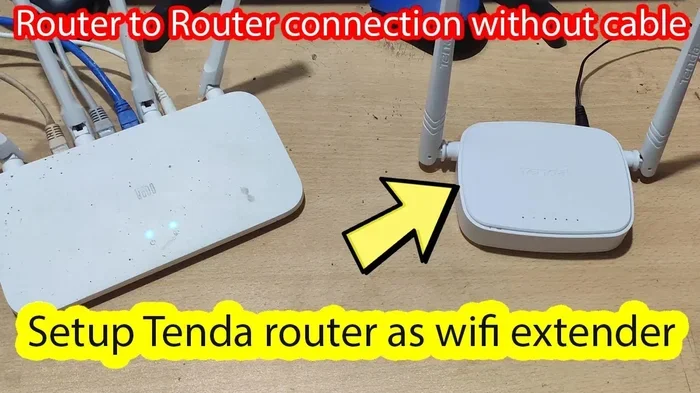
These brands offer WiFi extenders at very low prices. They can work well for basic needs—extending signal to a nearby room or a small apartment. However, they often lack the build quality, software polish, and long-term support of the major brands.
Pros: Very affordable, decent for simple tasks.
Cons: Slower performance, fewer features, limited customer support, fewer firmware updates.
| Brand | Price Range | Best For | Setup Ease |
|---|---|---|---|
| TP-Link | Budget to Mid | Most homes, great value | Very Easy |
| Netgear | Mid to Premium | Performance seekers | Easy |
| Linksys | Mid to Premium | Linksys router owners | Easy |
| ASUS | Premium | Gamers and power users | Moderate |
| Budget Brands | Low | Simple, small spaces | Easy |
When Brand Does and Does Not Matter
Understanding when brand truly impacts your experience helps you make smarter purchasing decisions. Let us break this down into clear scenarios.
When Brand Matters
You need reliable customer support. If you are not tech-savvy, a brand with strong support can save you hours of frustration. When something goes wrong, you want a helpful team on the other end of a phone call or chat.
You want long-term software updates. Security vulnerabilities in networking devices are a real concern. Established brands patch their firmware regularly, keeping your home network safe. Lesser-known brands sometimes abandon updates after a year or two.
You are building a mesh network. If you are considering a mesh system instead of a simple extender, brand consistency matters. Using the same brand for your router and extenders ensures seamless handoffs and unified management. You can also connect a mesh router to an existing router to extend coverage without replacing your entire setup.
When Brand Does Not Matter
You have a simple, small-space need. If you just need to extend signal to the next room in a small apartment, brand matters very little. A basic dual-band extender from any reputable brand will do the job.
You are matching specs carefully. Two extenders with identical chipsets, antennas, and WiFi standards will perform nearly the same in real-world tests. The brand name adds little to the actual signal performance.
You are willing to DIY troubleshoot. If you enjoy tinkering and can handle occasional setup challenges, a lesser-known brand can save you money without sacrificing much performance.
The Middle Ground
Most people fall somewhere in between. You do not need a premium brand, but you also should not buy the absolute cheapest option. Look for a mid-range extender from a brand with at least a few years of market presence. This gives you the best balance of performance, support, and value.
Also consider reading independent reviews. Websites that test WiFi extenders in real homes provide insights that spec sheets cannot. Pay attention to real-world speed tests, range measurements, and ease-of-use ratings.
How to Choose the Right WiFi Extender for Your Home
Now that you understand what matters more than brand, let us talk about how to actually pick the right device for your situation.
Step 1: Identify Your Dead Zones
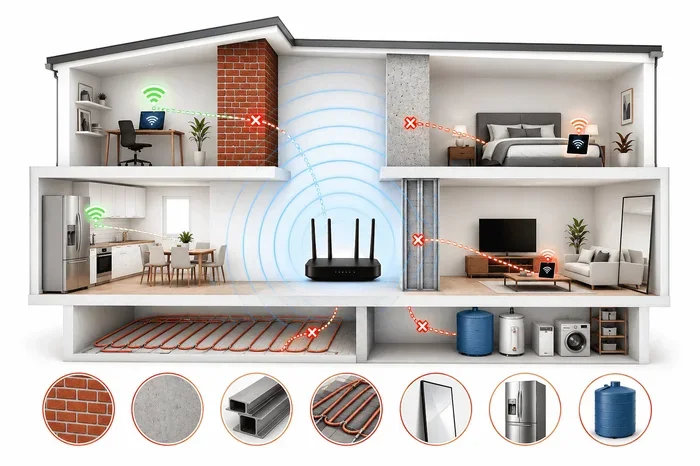
Walk around your home with your phone and check where the WiFi signal drops. Note which rooms have weak or no signal. This tells you how many extenders you need and where to place them.
For a single dead zone, one extender usually suffices. For multiple dead zones spread across a large home, consider a mesh system or multiple extenders placed strategically.
Step 2: Check Your Router’s Capabilities
Your extender can only be as fast as your router. If your router supports WiFi 6, get a WiFi 6 extender. If your router is older and only supports WiFi 5, a WiFi 5 extender is the right match. Mixing standards can limit performance.
Step 3: Consider Your Home Size and Layout
A small apartment might only need a basic plug-in extender. A two-story house with thick walls benefits from a more powerful model with external antennas. For homes over 2,000 square feet, a mesh system often outperforms traditional extenders.
If you need to cover a long distance, you might want to explore options for extending WiFi to 200 feet away with the right equipment and placement strategy.
Step 4: Set a Realistic Budget
Good WiFi extenders range from $20 to $200. Here is a rough guide:
- $20–$40: Basic single-band or dual-band extenders for small spaces.
- $40–$80: Dual-band WiFi 6 extenders with solid performance for most homes.
- $80–$200: Premium extenders and mesh nodes with advanced features and wide coverage.
You do not need to spend $200 unless you have a very large home or demanding use cases. For most households, the $40–$80 range delivers excellent value.
Step 5: Read the Reviews
Before you buy, spend 10 minutes reading user reviews on retail sites and tech forums. Look for patterns—do multiple reviewers mention the same issue? That is a red flag. Look for consistent praise on setup ease, range, and speed.
Also check if the brand offers a money-back guarantee or return window. This gives you a safety net if the extender does not work as expected in your home.
Quick Tips for Extender Placement
Even the best WiFi extender will underperform if placed poorly. Follow these tips:
- Place the extender halfway between your router and the dead zone.
- Keep it away from thick walls, metal objects, and microwaves.
- Do not hide it in a closet or behind furniture.
- Elevate it on a shelf or table for better signal spread.
- Plug it into a wall outlet, not a power strip, for the strongest connection.
Final Verdict: Does Brand Really Matter?
So, does it matter what brand WiFi extender you should use? The answer is nuanced. Brand matters more for support, software quality, and long-term reliability. But when it comes to raw signal performance, features and compatibility matter far more.
For most people, a mid-range extender from a well-known brand like TP-Link or Netgear hits the sweet spot. You get reliable performance, good support, and a fair price. If you are on a tight budget, a lesser-known brand can still work—just manage your expectations and read reviews carefully.
The bottom line: do not let brand alone drive your decision. Focus on dual-band support, WiFi standard, antenna design, and ease of setup. Pick the right features for your home, choose a reputable brand with decent support, and you will be well on your way to eliminating those annoying WiFi dead zones for good.
Take what you have learned here, assess your home’s needs, and make a confident choice. The right WiFi extender is out there—you just need to know what to look for.
Frequently Asked Questions
Can I use any WiFi extender with any router?
Most WiFi extenders work with any standard router, regardless of brand. However, for the best performance, match the WiFi standard (like WiFi 5 or WiFi 6) between your router and extender. Some features may not work optimally if the router and extender are from different brands, but basic signal extension will still function.
Is a WiFi extender the same as a WiFi booster?
Yes, the terms are used interchangeably. A WiFi extender, booster, or repeater all do the same basic job—they pick up your existing WiFi signal and rebroadcast it to cover more area. The differences lie in how they handle the signal and their features, not in the core function.
Do WiFi extenders slow down internet speed?
They can. Traditional single-band extenders often cut your speed in half because they use the same radio to receive and send data. Dual-band extenders and wired-backhaul models minimize this speed loss. If speed is a concern, look for an extender with a dedicated backhaul band or an Ethernet port for a wired connection.
How many WiFi extenders do I need for my home?
It depends on your home size and layout. A small apartment usually needs just one extender. A two-story home might need two—one for each floor. Large homes over 2,000 square feet often benefit more from a mesh WiFi system than from stacking multiple extenders.
Can I use a WiFi extender outdoors?
Most standard extenders are designed for indoor use. If you need outdoor coverage, look for weather-resistant models or consider a point-to-point wireless bridge. Placing an indoor extender near a window facing the outdoor area can also help, but results vary based on walls and distance.
What is the difference between a WiFi extender and a mesh system?
A WiFi extender rebroadcasts your existing signal, which can create a separate network name and cause brief disconnects when you move around. A mesh system uses multiple nodes that work together as one unified network, providing seamless coverage throughout your home. Mesh systems are generally better for larger homes, while extenders work well for smaller spaces or single dead zones.