How Can I Get Wifi Without Connection at Home or Anywhere
You can get WiFi without a traditional internet connection using mobile hotspots, portable WiFi devices, and public WiFi networks. This guide walks you through simple, proven methods to stay connected at home or anywhere you go. Whether you cut the cord or need backup internet, these solutions work.
Ever found yourself in a spot where you need WiFi but have no traditional connection? Maybe you moved into a new place and the internet setup is still pending. Or perhaps you are camping, traveling, or just tired of paying for a pricey home plan. Whatever the reason, getting WiFi without a connection is more doable than you think.
The good news is that several methods let you access wireless internet without relying on a standard home broadband setup. From using your phone as a hotspot to buying a dedicated portable device, the options are varied and practical. In this guide, we break down every reliable method so you can pick what works best for your situation.
Let us be clear about one thing first. WiFi and internet are not the same thing. WiFi is just the wireless signal that connects your devices to a network. That network may or may not have access to the wider internet. So when we talk about getting WiFi without a connection, we mean two things: creating a wireless network without a traditional ISP, and finding ways to access the internet without a home broadband plan. Both are covered here.
Key Takeaways
- Mobile hotspots let you create WiFi from your phone plan without a home connection.
- Portable WiFi devices offer a dedicated solution for on-the-go internet access.
- Public WiFi and community networks provide free or low-cost alternatives to home internet.
- WiFi without a router is possible using phone tethering and hotspot features.
- Offline WiFi solutions can still serve local device connections without internet access.
📑 Table of Contents
- What Does It Mean to Get WiFi Without a Connection?
- How to Get WiFi Without a Home Internet Connection
- Getting WiFi Anywhere Outside Your Home
- Can You Have WiFi Without Any Internet Provider?
- Extending WiFi Range Without a Traditional Setup
- Quick Tips for Staying Connected Without Traditional WiFi
- Common Mistakes People Make When Setting Up WiFi Without a Connection
- Expert Insights on Wireless Connectivity Without Traditional Setup
- Final Thoughts
What Does It Mean to Get WiFi Without a Connection?
When most people think of WiFi, they picture a router connected to a monthly internet plan. But WiFi itself is just a local wireless network. Your phone, laptop, and tablet can all connect to it even without full internet access. Understanding this distinction opens up several possibilities.
For example, you can set up a WiFi network at home that only connects your smart devices locally. You can share files between devices without going online. You can even use offline WiFi for smart home setups that do not need constant internet. The key is knowing your options and picking the right one.
WiFi vs. Internet: The Difference
Think of it like this. WiFi is the road. The internet is the destination. You can have a road (WiFi) that leads somewhere local but not to the wider world (internet). Many people confuse the two and assume no internet means no WiFi. That is simply not true.
Here are some simple ways to think about it:
- WiFi without internet means your devices connect to a local network but cannot reach the web.
- Internet without WiFi means you have a wired connection or cellular data but no wireless local network.
- WiFi with internet is the standard setup most people have at home.
Once you understand this, you can start exploring ways to set up a wireless network that fits your needs, whether you need full internet access or just a local connection.
How to Get WiFi Without a Home Internet Connection
If you want wireless connectivity at home without signing up for a traditional broadband plan, you have several solid options. Each method has its pros and cons, so let us walk through them one by one.
Use Your Phone as a Mobile Hotspot
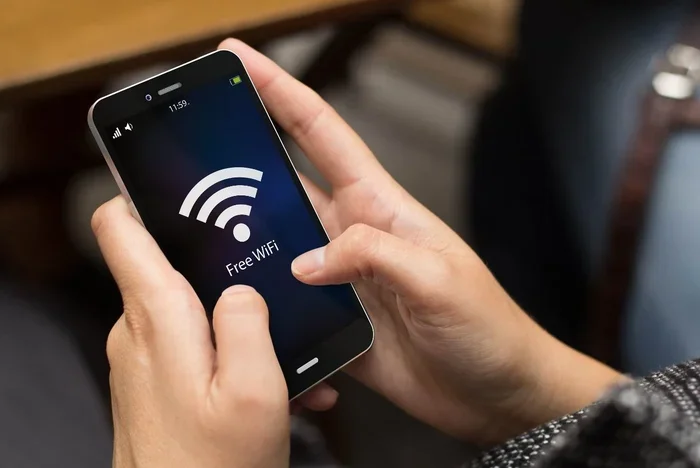
This is the simplest and most common method. Almost every smartphone today can share its cellular data connection as a WiFi hotspot. You turn on the hotspot feature, set a password, and other devices connect just like they would to a regular router.
To do this on most phones, go to Settings, then look for Hotspot or Tethering. Toggle it on, set a name and password, and you are good to go. Mobile hotspot works great for temporary needs, but keep an eye on your data usage. Streaming videos or downloading large files can eat through your plan quickly.
If you want to learn more about using hotspot without phone service, check out our guide on Can I Get Hotspot Without Phone Service for helpful tips and workarounds.
Buy a Portable WiFi Device
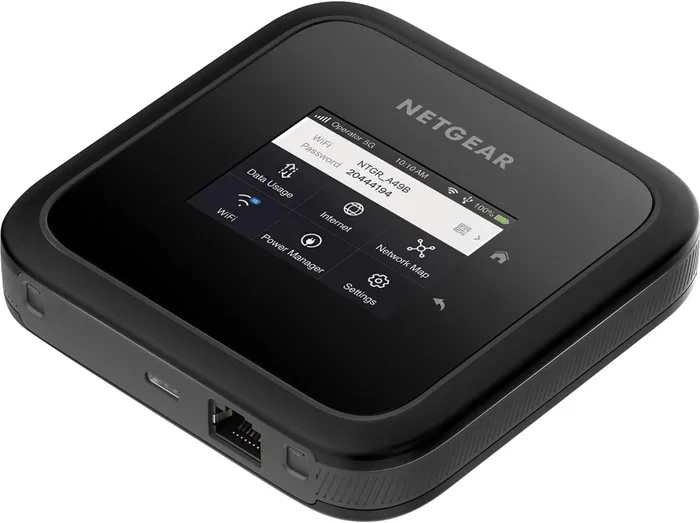
A portable WiFi device, sometimes called a mobile hotspot or MiFi device, works like a mini router that connects to cellular networks. You do not need a home internet plan. You just insert a SIM card with a data plan, and the device creates a WiFi signal for your devices.
These devices are perfect for travel, remote work, or as a backup at home. They are compact, battery-powered, and can connect multiple devices at once. If you are wondering where to get one, you can buy your own portable WiFi device from most electronics retailers or directly from carriers.
Here are some benefits of portable WiFi devices:
- They create a dedicated WiFi network without needing a home router.
- Most support multiple device connections, usually five to ten.
- They run on rechargeable batteries, so they work anywhere.
- You can switch data plans based on your needs.
Explore Unlimited Hotspot Plans
If you rely heavily on hotspot or portable WiFi, an unlimited hotspot plan can save you from worrying about data caps. Several carriers offer plans specifically designed for heavy data users who need constant wireless connectivity.
These plans tend to cost more than standard data plans, but they give you peace of mind. You can stream, browse, and work without constantly checking your data usage. To explore your options, check out our article on Can I Get Unlimited Hotspot for a breakdown of available plans and carriers.
Try WiFi Without a Router
Did you know you can set up WiFi without a traditional router? Your phone, tablet, or laptop can act as a virtual router using built-in software features. This is especially useful when you need a quick wireless network but do not have a router on hand.
Some operating systems let you share your internet connection wirelessly through a feature called WiFi tethering or ad-hoc networking. This method works well for small setups with just a few devices. It is not ideal for large homes or heavy usage, but it gets the job done in a pinch.
For a deeper dive into router-free WiFi setups, read our article Can I Get Wi Fi Without A Router.
Getting WiFi Anywhere Outside Your Home
Need wireless internet on the road? Whether you are commuting, traveling, or working remotely, several options can provide WiFi outside your home.
Public WiFi Networks
Libraries, coffee shops, malls, and airports often offer free public WiFi. These networks are convenient and easy to access. However, they come with security risks. Public WiFi is often unencrypted, which means your data can be vulnerable to interception.
Here are some tips for staying safe on public WiFi:
- Use a VPN to encrypt your data.
- Avoid accessing sensitive accounts like banking.
- Turn off auto-connect to open networks.
- Stick to HTTPS websites whenever possible.
Community WiFi and Municipal Networks
Some cities and towns offer free community WiFi in public areas. These networks are usually provided by local governments or internet service providers as part of a public initiative. They can be a great way to get wireless internet without paying for a home plan.
You can also check if your apartment complex, workplace, or local community center offers WiFi access. These options are often free or included in your rent or membership.
Connect to Xfinity or AT&T WiFi Away From Home
If you already subscribe to Xfinity or AT&T internet, you may have access to their nationwide WiFi hotspot networks. These allow you to connect to WiFi in thousands of locations across the country, even when you are far from home.
To use Xfinity WiFi away from home, simply look for Xfinity hotspots in your area and sign in with your account credentials. Similarly, AT&T offers WiFi access at many locations for its customers. Learn more about connecting to these networks by reading our guides on connecting to Xfinity WiFi away from home and connecting to AT&T WiFi anywhere.
Can You Have WiFi Without Any Internet Provider?
The short answer is yes. You can have a WiFi network that operates without an internet provider. This is useful for smart home setups, local file sharing, and device-to-device communication. You will not be able to browse the web or stream content, but your devices can still communicate with each other over the wireless network.
Here are some practical uses for WiFi without an internet provider:
- Smart home control: Many smart devices work on a local network without needing cloud internet access.
- File sharing: You can transfer files between computers and phones on the same WiFi network.
- Gaming: Local multiplayer games work over a WiFi network without internet.
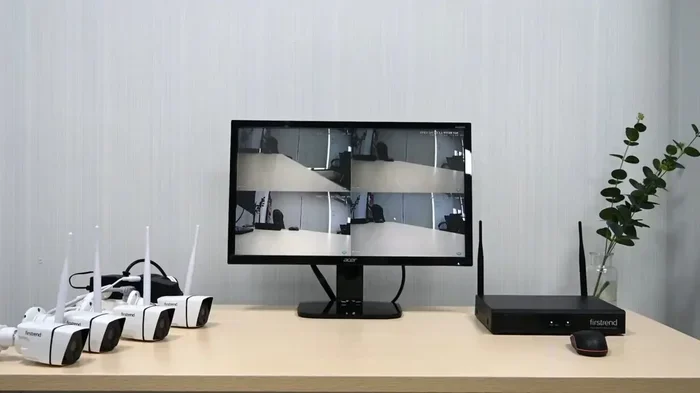
- Security cameras: Some cameras store footage locally and do not need internet to record.
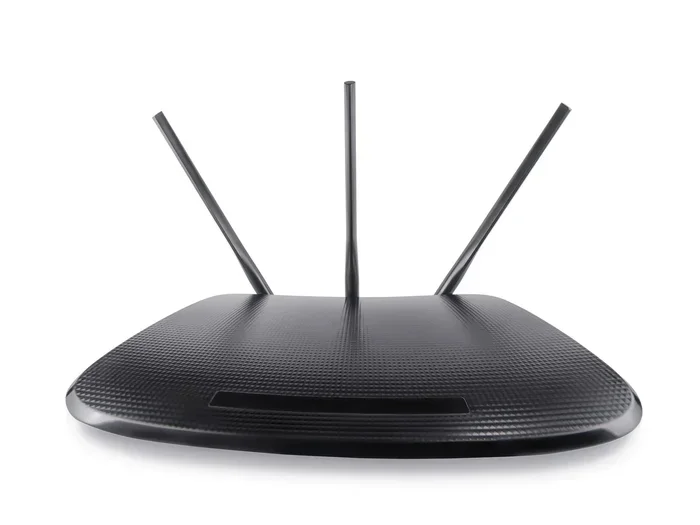
To set this up, you can use a router in standalone mode or create an ad-hoc network from your computer. The router does not need to be connected to a modem or internet source. It simply broadcasts a WiFi signal that your devices can connect to.
Extending WiFi Range Without a Traditional Setup
If you have a weak WiFi signal at home but do not want to invest in a full new setup, there are ways to extend your existing WiFi range. These solutions work whether you have a strong connection or are working with a limited setup.
Use a WiFi Extender
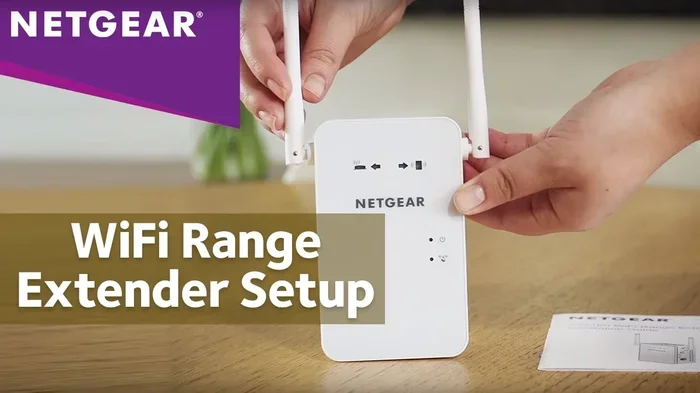
A WiFi extender picks up your existing signal and rebroadcasts it to cover a larger area. These devices are affordable and easy to set up. They are great for reaching dead zones in your home, like basements or back bedrooms.
If you want to push your WiFi further, check out our guide on Can I Extend My Wi Fi To 200 Feet Away for practical tips on boosting your signal range.
Add an Antenna to Your Router
Some routers allow you to upgrade or add external antennas. A better antenna can significantly improve your WiFi signal strength and range. This is a simple and cost-effective way to improve coverage without buying new equipment.
For more details on this approach, read our article Can I Add An Antenna To My Wifi Router.
Set Up a Mesh Network
A mesh WiFi system uses multiple nodes placed around your home to create seamless coverage. Unlike traditional extenders, mesh systems manage the network intelligently and hand off connections smoothly as you move from room to room. They are more expensive but offer a much better experience for larger homes.
Quick Tips for Staying Connected Without Traditional WiFi
Here are some fast, actionable tips to keep in mind:
- Monitor your data usage if you rely on mobile hotspot or portable WiFi to avoid surprise overage charges.
- Keep a backup battery for your portable hotspot device, especially when traveling.
- Use offline apps like maps and documents when you know WiFi access will be limited.
- Download content in advance when you have a strong connection, so you can enjoy it later without WiFi.
- Secure your hotspot with a strong password to prevent unauthorized users from draining your data.
- Compare carrier plans regularly to make sure you are getting the best deal for your data needs.
Common Mistakes People Make When Setting Up WiFi Without a Connection
Avoid these common pitfalls to save time and frustration:
- Ignoring data limits: Many people set up a hotspot without checking their plan’s data cap. This leads to slow speeds or extra charges.
- Placing the device poorly: A hotspot device tucked behind a wall or in a drawer will have a weak signal. Keep it in an open, central location.
- Forgetting security: An open WiFi network is an invitation for others to use your data. Always set a password.
- Using outdated hardware: Old routers and hotspot devices may not support the latest WiFi standards, leading to slower speeds.
- Not testing the setup: Always test your connection in different spots before relying on it for important tasks.
Expert Insights on Wireless Connectivity Without Traditional Setup
According to networking experts, the trend of using WiFi without a traditional connection is growing fast. More people are cutting the cord on home internet and relying on mobile data, portable hotspots, and community networks instead. The rise of 5G has made this shift even more viable, offering faster speeds and more reliable connections on the go.
Experts also emphasize that having a backup connectivity plan is smart. Even if you have a home internet plan, knowing how to get WiFi without it can save you during outages, travel, or unexpected moves. The key is to match your solution to your actual needs, whether that is light browsing, heavy streaming, or simple local networking.
Final Thoughts
Getting WiFi without a traditional connection is entirely possible, and the options are better than ever. Whether you use your phone as a hotspot, invest in a portable WiFi device, or tap into public and community networks, you have real solutions at your fingertips. The best approach depends on your needs, budget, and how often you need wireless access.
Start with the simplest option that fits your situation. If you only need temporary access, your phone hotspot will do the trick. If you need a reliable, long-term solution, consider a portable WiFi device or an unlimited hotspot plan. And remember, you can always have a WiFi network without internet access for local device connections.
The bottom line is this: you are not stuck just because you do not have a traditional internet connection. The tools and options are out there. Pick the one that works for you and stay connected wherever life takes you.
Frequently Asked Questions
Can I get WiFi without any internet provider at all?
Yes, you can set up a WiFi network without an internet provider. This works for local device connections, smart home setups, and file sharing. You just need a router or a device that can broadcast a WiFi signal. It will not give you internet access, but it creates a functional wireless network.
How much does a portable WiFi device cost?
Portable WiFi devices typically range from $50 to $200, depending on the brand and features. You will also need a separate data plan with a SIM card. Some carriers offer prepaid hotspot plans that start around $20 to $30 per month.
Is using my phone as a hotspot bad for my battery?
It can drain your battery faster than normal use. Hotspot mode uses your phone’s cellular radio continuously, which consumes more power. To reduce battery drain, keep your phone plugged in while using it as a hotspot and turn off the feature when you are not using it.
Can I use public WiFi safely?
Public WiFi can be convenient but carries security risks. To stay safe, use a VPN, avoid accessing sensitive accounts, and stick to HTTPS websites. Never enter passwords or financial information on an unsecured public network without protection.
What is the difference between a mobile hotspot and a portable WiFi device?
A mobile hotspot uses your phone to share its data connection. A portable WiFi device is a standalone gadget that creates its own WiFi network using a SIM card. Portable devices are usually more reliable, have better battery life, and can connect more devices than phone tethering.
Do I need a special plan to use a portable WiFi device?
Yes, you need a data plan that supports hotspot or tethering. Most carriers offer dedicated hotspot plans or allow you to add a hotspot feature to your existing plan. Check with your carrier to find the best option for your data needs.