How Can I Listen To A Cd Without Needing A Cd Player
You can listen to a CD without a CD player by using a USB external drive, converting the disc to digital files, or streaming through Bluetooth devices. These methods let you enjoy your favorite music and audio content on modern devices that no longer include disc drives. Whether you want to play CDs in your car, on your laptop, or through wireless headphones, there is a simple workaround that works for you.
Key Takeaways
- USB External Drives: Plug a USB CD drive into any computer or laptop to play discs instantly.
- Digital Conversion: Rip CDs to MP3 or FLAC files using free software and listen on any device.
- Bluetooth Streaming: Use Bluetooth transmitters and adapters to wirelessly play CD audio through speakers or headphones.
- Smart TV and Car Systems: Many modern TVs and cars can play audio from CDs through auxiliary or USB connections.
- Smartphone Apps and Adapters: Connect a CD player to your phone using the right cable or adapter for on-the-go listening.
📑 Table of Contents
- How Can I Listen To A Cd Without A Cd Player
- Use a USB External CD Drive
- Convert CDs to Digital Files
- Connect Your CD Player to a Bluetooth Speaker or Headphones
- Play CDs Through Your Smart TV
- Use Your Smartphone as a CD Player
- Stream CD Content Through Online Services
- Comparison of CD Listening Methods
- Final Thoughts
How Can I Listen To A Cd Without A Cd Player
CDs have been a staple of music listening for decades. They deliver clean, reliable audio that many audiophiles still prefer. But here is the problem. Most modern laptops, phones, and cars no longer come with a disc drive. So what do you do when you have a stack of favorite CDs and no way to play them? The good news is that you have several practical options. You can still enjoy your CD collection without needing a dedicated CD player. Let us walk through every method that actually works.
Whether you want to listen in your car, on your laptop, or through wireless headphones, there is a solution waiting for you. You do not need to buy a new CD player or throw away your discs. A little creativity and the right equipment will bring your music back to life. Below, we will explore the best ways to listen to a CD without a CD player in detail.
Use a USB External CD Drive
The simplest way to play a CD without a built-in drive is to use a USB external CD drive. These small devices plug directly into any USB port. They are portable, affordable, and work with most computers and laptops. You can find one online for under $20. Here is how it works.
What You Need
- A USB external CD drive
- A computer, laptop, or tablet with a USB port
- Your CD
How to Set It Up
- Plug the USB CD drive into your device.
- Place your CD into the drive tray.
- Wait for your computer to recognize the disc.
- Open your media player or file explorer.
- Select the CD and start listening.
Most external CD drives work with both Windows and Mac computers. Some models also work with certain smart TVs and gaming consoles. This is the fastest way to get back to your CD collection. If you travel often, a portable USB drive is a great investment. It weighs almost nothing and fits in your bag easily.
Convert CDs to Digital Files
If you want to listen to your CDs on the go, converting them to digital files is the best approach. This process is called CD ripping. You use software to extract the audio tracks from the disc and save them as MP3, WAV, or FLAC files. Once ripped, you can play the files on any device. Your phone, tablet, smart speaker, and even your car stereo can access them.
Best Free Software for Ripping CDs
- Apple iTunes: Works great on Mac and Windows. Simple interface and automatic track naming.
- Windows Media Player: Built into Windows. Easy to use for beginners.
- Exact Audio Copy (EAC): Best for high-quality rips. Perfect for audiophiles.
- VLC Media Player: Free and open source. Plays almost any format.
- dBpoweramp: Excellent metadata and cover art support.
Step by Step Ripping Process
- Install your chosen ripping software.
- Insert your CD into the drive.
- Select the tracks you want to convert.
- Choose your output format (MP3 for compatibility, FLAC for quality).
- Click rip and wait for the process to finish.
- Transfer the files to your phone or MP3 player.
Once your CDs are digitized, you never need the physical disc again. You can store thousands of albums on a single hard drive. This also protects your music from scratches and wear. Many people who convert CDs to digital say they never go back to physical discs. The convenience is unbeatable.
Connect Your CD Player to a Bluetooth Speaker or Headphones
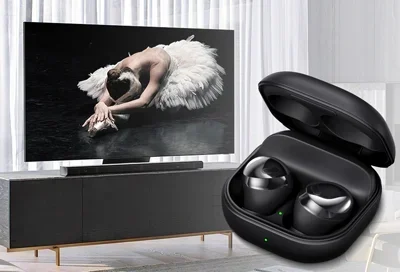
Do you still have a CD player somewhere in your house? Maybe it is in a drawer or tucked away in a closet. You can still use it with modern wireless devices. A Bluetooth transmitter connects to the audio output of your CD player. It then sends the sound wirelessly to your Bluetooth headphones or speaker. This is a fantastic option if you want wireless freedom without buying a new player.
How Bluetooth Transmitters Work
A Bluetooth transmitter plugs into the 3.5mm headphone jack or RCA output of your CD player. It pairs with your wireless headphones or speaker just like any other Bluetooth device. You get clear, lag-free audio without any wires. The range is usually about 30 feet, so you can move around your room freely.
Top Bluetooth Transmitter Features to Look For
- AptX or aptX Low Latency: Reduces audio delay for synced sound.
- Long battery life: Look for at least 10 hours of playback.
- Multipoint connection: Connect to two devices at once.
- Compact design: Small enough to carry in your pocket.
If you want to use wireless audio in the car, a Bluetooth transmitter for your car works similarly. You can also use a Bluetooth connection to listen wirelessly from your TV or other devices. The concept is the same. You just need the right adapter.
Play CDs Through Your Smart TV
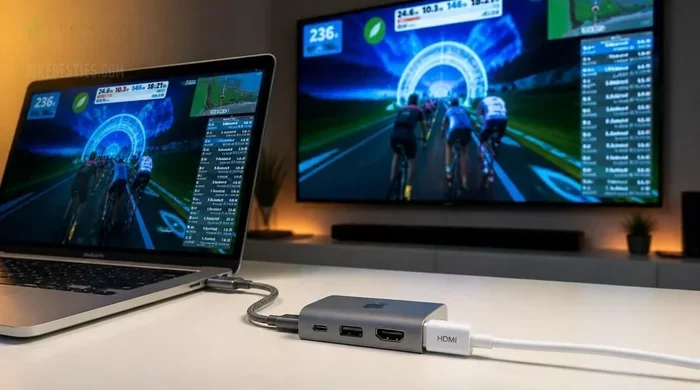
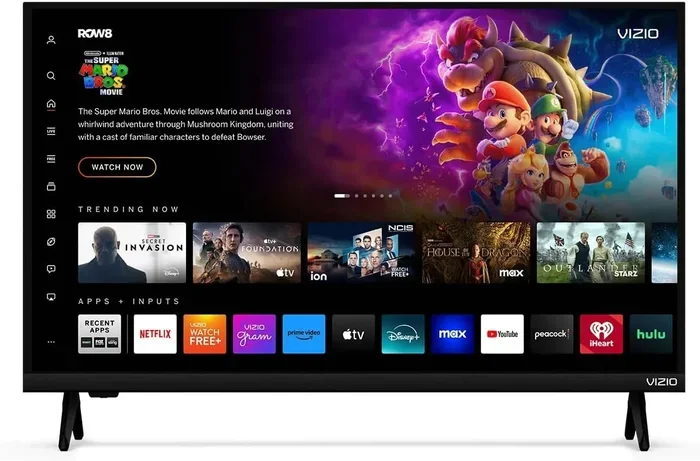
Many smart TVs still have USB ports and even optical audio outputs. If your TV has a USB port, you may be able to connect an external CD drive directly. Some TVs can read audio CDs and play them through your home theater system. This is a convenient option if you want better sound quality without buying extra equipment.
Method 1: USB External Drive Connected to TV
Plug a USB CD drive into your TV’s USB port. Insert your CD and use the TV remote to navigate to the media player. Select the disc and press play. Not all TVs support CD playback through USB, so check your model’s manual first.
Method 2: Use a Bluetooth Adapter
If your TV has Bluetooth or supports a Bluetooth adapter, you can stream CD audio wirelessly. Connect a Bluetooth transmitter to your CD player, then pair it with a compatible smart TV or soundbar. This gives you flexible placement and cleaner setup.
Method 3: Optical Audio Cable
Use an optical cable to connect your CD player directly to a soundbar or AV receiver. This delivers the best audio quality. You get crisp, clear sound without any wireless compression. It is the preferred method for serious listeners who want CD quality audio at home.
Use Your Smartphone as a CD Player
Your smartphone is one of the most powerful devices you own. With the right adapter, you can turn it into a CD playback system. This works especially well if you want to listen on the go or share music with friends. Here are the most practical ways to do it.
Option 1: USB OTG Adapter
Many Android phones support USB On-The-Go (OTG). This lets you plug a USB CD drive directly into your phone. You will need a USB OTG adapter cable. Once connected, use a file manager app to access the CD tracks. Some phones may need a third-party music player app for full compatibility.
Option 2: Connect CD Player to Phone with AUX Cable
If your CD player has a headphone output, you can plug it into your phone’s AUX input using a cable. This works in reverse too. You can plug your phone into the CD player’s input and use the CD player as an amplifier. It is a clever trick that many people do not know about.
Option 3: Wireless Streaming with a DAC
A digital-to-analog converter (DAC) can connect your CD player to your phone via Bluetooth or USB. The DAC converts the optical or analog signal from the CD player into a wireless stream. This is the most high-tech option but also the most flexible. You can listen anywhere within Bluetooth range.
Stream CD Content Through Online Services
If you have already ripped your CDs to digital files, you can upload them to cloud storage or music streaming services. Services like Google Play Music, Apple Music, and Amazon Music allow you to upload your personal library. You can then stream your CDs from anywhere with an internet connection. This is perfect for people who want their music accessible on every device.
Steps to Upload Your Ripped CDs
- Rip your CDs to MP3 or FLAC files on your computer.
- Upload the files to Google Play Music, Amazon Music, or Apple Music.
- Wait for the upload to complete.
- Access your library from any device with the app installed.
- Download tracks for offline listening when you do not have internet.
This method works best if you have a large CD collection. Once digitized, your music is safe forever. You never have to worry about scratching a disc or losing a case. Plus, you can create playlists and shuffle your entire library with a single tap.
Quick Tips for Best Results
- Always clean your CDs before playing them. Use a soft microfiber cloth and wipe from the center outward.
- Store CDs in a cool, dry place away from direct sunlight.
- Use high-quality ripping settings for the best audio output.
- Label your digital files with artist and album names for easy organization.
- Keep backup copies of your ripped files on an external hard drive.
Common Mistakes to Avoid
- Using low-quality ripping settings: This saves space but sacrifices audio quality. Always choose at least 320 kbps for MP3 or FLAC for lossless quality.
- Ignoring firmware updates: Keep your CD drive and software updated for the best compatibility.
- Forgetting to check device compatibility: Not every TV, car, or phone supports every connection method. Verify before you buy equipment.
- Skipping metadata entry: Without proper track names and album art, your digital library becomes hard to navigate.
Comparison of CD Listening Methods
| Method | Cost | Ease of Use | Audio Quality | Portability |
|---|---|---|---|---|
| USB External CD Drive | Low ($15-$25) | Very Easy | Excellent | High |
| CD Ripping to Digital | Free (software) | Moderate | Excellent (FLAC) | Very High |
| Bluetooth Transmitter | Low ($10-$30) | Easy | Good | High |
| Smart TV Playback | Free (if TV available) | Easy | Very Good | Low |
| Smartphone with Adapter | Low ($5-$15) | Moderate | Good to Excellent | Very High |
| Cloud Streaming | Free to Low | Easy | Excellent | Very High |
Final Thoughts
Listening to your CDs without a CD player is easier than you think. You have many options ranging from simple USB drives to full digital conversion. The method you choose depends on your needs and budget. If you want quick and easy playback, a USB external drive is your best bet. If you want maximum flexibility, ripping your CDs to digital files is the way to go.
You do not need to let your CD collection gather dust. With a few affordable tools and a little setup time, you can enjoy every album in your library on any device. The key is to pick the method that fits your lifestyle. Try one approach today and you will wonder why you did not do it sooner. Your music deserves to be heard, and now it can be.
Start with the simplest solution and work your way up if needed. You might even try multiple methods to find what works best for you. The beauty of these options is that they all keep your CDs alive in a digital world. Enjoy your music the way you always have, just with modern convenience added to the mix.
Frequently Asked Questions
Can I play a CD on my laptop without a built-in CD drive?
Yes, you can. All you need is a USB external CD drive. Plug it into your laptop’s USB port, insert your CD, and your laptop will recognize it. Most external drives cost under $25 and work with both Windows and Mac laptops.
What is the best format to rip CDs to for everyday listening?
MP3 at 320 kbps is the best format for everyday listening. It offers excellent sound quality and works on virtually every device. If you are an audiophile, use FLAC format for lossless quality. FLAC files are larger but preserve every detail of the original CD audio.
Can I listen to CDs wirelessly without any cables?
Yes. You can use a Bluetooth transmitter connected to your CD player. The transmitter sends audio wirelessly to your Bluetooth headphones or speaker. This gives you full freedom of movement while enjoying your CD collection.
Do smart TVs support CD playback through USB?
Some smart TVs do support CD playback through a USB connection. Check your TV’s manual or settings menu for a media player option. If your TV does not support it, you can use a Bluetooth transmitter or connect through an auxiliary cable instead.
Is it legal to rip CDs to digital files?
Ripping CDs you personally own for personal use is generally considered legal in most countries. However, distributing or sharing ripped files is not legal. Always use digital copies for your own personal listening only.
Can I use my phone to play audio directly from a CD?
Not directly. Your phone cannot read a CD on its own. However, you can use a USB OTG adapter with an external CD drive, or rip the CD first and transfer the files to your phone. Both methods let you play CD content on your smartphone easily.
=== CONCLUSION ===
Now you know how to listen to a CD without a CD player using multiple practical methods. Whether you choose a USB external drive, digital conversion, Bluetooth streaming, or smart TV playback, your options are clear and affordable. You do not need special equipment or technical skills to get started. Pick the method that suits your lifestyle and enjoy your favorite music again. Your CD collection still has plenty of life left in it, and these simple solutions prove that old-school audio can thrive in a modern world.