Does The X670e Have Bluetooth And Why It Matters So Much
The X670E chipset does include Bluetooth support built right into the motherboard, typically offering Bluetooth 5.3 or newer. This means you can connect wireless peripherals, audio devices, and accessories without adding extra hardware. Understanding this feature helps you build a cleaner, more wireless PC setup.
The X670E is one of the most talked-about motherboard chipsets right now. If you are building or upgrading a PC, you probably want to know every detail about what this board offers. One question keeps popping up: does the X670e have Bluetooth? The short answer is yes. But the full story is more interesting than a simple yes or no.
Bluetooth on a motherboard might seem like a small detail. But it changes how you set up your entire desk. You skip extra cables. You skip dongles. You get a cleaner, simpler workspace. Whether you are a gamer, a content creator, or just someone who likes a tidy setup, built-in Bluetooth on the X670E chipset makes a real difference.
In this guide, we will break down everything you need to know. We will cover what Bluetooth version the X670E supports, how it works with the AM5 platform, and why it matters for your daily computing. Let us dive in.
Key Takeaways
- The X670E chipset includes built-in Bluetooth: You do not need a separate card or dongle for basic wireless connectivity.
- Bluetooth 5.3 offers faster speeds and better range: Newer versions deliver improved performance for audio and peripherals.
- Not all X670E boards are the same: Some manufacturers may use different Bluetooth versions or configurations.
- You can still add Bluetooth if it is missing: USB Bluetooth adapters work as a simple backup solution.
- Bluetooth matters for a clean desk setup: Wireless keyboards, mice, and headsets reduce cable clutter significantly.
- Check your specific board model: Always verify the exact Bluetooth version and capabilities before purchasing.
📑 Table of Contents
- What Is the X670E Chipset and Why Does It Matter?
- Does the X670E Have Bluetooth? The Full Answer
- Why Bluetooth on the X670E Matters So Much
- Common Uses for Bluetooth on an X670E Motherboard
- What If Your X670E Board Does Not Have Bluetooth?
- How to Check and Manage Bluetooth on Your X670E Board
- X670E vs. Other Chipsets: Bluetooth Comparison
- Expert Tips for Getting the Most Out of Bluetooth on X670E
- Quick Tips
- Final Thoughts
What Is the X670E Chipset and Why Does It Matter?
The AMD X670E is a high-end motherboard chipset designed for the AM5 socket. It supports the latest Ryzen processors, including the Ryzen 7000 and 9000 series. This chipset is built for enthusiasts who want top-tier performance and the newest features available.
So what makes the X670E special? It offers more PCIe 5.0 lanes than its non-E counterpart. It supports faster DDR5 memory. And it includes modern wireless connectivity features right on the board. The “E” stands for Enthusiast, and the board delivers on that promise.
Key Features of the X670E Platform
- PCIe 5.0 support: Faster speeds for GPUs and NVMe SSDs.
- DDR5 memory compatibility: Better bandwidth and efficiency.
- USB 4.0 support: Lightning-fast peripheral connections.
- Built-in wireless: Wi-Fi 6E or Wi-Fi 7 and Bluetooth 5.3 on most boards.
- Multiple M.2 slots: Plenty of storage options.
When you look at these features, it is clear that AMD designed the X670E for people who want everything built in. No need for add-in cards. No need for extra adapters. Just a clean, powerful platform that handles modern connectivity out of the box.
Does the X670E Have Bluetooth? The Full Answer
Yes, the X670E motherboard does have Bluetooth. Almost every X670E board on the market includes wireless support as part of the chipset package. This is a major advantage over older platforms where you often had to buy a separate wireless card.
But here is the nuance. The exact Bluetooth version can vary depending on the motherboard manufacturer. Most X670E boards ship with Bluetooth 5.3, which is the latest standard as of 2024. Some boards may use Bluetooth 5.2, which is still very capable. Always check the specifications for your specific model.
How Bluetooth Works on the X670E
The Bluetooth radio is integrated into the motherboard’s chipset. This means it shares resources with the Wi-Fi module, which is often bundled together on a small M.2-like card or soldered directly onto the board. You do not need to install any drivers from a CD. Windows 11 and modern Linux distributions recognize the hardware automatically.
If you are wondering how this compares to adding a separate Bluetooth adapter, the answer is simple. Built-in is better. It uses less desk space, draws less power, and avoids USB port conflicts. You can still use a Bluetooth adapter on your TV or other devices separately, but for your PC, the X670E handles it natively.
Bluetooth Versions: What Is the Difference?
Not all Bluetooth is created equal. Here is a quick look at what each version brings to the table.
- Bluetooth 5.0: Basic wireless connectivity. Good range and speed for everyday use.
- Bluetooth 5.2: Improved audio codec support and better battery efficiency.
- Bluetooth 5.3: The current standard on most X670E boards. Offers faster connection times, lower latency, and improved power management.
For most users, Bluetooth 5.3 is more than enough. You can connect wireless mice, keyboards, headsets, speakers, and even game controllers without any issues. The connection stays stable and responsive.
Why Bluetooth on the X670E Matters So Much
You might be thinking, “I can just use a USB Bluetooth dongle.” And you can. But having built-in Bluetooth on your motherboard changes the entire experience. Let us look at why this feature matters so much for the X670E platform.
A Cleaner, Clutter-Free Desk
One of the biggest benefits of built-in wireless is a cleaner workspace. No USB dongles sticking out. No cables snaking across your desk. Just clean, wireless connections. This matters whether you are working from home or gaming in a setup you are proud of.
Think about all the devices you use daily. A wireless mouse. A wireless keyboard. Wireless headphones or earbuds. A game controller. With Bluetooth 5.3 on the X670E, you can connect all of these without using a single USB port for wireless adapters.
Better Performance and Lower Latency
Integrated Bluetooth on the X670E chipset is designed to work seamlessly with the rest of the board. You get better signal handling and lower interference compared to a generic USB Bluetooth adapter. This means your wireless peripherals respond faster and more reliably.
For gamers, this is especially important. A wireless mouse or controller with low latency Bluetooth can make a real difference in competitive play. You do not have to sacrifice responsiveness just because you went wireless.
Future-Proofing Your Build
The AM5 platform is AMD’s long-term socket strategy. It will support multiple generations of processors. By choosing an X670E board with built-in Bluetooth, you are future-proofing your setup. When you upgrade your CPU in a few years, your wireless connectivity stays the same.
This is a smart move compared to buying a budget board without Bluetooth and adding a dongle later. The X670E gives you everything you need from day one.
Common Uses for Bluetooth on an X670E Motherboard
Now that you know the X670E has Bluetooth, let us talk about what you can actually do with it. The possibilities are wide open.
Wireless Audio
Connect your favorite Bluetooth headphones or speakers directly to your PC. Stream music, take calls, or game with wireless audio. The Bluetooth 5.3 codec support ensures good sound quality and stable connections.
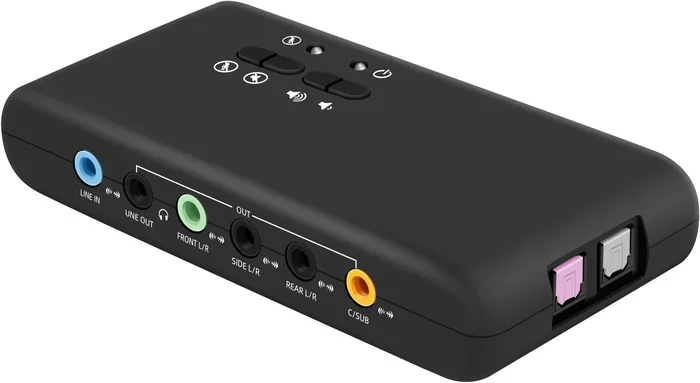
Many people turn their stereo into Bluetooth using simple adapters. With built-in Bluetooth on the X670E, you get this capability without any extra hardware for your PC.
Wireless Peripherals
- Wireless mice: Logitech, Razer, and other brands work seamlessly.
- Wireless keyboards: Connect your keyboard without eating up a USB port.
- Game controllers: Xbox, PlayStation, and Switch controllers all pair easily.
- Webcams and microphones: Some wireless webcams and mics use Bluetooth for connection.
File Sharing and Casting
Bluetooth also enables quick file transfers between devices. You can share photos, documents, and media wirelessly. Some users also use Bluetooth for screen casting or connecting to smart displays in the home.
What If Your X670E Board Does Not Have Bluetooth?
This is rare, but it can happen. Some budget-friendly X670E boards might not include the wireless module. If you find yourself in this situation, do not worry. You have options.
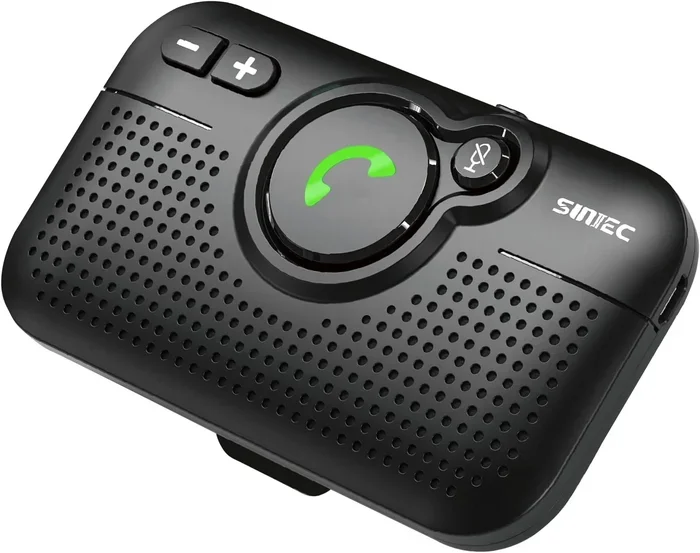
You can purchase a USB Bluetooth adapter. These are affordable and easy to set up. Simply plug it in, install the drivers, and you are connected. Just make sure to buy a Bluetooth 5.0 or newer adapter for the best performance.
Some users also wonder if they can uninstall Bluetooth from their system if they are not using it. While technically possible, it is not recommended. Bluetooth uses very little resources and can always be disabled in the device manager if you prefer not to use it.
How to Check and Manage Bluetooth on Your X670E Board
Once you have your X670E motherboard set up, you will want to make sure Bluetooth is working properly. Here is a simple guide to checking and managing your wireless settings.
Step-by-Step Setup
- Boot into Windows 11 or your preferred operating system.
- Open Settings and go to the Bluetooth section.
- Toggle Bluetooth on. Your X670E board should appear in the available devices list.
- Pair your device by putting it in pairing mode and selecting it from the list.
- Test the connection with a peripheral to confirm everything works.
Troubleshooting Tips
- If Bluetooth does not appear, check your device manager for any missing drivers.
- Make sure your BIOS is updated to the latest version from the motherboard manufacturer.
- Restart the Bluetooth support service in Windows if connections are unstable.
- Keep your wireless drivers up to date through Windows Update or the manufacturer’s website.
Most X670E boards work out of the box with Bluetooth. But a quick driver update can sometimes solve minor issues and improve performance.
X670E vs. Other Chipsets: Bluetooth Comparison
How does the X670E compare to other AMD chipsets when it comes to Bluetooth? Let us look at the bigger picture.
| Chipset | Bluetooth Support | Typical Version | Target Audience |
|---|---|---|---|
| X670E | Built-in | 5.3 | Enthusiasts |
| X670 | Built-in | 5.3 | High-end users |
| B650E | Built-in | 5.2 or 5.3 | Mid-range enthusiasts |
| B650 | Built-in | 5.2 or 5.3 | Budget-conscious builders |
| A620 | Rare or none | N/A | Entry-level users |
As you can see, the X670E sits at the top with full Bluetooth 5.3 support. Even the mid-range B650 boards offer similar wireless features. The gap is really in the number of USB ports, PCIe lanes, and overclocking capabilities, not Bluetooth.
For the average builder, any modern AMD AM5 board will likely include Bluetooth. But the X670E gives you the best overall package with the newest wireless standards.
Expert Tips for Getting the Most Out of Bluetooth on X670E
Here are some practical tips to help you get the best wireless experience from your X670E motherboard.
Keep Your Drivers Updated
Motherboard manufacturers regularly release BIOS and driver updates. These can improve Bluetooth stability and performance. Check the support page for your specific board model every few months.
Position Your Board Well
While this sounds obvious, the physical placement of your PC matters. If your tower is buried under a desk, Bluetooth signals may be weaker. A slightly elevated or more open position can improve wireless range.
Use Bluetooth 5.3 Devices When Possible
If you are buying new peripherals, look for ones that support Bluetooth 5.3. You will get the best speeds, range, and battery life. Older Bluetooth versions still work fine but may not take full advantage of the X670E’s capabilities.
Limit Interference
Bluetooth operates on the 2.4 GHz band, which can overlap with Wi-Fi and other devices. If you experience connection issues, try moving your PC away from other wireless devices or switching your Wi-Fi to the 5 GHz band.
Quick Tips
- Always check the box or spec sheet to confirm Bluetooth is included with your X670E board.
- Bluetooth and Wi-Fi often share the same module, so if one has issues, the other might too.
- Keep a USB Bluetooth adapter as a backup if your built-in wireless ever fails.
- Restart your PC if Bluetooth devices suddenly stop connecting.
- Use the manufacturer’s software for the best wireless management tools.
Final Thoughts
The X670E motherboard absolutely has Bluetooth, and it is one of the many reasons this chipset is a top choice for modern PC builds. With Bluetooth 5.3 built right into the AM5 platform, you get fast, reliable wireless connectivity without any extra hardware.
Whether you are connecting wireless peripherals, streaming audio, or just keeping your desk clean and clutter-free, the X670E delivers. It is a feature that might seem small on paper but makes a big difference in daily use.
If you are in the market for a new motherboard and wireless connectivity matters to you, the X670E should be at the top of your list. Just make sure to verify the exact Bluetooth version on your chosen board model, and you will be all set for a seamless wireless experience.
Build smart. Build wireless. Build with confidence on the X670E platform.
Frequently Asked Questions
Does every X670E motherboard come with Bluetooth?
Almost all X670E motherboards include built-in Bluetooth, typically version 5.3. However, you should always check the specific model’s specifications before purchasing, as some budget variants might skip the wireless module.
What Bluetooth version do X670E boards use?
Most X670E boards ship with Bluetooth 5.3, which offers faster speeds, lower latency, and better power efficiency than older versions. Some boards may use Bluetooth 5.2, which is still very capable for everyday use.
Can I use Bluetooth headphones with my X670E motherboard?
Yes, absolutely. The X670E’s built-in Bluetooth supports wireless headphones, earbuds, and speakers. Simply pair your device through Windows settings and enjoy wireless audio without any extra adapters.
Do I need a separate Bluetooth card for the X670E?
No. The X670E chipset includes Bluetooth natively. You only need a separate card if your specific board model does not include the wireless module or if you need a newer Bluetooth version than what is built in.
Can I use Bluetooth and Wi-Fi at the same time on the X670E?
Yes. The X670E handles both Bluetooth and Wi-Fi simultaneously without any conflicts. The wireless module manages both connections efficiently, so you can stream audio while browsing the internet without issues.
How far can Bluetooth reach on the X670E platform?
Bluetooth 5.3 on the X670E offers a range of up to about 30 feet in open spaces. Walls and obstacles can reduce this range, but for a typical desk setup, you will have plenty of coverage without any signal problems.
The X670E chipset delivers Bluetooth support as a standard feature, making it a great choice for anyone building a modern PC. With Bluetooth 5.3, built-in wireless connectivity, and seamless compatibility with all your favorite peripherals, the X670E keeps your setup clean and connected. Whether you are a gamer, a professional, or a casual user, this chipset gives you the wireless freedom you need without any extra hassle. Choose the X670E and enjoy the best of both worlds: top-tier performance and effortless wireless connectivity.