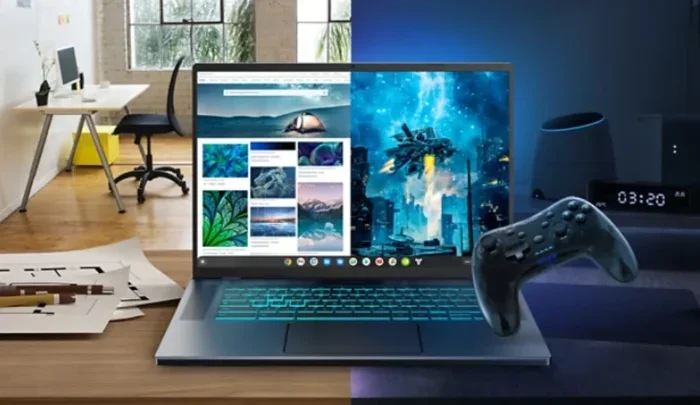
Can A Chromebook Be A Gaming Laptop In 2024 And Beyond
Can a Chromebook be a gaming laptop? The short answer is yes, but with some important caveats. Chromebooks can handle cloud gaming, Android games, and browser-based titles surprisingly well. However, they fall short for heavy AAA gaming and high-end performance. This guide covers everything you need to know about gaming on a Chromebook in 2024 and beyond.
Let us get one thing straight. If you are a hardcore PC gamer who wants to run Cyberpunk 2077 on ultra settings at 60 frames per second, a Chromebook is probably not your best friend. But if you love casual games, indie titles, or want to stream the latest releases without breaking the bank, a Chromebook for gaming might just surprise you.
The question can a Chromebook be a gaming laptop has been around for years. And honestly, the answer has changed a lot since Chrome OS first launched. Today, Chromebooks are more capable than ever. They support cloud gaming, Android apps, and even Linux games. So let us dive deep into what is actually possible and what you should expect.
In this guide, we will walk you through every way you can game on a Chromebook in 2024. We will cover the best services, the hardware you need, and the limitations you should know about. Whether you are a student looking to game between classes or a parent wanting a budget-friendly setup, this article has you covered.
Key Takeaways
- Cloud gaming works great: Services like GeForce Now and Xbox Cloud Gaming turn any Chromebook into a capable gaming machine.
- Android games run smoothly: The Google Play Store gives Chromebook users access to thousands of mobile games.
- Browser games still shine: Classic and indie browser titles work perfectly on Chrome OS.
- Linux gaming opens doors: Enabling Linux lets you install Steam and play PC games on supported Chromebooks.
- Hardware limits matter: Low-end Chromebooks struggle with demanding titles, so specs count.
- Best for casual and mid-tier gaming: Chromebooks excel as budget-friendly gaming devices for everyday play.
📑 Table of Contents
What Makes a Chromebook Different from a Gaming Laptop
Before we get into the fun stuff, let us understand what makes these two devices different. A gaming laptop is built with powerful hardware. It has a dedicated graphics card, a fast processor, lots of RAM, and a high-refresh-rate display. All of that costs a lot of money.
A Chromebook runs on Chrome OS, a lightweight operating system. It depends on cloud services and web apps more than local processing power. Most Chromebooks use energy-efficient processors and have limited storage. They are designed for web browsing, schoolwork, and productivity tasks.
So when you ask can a Chromebook be a gaming laptop, the real question is whether the hardware and software can handle games well enough to be fun. And the answer depends on what kind of gaming you want to do.
Hardware Differences You Should Know
Here is a quick look at the typical hardware inside a Chromebook versus a gaming laptop:
- Processor: Chromebooks use Intel Celeron, MediaTek, or ARM chips. Gaming laptops use Intel Core i5/i7/i9 or AMD Ryzen processors.
- Graphics: Chromebooks rely on integrated graphics. Gaming laptops have dedicated GPUs like NVIDIA GeForce RTX or AMD Radeon.
- RAM: Most Chromebooks have 4GB to 8GB. Gaming laptops start at 8GB and go up to 32GB or more.
- Storage: Chromebooks usually have 32GB to 128GB of eMMC or SSD storage. Gaming laptops often have 512GB or 1TB SSDs.
- Display: Chromebooks typically offer 1080p screens. Gaming laptops often feature 144Hz or higher refresh rates.
These differences matter a lot when it comes to gaming performance. But they do not tell the whole story. Thanks to cloud gaming and smart workarounds, Chromebooks can punch above their weight class.
How You Can Game on a Chromebook
Here is the good news. There are actually several ways to game on a Chromebook. Each method has its own strengths and weaknesses. Let us break them down one by one.
Cloud Gaming Services
Cloud gaming is the biggest game-changer for Chromebook users. With cloud gaming, the heavy lifting happens on a remote server. Your Chromebook just receives a video stream of the game and sends your button presses back. This means even a low-end Chromebook for gaming can run demanding titles.
Here are the best cloud gaming services available right now:
- GeForce Now: NVIDIA’s streaming service lets you play PC games from your library. It works beautifully on Chrome OS and offers free and paid tiers.
- Xbox Cloud Gaming: If you have an Xbox Game Pass Ultimate subscription, you can stream hundreds of games directly in your browser.
- NVIDIA ShadowPC: This service gives you access to a powerful virtual gaming PC in the cloud. It is great for demanding titles.
- Amazon Luna: Amazon’s cloud gaming platform also works in the Chrome browser.
- Boosteroid: A lesser-known option that offers solid performance for Windows games streamed to Chrome OS.
All you need is a stable internet connection. A speed of at least 15 Mbps is recommended for smooth gameplay. If you have good Wi-Fi, cloud gaming on a Chromebook can feel almost identical to playing on a powerful desktop.
Android Games
Most modern Chromebooks support Android apps through the Google Play Store. This opens up a huge world of mobile gaming on a bigger screen with a keyboard and trackpad.
Popular titles like Minecraft, Genshin Impact, Among Us, Call of Duty Mobile, and Asphalt 9 all run well on Chromebooks. The experience is much better than playing on a tiny phone screen. You can even connect a Bluetooth controller for a more console-like feel.
Some Chromebooks also support Google Play Games, which adds achievements and cloud saves to your Android gaming library. This makes the whole experience more immersive and fun.
Browser-Based Games
Do not overlook the power of browser games. The Chrome browser supports thousands of free games that run directly on web pages. Sites like CrazyGames, Poki, and Kongregate offer everything from puzzle games to 3D shooters.
These games do not need powerful hardware. They run right in the Chrome browser and use minimal system resources. If you want quick gaming sessions without downloads or installs, browser games are a fantastic option.
Linux Gaming
This one is for more advanced users. Chromebooks can run Linux through a built-in feature called Linux (Beta) or Crostini. Once you enable Linux, you can install Steam and play thousands of PC games.
Not every Chromebook supports Linux gaming well. You need a machine with at least 8GB of RAM and a decent processor. Games that run on Linux through Steam include titles from the Steam Deck catalog and many indie games.
To set this up, go to your Chromebook settings, find the Linux option, and turn it on. Then install Steam and start browsing the library. Keep in mind that some games may not work due to driver limitations, but the selection is growing every year.
Best Chromebooks for Gaming in 2024
Not all Chromebooks are created equal when it comes to gaming performance. If you want a machine that can handle games well, you need to pick the right model. Here are some of the best options available.
Asus Chromebook Flip CX5
This 2-in-1 Chromebook features an Intel Core i5 processor, 8GB of RAM, and a 1080p touchscreen. It handles Android games and cloud streaming with ease. The foldable design also makes it great for handheld gaming with a Bluetooth controller.
Acer Chromebook 514
The Chromebook 514 offers solid performance with an Intel Core i3 or i5 chip. It has a comfortable keyboard, good battery life, and enough power for casual gaming and streaming. It is one of the best budget options for gaming on a Chromebook.
Samsung Galaxy Chromebook 2
With a vibrant AMOLED display and an Intel Core i5 processor, this Chromebook delivers a great visual experience. The colorful screen makes games look more immersive. It is a solid choice for players who care about display quality.
Lenovo IdeaPad Flex 5 Chromebook
This convertible model comes with AMD Ryzen processors and up to 8GB of RAM. It offers strong performance for its price range and works well with cloud gaming services. The 360-degree hinge lets you use it in tablet mode for Android games.
Google Pixelbook Go
The Pixelbook Go is a premium Chromebook with an Intel Core i5 or i7 processor, 8GB to 16GB of RAM, and a smooth 60Hz display. It is not a dedicated gaming machine, but it handles everything from browser games to cloud streaming beautifully.
What Games Can You Actually Play on a Chromebook
The game library on a Chromebook is wider than most people think. Here is a breakdown of what works and what does not.
Games That Work Great
- Cloud-streamed AAA titles: Games like Fortnite, GTA V, and Red Dead Redemption 2 run through GeForce Now or Xbox Cloud Gaming.
- Android games: Minecraft, Genshin Impact, Clash Royale, and most popular mobile titles work perfectly.
- Browser games: Wordle, 2048, Kingdom of Loathing, and thousands of indie browser games.
- Indie Linux games: Stardew Valley, Hollow Knight, Celeste, and many more through Steam.
- Retro games: Emulators for classic consoles run well through Linux on supported Chromebooks.
Games That Do Not Work Well
- Native Windows-only games: Titles that require Windows and do not have cloud or Linux versions will not run.
- Games with anti-cheat software: Many competitive online games block Linux and cloud environments.
- VR games: Chromebooks do not support virtual reality headsets for gaming.
- Games requiring dedicated GPUs: Any title that needs a powerful NVIDIA or AMD graphics card will struggle on a Chromebook without cloud streaming.
Common Mistakes People Make When Gaming on a Chromebook
If you are new to gaming on a Chromebook, you might run into some pitfalls. Here are the most common mistakes to avoid.
Buying a low-end model without checking game requirements. A basic Chromebook with 4GB of RAM and an Intel Celeron will struggle with anything beyond browser games and light Android titles. Always check the recommended specs before you buy.
Ignoring internet speed. Cloud gaming needs a fast and stable connection. If your Wi-Fi is slow or unreliable, your gaming experience will suffer badly. Use a wired connection or sit close to your router for the best results.
Not enabling Linux when you need it. Many users do not realize that Linux support opens up a whole new world of games. If your Chromebook supports it, take a few minutes to set it up.
Expecting the same performance as a gaming laptop. Even with cloud gaming, there can be input lag and visual compression. Understand the limitations and adjust your expectations accordingly.
Overlooking controller support. Many Chromebooks work great with Xbox, PlayStation, and Nintendo controllers. Do not limit yourself to keyboard and mouse when a controller might be a better fit.
Expert Insights: The Future of Chromebook Gaming
Gaming on Chromebooks has come a long way, and the future looks even brighter. Google continues to improve Chrome OS with better Linux support and Android integration. Cloud gaming services are expanding their libraries every year. And as internet speeds improve worldwide, the gap between Chromebooks and gaming laptops keeps shrinking.
Experts in the tech space believe that Chromebook gaming will become even more mainstream. With services like Xbox Cloud Gaming and GeForce Now leading the way, the hardware matters less and less. The real bottleneck is internet speed, not the device itself.
Some industry analysts predict that future Chromebooks will feature better GPUs and more RAM at lower price points. This could make them viable for even more demanding titles without relying on cloud streaming. For now, though, cloud gaming remains the strongest bridge between Chrome OS and serious gaming.
If you are on a tight budget or looking for a secondary device for casual gaming, a Chromebook can absolutely serve as a gaming machine. Just go in with the right expectations and pick the right model for your needs.
Conclusion
So, can a Chromebook be a gaming laptop? The answer is a qualified yes. It depends on what kind of games you want to play, what hardware you are working with, and how you approach gaming. If you embrace cloud gaming, Android apps, and browser titles, a Chromebook can deliver a surprisingly fun experience.
Gaming on a Chromebook is not about replacing a $2,000 gaming rig. It is about making smart choices and finding the right tools for your needs. For casual gamers, students, and anyone who wants affordable entertainment, a well-chosen Chromebook can do the job beautifully.
Pick the right model, use the right services, and keep your expectations realistic. With the right setup, you will be gaming on your Chromebook in no time. The era of Chromebooks being just productivity machines is long gone. They are now legitimate gaming devices that deserve a second look.
Start exploring your options today. Whether you go with cloud streaming, Android games, or Linux titles, there has never been a better time to turn your Chromebook into a gaming machine. The future of Chromebook gaming is bright, and you can be part of it right now.
Frequently Asked Questions
Can I play Steam games on a Chromebook?
Yes, you can play many Steam games on a Chromebook by enabling Linux support. Once Linux is turned on, you can install Steam and browse the library of Linux-compatible games. Not all games work, but popular titles like Stardew Valley, Hollow Knight, and many indie games run smoothly.
Do I need a good internet connection for Chromebook gaming?
Absolutely. Cloud gaming and game streaming depend heavily on a fast and stable internet connection. Aim for at least 15 Mbps for smooth gameplay. A wired Ethernet connection or a strong Wi-Fi signal will give you the best experience.
Can I use a game controller with a Chromebook?
Yes, most modern controllers work great with Chromebooks. Xbox, PlayStation, and Nintendo Switch controllers can connect via Bluetooth or USB. Many games on the Google Play Store and cloud gaming services support controller input out of the box.
Is a Chromebook good for gaming on a budget?
Yes, Chromebooks are excellent budget-friendly gaming devices. They are much cheaper than gaming laptops and can still deliver a fun gaming experience through cloud streaming, Android games, and browser titles. For casual and mid-tier gaming, they offer great value.
What are the limitations of gaming on a Chromebook?
The main limitations include lack of support for Windows-only games, limited hardware power for local gaming, and dependence on internet speed for cloud gaming. Some competitive games with anti-cheat software also do not work on Chrome OS or Linux environments.
Can a Chromebook run Fortnite or GTA V?
Yes, both Fortnite and GTA V can be played on a Chromebook through cloud gaming services like GeForce Now and Xbox Cloud Gaming. You do not need a powerful device because the game runs on remote servers and streams to your screen in real time.