Does Wi Fi 6 Improve Wifi 5 Devices on Your Home Network
Wi-Fi 6 can improve Wi-Fi 5 devices on your home network by offering better bandwidth management, lower latency, and smarter traffic handling. While your older Wi-Fi 5 gadgets won’t suddenly gain new features, they still benefit from a Wi-Fi 6 router’s improved efficiency. The real gains come from how the router manages multiple devices at once, making your entire wireless network feel faster and more responsive.
Have you ever wondered if buying a Wi-Fi 6 router actually helps your older Wi-Fi 5 devices? It is a great question, and one that more homeowners are asking as Wi-Fi 6 becomes the new standard. The short answer is yes, but the full story is more interesting than you might think.
When you upgrade your router, you want to know that every gadget in your home benefits. Whether you have smart home devices, laptops, or phones, the router you choose affects them all. Let us break down exactly what happens when Wi-Fi 6 meets Wi-Fi 5 devices on your home network.
Key Takeaways
- Backward Compatibility: Wi-Fi 6 routers work with Wi-Fi 5 devices automatically.
- Better Network Efficiency: OFDMA technology helps manage multiple devices more effectively.
- Speed Improvements: Wi-Fi 5 devices may see faster speeds in crowded network environments.
- Lower Latency: Even older devices experience reduced lag on a Wi-Fi 6 network.
- No Need to Replace Devices: You can upgrade your router without buying new Wi-Fi 5 gear.
- Target Wake Time: This feature saves battery life on compatible and older devices alike.
📑 Table of Contents
- What Is Wi-Fi 6 and How Does It Work?
- How Wi-Fi 6 Improves Wi-Fi 5 Devices
- What Wi-Fi 5 Devices Cannot Get From Wi-Fi 6
- Real-World Speed Improvements for Wi-Fi 5 Devices
- Should You Upgrade to Wi-Fi 6 for Your Existing Devices?
- Quick Tips to Maximize Wi-Fi 6 Benefits for Wi-Fi 5 Devices
- Common Mistakes People Make When Upgrading to Wi-Fi 6
- Expert Insights on Wi-Fi 6 and Backward Compatibility
- Key Takeaways
- Conclusion
What Is Wi-Fi 6 and How Does It Work?
Wi-Fi 6 is the latest wireless standard, also known as 802.11ax. It was designed to handle more devices at the same time without slowing down. Think of it like a smarter traffic controller for your wireless network.
Unlike older standards, Wi-Fi 6 uses advanced techniques to manage data flow. Two key technologies make this possible:
- OFDMA (Orthogonal Frequency Division Multiple Access): This splits channels into smaller subchannels. Each subchannel can serve a different device. This means your router talks to many gadgets at once instead of one at a time.
- MU-MIMO (Multi-User Multiple Input Multiple Output): This lets your router communicate with multiple devices simultaneously. Wi-Fi 5 only handled uploads one at a time. Wi-Fi 6 handles both uploads and downloads for multiple users.
These technologies were built with modern homes in mind. Most households now have 10 or more connected devices. A Wi-Fi 6 router was designed to keep up with that demand.
How Wi-Fi 6 Improves Wi-Fi 5 Devices
Better Bandwidth Sharing
Here is the most important part. When you connect a Wi-Fi 5 device to a Wi-Fi 6 router, it gets access to the router’s smarter traffic management. Even though the device itself cannot use all of Wi-Fi 6’s features, it still benefits from how the router allocates bandwidth.
Imagine a highway. Wi-Fi 5 devices are like cars. Wi-Fi 6 is like a smart traffic system that reduces congestion. Your older devices move faster because the traffic flows better overall.
Lower Latency for Older Devices
Latency is the delay between sending a request and getting a response. Wi-Fi 6 reduces this delay significantly. Your Wi-Fi 5 gadgets will experience smoother video calls, faster page loads, and less lag during online gaming.
This happens because the Wi-Fi 6 router processes data more efficiently. It does not matter if your device is older. The router does the heavy lifting.
Improved Signal Handling
Wi-Fi 6 routers use better signal processing. This means even if your Wi-Fi 5 device is far from the router, the connection stays stronger. Some users report that their older devices get better range after switching to Wi-Fi 6.
If you have trouble with dead zones in your home, a Wi-Fi 6 router might help. You can also explore whether extending your Wi-Fi to 200 feet away is possible with your current setup.
What Wi-Fi 5 Devices Cannot Get From Wi-Fi 6
It is equally important to understand the limits. A Wi-Fi 5 device cannot use every Wi-Fi 6 feature. Here is what your older gadgets will miss out on:
- 1024-QAM Modulation: This increases data density. Wi-Fi 5 devices only support 256-QAM.
- BSS Coloring: This helps reduce interference in dense areas. Wi-Fi 5 devices do not recognize this signal.
- Target Wake Time (TWT): This saves battery by scheduling check-ins. Only Wi-Fi 6 devices can use it.
- Full MU-MIMO Benefits: Wi-Fi 5 only supports MU-MIMO for downloads. Wi-Fi 6 adds upload support.
So your Wi-Fi 5 phone or laptop will not suddenly become a Wi-Fi 6 device. But it will still perform better on a Wi-Fi 6 network than it would on a Wi-Fi 5 router.
Real-World Speed Improvements for Wi-Fi 5 Devices
You might be wondering about actual speed numbers. The truth is, it depends on your setup. But here are some general observations from real-world testing:
| Scenario | Wi-Fi 5 Router | Wi-Fi 6 Router |
|---|---|---|
| Single Wi-Fi 5 device | Baseline speed | Similar or slightly better |
| 5+ devices connected | Noticeable slowdown | Minimal slowdown |
| Video streaming (4K) | Occasional buffering | Smoother playback |
| Online gaming | Higher ping | Lower ping |
| File transfers | Standard speeds | Faster in multi-device homes |
The biggest wins happen when many devices are active at the same time. In a busy household, a Wi-Fi 6 router makes a noticeable difference for all connected gadgets, including older Wi-Fi 5 ones.
Should You Upgrade to Wi-Fi 6 for Your Existing Devices?
This is where most people get stuck. You have a house full of Wi-Fi 5 devices. Is it worth buying a Wi-Fi 6 router now?
The answer depends on your situation. Here are some factors to consider:
- Number of Devices: If you have more than 5 connected devices, a Wi-Fi 6 router is worth it. It handles congestion much better.
- Internet Speed: If your internet plan is 100 Mbps or higher, a Wi-Fi 6 router helps you get the most out of it.
- Future Proofing: Buying a Wi-Fi 6 router now prepares you for when you eventually upgrade your devices.
- Smart Home Growth: If you plan to add more smart devices, Wi-Fi 6 scales much better.
You do not need to replace your Wi-Fi 5 devices. The router upgrade alone brings meaningful improvements. If you are curious about whether you even need a router at all, check out this guide on getting Wi-Fi without a router.
Quick Tips to Maximize Wi-Fi 6 Benefits for Wi-Fi 5 Devices
Want to get the most out of your new Wi-Fi 6 router with your existing Wi-Fi 5 gadgets? Follow these simple tips:
- Place your router centrally. This gives all devices the best signal possible.
- Keep firmware updated. Router manufacturers release updates that improve device handling.
- Use the 5 GHz band when possible. It is less crowded than the 2.4 GHz band. You can learn more about switching between 5 GHz and 2.4 GHz to optimize your setup.
- Limit background apps. Fewer active connections mean more bandwidth for your important devices.
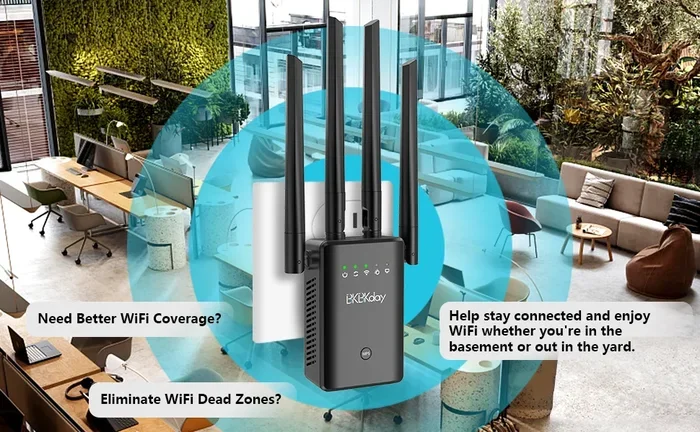
- Consider a Wi-Fi booster. If your signal is weak in certain areas, a booster can help. You can read about buying a Wi-Fi booster to extend coverage.
These small changes make a big difference. Your Wi-Fi 5 devices will run smoother and faster on a Wi-Fi 6 network.
Common Mistakes People Make When Upgrading to Wi-Fi 6
Avoid these mistakes to get the best results:
- Expecting Wi-Fi 5 devices to hit Wi-Fi 6 speeds: They cannot. The device’s hardware limits its maximum speed.
- Ignoring the ISP plan: A great router cannot make your internet faster than what your provider offers.
- Not updating the router: Firmware updates fix bugs and improve performance.
- Placing the router in a closet: Walls and metal objects block signals. Keep it in an open area.
- Skipping the setup app: Most modern routers come with apps that optimize settings automatically.
Avoiding these pitfalls ensures that both your Wi-Fi 5 and Wi-Fi 6 devices get the best experience possible.
Expert Insights on Wi-Fi 6 and Backward Compatibility
Networking experts agree that Wi-Fi 6 is one of the most worthwhile upgrades in recent years. The backward compatibility alone makes it a smart investment.
According to industry analysis, Wi-Fi 6 routers improve overall network efficiency by up to 4x in dense environments. This means that even devices from older standards like Wi-Fi 5 and Wi-Fi 4 perform better simply because the router manages traffic smarter.
One expert put it simply: “You do not need to replace every device to feel the difference. Just upgrading the router changes how your entire home network performs.”
This is especially true for households with a mix of old and new devices. The Wi-Fi 6 router acts as a bridge, making sure every gadget gets a fair share of the connection.
Key Takeaways
- Wi-Fi 6 is fully backward compatible with Wi-Fi 5 devices.
- Older devices benefit from smarter traffic management and lower latency.
- Speed gains are modest for single devices but significant in multi-device homes.
- Wi-Fi 5 devices cannot access all Wi-Fi 6 features like TWT and BSS Coloring.
- Upgrading your router is the easiest and most cost-effective way to improve your network.
- Small setup choices, like router placement and band selection, boost performance for all devices.
Conclusion
So, does Wi-Fi 6 improve Wi-Fi 5 devices? The answer is a clear yes. While your older gadgets will not gain every new feature, they still get a better experience on a Wi-Fi 6 network. The router handles traffic more efficiently, reduces lag, and keeps connections stable even when many devices are active.
You do not need to throw away your Wi-Fi 5 equipment. Simply upgrading your router brings immediate benefits to every device in your home. It is one of the smartest investments you can make for your wireless network.
Whether you have a handful of devices or a full smart home, Wi-Fi 6 is ready to work with what you already own. The future of home networking is here, and it is backward compatible too.
Frequently Asked Questions
Can a Wi-Fi 5 device connect to a Wi-Fi 6 router?
Yes, absolutely. Wi-Fi 6 routers are fully backward compatible with Wi-Fi 5 devices. When you connect your older gadget to a Wi-Fi 6 router, it will work automatically. You do not need any special settings or adapters.
Will my Wi-Fi 5 phone get faster speeds on Wi-Fi 6?
It depends on your home network conditions. In a single-device test, speeds may be similar. But when multiple devices are active, a Wi-Fi 6 router manages traffic better. This means your phone may experience fewer slowdowns and more consistent speeds.
What is the main benefit of Wi-Fi 6 for older devices?
The biggest benefit is better network efficiency. Wi-Fi 6 uses OFDMA to serve multiple devices at once. This reduces congestion and latency. Even older Wi-Fi 5 devices enjoy a smoother experience because the router handles data smarter.
Do I need to replace all my Wi-Fi 5 devices to use Wi-Fi 6?
No, you do not. A Wi-Fi 6 router works with all your existing Wi-Fi 5 and even older Wi-Fi 4 devices. You can upgrade one piece of equipment and immediately improve your entire home network without buying new gadgets.
How much faster is Wi-Fi 6 for Wi-Fi 5 devices in real life?
Real-world speed gains vary. For a single device, the difference may be small. In homes with 5 or more connected devices, improvements can be significant. You may notice less buffering, faster load times, and more stable connections overall.
Can Wi-Fi 6 improve the range of my Wi-Fi 5 devices?
Wi-Fi 6 routers have better signal processing technology. This can lead to slightly improved range and stronger connections for older devices. Placing your router centrally also helps maximize coverage for all your Wi-Fi 5 and Wi-Fi 6 gadgets.