How Can I Make My Boingo Wi Fi Faster At Home Today
Want to make your Boingo Wi-Fi faster at home? This guide covers everything you need to know, from simple router tweaks to buying a Wi-Fi booster. You will learn how to change your Wi-Fi settings, boost your signal strength, and get better internet speeds in minutes. These tips work for both new and experienced users who want faster wireless internet.
Slow internet is one of the most frustrating things in daily life. Whether you are streaming a movie, working from home, or just browsing the web, a sluggish Boingo Wi-Fi connection can ruin your experience. The good news is that you do not need to be a tech expert to fix this problem.
In this guide, we will walk you through easy and proven ways to make your Boingo Wi-Fi faster right at home. These steps are simple, cost little to nothing, and can make a huge difference in your wireless internet speed. By the end of this article, you will know exactly what to do to get your network running at its best.
Before we dive in, it helps to understand a few basics about how your Wi-Fi connection works. Your router sends out a wireless signal that your devices pick up. The strength of that signal and the settings on your router determine how fast your internet feels. When something gets in the way or is not set up right, your speeds drop. Let us fix that.
Key Takeaways
- Restart Your Router: A simple reboot can instantly improve your Boingo Wi-Fi speed and fix slow connection issues.
- Change Your Wi-Fi Channel: Switching from crowded channels to less used ones can dramatically boost your wireless internet performance.
- Update Your Router Firmware: Keeping your router software current ensures you get the fastest possible speeds from your Boingo service.
- Use a Wi-Fi Booster: Adding a Wi-Fi booster can extend your signal and improve speeds in every room of your home.
- Position Your Router Correctly: Where you place your router has a huge impact on your Wi-Fi signal strength and overall speed.
- Check Your Bandwidth Usage: Too many devices on your network can slow things down, so managing connected devices is key.
📑 Table of Contents
- Understand Why Your Boingo Wi-Fi Might Be Slow
- Simple Steps to Make Your Boingo Wi-Fi Faster Today
- Advanced Tips to Boost Your Boingo Wi-Fi Speed
- Compare Boingo Wi-Fi Speed Solutions
- How to Monitor Your Boingo Wi-Fi Speed
- Common Mistakes That Slow Down Your Boingo Wi-Fi
- When to Contact Boingo Support
- Final Thoughts on Making Your Boingo Wi-Fi Faster
Understand Why Your Boingo Wi-Fi Might Be Slow
The first step to fixing slow internet is figuring out why it is slow in the first place. Several common factors can drag down your Wi-Fi performance. Let us look at the main reasons your Boingo connection might not be running as fast as it should.
Too Many Devices on Your Network
Every device you connect to your wireless internet uses a share of your available bandwidth. If you have phones, tablets, smart TVs, and computers all online at the same time, your router has to split its resources. This can make everything feel slower. A good rule of thumb is to keep track of how many devices are actively using the network at once.
Old Router Hardware
Older routers simply cannot keep up with modern internet demands. If your router is more than five years old, it may not support the latest Wi-Fi standards. This means even if your internet plan is fast, your router cannot deliver those speeds properly. Upgrading your hardware can be a game changer for your network speed.
Physical Obstacles and Interference
Walls, floors, furniture, and even appliances can block or weaken your Wi-Fi signal. The further you are from your router, the weaker the signal gets. Microwaves, baby monitors, and other electronic devices can also cause wireless interference that slows down your connection.
Outdated Router Settings
Your router comes with default settings that are not always optimized. Over time, these settings can become outdated or may not be the best fit for your home setup. Checking and adjusting your Wi-Fi settings regularly can help you maintain strong speeds.
Simple Steps to Make Your Boingo Wi-Fi Faster Today
Now that you know why your connection might be slow, let us get into the actionable steps you can take right now. These tips do not require any special skills or expensive equipment. You can start seeing improvements in minutes.
Restart Your Router
This is the oldest trick in the book, and it still works. Restarting your router clears its memory and refreshes its internet connection. Unplug your router, wait 30 seconds, and plug it back in. This simple step can resolve many slow Wi-Fi issues and give your wireless internet a quick boost. Try to restart your router at least once a week for the best results.
Move Your Router to a Better Location
Where your router sits in your home matters a lot. Placing it in a corner, behind a TV, or inside a cabinet can block the signal. For the best Wi-Fi coverage, put your router in a central, open area of your home. Keep it elevated off the floor and away from walls. This one change can improve your signal strength and speed throughout your entire house.
Check for Router Firmware Updates
Router manufacturers release updates that improve performance and fix bugs. These updates are called firmware. To check for updates, log into your router’s admin panel through a web browser. Look for a section called “Firmware Update” or “Software Update.” Keeping your router updated ensures it runs at peak network performance. If you are not sure how to do this, check your router’s manual or visit the manufacturer’s website.
Switch Your Wi-Fi Band
Most modern routers offer two bands: 2.4 GHz and 5 GHz. The 2.4 GHz band covers a wider area but is slower. The 5 GHz band is faster but has a shorter range. If you are close to your router, switch to the 5 GHz band for better speeds. You can learn more about changing your Wi-Fi bands in our article on how to change your Wi-Fi from 5GHz to 2.4GHz. Choosing the right band can make a noticeable difference in your Boingo Wi-Fi speed.
Change Your Wi-Fi Channel
Your neighbors’ Wi-Fi networks can interfere with yours if you are both on the same channel. This is called channel congestion. Most routers let you change your channel in the settings. Try switching to a less crowded channel to see if your Wi-Fi speed improves. There are free apps available that can scan your area and show you which channels are least used. This is one of the easiest ways to boost your wireless internet without spending any money.
Advanced Tips to Boost Your Boingo Wi-Fi Speed
If the simple steps above did not give you the speed boost you wanted, it is time to try some more advanced methods. These tips take a little more effort but can deliver significant results for your home network.
Use a Wi-Fi Booster or Extender
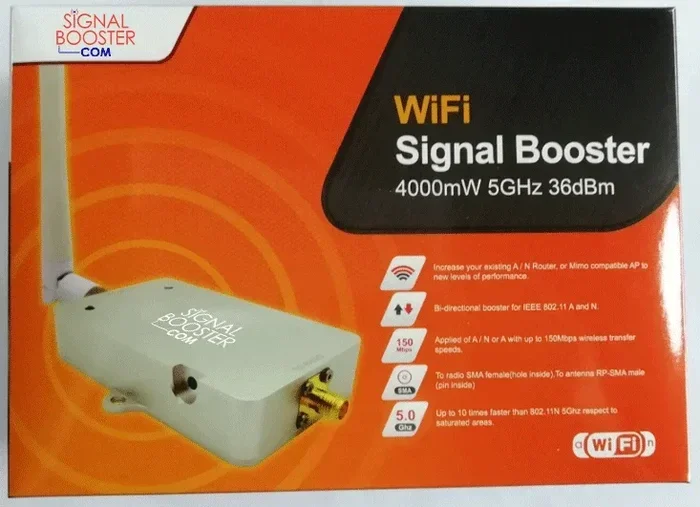
A Wi-Fi booster, also called a range extender, picks up your existing signal and amplifies it. This is especially helpful if you have dead zones in your home where the Wi-Fi signal is weak or nonexistent. A booster can extend your coverage and improve speeds in areas that are far from your router. You can read more about whether a Wi-Fi booster is right for you in our detailed guide. Boosters are affordable and easy to set up, making them a great option for most homes.
Add an Antenna to Your Router
Some routers come with basic antennas that do not provide the best coverage. Upgrading to a high-gain antenna can significantly improve your Wi-Fi signal strength and range. This is a simple hardware upgrade that can make your wireless internet much faster in parts of your home that are currently weak. Check if your router model supports external antennas before purchasing one.
Limit Bandwidth-Hungry Applications
Some apps and programs use a lot of bandwidth without you even realizing it. Video streaming, large file downloads, and cloud backups can all eat up your available speed. Try to schedule heavy downloads for off-peak hours. You can also check your router settings to set bandwidth limits for specific devices. This ensures that your most important tasks always get the internet speed they need.
Secure Your Network
An open or poorly secured Wi-Fi network can attract unwanted users who slow down your connection. Make sure you have a strong password and use WPA3 or WPA2 encryption. This keeps your network safe and ensures that only your devices are using your bandwidth. A secure network also protects your personal information from potential threats.
Use an Ethernet Cable for Key Devices
While wireless internet is convenient, a wired connection is always faster and more stable. If you have a device that needs consistent high speeds, like a desktop computer or gaming console, connect it directly to your router with an Ethernet cable. This bypasses any Wi-Fi interference and gives you the fastest possible network speed. You can keep wireless connections for mobile devices and still enjoy lightning-fast speeds where it matters most.
Compare Boingo Wi-Fi Speed Solutions
There are many ways to improve your Boingo Wi-Fi speed, and they vary in cost and effectiveness. Here is a quick comparison to help you decide which approach makes the most sense for your situation.
| Solution | Cost | Effectiveness | Difficulty |
|---|---|---|---|
| Router Restart | Free | Quick temporary fix | Very Easy |
| Router Relocation | Free | Moderate improvement | Easy |
| Firmware Update | Free | Moderate improvement | Easy |
| Change Wi-Fi Channel | Free | Moderate to High | Easy |
| Wi-Fi Booster | $20-$100 | High | Easy |
| External Antenna | $15-$50 | Moderate to High | Moderate |
| Ethernet Connection | $5-$15 | Very High | Easy |
| Router Upgrade | $80-$200 | Very High | Moderate |
As you can see, some of the most effective solutions cost very little or nothing at all. Start with the free options and work your way up if needed. A Wi-Fi signal boost does not always require spending money. Often, a combination of small changes adds up to a big improvement in your wireless internet speed.
How to Monitor Your Boingo Wi-Fi Speed
Once you start making changes, you need to know if they are working. The best way to measure your Wi-Fi performance is to run a speed test. There are many free websites and apps that do this quickly.
Run a speed test before you make any changes. Then run another one after each adjustment. This lets you see exactly what is working and what is not. Keep a simple log of your results so you can track your progress over time. If your speeds are still not where you want them, you can try the next solution on our list.
It is also helpful to run speed tests at different times of day. Internet speeds can vary based on how many people in your area are online. Testing at multiple times gives you a more accurate picture of your Boingo Wi-Fi performance. Aim for tests in the morning, afternoon, and evening for the best data.
Common Mistakes That Slow Down Your Boingo Wi-Fi
Avoiding common mistakes can save you a lot of frustration. Here are some things that many people do without realizing they are hurting their Wi-Fi connection.
- Keeping your router in a hidden or enclosed space: This blocks the signal and reduces your Wi-Fi coverage. Always keep your router in an open, central location.
- Never restarting your router: Routers need regular restarts to perform their best. Make it a habit to reboot at least once a week.
- Ignoring firmware updates: Outdated firmware can cause slow speeds and security issues. Check for updates monthly.
- Using the 2.4 GHz band for everything: While it has good range, the 5 GHz band is much faster for devices that are close to the router.
- Not securing your network: An open network lets strangers use your bandwidth, slowing down your internet speed for your own devices.
- Overloading your router with too many tasks: Running heavy downloads and streaming on multiple devices at once can overwhelm your network bandwidth.
Steering clear of these mistakes will help you maintain a fast and reliable Boingo Wi-Fi connection. Small habits make a big difference over time.
When to Contact Boingo Support
If you have tried all of the tips above and your Wi-Fi speed is still slow, it may be time to reach out to Boingo support. There could be an issue with your account, your local tower, or your specific service plan. Boingo’s support team can run diagnostics on your connection and help identify problems that are beyond your control.
Before contacting support, gather some information. Note your speeds from your speed tests, list the steps you have already tried, and have your account details ready. This helps the support team assist you faster. Sometimes the issue is on Boingo’s end, and they can make adjustments to improve your wireless internet performance.
Final Thoughts on Making Your Boingo Wi-Fi Faster
Improving your Boingo Wi-Fi speed does not have to be complicated. With the right approach, you can make meaningful improvements in just a few minutes. Start with the simple free steps like restarting your router and moving it to a better spot. Then move on to more advanced tips like changing your channel or adding a Wi-Fi booster.
Remember that every home is different, so what works for one person might not work exactly the same way for another. The key is to be patient and try different solutions until you find the right combination. Your wireless internet should be fast, reliable, and easy to use. With these tips, you are well on your way to getting the best possible performance from your Boingo service.
Take action today. Pick one or two tips from this guide and try them right now. You will be surprised at how much of a difference even small changes can make. A faster Boingo Wi-Fi connection means smoother streaming, quicker downloads, and a better online experience for everyone in your home.
Frequently Asked Questions
Why is my Boingo Wi-Fi so slow at home?
Slow Boingo Wi-Fi can be caused by many factors. Too many connected devices, router placement, outdated firmware, or interference from other electronics are the most common culprits. Try restarting your router and moving it to a central location first. If speeds do not improve, check your channel settings and consider a Wi-Fi booster.
How can I test my Boingo Wi-Fi speed?
You can test your Wi-Fi speed using free tools like Speedtest.net or Fast.com. Run a test before and after making changes to your setup. This helps you track what is working and what is not. For the most accurate results, test at different times of the day.
Does a Wi-Fi booster really make Boingo faster?
Yes, a Wi-Fi booster can significantly improve your speeds in areas with weak signals. It extends your coverage and strengthens the wireless internet connection in parts of your home that are far from the router. However, a booster works best when paired with other optimization steps like proper router placement and channel selection.
What is the best channel for Boingo Wi-Fi?
The best channel depends on your local environment and how many networks are nearby. Use a free Wi-Fi analyzer app to scan for the least crowded channel. Switching to a less congested channel can reduce interference and boost your network speed noticeably.
Can too many devices slow down Boingo Wi-Fi?
Absolutely. Every device connected to your network uses a portion of your available bandwidth. If you have many devices streaming, downloading, or video calling at the same time, your speeds will drop. Consider disconnecting devices you are not actively using and setting bandwidth limits for heavy users.
Should I upgrade my router for better Boingo Wi-Fi speeds?
If your router is more than five years old, upgrading can make a big difference. Newer routers support faster Wi-Fi standards and handle more devices efficiently. Look for routers that support dual-band or tri-band frequencies for the best wireless internet performance at home.