How Can I Pay Without Internet if My Connection Fails
Losing your internet connection does not mean you lose the ability to pay. This guide covers offline payment methods, backup connectivity options, and practical workarounds so you can complete transactions even when your Wi-Fi or data network goes down. Whether you are at home, traveling, or dealing with a service outage, you will find actionable solutions to stay financially connected.
Key Takeaways
- Offline Payment Methods Exist: Many payment apps and systems store transaction data locally and sync later when connectivity returns.
- Mobile Hotspot Backup Works: You can use a mobile hotspot without phone service as a reliable fallback for payment processing.
- USSD and SMS Payments Are Still Alive: These legacy technologies function without a full internet connection and remain widely used globally.
- Contactless NFC Payments Work Offline: Many contactless cards and devices process small transactions without needing real-time internet access.
- Preparation Is Key: Setting up backup payment options before an outage saves you from being caught off guard.
- Know Your App Settings: Enabling offline mode in payment apps ensures smoother transactions during connectivity drops.
📑 Table of Contents
- How Can I Pay Without Internet if My Connection Fails
- Why Internet Outages Disrupt Digital Payments
- Offline Payment Methods That Actually Work
- Backup Connectivity Options to Restore Payment Access
- USSD and SMS-Based Payments
- Setting Up Your Devices for Offline Payment Readiness
- Common Mistakes People Make During Internet Outages
- Expert Insights on Staying Connected When the Internet Fails
- What to Do Right Now
- Final Thoughts
How Can I Pay Without Internet if My Connection Fails
Imagine this. You are standing at a checkout counter, ready to pay, and your phone shows no signal. Your Wi-Fi is down, your mobile data is not working, and panic starts to set in. Can you still pay? The answer is yes. You absolutely can. There are many ways to complete a payment even when your internet connection fails completely.
Whether you are dealing with a router outage, a dead zone, or a broader network disruption, knowing your offline payment options is a real lifesaver. This guide walks you through every practical method to pay without internet. We also cover backup connectivity tricks so you can get back online fast if needed. Let us dive in.
Why Internet Outages Disrupt Digital Payments
Most modern payment systems rely on a live internet connection. When you tap your card or open a payment app, the system needs to verify your funds in real time. Without that connection, the transaction cannot go through the usual way. This is why a dropped Wi-Fi signal or a lost data connection feels so frustrating at the worst moments.
But here is the good news. Not all payment methods need a constant live connection. Many systems have built-in offline capabilities. Others use older technologies that never needed the internet in the first place. Understanding how these work puts you back in control when your connection goes down.
The Role of Your Router and Modem
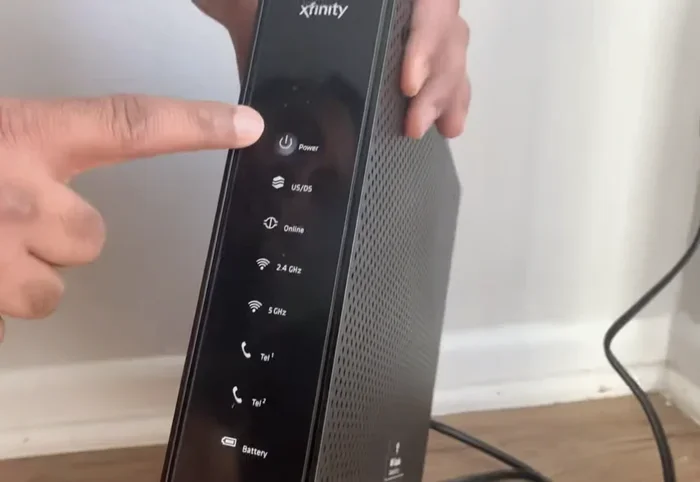
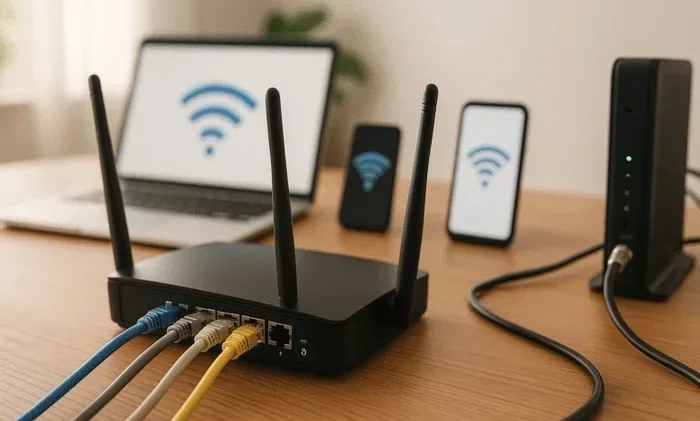
Sometimes the problem starts at home. If your router malfunctions, every device in your house loses connectivity. You cannot pay with apps, you cannot browse, and you feel disconnected. If you have ever wondered whether you can get internet without a router, the answer is yes. A modem alone can give you internet access in certain setups. But even without that, you still have payment options that do not rely on home Wi-Fi at all.
Offline Payment Methods That Actually Work
Several payment methods function fully or partially without an active internet connection. Here are the most reliable ones you should know about.
Contactless Card Payments (NFC)
Contactless cards use Near Field Communication technology. When you tap your card on a payment terminal, the card and terminal communicate directly. They do not need the internet for small transactions. Most terminals store the transaction locally and send it to the bank later for processing.
This is why you can still pay at many stores even during a major outage. Your contactless card works as long as the terminal has power. The transaction limit for offline NFC payments is usually around $50 to $100, depending on the bank and country.
Mobile Wallet Offline Mode
Apple Pay, Google Pay, and Samsung Pay all support offline transactions to some degree. These wallets store a tokenized version of your card on your device. When you hold your phone near a payment terminal, the transaction happens locally.
The terminal processes it when it regains connectivity. This means you can pay even if both your phone and the store have no internet. Just make sure your mobile wallet is set up and working before you need it. Always keep your wallet updated so the stored tokens remain valid.
Cash and Physical Checks
It sounds old-school, but cash never goes down. During widespread outages, many people realize they have not carried cash in years. Keeping a small emergency stash of bills at home is a smart habit. Physical checks also work at many locations, though fewer stores accept them today.
Backup Connectivity Options to Restore Payment Access
If you want to restore your ability to pay online quickly, you need a backup internet source. Here are the best options when your primary connection fails.
Using a Mobile Hotspot
A mobile hotspot turns your phone into a Wi-Fi router. You can connect your laptop, tablet, or other devices to your phone’s data connection. This is one of the fastest ways to restore internet access and resume online payments.
But what if your phone service itself is limited? You can still get a hotspot without traditional phone service using certain plans and devices. Some prepaid and data-only SIM cards work perfectly for this purpose. Keep one in your drawer as an emergency backup.
Unlimited Hotspot Plans
If you travel frequently or live in an area with unreliable internet, consider an unlimited hotspot plan. These plans give you a dedicated data connection that does not depend on your home Wi-Fi network. You can carry a portable hotspot device anywhere and always have a way to pay online.
Connecting to Public Wi-Fi Networks
Many cafes, libraries, and public spaces offer free Wi-Fi. When your home internet goes down, heading to one of these locations can restore your payment ability. You can also connect to Xfinity Wi-Fi away from home if you are a subscriber. This gives you access to thousands of hotspots across the country without using your personal data.
USSD and SMS-Based Payments
Some of the oldest offline payment methods still work today. USSD codes and SMS payments do not require a data connection. They only need a basic cellular signal.
USSD payments work by dialing a short code on your phone. You enter the amount and confirm the transaction. The system deducts the payment directly from your mobile balance or linked bank account. This method is extremely popular in Africa and parts of Asia, but it works anywhere your carrier supports it.
SMS payments work similarly. You send a text message with a specific format to a designated number. The payment processes through your carrier billing. These methods are slow compared to modern apps, but they are reliable when the internet is completely unavailable.
Setting Up Your Devices for Offline Payment Readiness
The best time to prepare for an internet outage is before one happens. Here is a simple checklist to make sure you are always ready to pay.
- Enable offline mode in your payment apps. Check settings in Apple Pay, Google Pay, and your banking app. Look for options that allow offline transaction storage.
- Keep your contactless card accessible. Do not leave it buried in a drawer. Carry it in your wallet or phone case at all times.
- Maintain an emergency cash stash. Keep at least $50 to $100 in small bills at home and in your car.
- Set up a backup hotspot device. A portable hotspot with a data-only SIM card costs very little and provides peace of mind.
- Update your payment apps regularly. Outdated apps may not support offline features or may have expired tokens.
- Know your bank’s outage procedures. Many banks have dedicated phone lines or in-branch options for making payments during outages.
Quick Tips for Smooth Offline Payments
- Always carry a physical backup card from a different bank. If one card’s system is down, the other may work.
- Restart your router before assuming the internet is out. A simple reboot often fixes connectivity issues.
- If you use a Wi-Fi alternative setup, test it regularly to make sure it works when you need it most.
- Keep your phone charged. An offline payment method is useless if your device has no battery.
- Store important payment phone numbers in your contacts. You may need to call your bank or payment provider during an outage.
Common Mistakes People Make During Internet Outages
When the internet goes down, people tend to panic and make poor decisions. Here are the most common mistakes to avoid.
Assuming all digital payments are dead. Many people forget that contactless cards and mobile wallets work offline. You might walk past a working checkout because you think you cannot pay.
Not having a backup plan. Relying on a single payment method is risky. If that method depends on internet, you are stuck during an outage. Always have at least two payment options available.
Ignoring USSD and SMS options. These payment methods are underrated and overlooked. They work on basic cellular networks that stay up even when data services go down.
Forgetting to charge devices. During an outage, people drain their phone batteries searching for a signal. Keep a portable charger handy so your payment devices stay powered.
Expert Insights on Staying Connected When the Internet Fails
Technology experts recommend a layered approach to payment readiness. Do not rely on just one method. Instead, build a system with multiple fallbacks. Start with your primary payment app, add a contactless card, keep cash on hand, and maintain a backup hotspot device.
The key is redundancy. When one layer fails, the next one picks up. This approach works for internet connectivity as well. For example, if your home Wi-Fi goes down, you can switch to a hotspot. If your hotspot has no signal, you can still pay with a contactless card or cash.
Financial institutions are also improving their offline capabilities. Banks are investing in systems that process transactions locally and sync later. This trend means offline payment options will only get better in the future. Staying informed about these developments helps you take advantage of new features as they launch.
What to Do Right Now
Do not wait for the next outage to prepare. Take five minutes today to follow these steps:
- Check that your contactless card works and has not expired.
- Verify that your mobile wallet is set up and has a valid card linked.
- Count your emergency cash and replenish if needed.
- Test your mobile hotspot to make sure it connects properly.
- Save your bank’s customer service number in your phone.
These simple steps take almost no time but can save you significant stress when an outage hits. Being prepared is the best offline payment strategy you can have.
Final Thoughts
Paying without internet is not only possible, it is practical. You have more options than you might think. From contactless cards that work offline to USSD codes that use basic cellular signals, the tools are already available. The key is knowing about them and setting them up before you need them.
Next time your connection drops, you will not panic. You will simply tap your card, use your mobile wallet, or fall back on cash. Preparation and knowledge make all the difference. Stay connected in every way possible, and remember that paying without internet is something millions of people do every day without even thinking about it.
Keep this guide bookmarked. Share it with family and friends. The more people who know about offline payment options, the more resilient our communities become when connectivity fails.
Frequently Asked Questions
Can I still use Apple Pay if I have no internet connection?
Yes, Apple Pay supports offline transactions for small amounts. Your device stores a tokenized version of your card, and the payment terminal processes the transaction locally. The terminal syncs the transaction with the bank once it regains connectivity.
Do contactless cards work without Wi-Fi or data?
Yes, contactless cards use NFC technology that works independently of internet connections. The card and terminal communicate directly, and the transaction is processed once the terminal reconnects to the network.
What is USSD payment and how does it work without internet?
USSD payment involves dialing a short code on your phone to initiate a transaction. It uses the basic cellular network, not data. You enter the payment amount and confirm, and the amount is deducted from your mobile balance or linked account.
Can I get internet without a router to pay online?
Yes, you can get internet without a traditional router. Using a modem directly, a mobile hotspot, or a Wi-Fi alternative device can restore your connection for online payments.
How do I prepare my phone for offline payments?
Enable offline mode in your payment apps, keep your mobile wallet updated, carry a contactless backup card, and maintain a portable charger. These steps ensure you can pay even when your internet is completely down.
Are SMS payments still a viable option today?
Yes, SMS payments remain viable in many regions. They work on basic cellular networks without data. You send a formatted text to a payment number, and the transaction processes through your carrier billing or linked account.