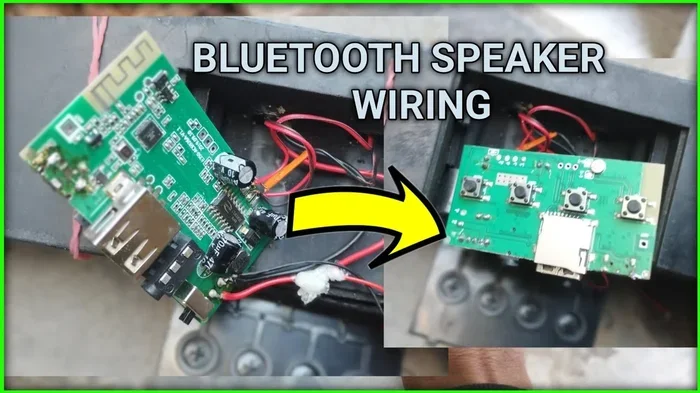
Can Bluetooth Speakers Be Wired And Why You Should Try It
Yes, Bluetooth speakers can be wired, and doing so unlocks better sound quality, lower latency, and more reliable connections. Whether you want to connect your speaker to a home audio system, use it as a wired speaker for recording, or simply enjoy a stable audio experience without interference, a wired setup has many advantages. This guide covers everything you need to know about wiring your Bluetooth speaker, the methods available, and why you should try it today.
You love your Bluetooth speaker. It’s portable, it sounds great, and it connects to your phone in seconds. But have you ever wondered if you can use it with a wire instead? The short answer is yes. Can Bluetooth speakers be wired? Absolutely. And once you try it, you might never go back to wireless again.
Wiring a Bluetooth speaker opens up a whole new world of audio possibilities. You get cleaner sound, zero delay, and a connection that never drops. Whether you are setting up a home stereo, recording music, or just want the most reliable audio experience, going wired is the way to go.
In this article, we will walk you through everything you need to know. We will cover the different ways to wire your speaker, the benefits of a wired connection, and even some common mistakes to avoid. By the end, you will have all the knowledge you need to make the switch confidently.
Key Takeaways
- Wired connections are possible: Most Bluetooth speakers have a 3.5mm aux input or USB port that allows direct wired use.
- Better audio quality: Wired connections eliminate Bluetooth compression, delivering cleaner and more detailed sound.
- Zero latency: A wired setup removes the audio delay that Bluetooth sometimes introduces.
- Multiple wiring methods exist: You can use aux cables, USB, RCA, or even a Bluetooth adapter to go wired.
- Not all speakers support wiring: Some budget models lack an audio input jack, so check before buying.
- Wired mode extends battery life: Using a cable means your speaker doesn’t drain power on wireless transmission.
- It’s a simple process: Most wired setups take less than five minutes to configure.
📑 Table of Contents
- What Does It Mean to Wire a Bluetooth Speaker?
- Methods to Wire a Bluetooth Speaker
- Why You Should Wire Your Bluetooth Speaker
- Comparison: Wired vs Wireless Bluetooth Speakers
- Which Bluetooth Speakers Support Wired Connections?
- Common Mistakes When Wiring a Bluetooth Speaker
- Quick Tips for the Best Wired Experience
- Expert Insights: Why Audio Professionals Prefer Wired Setups
- Frequently Asked Questions
- Conclusion
What Does It Mean to Wire a Bluetooth Speaker?
When we talk about wiring a Bluetooth speaker, we mean connecting it to an audio source using a physical cable instead of a wireless Bluetooth signal. Think of it like plugging in your headphones instead of using the wireless version. The speaker still works the same way, but the audio travels through a wire.
Most modern Bluetooth speakers come with an audio input option. This is usually a 3.5mm aux jack, a USB port, or sometimes RCA inputs. These ports let you bypass the Bluetooth receiver entirely and send audio directly to the speaker’s amplifier.
Some people wonder if wiring disables the Bluetooth function. It does not. You can switch between wireless and wired modes anytime. This versatility is one of the biggest reasons Bluetooth speakers are so popular today.
How the Bluetooth Receiver Works
Inside every Bluetooth speaker is a small receiver chip. It picks up the wireless signal from your phone, computer, or tablet. The receiver then converts that signal into audio. When you wire the speaker, you skip the receiver entirely and feed the audio directly into the amplifier.
This is why the sound quality improves. The Bluetooth signal has to compress the audio to transmit it wirelessly. That compression can remove details from the music. A wired connection sends the full, uncompressed audio signal. The result is richer bass, clearer highs, and more detail in the mids.
Methods to Wire a Bluetooth Speaker
There are several ways to connect your Bluetooth speaker using a cable. The method you choose depends on the ports available on your speaker and the audio source you want to use. Let us break down each option.
Using an Auxiliary Cable (3.5mm)
The most common way to wire a Bluetooth speaker is with a 3.5mm aux cable. This is the same cable you use to connect a phone to a car stereo. Simply plug one end into your audio source and the other into the speaker’s aux input.
Most Bluetooth speakers have a 3.5mm input jack. Look for a port labeled “AUX” or “Line In.” If your speaker has one, this is the easiest and most affordable method. You probably already have a cable that works.
Here is a quick tip. Use a high-quality aux cable with gold-plated connectors. Cheap cables can introduce static or lose signal. A good cable costs just a few dollars and makes a noticeable difference.
Using a USB Cable
Some Bluetooth speakers have a USB input port. This method is great for connecting the speaker to a computer or a USB audio source. The USB cable carries both power and audio in some cases.
Keep in mind that a USB connection may or may not charge the battery while in use. It depends on the speaker model. Check your manual to see if USB input supports audio playback and charging at the same time.
USB connections also tend to provide a cleaner digital signal. This can result in better sound quality compared to an analog aux connection. If your speaker supports it, USB is an excellent wired option.
Using RCA Cables
If your Bluetooth speaker has RCA inputs, you can connect it using standard RCA cables. This method is common with older or more advanced speakers. You will need a cable with RCA plugs on both ends, or an adapter that converts from 3.5mm to RCA.
RCA connections are often found on speakers designed for home audio setups. They provide a solid, reliable connection. Many audiophiles prefer RCA for its stable signal and ease of use.
Using a Bluetooth Adapter in Reverse
This one is a bit creative. You can use a Bluetooth transmitter to send audio from a wired source to your speaker. Wait, that sounds wireless. But here is the trick. You plug the transmitter into your audio source with a cable, and the transmitter sends the signal to the speaker via Bluetooth.
Why would you do this? Because some speakers only have Bluetooth output and no wired input. In that case, you can use a Bluetooth receiver dongle plugged into the speaker’s USB port. This effectively turns your wireless speaker into a wired one by using the USB port for audio input.
Why You Should Wire Your Bluetooth Speaker
Now that you know how to wire your speaker, let us talk about why you should. There are many real-world benefits that make wired connections worth trying.
Superior Audio Quality
The biggest reason people wire their Bluetooth speakers is the sound quality improvement. Bluetooth audio uses compression to send data wirelessly. This compression removes some audio information. You may not notice it at first, but over time, the difference becomes clear.
A wired connection sends the full, uncompressed audio signal. Every detail in the music reaches the speaker. The bass hits harder, the vocals sound clearer, and the instrument separation improves. If you care about sound quality, wiring your speaker is one of the easiest upgrades you can make.
Think of it this way. Streaming music over Bluetooth is like watching a compressed video file. Sure, it looks fine. But plug in an HDMI cable, and the picture jumps to life. The same principle applies to audio.
Zero Latency and No Delay
Bluetooth has a slight delay, even with the latest codecs. This delay, called latency, can be a problem in certain situations. If you are watching a video, the audio might not match the lip movements. If you are playing a game, the sound comes a split second late.
A wired connection has virtually zero latency. The audio reaches the speaker instantly. This makes wired setups perfect for gaming, video editing, and watching movies. You get perfect lip sync and a more immersive experience.
More Reliable Connection
Bluetooth signals can be interrupted by walls, other devices, and even microwaves. Have you ever noticed your music cutting out when your phone is in another room? That is a Bluetooth interference issue.
A wired connection never drops. As long as the cable is plugged in, the audio flows without interruption. This reliability is why many professionals prefer wired setups for live events, studio recording, and important presentations.
Longer Battery Life
Bluetooth uses power to maintain a wireless connection. When you wire your speaker, you reduce the power needed for transmission. This means your battery lasts longer, sometimes significantly longer.
For outdoor events or long parties, this can be a game changer. You get more playtime without needing to recharge. Some users even keep their speaker wired at home to save battery and always have it ready to go.
Use as Part of a Larger Sound System
Wiring your Bluetooth speaker lets you integrate it into a bigger audio setup. You can connect it to a home stereo receiver, a mixer, or an amplifier. This turns your portable speaker into a component of a full sound system.
Some people wire multiple Bluetooth speakers to a mixer for a DIY surround sound setup. The possibilities are endless. A wired connection gives you the flexibility to use your speaker in ways that Bluetooth alone cannot support.
Comparison: Wired vs Wireless Bluetooth Speakers
To help you decide, here is a quick comparison of wired and wireless Bluetooth speaker setups.
| Feature | Wired Connection | Wireless (Bluetooth) |
|---|---|---|
| Audio Quality | Full, uncompressed signal | Compressed audio with some loss |
| Latency | Near zero delay | Slight delay (20-200ms) |
| Connection Stability | Never drops | Can be affected by interference |
| Battery Usage | Lower power consumption | Higher power consumption |
| Portability | Less portable (cable needed) | Fully portable |
| Setup Ease | Simple plug-and-play | Quick pairing |
| Compatibility | Requires aux/USB input | Works with any Bluetooth device |
As you can see, each method has its strengths. Wireless is more convenient, but wired offers better performance. Many users find the best approach is to use both depending on the situation.
Which Bluetooth Speakers Support Wired Connections?
Not all Bluetooth speakers are created equal when it comes to wired support. Before you buy a speaker or try to wire one, check the specifications carefully.
Most mid-range and premium Bluetooth speakers include an aux input or USB port. Budget models sometimes skip these features to keep costs down. Here are some popular brands that typically support wired connections:
- JBL: Most JBL models, including the Flip and Charge series, have an aux input.
- Ultimate Ears (UE): UE Boom and MegaBlast speakers include USB and aux options.
- Sony: Many Sony speakers like the SRS-XB series have an aux port.
- Bose: Bose SoundLink speakers often include a 3.5mm input.
- Anker: Anker Soundcore models frequently feature aux and USB inputs.
If you are shopping for a new speaker and wired capability matters to you, always check the product specs. Look for terms like “aux input,” “line-in,” “audio in,” or “USB audio.” These tell you the speaker supports a wired connection.
Common Mistakes When Wiring a Bluetooth Speaker
Wiring a Bluetooth speaker is simple, but there are a few mistakes that can cause problems. Here are the ones to watch out for.
Using a Low-Quality Cable
A cheap, thin cable can introduce noise and static into your audio. It might also break quickly. Invest in a decent quality cable with good shielding and solid connectors. Your ears will thank you.
Forgetting to Turn Off Bluetooth
Some speakers play audio from both the wired input and Bluetooth at the same time. This can cause echo or interference. If you notice audio issues, try turning off Bluetooth on your source device. Most speakers prioritize the wired input automatically, but it is good practice to disable Bluetooth when using a cable.
Plugging Into the Wrong Port
Many speakers have multiple ports. It is easy to confuse the output port with the input port. The aux input is usually labeled “AUX IN” or “LINE IN.” If you plug into the wrong port, you will not get any sound. Double-check the labels before connecting.
Ignoring Cable Length
Using a very long cable can sometimes degrade the signal quality. Keep your cable as short as practical. If you need a longer run, use a higher-quality cable or consider a signal booster.
Not Checking for Compatibility
Some speakers only support certain types of wired input. For example, a speaker with USB audio input might not work with a standard USB charging cable from your phone. Always check what type of cable and input your speaker supports.
Quick Tips for the Best Wired Experience
- Use a short, high-quality aux cable for the cleanest signal.
- Clean the aux port regularly to prevent dust buildup.
- Turn off Bluetooth when using a wired connection to avoid conflicts.
- Check your speaker manual for the correct input method.
- Keep firmware updated to ensure the best wired performance.
- Use an adapter if your cable does not match the speaker’s input type.
Expert Insights: Why Audio Professionals Prefer Wired Setups
Professional audio engineers and DJs have long known the value of wired connections. When you are in a studio or on stage, there is no room for interference or delay. A wired setup gives you complete control over the audio signal.
Many sound engineers use Bluetooth speakers for backup or portable needs, but they always wire them when possible. The consistency and reliability of a cable connection are unmatched. Even in live settings where Bluetooth seems convenient, professionals often choose wired to avoid any risk of signal dropouts.
If the pros rely on wired connections, there is a good reason. You get predictable, high-quality audio every single time. It is the difference between hoping for good sound and guaranteeing it.
Frequently Asked Questions
Can all Bluetooth speakers be wired?
No, not all Bluetooth speakers support wired connections. Some budget models lack an aux input or USB port. Always check the product specifications before purchasing if wired capability is important to you.
Does wiring a Bluetooth speaker disable Bluetooth?
No, wiring does not disable Bluetooth. You can switch between wired and wireless modes. However, some speakers prioritize the wired input, so you may need to turn off Bluetooth on your source device to avoid audio conflicts.
Will I notice a difference in sound quality with a wired connection?
Yes, many people notice a clear improvement in sound quality. The wired connection eliminates Bluetooth compression, resulting in richer bass, clearer vocals, and more detailed highs. The difference is especially noticeable with high-quality audio files.
What cable do I need to wire my Bluetooth speaker?
It depends on your speaker’s input options. Most speakers use a standard 3.5mm aux cable. Some models use USB or RCA cables. Check your speaker’s manual or look at the available ports to choose the right cable.
Can I wire a Bluetooth speaker to a TV or computer?
Yes, you can wire a Bluetooth speaker to a TV or computer if the speaker has an aux or USB input. Simply connect the cable from the TV or computer’s audio output to the speaker’s input. This works great for improving TV audio or using the speaker as a computer monitor speaker.
Is it safe to use a Bluetooth speaker in wired mode all the time?
Yes, it is completely safe. Using a speaker in wired mode does not damage the device. In fact, it can reduce wear on the Bluetooth antenna and save battery life. Just make sure the speaker is plugged into a power source if you plan to use it for extended periods.
Conclusion
The answer to can Bluetooth speakers be wired is a clear yes. Wiring your speaker brings better audio quality, zero latency, a more stable connection, and longer battery life. It is one of the simplest upgrades you can make to improve your listening experience.
Whether you are a casual listener, a music enthusiast, or a professional, going wired has something to offer. The methods are simple, the equipment is affordable, and the results speak for themselves. Try wiring your Bluetooth speaker today and hear the difference for yourself.
You do not need expensive gear or technical skills. A simple cable and a few minutes of setup time is all it takes. Once you experience the improved sound and reliability, you will wonder why you did not try it sooner. Wire your Bluetooth speaker and take your audio experience to the next level.