Does My Internet Provider Give Me A Router For Free
Most internet providers do give you a router, often as part of a modem-router combo unit. However, it usually comes with a monthly rental fee that adds up over time. In many cases, buying your own router can save you significant money and give you better performance. This guide breaks down everything you need to know about ISP-provided routers, hidden costs, and how to decide what works best for your home network.
So, does your internet provider give you a router? The short answer is yes. Most internet service providers include a router when you sign up for a broadband plan. But the real question is whether you should use it, rent it, or buy your own.
This is a question that a lot of people overlook until they start having Wi-Fi problems or notice extra charges on their bill. If you have ever wondered why you are paying $10 to $15 every month just for a box that sits in your hallway, you are not alone. Let us break down everything you need to know about ISP-provided routers, the hidden costs, and how to make the best choice for your home.
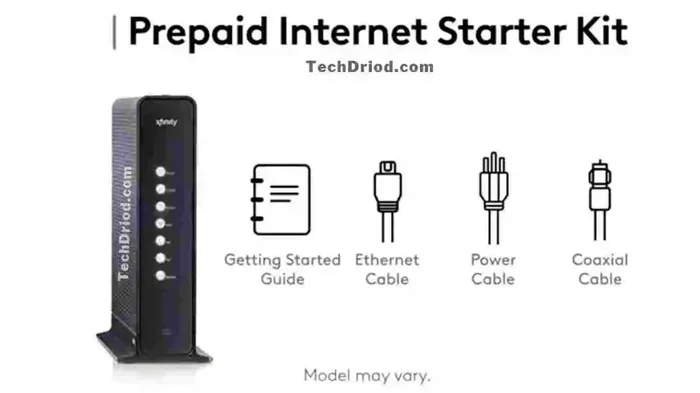
Your internet provider wants to make things easy for you. When they set up your account, they often include a gateway device, which is a combo unit that acts as both a modem and a router. This means you plug one device into the wall, and it handles both receiving the internet signal and broadcasting Wi-Fi throughout your home. It sounds convenient, and it is, but there is more to the story.
Key Takeaways
- ISP routers are often free to get: Most providers include a router with your internet plan, but you usually pay a monthly rental fee.
- Rental fees add up fast: Paying $10 to $15 per month for a router can cost you $120 to $180 per year.
- Buying your own router saves money long-term: A one-time purchase of $80 to $200 can pay for itself within a year.
- ISP routers may limit your control: You might not be able to change advanced settings like SSID names or optimize performance.
- Your internet speed matters: If you have a fast plan, an ISP router might bottleneck your Wi-Fi signal and limit speeds.
- Upgrading is simple: You can use your own router alongside or instead of the ISP equipment with minimal setup.
📑 Table of Contents
- What Exactly Is A Router And Why Does It Matter?
- Do Internet Providers Really Give You A Router For Free?
- What Happens If You Use Your Own Router Instead?
- Comparing ISP Routers Vs. Own Your Own Router
- How To Know If Your ISP Router Is Holding You Back
- Expert Tips For Getting The Best Router Setup
- Final Thoughts
What Exactly Is A Router And Why Does It Matter?
A router is the device that takes the internet signal from your modem and shares it with all your gadgets. Your phone, laptop, smart TV, and even your smart fridge all connect to the router to get online. Without a router, you would only be able to connect one device at a time using a cable.
Here is a simple way to think about it. The modem brings the internet into your home. The router spreads it around. Some devices combine both functions into one unit, which is what most ISPs do when they hand you a box at setup.
When you are deciding whether to use the router your internet provider gives you, there are a few things to keep in mind:
- Wi-Fi speed: Does the router support the speeds your internet plan offers?
- Range: Can it reach every room in your house?
- Device limits: How many devices can connect at once without slowing down?
- Security features: Does it have up-to-date protection against threats?
- Control options: Can you customize settings, or is everything locked down?
These points matter a lot, especially if you have a big family or lots of smart devices at home. A basic ISP router might handle a couple of devices just fine, but it can struggle when five or more people are streaming, gaming, and video calling at the same time.
Do Internet Providers Really Give You A Router For Free?
Here is the tricky part. Most providers say the router is free. But what they do not always tell you is that you are paying for it through a monthly rental fee. This fee usually shows up on your bill as an “equipment rental” or “gateway fee.”
Over a year, that fee can really add up. If your provider charges $10 per month, you are paying $120 per year just to rent a device that you could own outright. Over three or four years, that is $360 to $480. And the router you are renting is probably not even a top-of-the-line model.
Some providers, like Xfinity and AT&T, bundle the modem and router together in one device. Others, like Verizon Fios, might give you a separate modem and router. Either way, the rental model means you never fully own the equipment.
Now, there are some situations where the router truly comes at no extra cost. Some higher-tier internet plans include equipment at no charge. If you have a premium plan, check your terms carefully. You might already be getting a free router without even realizing it.
The Hidden Costs Of ISP Routers
Beyond the monthly fee, there are other hidden costs to consider. ISP routers often become outdated quickly. Providers tend to use budget-friendly hardware that may not support the latest Wi-Fi standards, like Wi-Fi 6 or Wi-Fi 6E. This means your speeds could be slower than what your plan actually offers.
Another hidden cost is flexibility. ISP routers often come with locked-down settings. You might not be able to change the network name, adjust DNS settings, or set up parental controls the way you want. If you ever want to change your Wi-Fi network name, you might find that the ISP equipment makes it harder than it needs to be.
There is also the issue of Wi-Fi coverage. Many ISP-provided routers use basic antennas that struggle to push a strong signal through walls and floors. If your house is large or has multiple levels, the built-in router might leave dead zones in your home.
What Happens If You Use Your Own Router Instead?
Using your own router is one of the best ways to take control of your home network. You get better hardware, more features, and you stop paying that monthly rental fee. The process is simpler than most people think.
First, you need to check if your internet provider allows third-party routers. Most do, but some ISPs make it harder than others. For example, Xfinity lets you use your own router in bridge mode, while some smaller providers might require specific equipment.
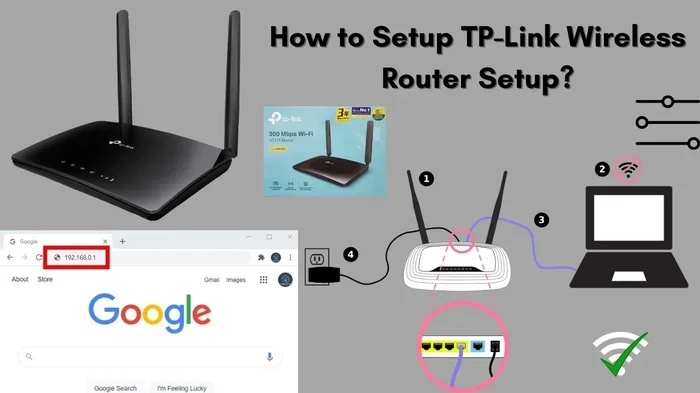
Once you have a compatible router, here is the basic process:
- Turn off and unplug the ISP gateway device.
- Connect the modem port on your new router to the wall outlet using an Ethernet cable.
- Power on the new router and follow the setup instructions.
- Test your connection on a phone or laptop.
That is it. You do not need to be a tech expert to make the switch. And once you do, you will likely notice better speeds, stronger signal, and more stable connections.
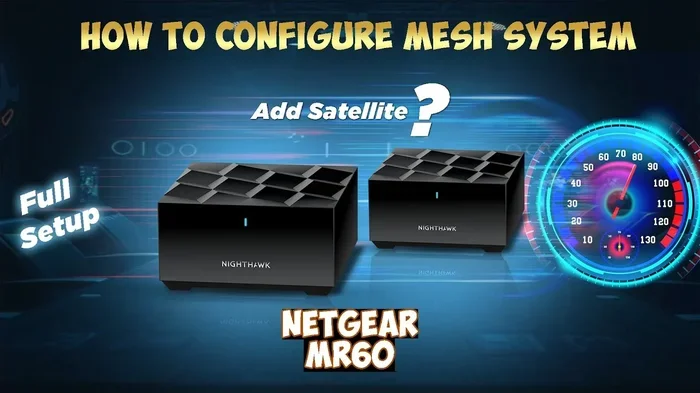
If you want better coverage in your home, you might also consider extending your Wi-Fi range with a repeater or mesh system. This works especially well when you pair a quality router with smart placement around your home.
When Should You Buy Your Own Router?
You should strongly consider buying your own router if any of these situations apply to you:
- You are paying more than $5 per month in equipment rental fees.
- Your current router is more than three years old.
- You have more than five devices connected to your network regularly.
- You experience slow speeds or frequent disconnections.
- You want advanced features like parental controls, guest networks, or Quality of Service (QoS) settings.
Buying your own router gives you the freedom to upgrade whenever you want. You are not stuck waiting for your ISP to send you a new device. And you can choose hardware that fits your specific needs, whether that is a compact router for a small apartment or a powerful mesh system for a large home.
Comparing ISP Routers Vs. Own Your Own Router
Let us look at this side by side so you can see the real differences. The table below compares the key factors of using an ISP-provided router versus buying your own.
| Factor | ISP Router | Own Router |
|---|---|---|
| Upfront Cost | Usually $0 | $80 to $200 |
| Monthly Fee | $5 to $15 | $0 |
| Annual Cost | $60 to $180 | $0 after purchase |
| Hardware Quality | Basic, often outdated | Wide range, modern options |
| Customization | Limited | Full control |
| Support | Provider support included | Manufacturer support only |
| Upgrade Flexibility | Provider decides when | You decide when |
| Wi-Fi Standards | Often older standards | Latest Wi-Fi 6/6E available |
As you can see, the numbers clearly favor owning your own router over time. Even a mid-range router at $100 pays for itself within a few months compared to the rental fees. And the performance gains are often significant.
One thing to keep in mind is that some ISPs offer a rent-to-own option. This means you pay a reduced fee each month, and after a set period, the router becomes yours. This can be a good middle ground if you are not ready to invest upfront.
How To Know If Your ISP Router Is Holding You Back
Sometimes it is hard to tell if your ISP router is the problem. Here are some signs that your equipment might be limiting your experience:
- Slow speeds indoors: Your plan promises fast speeds, but your phone shows much slower results away from the gateway.
- Frequent disconnections: Your devices drop from the network multiple times a day.
- Buffering during streaming: Videos pause to load even when no one else is using the internet.
- Dead zones: Certain rooms in your home have no signal at all.
- Can not access advanced settings: Your router interface is locked down and does not let you make changes.
If you notice any of these issues, it might be time to look at alternatives. You could also try adding an antenna to your Wi-Fi router to boost signal strength without buying a whole new unit. This is a quick and affordable fix that works with many router models.
Another thing to check is your Wi-Fi band. Many ISP routers use both 2.4 GHz and 5 GHz bands. If you find your connection is slow, you might benefit from forcing your device to use a specific band. For example, switching your phone to 2.4 GHz Wi-Fi can improve range and stability in some cases.
Expert Tips For Getting The Best Router Setup
Whether you stick with your ISP router or buy your own, these tips will help you get the best performance:
- Place your router in a central location: Keep it out in the open, away from walls and metal objects. A closet or basement is not ideal.
- Restart regularly: A quick reboot once a week can clear up minor issues and keep things running smoothly.
- Update firmware: Check for router updates in the settings. These often include security patches and performance improvements.
- Use Ethernet when possible: For devices like smart TVs and gaming consoles, a wired connection is always faster and more stable than Wi-Fi.
- Change default passwords: Always update the admin password and network name from the factory defaults. This keeps your network secure.
These small steps can make a big difference. You do not need to be a networking expert to get better performance from your setup. Even a few tweaks can improve your internet speed and connection stability.
Final Thoughts
So, does your internet provider give you a router? Yes, they do. But free often comes with a price. The monthly rental fee, the limited features, and the outdated hardware can all cost you more than you think, both in money and in frustration.
Buying your own router is one of the smartest upgrades you can make for your home network. It gives you better control, faster speeds, and real savings over time. You do not need to spend a fortune either. A solid router in the $80 to $150 range can outperform most ISP-provided units and last you for years.
Take a look at your next bill and see what you are paying for equipment rental. Then do the math. You might be surprised at how much money you could save by making the switch. Your internet experience will thank you for it.
Frequently Asked Questions
Can I use my own router with any internet provider?
Most internet providers allow you to use your own router. However, some ISPs require you to keep their modem or gateway device and let you connect your own router to it. Check with your provider before making a purchase to make sure the equipment is compatible.
What is the difference between a modem and a router?
A modem brings the internet signal into your home from your provider. A router takes that signal and shares it with your devices through Wi-Fi or Ethernet cables. Many ISPs provide a single device that does both jobs, which is called a gateway.
How much can I save by buying my own router?
If your ISP charges $10 to $15 per month for a router, you could save $120 to $180 per year by buying your own. A decent router costs $80 to $200, so it typically pays for itself within the first year and then saves you money every year after that.
Do I need to return the ISP router if I buy my own?
Yes, if you bought or rented the ISP router, you should return it to avoid continued charges. Contact your provider to get a return label and instructions. Keep the original packaging if you still have it, as this makes the return process easier.
Will my Wi-Fi speed improve with a better router?
It depends on your internet plan and the quality of your current router. If your ISP router is old or basic, upgrading to a modern router can significantly improve your speeds and range. However, your internet speed is still limited by the plan you pay for.
What should I look for when buying my own router?
Look for a router that supports Wi-Fi 6 or Wi-Fi 6E, has enough antennas for your home size, and offers good range. Check reviews for speed and reliability. If you have a large home, consider a mesh router system for better coverage throughout the house.