How Close Does A Wi Fi Extender Need To Be To The Router
The ideal placement for your Wi-Fi extender is about halfway between your router and the dead zone. Placing it too close or too far can kill your signal strength and slow down your network. Follow our simple guidelines to boost wireless range without sacrificing Wi-Fi performance.
Wi-Fi extenders are one of the easiest and most affordable ways to fix dead zones in your home. But here is the thing most people get wrong: placement. Where you put your extender determines everything. Too close to the router and it does nothing useful. Too far away and it just spreads a weak signal around your house.
So how close does a Wi-Fi extender need to be to the router? The short answer is about halfway between your router and the area with poor coverage. But there is more to it than that. Walls, furniture, electronic interference, and even the type of extender you own all play a role. In this guide, we break down everything you need to know about Wi-Fi extender placement so you can get the strongest signal possible in every room.
If you have ever walked into your bedroom and watched your Wi-Fi speed drop to a crawl, you already know the frustration of a weak signal. A wireless range extender can fix that. But only if you set it up correctly. Let us walk through the details together.
Key Takeaways
- Placement matters: Position your Wi-Fi extender halfway between the router and the weak-signal area for the best results.
- Too close is a problem: If the extender sits right next to the router, it cannot rebroadcast a stronger signal to the dead zone.
- Too far is worse: Placing the extender too far away means it receives a weak signal and simply repeats that weak signal to your devices.
- Physical barriers count: Walls, floors, and appliances can weaken your signal, so placement needs to account for real-world obstacles.
- Test and adjust: Use your phone or laptop to walk-test signal strength and find the sweet spot for your wireless range extender.
- Alternatives exist: If placement feels tricky, consider a mesh Wi-Fi system or adding an antenna to your router for better coverage.
📑 Table of Contents
- What Is a Wi-Fi Extender and How Does It Work?
- How Close Should Your Wi-Fi Extender Be to the Router?
- Signs Your Extender Placement Needs Adjustment
- Factors That Affect Wi-Fi Extender Placement
- Best Practices for Wi-Fi Extender Positioning
- Common Mistakes to Avoid
- When to Consider Alternatives to a Wi-Fi Extender
- How to Test Your Extender Setup
- Expert Insight: What Networking Pros Recommend
- Conclusion
What Is a Wi-Fi Extender and How Does It Work?
A Wi-Fi extender, also called a range extender or repeater, is a device that picks up your existing Wi-Fi signal from the router and sends it out again to areas that need better coverage. Think of it like a megaphone for your wireless signal. It does not create a new network. It simply boosts and rebroadcasts the signal your router already makes.
Most extenders connect to your router wirelessly. They receive the signal on one band and retransmit it on another. This is called dual-band operation. Some budget extenders use the same band for both receiving and sending, which can cut your speed in half. That is why choosing a good dual-band extender matters for solid network coverage.
If you have ever wondered whether an extender is the same thing as a Wi-Fi booster, the answer is yes, in casual terms. People use these words interchangeably. But technically, boosters, repeaters, and extenders all do the same core job. They take your existing Wi-Fi signal and push it further into your home.
Now, you might ask, can I get a Wi-Fi extension without buying extra hardware? The short answer is no. An extender is a physical device you place in your home. If you want to learn more about getting extensions on your existing setup, check out our guide on can I get an extension on my Wi-Fi for more details.
How Close Should Your Wi-Fi Extender Be to the Router?
This is the big question. And the answer depends on a few factors. But here is the golden rule: your extender should be close enough to receive a strong signal from the router, but far enough away to actually reach the dead zone.
The Sweet Spot: Halfway Between Router and Dead Zone
The best placement for your Wi-Fi extender is roughly halfway between your router and the area where the signal drops. Why? Because the extender needs a solid connection to the router to do its job. If it cannot hear the router clearly, it cannot rebroadcast anything useful.
Imagine your router is in the living room and your bedroom has no signal. You would place the extender somewhere in the hallway or halfway down the corridor. That way, it gets a strong signal from the router and passes it along to the bedroom.
But here is the catch. The exact distance varies. A typical home Wi-Fi router can push a signal about 150 feet indoors. A good extender can roughly double that range. So if you need coverage 100 feet away, placing the extender 50 feet from the router works well. If you need coverage 200 feet away, you might need a different setup altogether. To learn more about pushing your Wi-Fi further, read our article on can I extend my Wi-Fi to 200 feet away.
What Happens If the Extender Is Too Close?
Placing your extender right next to the router seems smart. You would think a strong signal is always good. But it is not. The extender needs to receive the signal, then rebroadcast it to a different area. If it sits right beside the router, it has no job to do. The rebroadcast signal barely reaches anywhere new.
Think of it like standing next to a speaker at a concert. You hear the music fine, but nobody behind you does. The extender needs some distance from the router so it can pick up the signal and push it forward into your home.
A good rule of thumb is to keep the extender at least 10 to 15 feet away from the router. This gives it enough room to grab a solid signal and relay it to areas that need it most.
What Happens If the Extender Is Too Far?
On the other side of the coin, placing the extender too far from the router causes a different problem. The extender receives a weak signal from the router. So it rebroadcasts a weak signal. You end up with the same slow, spotty connection in the dead zone, just with a different name.
This is the most common mistake people make with Wi-Fi extenders. They place the device too far away hoping it will reach further. But the extender can only work with the signal it receives. Garbage in, garbage out.
If you notice that your extended network is slower than your main network, the extender is probably too far from the router. Move it closer and test again.
Signs Your Extender Placement Needs Adjustment
Not sure if your extender is in the right spot? Look for these telltale signs that your Wi-Fi extender placement needs a rethink.
- Slow speeds on the extended network: If your devices connect to the extender but browse slowly, the extender may be too far from the router.
- Frequent disconnections: Devices that keep dropping off the extended network signal a weak link between the extender and the router.
- No improvement in the dead zone: If the area with no signal still has no signal after adding the extender, it is either too far or blocked by obstacles.
- LED indicators showing low signal: Most extenders have LED lights that show signal strength. If the lights are dim or red, the extender is not getting a good connection to the router.
- Streaming buffers or lags: Video calls and streaming need strong, stable signals. If they stutter on the extended network, your placement needs work.
If you are dealing with signal issues, you might also want to check whether your router needs an antenna upgrade. Our article on can I add an antenna to my Wi-Fi router covers that topic in detail.
Factors That Affect Wi-Fi Extender Placement
Distance is not the only thing that matters. Several other factors influence how well your extender works. Understanding these helps you find the perfect spot.
Physical Barriers and Obstacles
Walls, floors, and large furniture block Wi-Fi signals. Concrete and brick are the worst culprits. Drywall and wood are better but still cause some loss. If your router and extender have three thick walls between them, the signal will be much weaker than if they are in the same open room.
Try to place the extender in a central, open area. Avoid hiding it behind TVs, inside cabinets, or in corners. The more open space around the extender, the better it can receive and transmit your wireless signal.
Electronic Interference
Other electronics in your home can interfere with Wi-Fi signals. Microwaves, baby monitors, cordless phones, and even Bluetooth devices can cause signal interference. Keep your extender away from these devices for the best Wi-Fi performance.
Microwaves are especially notorious. They operate on a similar frequency band as many Wi-Fi routers. When your microwave runs, it can temporarily disrupt your Wi-Fi. Placing the extender far from the kitchen helps avoid this problem.
Router Type and Signal Strength
Not all routers are created equal. A high-end router with strong antennas can push a signal further than a basic model. If your router has a weak signal to begin with, your extender has less to work with. In that case, you may need to place the extender closer to the router or consider upgrading your equipment.
If you are thinking about improving your router setup, check out our guide on can I buy a Wi-Fi booster for tips on choosing the right equipment.
Dual-Band vs. Single-Band Extenders
Dual-band extenders use two frequency bands (2.4 GHz and 5 GHz) to communicate with both the router and your devices. This reduces speed loss. Single-band extenders use only one band, which can cut your speed significantly.
If you use a single-band extender, placement becomes even more critical. You need a stronger signal from the router to compensate for the speed loss. A dual-band extender gives you more flexibility in placement.
Home Layout and Size
Large homes with multiple floors need more careful planning. A single extender may not cover the entire house. In multi-story homes, placing the extender on the middle floor works best. The signal can travel both up and down more effectively from a central position.
Small apartments or single-story homes are easier. One extender usually covers the whole space if placed correctly. But large houses with many rooms may need multiple extenders or a mesh Wi-Fi system for full coverage.
Best Practices for Wi-Fi Extender Positioning
Now that you understand the factors, here are practical steps to find the best spot for your extender.
- Start with a Wi-Fi heat map. Walk around your home with your phone and note where the signal drops. This tells you exactly where the dead zones are.
- Place the extender halfway. Put the extender roughly halfway between the router and the dead zone. This is your starting point.
- Check the signal strength. Most extenders have a signal indicator. Make sure the extender shows a strong connection to the router before walking away.
- Test the extended area. Walk into the dead zone and check your signal strength and speed. If it is still weak, move the extender slightly closer to the router and test again.
- Avoid corners and closets. Open spaces work best. Corners and closets trap signals and reduce coverage.
- Keep the extender elevated. Place it on a shelf or table rather than the floor. Wi-Fi signals spread outward and downward, so elevation helps.
Following these steps takes the guesswork out of placement. You will find the sweet spot that gives you the best network coverage without sacrificing speed.
Common Mistakes to Avoid
Even with the best intentions, people make mistakes when setting up their Wi-Fi extenders. Here are the most common ones and how to avoid them.
- Placing the extender in the dead zone itself. The extender needs to be in an area with decent signal first. If you put it where there is no signal, it has nothing to extend.
- Hiding the extender behind furniture. Obstructions block the signal. Keep the extender out in the open where it can both receive and transmit freely.
- Using an old or cheap extender. Older extenders may not support modern Wi-Fi standards. A budget extender might not deliver the bandwidth you need for streaming or gaming.
- Ignoring the 2.4 GHz vs. 5 GHz difference. The 2.4 GHz band travels further but is slower. The 5 GHz band is faster but has a shorter range. Understanding this helps you choose the right band for your setup.
- Not updating the extender firmware. Manufacturers release updates that improve performance and fix bugs. Keeping your extender updated ensures the best Wi-Fi speed.
Avoiding these mistakes saves you time and frustration. It also helps you get the most out of your investment in a wireless range extender.
When to Consider Alternatives to a Wi-Fi Extender
Sometimes a Wi-Fi extender is not the best solution. If your home is very large or has many thick walls, an extender might not be enough. Here are some alternatives worth considering.
Mesh Wi-Fi Systems
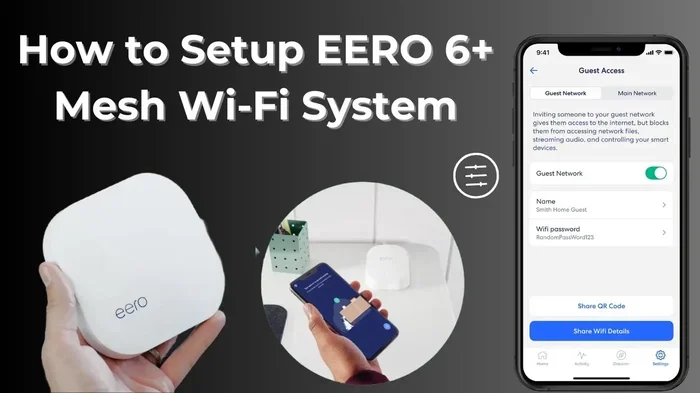
A mesh system uses multiple nodes placed around your home. Each node communicates with the others and creates a seamless, whole-home network. Unlike an extender, a mesh system does not create a separate network name. Your devices switch between nodes automatically as you move around the house.
Mesh systems are more expensive than extenders but offer much better performance and coverage. They are ideal for homes larger than 2,000 square feet or homes with tricky layouts.
Powerline Adapters
Powerline adapters use your home’s electrical wiring to carry the internet signal from the router to another room. You plug one adapter near the router and another in the room that needs coverage. They bypass walls and obstacles entirely.
Powerline adapters work well in homes where Wi-Fi signals struggle to pass through multiple floors. They are not as fast as a direct Ethernet connection, but they are much more reliable than a poorly placed extender.
Upgrading Your Router
Sometimes the real problem is the router itself. An older router may not have the range or speed to cover your entire home. Upgrading to a newer, more powerful router can solve coverage issues without adding extra devices.
If you are considering this route, make sure your new router supports the latest Wi-Fi standards for the best internet connection and network latency performance.
How to Test Your Extender Setup
Once you have placed your extender, you need to test it to make sure everything works. Here is a simple method anyone can follow.
- Connect to the extended network. Use your phone or laptop to connect to the network name your extender broadcasts.
- Run a speed test. Visit a speed test website and check your download and upload speeds. Write down the results.
- Walk to the dead zone. Take your device to the area that previously had no signal and run another speed test.
- Compare the results. If the extended area shows good speeds, your placement is working. If speeds are still low, try moving the extender closer to the router.
- Repeat as needed. Finding the perfect spot sometimes takes a few tries. Move the extender a few feet at a time and test each time.
This walk-test method is the most reliable way to find your ideal Wi-Fi extender placement. It takes about 10 minutes and gives you real-world results you can trust.
Expert Insight: What Networking Pros Recommend
Networking professionals agree on one thing: placement is everything. A high-quality extender in the wrong spot will underperform a budget extender in the right spot. The key is finding that balance between receiving a strong signal from the router and reaching the area that needs coverage.
Many IT professionals also recommend using an Ethernet cable to connect the extender to the router if possible. A wired backhaul connection eliminates wireless signal loss and gives you the best possible speeds through the extender. If your extender supports Ethernet backhaul, use it. Your Wi-Fi speed will thank you.
Finally, do not be afraid to experiment. Every home is different. The layout, the building materials, the number of devices, and even the weather can affect your wireless signal. What works for your neighbor might not work for you. Take the time to find what works best for your specific setup.
Conclusion
So, how close does a Wi-Fi extender need to be to the router? The answer is about halfway between the router and the area with poor coverage. Too close and the extender has nothing useful to rebroadcast. Too far and it just spreads a weak signal around your home.
The sweet spot gives your extender a strong signal from the router while allowing it to reach the dead zone effectively. Keep it in an open area, avoid physical barriers and electronic interference, and test your setup to make sure it works.
Placement is not a one-time task. As you rearrange furniture, add new devices, or change your internet usage habits, the ideal spot for your extender might shift. Keep testing and adjusting. Your network coverage will be better for it.
With the right placement, a Wi-Fi extender can transform your home network. You get fast, reliable internet in every room without paying for expensive upgrades. It is one of the simplest and most cost-effective improvements you can make to your home setup.
Frequently Asked Questions
Can I place my Wi-Fi extender in another room from the router?
Yes, but the extender needs to receive a strong signal from the router first. If there are too many walls or obstacles between the router and the extender, the extended signal will be weak. Try to keep the extender within a reasonable distance where it can still get a solid connection from the router.
Does a Wi-Fi extender slow down my internet speed?
It can, but it depends on the type of extender and its placement. Single-band extenders can cut your speed in half because they use the same frequency to receive and send signals. Dual-band extenders reduce this problem. Proper placement also plays a big role in maintaining good speeds.
How far can a Wi-Fi extender reach from the router?
A typical extender can roughly double the range of your router. If your router reaches 150 feet indoors, an extender can push that to around 300 feet. However, the quality of the extended signal depends on how well the extender receives the original signal from the router.
Should I keep my Wi-Fi extender on all the time?
Yes. A Wi-Fi extender works continuously to rebroadcast your signal. Turning it off and on frequently can cause connectivity issues for devices connected to the extended network. It uses very little electricity, so leaving it on is perfectly fine.
Can I use multiple Wi-Fi extenders with one router?
Yes, you can use multiple extenders with a single router. However, each extender should be placed strategically to cover a different weak area. Daisy-chaining extenders (connecting one extender to another) can reduce speeds and cause latency. It is better to place each extender within good range of the router directly.
What is the difference between a Wi-Fi extender and a mesh system?
A Wi-Fi extender boosts your existing router signal and creates a secondary network. A mesh system uses multiple nodes to create one seamless network throughout your home. Mesh systems are more expensive but offer better performance, easier management, and smoother handoffs between nodes.
=== META DATA ===
SEO Title: How Close Does A Wi Fi Extender Need To Be To The Router
Meta Title: How Close Does A Wi-Fi Extender Need to Be to the Router
URL Slug: how-close-does-a-wi-fi-extender-need-to-be-to-the-router
Primary Keyword: Wi-Fi extender
LSI Keywords: wireless range extender, Wi-Fi signal strength, router placement, Wi-Fi booster, network coverage, dead zone, Wi-Fi speed, bandwidth, mesh network, Wi-Fi repeater, signal interference, dual-band, Wi-Fi performance, internet connection, Wi-Fi coverage area, signal loss, network latency, Wi-Fi adapter, bandwidth throttling, wireless signal