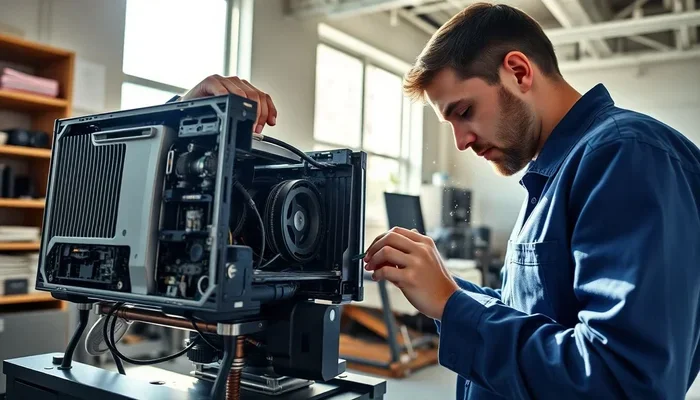
Do Projectors Need Servicing And How To Keep Them Running
Yes, projectors need regular servicing to maintain image quality and extend their lifespan. Whether you own a home theater projector or use one for business, simple maintenance tasks like cleaning the lens, replacing filters, and monitoring lamp hours can make a huge difference. This guide covers everything you need to know about projector care and servicing.
This is a comprehensive guide about Do Projectors Need Servicing.
Key Takeaways
- Projectors do need servicing: Regular maintenance prevents dust buildup, overheating, and image degradation.
- Lens cleaning is essential: A dirty lens reduces sharpness and color accuracy significantly.
- Replace filters regularly: Clogged filters cause overheating and shorten projector lifespan.
- Monitor lamp hours: Knowing when to replace the bulb saves money and maintains brightness.
- Proper storage matters: Storing your projector in a cool, dry place prevents internal damage.
- Ventilation is critical: Blocked vents lead to overheating and potential hardware failure.
- DIY servicing saves money: Most routine maintenance tasks are simple and do not require a technician.
[FEATURED_IMAGE_PLACEHOLDER]
Do projectors need servicing? The short answer is yes. Just like any electronic device, projectors require regular care and maintenance to perform at their best. Whether you use a projector for movie nights, classroom presentations, or office meetings, neglecting servicing can lead to poor image quality, overheating, and even permanent damage.
Many people assume that once they set up a projector, it will just work forever. That is not the case. Dust accumulates inside the unit, lenses get smudged, filters clog up, and lamps slowly lose brightness over time. The good news is that most projector maintenance tasks are simple, affordable, and easy to do at home.
In this guide, we will walk you through everything you need to know about projector servicing. From basic cleaning routines to more advanced troubleshooting, you will learn how to keep your projector running smoothly for years. Let us dive in.
Why Projectors Need Regular Servicing
Projectors are complex devices with multiple internal components that work together to produce a clear image. Over time, dust, heat, and normal wear and tear take a toll on these parts. Without proper maintenance, you will notice a decline in performance.
Here are the main reasons why projector servicing matters:
- Dust accumulation: Dust settles on the lens, internal mirrors, and sensors. This reduces image sharpness and can cause color distortion.
- Filter clogging: Projectors have air intake filters that trap dust. When these filters get blocked, airflow decreases and the projector overheats.
- Lamp degradation: The projector lamp slowly loses brightness over its lifespan. Replacing it at the right time keeps your images vibrant.
- Overheating risks: Without proper ventilation and cleaning, internal components can overheat, leading to costly repairs or total failure.
- Connector wear: HDMI and other ports can loosen or collect dust, causing connectivity issues over time.
Think of projector servicing like changing the oil in your car. Skip it, and eventually, something breaks down. A little preventive care goes a long way toward avoiding expensive repairs.
How Often Should You Service Your Projector
The frequency of projector servicing depends on how often you use it and the environment where it operates. A projector used daily in a dusty classroom needs more attention than one sitting in a clean living room used once a week.
Here is a general timeline for projector maintenance:
- Every 1 to 2 weeks: Wipe down the exterior and check for dust around vents.
- Every 1 to 3 months: Clean or replace the air filter. Wipe the lens with a microfiber cloth.
- Every 6 months: Inspect the lamp hours and check for any unusual noises or flickering.
- Every 1 to 2 years: Replace the projector lamp if brightness has noticeably decreased.
- Every 3 to 5 years: Consider a professional deep clean and inspection of internal components.
If you use your projector in a high-traffic area or near windows where dust enters easily, shorten these intervals. A quick visual inspection before each use can also help you catch problems early.
Signs Your Projector Needs Servicing
How do you know it is time to service your projector? Watch for these warning signs:
- Flickering image: This often indicates a dying lamp or loose connection.
- Dim or washed-out colors: The lens may be dirty or the lamp is losing strength.
- Unusual noises: Clicking, buzzing, or grinding sounds suggest a fan issue or dust buildup on the motor.
- Overheating shutdowns: If the projector turns off unexpectedly, check the filters and vents first.
- Horizontal lines or spots: These can signal dust on the DMD chip or internal optics.
Do not ignore these signs. Addressing them early can prevent more serious and costly damage down the road.
Step-by-Step Projector Servicing Guide
Servicing your projector does not require technical expertise or expensive tools. Most tasks take just a few minutes and can be done with items you already have at home. Here is a detailed step-by-step guide.
Step 1: Turn Off and Unplug the Projector
Safety comes first. Always power off the projector and unplug it from the wall before cleaning. Wait at least 30 minutes for the unit to cool down. Projector lamps get very hot, and working on a warm device can cause burns or damage sensitive components.
Step 2: Clean the Exterior
Use a soft, dry microfiber cloth to wipe down the outside of the projector. Remove any dust from the vents, ports, and casing. Do not use harsh chemicals or liquid cleaners directly on the projector. A slightly damp cloth is fine for stubborn spots, but make sure no moisture gets inside the unit.
Step 3: Clean the Lens
The lens is the most important optical component, and even a small smudge can affect image quality. Use a lens brush or a blower to remove loose dust first. Then, gently wipe the lens in a circular motion using a microfiber lens cloth. Never use paper towels or regular cloths, as they can scratch the lens coating.
If you use your projector as part of a home theater setup with other audio and video equipment, keeping all devices clean ensures the best overall experience. For example, if you also use a microphone for presentations or movie nights, proper care of all your gear matters. You might find it helpful to check whether certain devices need additional software or setup, like whether a Blue Yeti mic requires extra software, to work seamlessly with your projector system.
Step 4: Clean or Replace the Air Filter
Locate the air filter on your projector. Most models have a removable filter panel on the side or bottom. Slide it out and gently tap it to dislodge loose dust. For stubborn dirt, rinse the filter with water and let it dry completely before reinserting it.
If the filter is damaged or extremely dirty, replace it with a new one that matches your projector model. Replacement filters are usually inexpensive and easy to find online.
Step 5: Check the Lamp Hours
Most modern projectors display lamp hours in the settings menu. Check this regularly to track how much life your lamp has left. When you approach the recommended hour limit, start planning for a replacement. Using a lamp past its lifespan can cause it to burst inside the projector, which is both dangerous and expensive to repair.
Step 6: Inspect the Vents and Fan
Use a can of compressed air to blow out any dust from the ventilation openings and fan area. Hold the can upright and use short bursts. Do not touch the fan blades with anything, as this can damage the motor.
Common Projector Problems and How to Fix Them
Even with regular maintenance, projectors can develop issues. Here are some of the most common problems and what you can do about them.
| Problem | Likely Cause | Solution |
|---|---|---|
| Image is blurry | Dirty lens or incorrect focus | Clean the lens and adjust focus ring |
| Colors look faded | Dust on internal mirrors or old lamp | Clean internal optics or replace lamp |
| Projector won’t turn on | Power supply issue or overheated lamp | Check power cable and let unit cool down |
| Horizontal lines on screen | Dust on DMD chip or loose cable | Clean DMD chip or reseat cables |
| Loud fan noise | Dust on fan blades or clogged vents | Clean fan and ensure proper ventilation |
| Image is too dim | Old lamp or brightness settings | Replace lamp or adjust brightness mode |
Before calling a technician, try these basic fixes. In many cases, a simple cleaning or cable reseat solves the problem entirely. If the issue persists, it may be time for professional servicing.
Sometimes connectivity issues can cause frustration during presentations or movie sessions. For instance, if you are trying to cast content from your phone to a projector and it is not working, the issue might not be with the projector itself. You can explore solutions for device connectivity problems, such as whether you need a specific app to print from your phone, which may also apply to wireless projection setups.
How to Extend Your Projector’s Lifespan
Proper care goes beyond just cleaning. There are several habits you can adopt to significantly extend the life of your projector.
Use Eco Mode
Most projectors come with an eco mode or economy mode that reduces lamp brightness slightly while dramatically cutting heat output. This not only saves energy but also extends the lamp life by up to 50 percent. For everyday viewing, eco mode is a great choice.
Allow Proper Ventilation
Never place your projector in an enclosed cabinet or against a wall without space around it. Projectors need airflow to stay cool. Keep at least a few inches of clearance on all sides, especially around the exhaust vent.
Keep Dust Out of the Room
If possible, use your projector in a room with closed windows and minimal dust. Consider using an air purifier in the room where the projector is used most frequently. This simple step reduces how much dust enters the device.
Avoid Moving the Projector While It Is On
Moving a projector while the lamp is active can cause the bulb to shift or even shatter. Always power off and let the device cool before relocating it. If you need to move it frequently, consider a portable projector with a sturdy carrying case.
Store Properly When Not in Use
When storing your projector for extended periods, cover it with a dust cover or keep it in its original box. Store it in a cool, dry place away from direct sunlight and moisture. Humidity can damage internal electronics and promote mold growth on the lens.
Use Quality Power Protection
Plug your projector into a surge protector or uninterruptible power supply (UPS). Power surges and sudden outages can damage the projector’s internal circuitry. A good surge protector is a small investment that can save you from costly repairs.
For those who rely on projectors for outdoor movie nights or presentations in different locations, power supply becomes even more important. Portable power solutions like solar phone chargers can complement your setup by providing backup power for smaller devices in your projection system.
When to Call a Professional for Projector Servicing
While most routine maintenance is DIY-friendly, some tasks are best left to professionals. Knowing when to call for help can save you time, money, and the risk of accidentally damaging your projector.
Consider professional servicing in these situations:
- Internal cleaning: If you are not comfortable opening the projector and cleaning internal components like the DMD chip or optical engine, a technician can do this safely.
- Color calibration: Professional calibration ensures your projector displays the most accurate colors possible. This is especially important for home theater setups.
- Lamp replacement in hard-to-reach models: Some projectors have lamps that are difficult to access. A technician can replace the lamp without risking damage to other parts.
- Persistent hardware issues: If you have tried all troubleshooting steps and the projector still has problems, a professional diagnosis is the best next step.
- Warranty considerations: If your projector is still under warranty, check with the manufacturer before attempting any internal repairs. Opening the unit yourself may void the warranty.
Professional servicing typically costs between $100 and $300 depending on the model and the work needed. Compare that to the cost of replacing a projector damaged by improper handling, and the investment makes sense.
It is also worth noting that the audio experience matters just as much as the visual one in any home entertainment setup. If you are building a complete home theater system, ensuring all components work together is key. For example, you might wonder if you need additional software to get the best sound from your setup. Checking guides about whether earbuds work well with your devices can help you plan your complete audio-visual experience around your projector.
Projector Servicing Myths Debunked
There is a lot of misinformation about projector maintenance. Let us clear up some common myths.
Myth 1: Projectors do not need any maintenance. False. All projectors, regardless of brand or price, benefit from regular cleaning and care. Neglecting maintenance leads to faster wear and degraded image quality.
Myth 2: You should clean the projector lens with regular cloth or paper towels. False. Regular cloths can scratch the lens coating. Always use a dedicated microfiber lens cloth or lens brush.
Myth 3: You can use any air can to blow out dust. False. Cans that contain propellant liquid can leave residue inside the projector. Use dry compressed air only.
Myth 4: Projector lamps last forever if you use eco mode. False. Eco mode extends lamp life, but all lamps eventually need replacement. Keep track of your hours.
Myth 5: You should run the projector until the lamp completely dies. False. Replacing the lamp at the recommended hour limit prevents damage and maintains consistent image quality.
Quick Tips for Daily Projector Care
Incorporate these quick habits into your routine for hassle-free projector ownership:
- Turn off the projector using the power button, not the remote, to ensure proper shutdown of internal fans.
- Let the projector cool for at least 10 minutes before putting it away.
- Keep a lens cap on when the projector is not in use to prevent dust buildup.
- Wipe down the lens before and after each use if you are in a dusty environment.
- Check the air filter monthly and clean or replace as needed.
- Keep a log of lamp hours so you know exactly when replacement is due.
- Never block the projector vents during use.
- Use a vacuum with a brush attachment around the projector area to reduce ambient dust.
Final Thoughts
So, do projectors need servicing? Absolutely. Regular maintenance keeps your projector delivering bright, clear images for years. From simple lens cleaning to monitoring lamp hours and replacing filters, the steps are easy and affordable.
The key is consistency. A little care goes a long way toward preventing major issues and expensive repairs. Whether you use your projector for movie nights, work presentations, or classroom teaching, these maintenance habits will pay off.
Start with the basics today. Clean your lens, check your filters, and keep track of your lamp hours. Your projector will thank you with better performance and a longer life. And the next time someone asks you, “Do projectors need servicing?” you will have all the answers.
Frequently Asked Questions
How long does a projector lamp last?
Most projector lamps last between 2,000 and 5,000 hours depending on the model and usage. Eco mode can extend lamp life significantly. Check your projector manual for the specific rating of your lamp.
Can I clean my projector lens with water?
No. Never use water directly on the projector lens. Use a dry microfiber lens cloth or a lens cleaning solution designed for optical surfaces. Water can damage the lens coating and leave residue.
Is it safe to leave a projector on overnight?
It is not recommended. Projectors are designed for intermittent use. Leaving them on for extended periods can cause overheating and significantly reduce lamp life. Always turn the projector off when it is not in use.
How much does professional projector servicing cost?
Professional servicing typically costs between $100 and $300. The price depends on the type of service needed, the projector model, and your location. Basic cleaning costs less, while complex repairs or full internal servicing costs more.
What is the best way to store a projector long-term?
Store your projector in its original box or a dust-proof cover. Keep it in a cool, dry place with stable temperature and low humidity. Avoid areas prone to temperature swings or moisture, such as basements or garages.
Do all projectors have removable air filters?
Most consumer projectors have removable filters, but some compact or ultra-short-throw models may have sealed internal filters. Check your projector’s manual to determine the filter type and maintenance requirements for your specific model.
Frequently Asked Questions
What is Do Projectors Need Servicing?
Do Projectors Need Servicing is an important topic with many practical applications.