How Can I Play Movies On A Projector With These Tips
Playing movies on a projector is easier than you think. This guide covers everything from choosing the right projector and setting up your screen to streaming, audio options, and troubleshooting common issues. Whether you want indoor movie nights or outdoor cinema vibes, you will find practical tips to get started right away.
Want to turn any room into your personal movie theater? playing movies on a projector is one of the most fun and rewarding DIY entertainment setups you can create. Whether you are planning a cozy Friday night in or a big backyard movie party, a projector transforms how you watch films. In this guide, we will walk you through every step needed to play movies on a projector with confidence and ease.
The process might seem intimidating at first, but it really is not that hard. You do not need expensive equipment or technical skills. With the right projector, a simple screen, and a streaming device, you can enjoy a cinematic experience from the comfort of your own home. Let us dive into everything you need to know.
Key Takeaways
- Choose the right projector: Brightness, resolution, and portability matter most for movie playback.
- Set up your screen properly: A white wall or dedicated screen makes a huge difference in image quality.
- Streaming options are plentiful: You can use Chromecast, Fire Stick, laptop, or phone to stream movies directly.
- Audio setup is key: Good sound completes the movie experience, whether through built-in speakers or external options.
- Placement and lighting affect quality: Mount your projector correctly and control ambient light for the best picture.
- Troubleshooting is simple: Most common issues have quick fixes you can do at home.
📑 Table of Contents
- Choose the Right Projector for Movie Watching
- Set Up Your Projection Surface
- Connect Your Device to Stream Movies
- Get the Audio Right for Your Movie Night
- Position and Mount Your Projector Correctly
- Optimize Your Viewing Environment
- Troubleshoot Common Projector Movie Issues
- Quick Tips for the Best Projector Movie Experience
- Common Mistakes to Avoid
- Expert Insights on Projector Movie Setup
- Conclusion
Choose the Right Projector for Movie Watching
Not all projectors are built the same way. Some are designed for business presentations, while others shine when it comes to movie playback. Picking the right one makes a massive difference in your viewing experience.
Brightness Matters Most
Projector brightness is measured in lumens. For movie watching, you want at least 2,000 lumens if you plan to watch in a dim room. If you want to watch during the daytime or in a bright space, aim for 3,000 lumens or more. Higher brightness gives you a clearer and more vibrant picture even when the lights are not fully off.
Resolution Determines Picture Quality
Resolution is how sharp and detailed the image looks. Most movie lovers prefer at least 1080p Full HD. This gives you a crisp picture with clear text and rich colors. If you want the best quality, look into 4K projectors. They offer stunning detail, but they do cost more. For most people, 1080p is more than enough for a fantastic movie night.
Portable vs. Home Theater Projectors
Portable projectors are small, lightweight, and battery-powered. They are perfect for outdoor movie nights or travel. Home theater projectors are bigger and more powerful. They deliver superior image quality and work best in dedicated rooms. Think about where you will watch movies most often before making your choice.
Set Up Your Projection Surface
The surface you project onto plays a big role in how your movies look. You do not always need an expensive screen to get great results.
Use a White Wall for Quick Setup
The simplest option is to project directly onto a white wall. Make sure the wall is smooth and clean for the best image. Projecting directly on the wall works well in most rooms, especially if the wall is flat and free of texture. This is the easiest and cheapest way to start watching movies right away.
Invest in a Projector Screen
A dedicated projector screen gives you better color and contrast than a regular wall. Screens come in many sizes and types. Fixed screens mount permanently, while retractable screens roll up when not in use. Portable screens are lightweight and fold into a carrying bag. They are great for outdoor use or when you want flexibility.
Can You Use Black Cloth for a Projector?
Some people wonder if dark surfaces work for projection. Using black cloth for a projector is generally not recommended for movies. Dark surfaces absorb light and make the image harder to see. White or light gray surfaces reflect light back to your eyes, creating a brighter and more enjoyable picture. Stick with light-colored materials for the best results.
Connect Your Device to Stream Movies
Once your projector is ready, you need a way to send movie content to it. There are several easy options depending on what devices you own.
Use a Streaming Stick or Box
Devices like Amazon Fire Stick, Chromecast, or Roku plug directly into your projector’s HDMI port. They let you access Netflix, YouTube, Disney Plus, and other apps instantly. This is the simplest way to stream movies without extra hassle. Just plug in, connect to Wi-Fi, and start watching.
Mirror Your Phone or Tablet
Many phones and tablets support screen mirroring. You can cast content from your device straight to the projector. If you want to mirror your iPhone to a projector, you can use AirPlay or a compatible adapter. Android users can use Google Cast or Miracast. Screen mirroring works well for streaming apps and personal videos.
Connect a Laptop or Computer
A laptop gives you the most flexibility. You can plug it in with an HDMI cable or use a wireless connection. Laptops let you access any streaming site or local movie file. This is a great option if you already have a computer with a good movie library. It also works well for presentations and movie nights with friends.
Get the Audio Right for Your Movie Night
Picture quality matters, but sound is just as important. A great movie with poor audio can ruin the whole experience. Getting the sound right makes a big difference.
Use the Projector’s Built-In Speakers
Most projectors come with small built-in speakers. They work fine for casual viewing, but they lack depth and volume. If you are watching in a small room, they might be enough. For a more immersive experience, you will want to explore other audio options.
Connect External Speakers or a Soundbar
External speakers dramatically improve movie sound. You can connect a soundbar, Bluetooth speaker, or home theater system to your projector. Many projectors have a 3.5mm audio jack or Bluetooth capability. Check your projector’s output options and choose speakers that match. Good audio brings movies to life with rich bass and clear dialogue.
Consider Bluetooth Connectivity
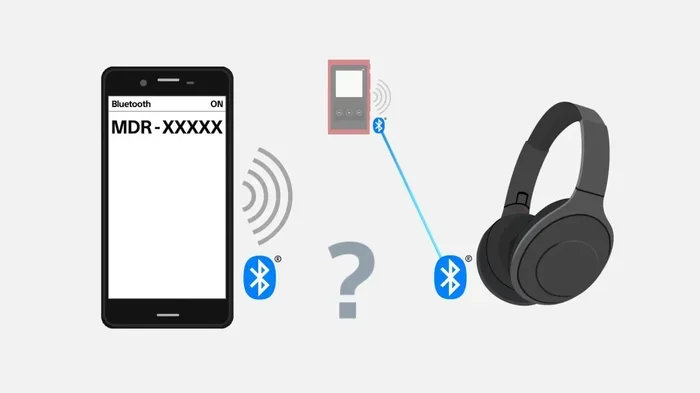
Bluetooth speakers offer wireless convenience. You can place them anywhere in the room without dealing with cables. Some projectors support Bluetooth audio output directly. If yours does not, you can use a Bluetooth adapter for your projector to add wireless sound capability. This is a simple and affordable upgrade.
Position and Mount Your Projector Correctly
Where you place your projector affects both image quality and viewing comfort. Getting the placement right is one of the most important steps.
Find the Right Distance
Every projector has a throw ratio that determines how far it needs to be from the screen. Check your projector’s manual for the recommended distance. A projector that is too close will produce a small image. One that is too far will create a blurry or dim picture. Measure your space before you set up.
Mount the Projector Level and Stable
Your projector should be level and securely mounted. Even a slight tilt can distort the image. Ceiling mounts work great for permanent setups. Tabletop stands are good for portable use. Make sure the projector is stable and will not vibrate during playback. Vibration can cause a fuzzy or shaky picture.
Can You Mount a Projector Off Center?
Many people wonder about placement flexibility. Mounting a projector off center is possible with some models. You may need to adjust the keystone setting to fix the image shape. However, center mounting usually gives the best and most straightforward results. If off-center mounting is your only option, check that your projector has keystone correction.
Optimize Your Viewing Environment
The room you watch movies in has a huge impact on how good the experience feels. A few small changes can make a big difference.
Control Ambient Light
Light is the enemy of projector image quality. Close curtains or blinds to block outside light. Turn off lamps and overhead lights during movie time. The darker the room, the sharper and more vibrant your picture will look. Even small amounts of light can wash out the image and reduce contrast.
Manage Sound Reflections
Room layout affects how sound travels. Hard surfaces like walls and floors bounce sound around, which can create echoes. Soft furnishings like carpets, curtains, and couches absorb sound and improve clarity. If possible, watch movies in a room with some soft materials. This creates a more cinema-like atmosphere.
Plan for Outdoor Movie Nights
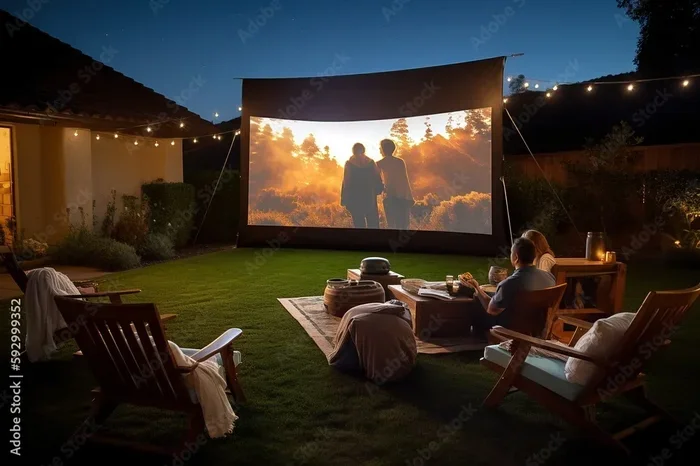
Outdoor projector movie nights are incredibly fun. Use a portable screen or a white bedsheet stretched between two points. Make sure the area is dark and free from distractions. A portable projector with good battery life works best outdoors. Invite friends, set up chairs, and enjoy a unique movie experience under the stars.
Troubleshoot Common Projector Movie Issues
Even with the best setup, you might run into occasional problems. Most issues are easy to fix without professional help.
Picture Is Dim or Fuzzy
A dim picture usually means the projector needs cleaning or the lamp is aging. Check the air filter and clean any dust from the vents. If the image is fuzzy, adjust the focus ring on the projector. You may also need to reposition the projector closer or farther from the screen.
No Sound or Poor Audio
If you cannot hear sound, first check that the volume is turned up on both the projector and your source device. Make sure the audio output is set correctly. If you are using Bluetooth speakers, confirm they are paired properly. A quick restart of both devices often fixes connection issues.
Connection Keeps Dropping
Wireless connections can be unstable at times. If your streaming device keeps disconnecting, try moving it closer to your Wi-Fi router. A strong and stable internet connection is essential for smooth streaming. For HDMI connections, make sure the cable is firmly plugged in on both ends.
Quick Tips for the Best Projector Movie Experience
- Watch during evening hours when ambient light is low for the best picture.
- Clean your projector lens regularly with a soft microfiber cloth.
- Use a high-quality HDMI cable for the clearest and most reliable connection.
- Keep your projector ventilated to prevent overheating during long movie sessions.
- Test your setup before the big night so you can fix any issues ahead of time.
- Invest in a good sound system because great audio completes the movie experience.
Common Mistakes to Avoid
- Skipping the warm-up period. Give your projector a minute or two to reach full brightness before starting the movie.
- Ignoring room lighting. Even a little extra light can dramatically reduce image quality.
- Using the wrong cable. Always use a high-quality HDMI cable that supports your projector’s resolution.
- Forgetting about audio. A beautiful picture with poor sound ruins the whole experience.
- Placing the projector too close. Check the throw ratio and maintain the correct distance for a sharp image.
Expert Insights on Projector Movie Setup
Setting up a projector for movies is both an art and a science. The best setups balance image quality, sound, and comfort. Start with the basics and upgrade gradually. You do not need to buy everything at once. A solid projector, a simple screen, and a streaming device are all you need to begin. From there, you can enhance your setup step by step based on your preferences and budget.
Many people find that the experience of watching movies on a projector is far more engaging than watching on a small TV. The large screen creates a sense of immersion that is hard to match. Whether you are rewatching old favorites or discovering new ones, a projector adds a special magic to every movie session.
Keep in mind that regular maintenance extends the life of your projector. Clean the filter, replace the lamp when needed, and store the device properly when not in use. These small habits keep your setup running smoothly for years of movie enjoyment.
Conclusion
Learning how to play movies on a projector opens up a world of entertainment possibilities. From choosing the right projector and setting up your screen to connecting your streaming device and getting the audio just right, every step brings you closer to the perfect movie night. The tips in this guide cover everything you need to know to get started with confidence.
Remember that the best setup is one that fits your space, your budget, and your lifestyle. Start simple, experiment, and improve over time. Soon you will be enjoying movies on a big screen with friends and family. Playing movies on a projector is not just about technology, it is about creating memorable experiences and sharing the joy of cinema in your own space.
Frequently Asked Questions
What is the best projector for watching movies at home?
A projector with at least 2,000 lumens and 1080p resolution works great for most homes. Popular choices include models from brands like Epson, BenQ, and Optoma. If you want premium quality, look for 4K projectors with high contrast ratios. Your budget and room size will help narrow down the best option.
Can I play movies on a projector without Wi-Fi?
Yes, you can. You can use a USB drive with movie files, connect a laptop with offline content, or use a Blu-ray player with an HDMI cable. Many projectors also support playing media directly from a USB flash drive. This makes it easy to watch movies even without an internet connection.
Do I need a special screen to watch movies on a projector?
No, a special screen is not required. A clean white wall works perfectly fine for most setups. However, a dedicated projector screen improves color accuracy and brightness. You can start with a wall and upgrade to a screen later if you want better image quality.
How can I improve the sound when watching movies on a projector?
Connect external speakers or a soundbar to your projector for much better audio. Most projectors have a 3.5mm jack or Bluetooth support. You can also pair wireless Bluetooth speakers for a cable-free setup. Good sound makes a huge difference in how immersive your movie experience feels.
What is the best way to connect my phone to a projector for movies?
The easiest way is through screen mirroring or casting. Use AirPlay for iPhones or Google Cast for Android devices. You can also use an HDMI adapter cable for a wired connection. Both methods let you stream movies and show personal videos on the big screen with minimal effort.
How long can I leave my projector on while watching movies?
Most modern projectors are designed to run for several hours continuously. LED projectors can last 20,000 hours or more, while lamp-based projectors typically run for 3,000 to 5,000 hours per bulb. Make sure your projector has proper ventilation and take short breaks during very long movie sessions to keep it running smoothly.