How Do I Connect My Audio Technica 120 To Bluetooth
The Audio Technica 120 is a beloved turntable, but it does not have built-in Bluetooth. You can add wireless capability using a Bluetooth transmitter connected to the turntable’s RCA outputs. This guide walks you through every step, from picking the right transmitter to troubleshooting common issues. With the right setup, you can stream your vinyl records to any Bluetooth speaker, headphones, or receiver.
The Audio Technica 120 is one of the most popular turntables on the market. It delivers warm, rich sound that makes every vinyl record feel alive. But here is the thing — this turntable does not come with built-in Bluetooth. If you want to stream your music wirelessly to a speaker or headphones, you need a simple workaround.
Connecting your Audio Technica 120 to Bluetooth is easier than you might think. All you need is a Bluetooth transmitter, a few cables, and about ten minutes. In this guide, I will walk you through every single step. You will learn what equipment you need, how to set it up, and how to get the best sound quality. Whether you are a vinyl beginner or a seasoned collector, this guide has you covered.
Let us get your turntable streaming wirelessly. No complicated tech skills required — just clear, simple instructions that anyone can follow.
Key Takeaways
- The Audio Technica 120 lacks built-in Bluetooth: You need an external Bluetooth transmitter to go wireless.
- A simple RCA-to-Bluetooth transmitter is all you need: Most affordable options work great with this turntable.
- Pairing is straightforward: Just plug in the transmitter, power on both devices, and pair them through your speaker or headphones.
- Audio quality stays solid: Modern Bluetooth transmitters preserve the warm analog sound of your vinyl records.
- You can also use Bluetooth headphones: Late-night listening without disturbing anyone is totally possible.
- Troubleshooting is simple: Most issues come from distance, interference, or incorrect cable connections.
📑 Table of Contents
- What Is the Audio Technica 120?
- What You Need to Connect Audio Technica 120 to Bluetooth
- Step-by-Step Guide to Connecting Your Audio Technica 120 to Bluetooth
- Best Bluetooth Transmitters for the Audio Technica 120
- Tips for Better Bluetooth Audio Quality
- Common Mistakes to Avoid When Connecting Audio Technica 120 to Bluetooth
- Troubleshooting Common Connection Issues
- Can You Use Bluetooth Headphones With the Audio Technica 120?
- Final Thoughts
What Is the Audio Technica 120?
The Audio Technica AT-LP120 is a direct-drive turntable designed for both casual listening and serious DJ work. It plays 33, 45, and 78 RPM records and comes with a built-in preamp. This means you can plug it directly into a powered speaker or amplifier without needing extra equipment.
Here are some key features that make this turntable a favorite:
- Built-in switchable phono preamp: You can connect it to any powered speaker or receiver directly.
- USB output for digital recording: You can digitize your vinyl collection straight to your computer.
- Sturdy tonearm and cartridge: The AT-VM95E cartridge delivers clear and detailed sound.
- Reverse play capability: DJs will appreciate the ability to play records backward.
- Solid build quality: It feels well-made and stays stable during playback.
Despite all these great features, the AT-LP120 does not include wireless connectivity. It relies on traditional analog outputs — RCA and ground wires. This is where a Bluetooth transmitter comes in handy. It bridges the gap between your turntable’s analog output and your wireless speakers or headphones.
What You Need to Connect Audio Technica 120 to Bluetooth
Before you start, let me walk you through the equipment you will need. The good news is that the setup is simple and affordable. You probably already own most of what you need.
The Audio Technica 120 Turntable
This is your starting point. Make sure your turntable is set up correctly. The tonearm should be balanced, and the stylus should be clean. A well-maintained turntable makes a huge difference in sound quality.
A Bluetooth Transmitter
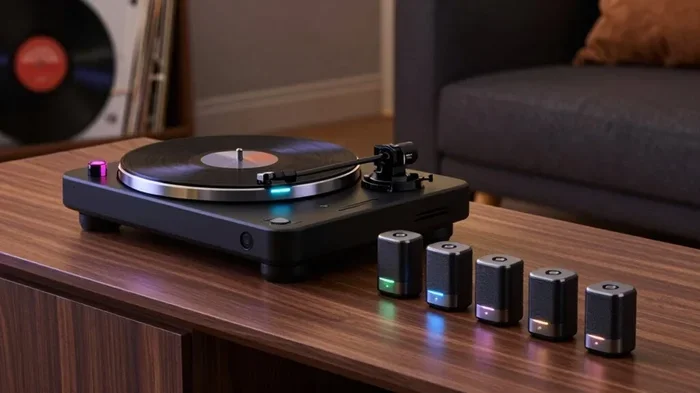
This is the key piece of equipment. A Bluetooth transmitter takes the analog audio signal from your turntable’s RCA outputs and sends it wirelessly to your speaker or headphones. You plug the transmitter into the turntable using RCA cables, and then pair it with your Bluetooth device.
Look for a transmitter that supports aptX or aptX Low Latency codecs. These provide better audio quality and less delay than basic Bluetooth transmitters. Some popular options include the TaoTronics Bluetooth transmitter and the 1Mii Bluetooth transmitter. Both are affordable and work great with turntables.
RCA Cables
You need a pair of RCA cables to connect the turntable to the Bluetooth transmitter. The AT-LP120 has standard RCA output jacks on the back panel. Most Bluetooth transmitters come with RCA input cables included. If yours does not, you can pick up a cheap pair at any electronics store.
A Bluetooth-Enabled Device
This could be a Bluetooth speaker, wireless headphones, a soundbar, or even a home receiver with Bluetooth capability. Make sure the device you want to connect to is charged and ready to pair.
Quick tip: If you want to learn more about connecting other audio devices wirelessly, check out our guide on Can I Turn My Stereo Into Bluetooth for more wireless audio ideas.
Step-by-Step Guide to Connecting Your Audio Technica 120 to Bluetooth
Now for the fun part — the actual setup. Follow these steps carefully, and you will be listening to vinyl wirelessly in no time.
Step 1: Power Off Your Turntable
Always start with the turntable turned off. This prevents any electrical issues and protects your equipment. Unplug the power cord from the wall outlet if you want to be extra safe.
Step 2: Connect RCA Cables to the Turntable
Locate the RCA output jacks on the back of the Audio Technica 120. They are usually color-coded — red for right and white (or black) for left. Plug the RCA cables into the corresponding jacks. Make sure they are snug and secure.
Do not confuse the RCA output jacks with the RCA input jacks. The output jacks send audio out of the turntable. The input jacks receive audio from another device. On the AT-LP120, the outputs are clearly labeled.
Step 3: Connect the Other End of the RCA Cables to the Bluetooth Transmitter
Take the other ends of the RCA cables and plug them into the Bluetooth transmitter’s input jacks. Again, match the colors — red to red, white to white. If your transmitter also has a ground wire connection, attach the ground wire from the turntable to the transmitter’s ground terminal.
The ground wire is the thin wire that prevents buzzing and humming noises. If you skip this step, you might hear a low hum during playback. It is a small detail that makes a big difference.
Step 4: Power On the Bluetooth Transmitter
Plug the Bluetooth transmitter into a power source. Most transmitters use a USB cable connected to a wall adapter or a USB port. Once powered on, the transmitter’s LED light should start blinking, indicating it is ready to pair.
Step 5: Put Your Bluetooth Speaker or Headphones in Pairing Mode
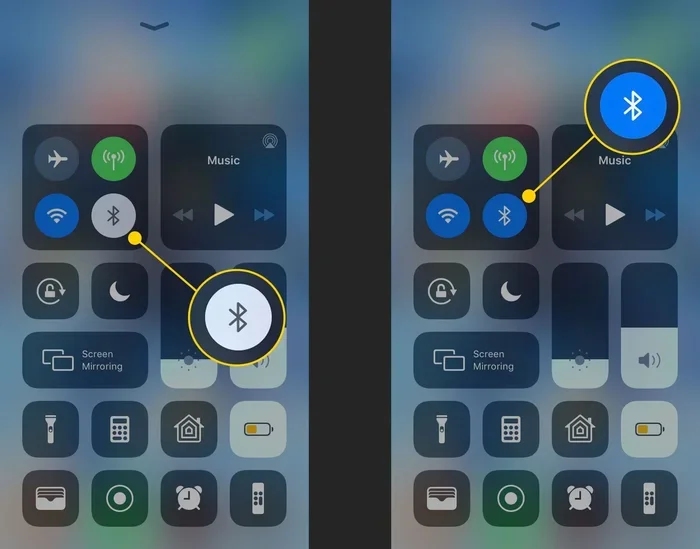
Turn on your Bluetooth speaker or headphones and activate pairing mode. The method varies by device. Usually, you need to press and hold the Bluetooth button until the LED light flashes rapidly. Check your device’s manual if you are unsure.
Step 6: Pair the Transmitter with Your Bluetooth Device
On the Bluetooth transmitter, press the pairing button. The LED light should start flashing, and it will search for nearby Bluetooth devices. Within a few seconds, it should find your speaker or headphones. The light will stop flashing and stay solid once the connection is established.
Some transmitters support multipoint pairing, which means you can connect to two devices at the same time. This is handy if you want to switch between a speaker and headphones without unpairing.
Step 7: Test the Connection
Place a record on the turntable, lower the tonearm gently onto the record, and press play. You should hear the music coming from your Bluetooth speaker or headphones. If the sound is clear and free of distortion, you are all set!
Quick tip: For the best experience, keep the Bluetooth transmitter within 30 feet of your receiving device. Walls and obstacles can weaken the signal. If you experience dropouts, move closer to the speaker or remove obstacles between the devices.
If you want to explore more about wireless audio connections, you might find our article on Can I Use A Bluetooth Transmitter For My Car helpful for understanding Bluetooth transmitters in different contexts.
Best Bluetooth Transmitters for the Audio Technica 120
Not all Bluetooth transmitters are created equal. Some deliver better sound quality than others. Here is a quick comparison of popular options that work well with the AT-LP120.
| Transmitter | Codec Support | Battery Life | Price Range |
|---|---|---|---|
| TaoTronics TT-BA07 | aptX, aptX Low Latency | Up to 10 hours | $20-$30 |
| 1Mii B06 | aptX, aptX HD, aptX Low Latency | Up to 12 hours | $25-$35 |
| Avantree Oasis | aptX, aptX HD, aptX Low Latency | Up to 16 hours | $40-$50 |
| Mpow BH128 | aptX, aptX Low Latency | Up to 10 hours | $15-$20 |
For the Audio Technica 120, I recommend the 1Mii B06 or the TaoTronics TT-BA07. Both offer excellent sound quality at an affordable price. They support aptX codecs, which preserve the warmth and detail of your vinyl records better than basic SBC codecs.
Expert insight: If you care about audio quality, always choose a transmitter that supports aptX or aptX HD. Standard Bluetooth codecs can compress audio and reduce the richness of your vinyl sound. aptX codecs maintain a much higher fidelity, so your records sound closer to what you hear on a wired connection.
For those interested in using Bluetooth with their TV setup, you can also read our article on Can I Use A Bluetooth Adapter On My Tv for additional Bluetooth adapter options and tips.
Tips for Better Bluetooth Audio Quality
Getting a Bluetooth connection is one thing — getting great sound is another. Here are some tips to make sure your wireless vinyl listening experience sounds fantastic.
Keep Distance Minimal
Bluetooth signals weaken with distance. Keep your transmitter and receiving device in the same room, ideally within 15 to 30 feet of each other. Avoid placing the transmitter behind walls or inside cabinets.
Reduce Wireless Interference
Wi-Fi routers, microwaves, and other Bluetooth devices can interfere with your connection. If you notice dropouts or static, try moving away from these devices. Changing the Bluetooth channel on your transmitter can also help.
Use High-Quality RCA Cables
Cheap cables can introduce noise and signal loss. Invest in a decent pair of shielded RCA cables. They cost a few dollars more but make a noticeable difference in sound clarity.
Keep Your Firmware Updated
Many Bluetooth transmitters receive firmware updates that improve connectivity and audio quality. Check the manufacturer’s website or app for updates and install them regularly.
Clean Your Records and Stylus
This might sound obvious, but clean vinyl and a fresh stylus make a huge difference. Dust and debris on your records or needle can cause crackling and distortion that no Bluetooth setup can fix. A simple record brush and stylus cleaner go a long way.
Quick tip: If you want to listen wirelessly with headphones, check out our guide on Can I Use Bluetooth Headphones With My Tv for tips on using Bluetooth headphones with audio devices.
Common Mistakes to Avoid When Connecting Audio Technica 120 to Bluetooth
Even with a simple setup, people make mistakes that cause frustration. Here are the most common ones and how to avoid them.
Forgetting the Ground Wire
The ground wire on the AT-LP120 prevents electrical hum. If you skip it, you will hear a persistent buzzing noise during playback. Always connect the ground wire to the Bluetooth transmitter or your amplifier. It is a small cable but it solves a big problem.
Using Low-Quality Bluetooth Transmitters
Ultra-cheap Bluetooth transmitters often use outdated codecs and have weak antennas. This leads to poor audio quality and frequent disconnections. Spend a little more on a reputable brand that supports modern Bluetooth codecs.
Placing the Transmitter Too Far Away
Bluetooth has a limited range. Placing the transmitter on the opposite side of the room from your speaker will weaken the signal. Keep them close together for a stable connection.
Not Updating the Transmitter Firmware
Firmware updates fix bugs and improve performance. Many people set up their transmitter once and forget about it. Check for updates periodically to keep your connection running smoothly.
Connecting to the Wrong Jacks
The Audio Technica 120 has both input and output RCA jacks. Always connect your cables to the output jacks. Plugging into the input jacks will not produce any sound because those jacks are designed to receive audio, not send it.
Troubleshooting Common Connection Issues
If your setup is not working as expected, do not worry. Most issues are easy to fix. Here are the most common problems and their solutions.
No Sound at All
Check that all cables are firmly connected. Make sure the turntable is powered on and the Bluetooth transmitter is plugged in and powered on. Verify that your Bluetooth speaker or headphones are not muted. Also, check that the transmitter is paired with the correct device.
Buzzing or Humming Noise
This is usually caused by a missing ground wire connection. Connect the ground wire from the turntable to the transmitter. If the noise persists, try using a different power outlet or a grounded power strip to reduce electrical interference.
Intermittent Audio Dropouts
Move the transmitter closer to your Bluetooth device. Remove any physical obstacles between them. Also, check if other wireless devices in your home are causing interference. Switching to a less crowded Bluetooth channel can help.
Pairing Fails
Make sure your Bluetooth device is in pairing mode. Turn off Bluetooth on other nearby devices to reduce competition. Restart both the transmitter and your Bluetooth device, then try pairing again. If the transmitter has a reset button, press it and try once more.
Poor Audio Quality
Check if your Bluetooth transmitter supports aptX or a similar high-quality codec. If it only supports the basic SBC codec, the audio may sound compressed. Also, make sure your RCA cables are not damaged or frayed. Replace them if necessary.
Can You Use Bluetooth Headphones With the Audio Technica 120?
Absolutely! Using Bluetooth headphones with your AT-LP120 is one of the best ways to enjoy vinyl privately. Once you have the Bluetooth transmitter set up, simply pair your headphones with the transmitter instead of a speaker. This is perfect for late-night listening sessions when other people are sleeping.
The setup works the same way — plug the transmitter into the turntable’s RCA outputs, power it on, and pair your headphones. The warm analog sound of vinyl translates beautifully through Bluetooth headphones, especially if your transmitter supports aptX codecs.
Just keep in mind that Bluetooth headphones have a slight audio delay compared to wired headphones. This delay is usually too small to notice during music playback, but it can be noticeable if you are watching a video while listening. For pure vinyl listening, Bluetooth headphones work wonderfully.
Final Thoughts
Connecting your Audio Technica 120 to Bluetooth is one of the best upgrades you can make to your vinyl listening setup. It opens up a world of wireless flexibility without sacrificing the warm, rich sound that makes vinyl so special. With just a Bluetooth transmitter and a pair of RCA cables, you can stream your records to any Bluetooth speaker, soundbar, or headphones in your home.
The process is simple and takes only about ten minutes. You do not need any technical expertise — just follow the steps in this guide, and you will be good to go. Choose a quality transmitter that supports aptX codecs, keep your cables and connections clean, and enjoy the best of both worlds: the timeless charm of vinyl and the convenience of wireless audio.
Remember, the key to great sound is in the details. Use good cables, keep your equipment clean, and place your devices close together. With these tips, your Audio Technica 120 will sound amazing over Bluetooth every single time. Happy listening!
Frequently Asked Questions
Does the Audio Technica 120 have built-in Bluetooth?
No, the Audio Technica 120 does not have built-in Bluetooth. You need an external Bluetooth transmitter to connect it wirelessly to speakers or headphones. The setup is simple and affordable, requiring just RCA cables and a Bluetooth transmitter.
What kind of Bluetooth transmitter works best with the Audio Technica 120?
Look for a Bluetooth transmitter that supports aptX or aptX Low Latency codecs. These provide better audio quality and less delay than basic Bluetooth codecs. Popular options include the TaoTronics TT-BA07 and the 1Mii B06, both of which work great with this turntable.
Can I connect my Audio Technica 120 to multiple Bluetooth devices at once?
Most Bluetooth transmitters support single-point pairing, meaning they connect to one device at a time. However, some models support multipoint pairing, which allows you to connect to two devices simultaneously. Check your transmitter’s specifications to see if it has this feature.
Will Bluetooth reduce the audio quality of my vinyl records?
Modern Bluetooth transmitters with aptX codecs preserve audio quality very well. The difference between a wired and Bluetooth connection is minimal and often imperceptible to most listeners. Only the most audiophile-grade setups might notice a slight difference, but for everyday listening, Bluetooth is more than sufficient.
How far can the Bluetooth signal reach from the Audio Technica 120?
Most Bluetooth transmitters have a range of about 30 feet (10 meters) in open space. Walls and obstacles can reduce this range. For the best experience, keep your transmitter within 15 to 30 feet of your Bluetooth speaker or headphones.
Can I use the Audio Technica 120 with both wired and Bluetooth devices at the same time?
Yes, you can. The Bluetooth transmitter does not block the wired RCA outputs on the turntable. You can keep your wired speaker connected while also pairing a Bluetooth device. Some people use this setup to switch between wired and wireless listening depending on their mood.
=== CONCLUSION ===
Setting up your Audio Technica 120 with Bluetooth is a simple and rewarding project. You get the best of both worlds — the authentic warmth of vinyl records and the freedom of wireless listening. All it takes is a Bluetooth transmitter, a pair of RCA cables, and about ten minutes of your time.
Follow the steps in this guide, avoid the common mistakes, and you will be enjoying your vinyl collection from any Bluetooth speaker or headphones in your home. The warm, rich sound of vinyl has never been this convenient. Now go ahead, set up your wireless turntable, and let the music play.