Do All USB C Allow Charging Everything You Need To Know
Not all USB-C ports and cables support charging, even though they look identical. The Do All USB C Allow Charging question has a nuanced answer that depends on the USB-C specification, power delivery protocol, and the device you own. This guide breaks down everything you need to know about USB-C charging standards, speeds, and compatibility so you never buy the wrong cable or charger again.
You plug in your USB-C cable, wait a few minutes, and… nothing happens. Your phone or laptop refuses to charge. You wonder, do all USB C allow charging? The short answer is no. Not every USB-C port, cable, or charger is created equal when it comes to delivering power. But the longer answer is where things get interesting.
USB-C has become the universal connector for modern devices. Phones, laptops, tablets, and even gaming consoles use it. But the USB-C connector you see on your device is just the shape of the plug. Under the hood, different USB-C ports support different features. Some handle data transfer. Some handle video output. And some handle charging. Understanding these differences can save you money, frustration, and a lot of guesswork.
In this guide, we will walk through everything you need to know about USB-C charging. We will cover which USB-C ports support power delivery, how fast they can charge, what to look for in a charger, and the common mistakes that stop your devices from charging properly. By the end, you will know exactly what to look for the next time you buy a USB-C cable or charger.
Key Takeaways
- Not all USB-C ports support charging: Some USB-C ports are data-only or display-only and cannot deliver power.
- USB Power Delivery (USB PD) is the key standard: USB PD determines how much wattage a USB-C port can provide for charging.
- Cable quality matters a lot: A cheap or damaged USB-C cable can prevent proper charging or even damage your device.
- Wattage and amperage vary by device: Laptops need more wattage than phones, and not all USB-C chargers can deliver the same power.
- Always check your device specs: Look for USB-C charging support and power requirements before purchasing a charger or cable.
- Wireless connectivity components like WiFi antenna design also affect how your device handles connectivity alongside charging: modern devices balance both wired and wireless standards.
📑 Table of Contents
- What Is USB-C and Why Does It Matter?
- Do All USB-C Ports Support Charging?
- Understanding USB Power Delivery (USB PD)
- USB-C Charging Speeds: What to Expect
- Common USB-C Charging Mistakes to Avoid
- How to Choose the Right USB-C Charger
- Quick Tips for Better USB-C Charging
- Frequently Asked Questions
- Conclusion
What Is USB-C and Why Does It Matter?
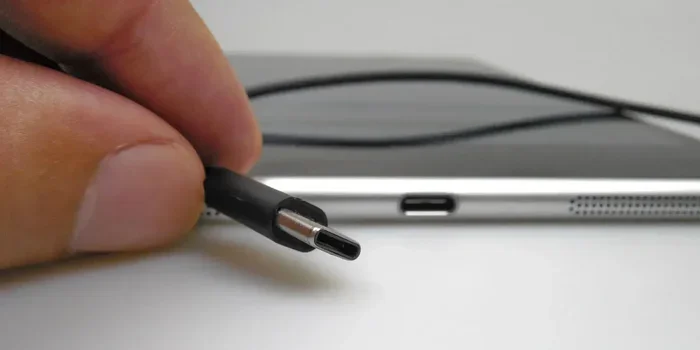
USB-C is a connector type. It is the small, oval-shaped plug you see on almost every modern device today. Unlike the old USB-A ports that were rectangular, USB-C is reversible. You can flip it either way and it will plug in. This alone made it a huge upgrade for everyday users.
But USB-C is more than just a shape. It is a standard that supports multiple protocols. A single USB-C port can handle charging, data transfer, and video output all at the same time. This versatility is why USB-C has become so popular. However, not every USB-C port supports every feature. That is where the confusion starts.
The USB-C Connector vs. USB-C Protocol
Here is the key distinction. The USB-C connector is the physical shape of the plug and port. The USB-C protocol is what the port actually supports. Think of it like a wall outlet. The shape of the outlet is standard, but the voltage and amperage it delivers can vary. The same goes for USB-C. Two devices might both have a USB-C port, but one might support fast charging while the other does not.
This is why the question do all USB C allow charging has such a complicated answer. The connector is universal, but the capabilities behind it are not.
Do All USB-C Ports Support Charging?
The answer is no. Many USB-C ports on devices are designed for data transfer or display output only. They do not have the circuitry needed to deliver power. Here are the most common types of USB-C ports you will encounter:
- Charging and Data Ports: These ports support both power delivery and data transfer. Most laptops and modern phones use these.
- Data-Only Ports: These ports handle file transfers but cannot charge your device. Some docking stations include these.
- Display-Only Ports: These ports send video signals only. They are common on monitors with USB-C connections.
- Charging-Only Ports: These ports deliver power but do not support data transfer. Some dedicated chargers use these.
Before you assume any USB-C port will charge your device, check the device specifications. Look for terms like “USB-C charging supported” or check the power output rating of the port.
How to Tell if a USB-C Port Supports Charging
It is not always obvious which USB-C port does what. Here are a few practical tips:
- Check the device manual: The manufacturer will list which ports support charging.
- Look for a lightning bolt icon: Some devices mark their charging ports with a battery or lightning bolt symbol.
- Check the wattage rating: A port rated for 60W or 100W USB PD is designed for charging.
- Try a known working charger: If your device charges with one USB-C cable but not another, the port may be data-only.
Understanding USB Power Delivery (USB PD)
USB Power Delivery, commonly called USB PD, is the protocol that determines how much power a USB-C connection can deliver. It is the most important standard for USB-C charging. Without USB PD, a USB-C port may not charge your device at all, or it may charge it very slowly.
USB PD has evolved over the years. The latest version, USB PD 3.1, supports up to 240 watts of power. This means it can charge everything from small earbuds to large gaming laptops. Here is a quick breakdown of the different USB PD power levels:
- Basic USB PD (up to 60W): Sufficient for most smartphones and tablets.
- Extended USB PD (up to 100W): Handles most laptops and larger tablets.
- USB PD 3.1 (up to 240W): Supports high-power devices like gaming laptops and monitors.
Why USB PD Matters for Charging
USB PD is what allows your device to negotiate the right amount of power with the charger. When you plug in a USB-C cable, the device and charger communicate. They agree on the safest and fastest charging rate. This is called “handshaking.” If your charger does not support USB PD, it may deliver a default low power level, and your device will charge slowly.
This is one of the biggest reasons people ask do all USB C allow charging. The answer depends heavily on whether the charger and cable support USB PD.
USB PD vs. Proprietary Fast Charging
Many manufacturers have their own fast charging standards. Qualcomm Quick Charge, Samsung Adaptive Fast Charging, and Apple’s USB-C Power Delivery are all examples. These proprietary standards work alongside USB PD but may require specific chargers to unlock their full speed.
If you want the fastest possible charging, make sure your charger supports both USB PD and your device’s proprietary fast charging protocol. Using a generic charger might work, but it may not charge your device as quickly.
USB-C Charging Speeds: What to Expect
Charging speed depends on several factors. The charger’s wattage, the cable’s quality, and the device’s battery size all play a role. Here is what you need to know about USB-C charging speeds.
What Determines Charging Speed?
Three main factors control how fast your device charges over USB-C:
- Charger Wattage: A higher-wattage charger delivers more power. A 60W charger will charge a laptop faster than a 30W charger.
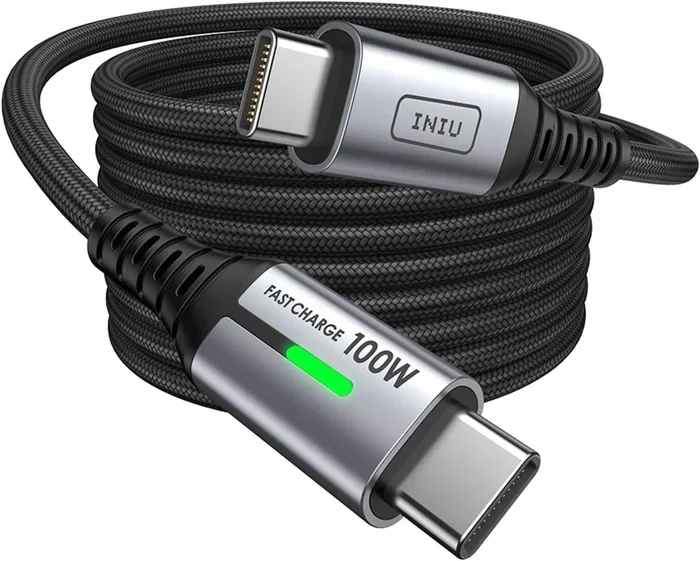
- Cable Quality: Cheap cables may not support the full wattage of the charger. A high-quality USB-C cable with proper e-marker chips ensures full power delivery.
- Device Battery Size: A phone with a small battery charges faster than a laptop with a large battery, even on the same charger.
Typical Charging Times by Device
Here is a general idea of what to expect when charging different devices with USB-C:
- Smartphones: Most phones charge from 0 to 100 percent in 1 to 2 hours with a 20W to 30W USB-C charger.
- Tablets: Charging takes 2 to 3 hours with a 45W charger, depending on battery size.
- Laptops: Most laptops take 1.5 to 3 hours to charge fully with a 65W to 100W USB-C charger.
These times vary based on usage while charging, battery health, and ambient temperature. If your device is running demanding apps while charging, it will take longer.
Why Some USB-C Cables Charge Slowly
Not all USB-C cables are equal. A cable that only supports USB 2.0 data transfer may also limit the power it can deliver. These cables typically max out at 60 watts. If you need faster charging, look for cables that support USB 3.1 or USB 3.2 and have a higher wattage rating.
A common mistake is using a short, thin cable that came free with a device. These cables often cannot handle high wattage. Investing in a quality USB-C cable from a reputable brand makes a real difference in charging speed.
Common USB-C Charging Mistakes to Avoid
Even with the right charger and cable, simple mistakes can prevent proper charging. Here are the most common ones:
Using the Wrong Cable
Not all USB-C cables support charging. Some cables are designed only for data transfer or display output. If you grab the wrong cable, your device may not charge at all. Always check the cable specifications before using it for charging.
Ignoring Dust and Debris in the Port
USB-C ports are open and exposed. Over time, lint, dust, and debris can build up inside the port. This can block the connection and prevent charging. A quick clean with a toothpick or compressed air can fix this issue.
Using a Damaged Cable or Charger
Frayed cables, bent connectors, and overheating chargers are all red flags. A damaged USB-C cable may not deliver power consistently. Worse, it could damage your device. Replace any cable or charger that shows visible wear.
Charging Through a Low-Power Hub
If you use a USB-C hub or docking station, it may not pass through enough power to charge your device while it is connected. Many hubs prioritize data and display functions over charging. Check the hub’s power delivery rating before relying on it for charging.
Assuming All USB-C Chargers Are the Same
This is the biggest mistake of all. Just because two chargers both have a USB-C port does not mean they deliver the same power. A 10W charger and a 100W charger look identical on the outside but perform very differently. Always check the wattage before buying.
How to Choose the Right USB-C Charger
Buying the right USB-C charger can feel overwhelming with so many options on the market. Here is a simple guide to help you choose.
Match the Charger to Your Device
The best charger for your device depends on what you are charging. Here are some general guidelines:
- For smartphones: A 20W to 30W USB-C charger is plenty. Look for one that supports USB PD.
- For tablets: A 45W charger will charge most tablets efficiently.
- For laptops: Use the charger that came with your laptop or one that matches its wattage requirement. A 65W to 100W USB-C charger covers most laptops.
- For multiple devices: A multi-port USB-C charger with at least 100W total output can charge several devices at once.
Look for These Features in a USB-C Charger
- USB PD support: Essential for fast and safe charging.
- Multiple ports: USB-A and USB-C ports give you flexibility for older and newer devices.
- Compact design: A small charger is easier to carry when you travel.
- Safety certifications: Look for UL, CE, or FCC certification to ensure the charger meets safety standards.
Should You Buy a GaN Charger?
Gallium Nitride, or GaN, chargers are the latest advancement in USB-C charging technology. They are smaller and cooler than traditional silicon chargers while delivering the same or more power. If you travel frequently, a GaN charger is a great investment. They fit easily in a bag and charge your devices quickly.
Quick Tips for Better USB-C Charging
Follow these simple tips to get the best performance from your USB-C charging setup:
- Use the charger that came with your device whenever possible. It is matched to your device’s battery and charging circuit.
- Invest in a quality USB-C cable with proper e-marker chips and a high wattage rating.
- Keep your USB-C port clean by gently removing dust and debris regularly.
- Avoid charging in extreme heat or cold. Battery performance drops in harsh temperatures.
- Remove thick phone cases while fast charging. Excess heat can slow down the charging process.
- Update your device firmware. Manufacturers often release updates that improve USB-C charging performance.
- Unplug your device once it reaches 100 percent. Keeping it plugged in overnight can reduce battery lifespan over time.
Frequently Asked Questions
Can I use any USB-C cable for charging?
Not all USB-C cables support charging. Some cables are data-only or display-only. Always check the cable specifications to confirm it supports power delivery before using it to charge your device.
Why does my USB-C device not charge even when plugged in?
This can happen for several reasons. The cable may not support power delivery, the port may be dust-covered, or the charger may not be compatible with your device. Try a different cable and charger first to rule out simple issues.
Is USB-C the same as Thunderbolt?
No. Thunderbolt uses the USB-C connector shape but is a different protocol. Thunderbolt 3 and Thunderbolt 4 support faster data transfer and higher power delivery than standard USB-C. All Thunderbolt cables work with USB-C devices, but not all USB-C cables work with Thunderbolt.
Can I charge my laptop with a phone charger?
It depends on the wattage. Most phone chargers deliver 18W to 30W, which is usually not enough to charge a laptop effectively. You need a charger that matches or exceeds your laptop’s power requirements for proper charging.
Do USB-C hubs support charging?
Some USB-C hubs pass through power delivery while others do not. Check the hub’s specifications for its power delivery rating. A hub without PD passthrough will not charge your device while connected.
How long does a USB-C cable last?
A good quality USB-C cable lasts about 1 to 2 years with regular daily use. Cables that are frequently bent, rolled, or pulled will wear out faster. Replace any cable that shows fraying or damage to keep your charging safe and efficient.
Conclusion
The question do all USB C allow charging has a clear answer: no, not all USB-C ports, cables, or chargers support power delivery. The USB-C connector is universal, but the technology behind it varies widely. Understanding USB Power Delivery, choosing the right cable, and avoiding common mistakes will ensure your devices charge safely and quickly every time.
Take a few minutes to check your device specifications and invest in quality charging accessories. Your devices will last longer, charge faster, and perform better. USB-C is here to stay, and knowing how it works gives you a real advantage in today’s connected world.