Do Bluetooth Transmitters Sound Bad Heres the Truth
Do Bluetooth transmitters sound bad? The short answer is no — but several factors can affect your audio quality. Bluetooth transmitter sound quality depends on the codec, your device, and how you set things up. This guide reveals the truth about Bluetooth audio so you can make an informed choice.
Do Bluetooth transmitters sound bad? It is a question that comes up all the time in forums, YouTube comments, and tech review sites. People love the convenience of wireless audio, but they worry about losing sound quality. The truth is more nuanced than you might think. Bluetooth transmitters have come a long way in recent years, and today’s models can deliver surprisingly good audio.
In this article, we will explore the real story behind Bluetooth transmitter sound quality. We will look at the technology that drives wireless audio, the common complaints people have, and what you can do to get the best possible experience. Whether you want to stream music from your TV, car stereo, or home speaker system, this guide has you covered.
The short answer is that Bluetooth transmitters do not sound bad by default. But the experience you get depends on several key factors. Let us break it all down.
## Why Do People Think Bluetooth Transmitters Sound Bad?
Many users walk into the Bluetooth experience with low expectations. They have heard stories about compressed audio, laggy connections, and tinny sound. These concerns are not completely unfounded. But they are often based on older technology or poor setup.
### The Compression Myth
One of the biggest reasons people think Bluetooth audio sounds bad is because of compression. Bluetooth uses a process called encoding to shrink audio files so they can transmit wirelessly. Early Bluetooth versions used a codec called SBC, which compressed audio aggressively. This led to a loss of detail and warmth in the sound.
However, modern Bluetooth devices use much better codecs. aptX, LDAC, and AAC are far more efficient. They preserve much more of the original audio quality. If your transmitter and receiver both support a modern codec, you will notice a big improvement.
### The Latency Problem
Another complaint is audio delay, also known as latency. When you watch a video and the sound does not match the lips, it is frustrating. This issue is real, but it is not a flaw in Bluetooth technology itself. It is a problem with how certain devices handle the transmission.
Bluetooth audio latency varies widely between devices. Some transmitters add almost no delay, while others create a noticeable lag. We will talk more about how to fix this later in the article.
### Cheap Hardware Issues
Not all Bluetooth transmitters are created equal. A $10 transmitter from a no-name brand will not perform the same way as a $50 model from a reputable manufacturer. Cheap Bluetooth transmitters often use poor components, weak antennas, and outdated chipsets. This leads to weak signals, dropouts, and subpar sound quality.
When people buy a low-quality transmitter and experience problems, they blame the technology. That is like blaming Wi-Fi because your router is outdated. The technology is fine. The hardware just needs to be up to par.
## How Bluetooth Transmitters Work
Understanding how Bluetooth transmitters work helps you appreciate why they do not sound bad. The process is actually quite elegant.
### The Basics of Wireless Audio Transmission
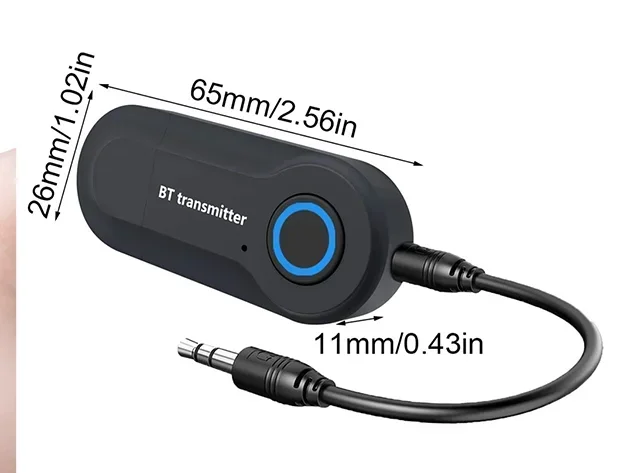
A Bluetooth transmitter takes an audio signal from a source device and sends it wirelessly to a receiver. That receiver could be headphones, speakers, or a car audio system. The transmitter encodes the audio, sends it through the air, and the receiver decodes it back into sound.
This entire process happens in milliseconds. When done correctly, you get a seamless wireless listening experience. The Bluetooth audio transmission chain involves three main parts:
- Source device: Your TV, phone, computer, or music player
- Transmitter: The device that sends the audio signal
- Receiver: Your headphones, speakers, or sound system
Each link in this chain affects the final sound quality. A great transmitter paired with cheap earbuds will still sound mediocre. But a good transmitter paired with quality headphones can deliver excellent results.
### Bluetooth Codecs Explained Simply
A codec is the technology that compresses and decompresses audio for Bluetooth transmission. Think of it like a language that your devices use to talk to each other. The better the codec, the better the sound.
Here are the most common Bluetooth codecs you will encounter:
- SBC: The default codec for most Bluetooth devices. It works but is not great for audiophiles.
- aptX: A major upgrade over SBC. It offers much better sound quality with low latency.
- aptX HD: Even better than standard aptX. It supports higher bitrates for richer sound.
- LDAC: Sony’s codec. It offers near-lossless quality over Bluetooth.
- AAC: Apple’s preferred codec. It sounds good but has higher latency on Android devices.
If you want great Bluetooth transmitter sound quality, look for a model that supports aptX or LDAC. These codecs make a real difference.
## What Affects Bluetooth Transmitter Sound Quality?
Several factors determine how your Bluetooth audio will sound. Let us go through each one so you understand what matters most.
### Codec Support
As we discussed, the codec is the single biggest factor in Bluetooth audio quality. If both your transmitter and receiver support aptX, you will get much better sound than if they both only support SBC. Check the specs of your devices before buying.
### Distance and Obstacles
Bluetooth has a limited range. Most transmitters work well within 30 feet. Walls, furniture, and other obstacles can weaken the signal. A weaker signal means more audio dropouts and potential quality loss. Keep your transmitter close to the receiver for the best experience.
### Source Audio Quality
You cannot get high-definition sound from a low-quality audio file. If you are streaming compressed MP3s, the Bluetooth transmitter is not going to magically improve them. Start with good quality audio files or streams for the best results.
### Interference
Wi-Fi routers, microwaves, and other Bluetooth devices can all interfere with your signal. This interference can cause audio glitches and dropouts. Placing your transmitter away from other electronics helps reduce this problem.
### Hardware Quality
The quality of the transmitter’s internal components matters a lot. Better DACs (digital-to-analog converters) and antennas lead to cleaner, more stable audio. This is why premium transmitters sound noticeably better than budget options.
## Common Bluetooth Transmitter Problems and How to Fix Them
Even with a good transmitter, you might run into issues. Here are the most common problems and simple solutions.
### Audio Lag or Delay
Audio lag is the number one complaint about Bluetooth audio. If you are watching a movie and the sound does not match the video, try these fixes:
- Check if your transmitter supports aptX Low Latency
- Restart both the transmitter and receiver
- Move closer to reduce signal travel time
- Update the firmware if available
- Use a wired connection for gaming or video editing
Most modern transmitters with aptX Low Latency have minimal delay. You will not notice it during normal use.
### Connection Dropouts
If your audio keeps cutting out, the issue is usually signal strength. Try these steps:
- Move the transmitter closer to the receiver
- Remove physical obstacles between the devices
- Stay away from Wi-Fi routers and microwaves
- Check for firmware updates
- Replace old batteries if your transmitter is battery-powered
### Poor Bass or Muddy Sound
Some users report that Bluetooth audio lacks bass or sounds muddy. This is often caused by using the SBC codec instead of a better one. Switching to aptX or LDAC can dramatically improve bass response and overall clarity.
### Pairing Issues
Sometimes a transmitter will not connect properly. This is usually a simple fix:
- Turn Bluetooth off and back on
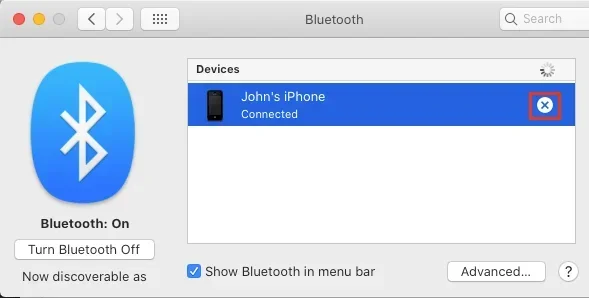
- Delete the old pairing and reconnect
- Make sure the transmitter is in pairing mode
- Check if the receiver is fully charged
## Bluetooth Transmitters vs. Wired Connections
It is fair to ask how Bluetooth compares to a wired connection. Let us look at the differences honestly.
### Sound Quality Comparison
In blind tests, most people cannot tell the difference between a high-quality Bluetooth connection and a wired one. The gap has narrowed significantly with modern codecs. However, there are still some differences:
- Wired connections: No compression, zero latency, perfect signal stability
- Bluetooth with aptX/LDAC: Minimal compression, very low latency, strong signal
- Bluetooth with SBC: Noticeable compression, higher latency, good signal
For everyday listening, a good Bluetooth transmitter sounds nearly identical to a wired setup. Audiophiles with very sensitive equipment may notice a slight difference. But for most people, the convenience of wireless far outweighs any tiny quality gap.
### When Wired Is Still Better
There are situations where a wired connection is still superior:
- Professional audio production and editing
- Competitive gaming where every millisecond counts
- Listening to very high-resolution audio files
- Long listening sessions where battery life matters
For 95% of users, a quality Bluetooth transmitter is more than enough.
## How to Choose a Good Bluetooth Transmitter
Not all transmitters are equal. Here is what to look for when shopping.
### Codec Support
Make sure the transmitter supports modern codecs like aptX or LDAC. This is the most important spec for sound quality.
### Range
Look for a transmitter with at least 30 feet of range. Bluetooth 5.0 offers even better range and stability than older versions. If you plan to move around the room, a stronger range helps.
### Build Quality
A well-built transmitter lasts longer and performs better. Look for metal housings, quality antennas, and good reviews from trusted sources.
### Latency Features
If you plan to watch videos or play games, look for a transmitter with aptX Low Latency or similar technology. This reduces audio delay significantly.
### Brand Reputation
Stick with reputable brands that have solid customer support. Avoid no-name brands that cut corners on quality.
## Expert Tips for Getting the Best Bluetooth Audio
Want to squeeze every bit of quality out of your Bluetooth setup? Here are some expert tips.
- Keep your firmware updated. Manufacturers often release updates that improve audio performance and fix bugs.
- Place your transmitter in a central location. This reduces the distance to your receiver and minimizes obstacles.
- Use high-quality audio files. FLAC or high-bitrate MP3s sound much better than compressed streams.
- Turn off other Bluetooth devices temporarily. This reduces interference and gives your connection more bandwidth.
- Invest in a good receiver too. A great transmitter paired with a cheap receiver will still sound mediocre. Both ends matter.
- Restart your devices regularly. This clears the cache and keeps the Bluetooth connection running smoothly.
## The Verdict: Do Bluetooth Transmitters Sound Bad?
So, do Bluetooth transmitters sound bad? The honest answer is no. Modern Bluetooth technology delivers excellent sound quality for the vast majority of users. The days of tinny, compressed wireless audio are largely behind us.
Bluetooth transmitter sound quality has improved dramatically. With the right codec, good hardware, and proper setup, you can enjoy rich, clear, wireless audio that rivals wired connections. The key is choosing the right equipment and understanding what affects performance.
If you have been avoiding Bluetooth audio because of bad experiences in the past, it is time to give it another try. The technology has come a long way. A quality transmitter can transform how you listen to music, watch movies, and enjoy your favorite content.
If you are thinking about adding Bluetooth to your car stereo, check out this guide on using a Bluetooth transmitter for your car. It covers the basics and helps you get started.
For those looking to add Bluetooth to a TV or home speaker system, you might also want to read about making old Bose speakers Bluetooth capable. It is a popular project that delivers great results.
Another helpful resource is our guide on making your TV Bluetooth with an adapter. It walks you through the process step by step.
And if you are curious about using Bluetooth headphones with different devices, check out listening to a Samsung TV with Bluetooth headphones for practical tips on setup and compatibility.
## Final Thoughts
Bluetooth transmitters are an amazing piece of technology. They let us enjoy wireless audio without sacrificing much quality. The key is understanding what to look for and how to set things up properly.
Do not let outdated myths steer you away from Bluetooth audio. The technology works well today, and it keeps getting better with each new version. Choose a quality transmitter, support the right codecs, and you will wonder how you ever lived with wires.
Happy listening, and enjoy the freedom of wireless audio!
Key Takeaways
- Bluetooth transmitters do not inherently sound bad: Modern codecs deliver impressive wireless audio quality.
- Codec choice matters: aptX and LDAC offer far better sound than older SBC standards.
- Audio latency is a common issue: Delay can affect your experience but is fixable in most cases.
- Your source device matters: The quality of the audio file and transmitter both impact output.
- Cheap transmitters often underperform: Investing in a good model makes a noticeable difference.
- Bluetooth 5.0 and newer offer better range and stability: This reduces dropouts that hurt sound quality.
- Proper pairing and placement help: Simple setup steps can dramatically improve your listening experience.
Frequently Asked Questions
Do Bluetooth transmitters really affect sound quality?
Yes, they can, but mostly depending on the codec and hardware quality. A good transmitter with aptX or LDAC support will deliver excellent sound. Cheap transmitters with outdated codecs may sound worse than wired connections.
Why does my Bluetooth audio sound distorted?
Distortion usually comes from interference, a weak signal, or using an outdated codec. Try moving closer to the transmitter, switching to aptX, and reducing nearby electronic interference. If the problem persists, your transmitter may be low quality.
Is Bluetooth audio as good as wired audio?
For most listeners, modern Bluetooth audio is nearly indistinguishable from wired audio. High-quality codecs like aptX and LDAC minimize the difference. Audiophiles with very sensitive equipment may still notice a slight gap.
What is the best Bluetooth codec for sound quality?
LDAC offers the highest quality, followed by aptX HD and aptX Adaptive. For everyday use, standard aptX is more than enough. SBC is the fallback codec but provides the lowest quality of the bunch.
Can a Bluetooth transmitter improve bad audio files?
No, a Bluetooth transmitter cannot improve the quality of a poor audio file. It transmits whatever signal it receives. Start with high-quality audio files for the best wireless listening experience.
How far can a Bluetooth transmitter reach?
Most Bluetooth transmitters work well within 30 feet. Bluetooth 5.0 extends this range further and offers better stability. Walls and obstacles can reduce the effective range significantly.