Does Verizon Have a WiFi 6 Router Worth Considering
Verizon offers WiFi 6 router options through its Fios service, giving home users faster speeds and better coverage. The Verizon WiFi 6 router supports the latest 802.11ax standard, which means improved performance for smart home devices and heavy internet use. Whether you rent from Verizon or buy your own unit, a WiFi 6 router can significantly boost your home network. In this guide, we break down every option, feature, and consideration to help you decide if a Verizon WiFi 6 router is right for you.
Have you been wondering whether Verizon has a WiFi 6 router available? You are not alone. With WiFi 6 becoming the new standard for home internet, many users want to know if their internet provider offers compatible equipment. Verizon, one of the largest internet service providers in the country, has made moves to include WiFi 6 technology in its lineup. But what does that mean for the average home user?
In this article, we will cover everything you need to know about the Verizon WiFi 6 router. We will look at what WiFi 6 actually is, which routers Verizon offers, how they compare to older models, and whether upgrading makes sense for your household. By the end, you will have a clear picture of your options and can make a confident decision.
The short answer is yes, Verizon does offer WiFi 6 routers. But the full story is a bit more detailed, and that is exactly what we are here to explore. Let us dive in.
Key Takeaways
- Verizon offers WiFi 6 routers: Verizon provides WiFi 6 router options through its Fios internet plans, including both rental and purchase paths.
- WiFi 6 brings real speed improvements: The 802.11ax standard delivers faster speeds, lower latency, and better performance in crowded homes.
- You can use your own router: Verizon allows you to bring your own WiFi 6 router, though you may lose some Fios-specific features.
- Setup is straightforward: Activating a Verizon WiFi 6 router takes just a few steps through the My Fios app or online portal.
- Worth considering for most users: If you have multiple smart devices or need better coverage, a Verizon WiFi 6 router is a solid upgrade.
📑 Table of Contents
- What Is WiFi 6 and Why Should You Care?
- Verizon WiFi 6 Router Options Available
- Verizon WiFi 6 Router vs Older Router Models
- How to Get a WiFi 6 Router from Verizon
- Setting Up and Optimizing Your Verizon WiFi 6 Router
- Is the Verizon WiFi 6 Router Worth Considering?
- Common Mistakes to Avoid with WiFi 6 Routers
- Expert Insights on WiFi 6 and Home Networking
- Final Thoughts
What Is WiFi 6 and Why Should You Care?
The Basics of WiFi 6 Technology
WiFi 6 is the latest generation of wireless networking technology. It is also known as 802.11ax, which is its technical name. This new standard brings faster speeds, better efficiency, and improved handling of multiple devices at once. If you have ever noticed your internet slowing down when everyone in the house is online, WiFi 6 is designed to fix that problem.
Think of WiFi 6 like a highway with more lanes. The more lanes there are, the more cars can travel at the same time without traffic jams. In the same way, WiFi 6 handles more connected devices without slowing down. This is a huge deal for modern homes filled with smart TVs, phones, tablets, and IoT gadgets.
The key benefits of WiFi 6 include faster data speeds, lower latency, and better battery life for your devices. These improvements are not just small upgrades. They represent a meaningful leap in how your home network performs every day.
WiFi 6 vs WiFi 5: What Is the Difference?
To understand why WiFi 6 matters, it helps to compare it with WiFi 5, which was the previous standard. WiFi 5, also known as 802.11ac, served users well for many years. But as the number of connected devices in homes has grown, WiFi 5 has struggled to keep up.
Here is a quick comparison of the two standards:
- WiFi 6 (802.11ax): Faster speeds, better multi-device handling, lower latency, improved power efficiency, and wider coverage.
- WiFi 5 (802.11ac): Good speeds for basic use but can struggle with many connected devices at once.
The real-world difference is most noticeable in homes with 10 or more connected devices. If that sounds like your household, a WiFi 6 upgrade can make a real impact.
Verizon WiFi 6 Router Options Available
The Verizon Fios WiFi 6 Router
Verizon offers its own WiFi 6 router through its Fios internet service. This router is designed to work seamlessly with the Verizon network and comes with features tailored for Fios users. The Verizon Fios WiFi 6 router supports the latest wireless standard and delivers speeds that take full advantage of Verizon’s fiber-optic internet plans.
One of the biggest advantages of using the Verizon-provided router is that it comes pre-configured. You do not need to worry about setting up complex settings or troubleshooting compatibility issues. Everything works out of the box, which makes it a great choice for users who want a simple, hassle-free experience.
The Verizon Fios WiFi 6 router also integrates with the My Fios app. This app lets you manage your network, check speeds, and even restart your router from your phone. It is a convenient all-in-one solution for managing your home internet.
Third-Party WiFi 6 Routers Compatible with Verizon
Verizon does not force you to use only their router. You can bring your own WiFi 6 router and connect it to your Verizon internet service. This is a popular option for users who want more control over their network or who prefer a specific brand or model.
Many users also choose to set up a mesh network for better whole-home coverage. If you are considering this route, you might wonder whether you can connect a mesh router to your existing Verizon equipment. The answer is yes, and you can learn more about connecting mesh routers to existing setups in our guide on Can I Connect A Mesh Router To An Existing Router.
When choosing a third-party WiFi 6 router, look for models that support Verizon’s internet connection type, whether that is fiber, DSL, or cable. Popular brands like ASUS, Netgear, and TP-Link all offer excellent WiFi 6 options that work well with Verizon service.
Verizon WiFi 6 Router vs Older Router Models
Speed and Performance Comparison
The speed difference between a WiFi 6 router and an older WiFi 5 router is significant. WiFi 6 routers can deliver theoretical speeds of up to 9.6 Gbps, compared to WiFi 5’s maximum of 3.5 Gbps. In real-world use, you will not hit those top speeds, but the improvement is still very noticeable.
For most Verizon Fios plans, a WiFi 6 router ensures you are getting the most out of your internet subscription. If you are paying for gigabit internet but using an older router, you may be leaving speed on the table.
Coverage and Range Improvements
WiFi 6 also brings improvements in coverage and range. The technology uses advanced antenna designs and signal processing to reach farther and penetrate walls better. This means fewer dead zones in your home and a more reliable connection in every room.
If you have a larger home or one with thick walls, the coverage boost from WiFi 6 can be a game-changer. You may even find that you no longer need extra repeaters or extenders to get a strong signal everywhere.
How to Get a WiFi 6 Router from Verizon
Renting vs Buying Options
Verizon offers two main paths for getting a WiFi 6 router: renting or buying. When you rent from Verizon, you pay a small monthly fee, usually around $10 to $15 per month. This fee includes router replacement if something breaks and access to Verizon support for troubleshooting.
Buying your own router is a one-time cost that can save you money over time. If you plan to stay with Verizon for several years, the savings from not paying a monthly rental fee can add up quickly. However, you lose the convenience of Verizon handling repairs and replacements.
Can You Use Your Own WiFi 6 Router with Verizon?
Yes, you absolutely can use your own WiFi 6 router with Verizon internet. Verizon supports third-party routers, and the setup process is straightforward. You simply connect your router to the Verizon ONT (Optical Network Terminal) or modem, log into the router settings, and configure your connection.
Before purchasing a third-party router, make sure it is compatible with Verizon’s connection type. Fiber connections require specific settings, and not all routers support every type of internet connection. You can also check our article on Can I Buy A Modem And Have Internet for more tips on using your own equipment with your ISP.
Setting Up and Optimizing Your Verizon WiFi 6 Router
Initial Setup Steps
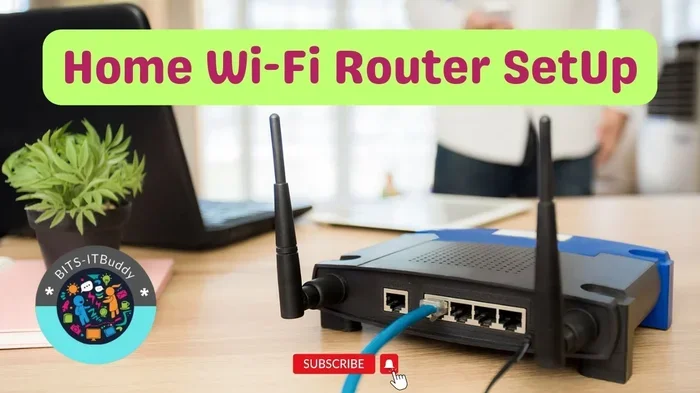
Setting up a Verizon WiFi 6 router is a straightforward process. If you are using the Verizon-provided unit, here is what to expect:
- Connect the router to your Verizon ONT using the included Ethernet cable.
- Plug in the power adapter and wait for the router to boot up.
- Download the My Fios app or visit the Verizon online portal.
- Follow the on-screen prompts to activate and configure your router.
- Connect your devices to the new WiFi network using the default credentials printed on the router.
If you are using a third-party router, the process is similar but you will need to log into the router’s admin panel to enter your Verizon connection details. Refer to your router’s manual for specific instructions.
Tips to Maximize WiFi 6 Performance
Once your Verizon WiFi 6 router is set up, you can take a few steps to get the best performance possible:
- Place your router in a central location: This helps distribute the signal evenly throughout your home.
- Update your router firmware: Regular updates improve performance and security. Check the My Fios app or router admin panel for updates.
- Use the 5 GHz band for high-speed devices: The 5 GHz band offers faster speeds, while the 2.4 GHz band provides better range.
- Change your WiFi network name and password: If you want to personalize your network, you can modify the SSID and password. Our guide on Can I Change The Ssid On My Router walks you through the process.
- Enable QoS (Quality of Service): This feature prioritizes traffic for important activities like video calls and gaming.
Is the Verizon WiFi 6 Router Worth Considering?
The short answer is yes, for most users. A Verizon WiFi 6 router delivers real, noticeable improvements in speed, coverage, and device handling. Whether you rent from Verizon or bring your own unit, upgrading to WiFi 6 is one of the best things you can do for your home network.
If you currently have an older router and a Verizon Fios internet plan, the upgrade is especially worthwhile. You will unlock the full speed potential of your internet plan and enjoy a more reliable connection across all your devices.
However, if your current router is relatively new and your household has few connected devices, the benefits may be less dramatic. WiFi 6 truly shines in environments with many devices and high bandwidth demands.
For users who want even more control over their network, setting up a mesh system with a WiFi 6 router can provide whole-home coverage that beats any single router. You can learn more about whether Google WiFi can serve as an access point in our article Can Google Wifi Be An Access Point.
Common Mistakes to Avoid with WiFi 6 Routers
Even with a great router, some common mistakes can hold your network back. Here are a few pitfalls to watch out for:
- Placing the router in a closet or behind furniture: Walls and obstacles block WiFi signals. Keep your router in an open, elevated space for the best coverage.
- Not updating firmware: Outdated firmware can cause performance issues and security vulnerabilities. Make it a habit to check for updates regularly.
- Expecting WiFi 6 to fix poor internet speeds: A WiFi 6 router improves your local network, but it cannot increase your internet plan speed. If your plan is slow, no router will fix that.
- Ignoring the 2.4 GHz band: While 5 GHz is faster, the 2.4 GHz band is better for devices that are far from the router or need to penetrate walls.
Avoiding these simple mistakes ensures you get the most out of your Verizon WiFi 6 router from day one.
Expert Insights on WiFi 6 and Home Networking
Networking experts agree that WiFi 6 is the current sweet spot for home internet equipment. The technology strikes a perfect balance between performance, compatibility, and price. As more devices support WiFi 6, the benefits will only continue to grow.
Experts also recommend checking your internet speed regularly after upgrading. If you are not seeing the speeds you expect, it may be worth contacting Verizon support or checking your plan details. Sometimes the bottleneck is not the router but the internet plan itself.
For users who are still deciding between renting and buying, the general recommendation is to buy if you plan to stay with your ISP for at least two years. The one-time cost of a quality WiFi 6 router typically pays for itself within that timeframe.
Final Thoughts
So, does Verizon have a WiFi 6 router? Absolutely. Verizon offers WiFi 6 routers through its Fios service, and you also have the option to bring your own compatible unit. Whether you choose to rent from Verizon or invest in your own equipment, upgrading to WiFi 6 is a smart move for most households.
The improved speeds, better coverage, and enhanced multi-device performance make a Verizon WiFi 6 router a worthwhile consideration. Take the time to evaluate your household needs, compare your options, and make the choice that fits your budget and lifestyle best.
Your home network is the backbone of your connected life. Making sure it is equipped with the latest technology is one of the best investments you can make for your digital experience.
Frequently Asked Questions
Does Verizon charge extra for a WiFi 6 router?
Verizon may charge a monthly rental fee if you choose to use their provided WiFi 6 router. The fee typically ranges from $10 to $15 per month. However, you can avoid this fee by purchasing your own compatible WiFi 6 router and connecting it to your Verizon internet service.
Can I use any WiFi 6 router with Verizon internet?
Most WiFi 6 routers work with Verizon internet, but compatibility depends on your connection type. Fiber, DSL, and cable connections each have specific requirements. Always check that the router you choose supports your Verizon connection type before purchasing.
How do I know if my Verizon router is WiFi 6?
You can check your router model number on the sticker on the back of the unit. Then visit the manufacturer’s website or Verizon’s support page to confirm whether that model supports WiFi 6. The My Fios app may also display your router’s specifications.
Is WiFi 6 backward compatible with older devices?
Yes, WiFi 6 is fully backward compatible with older devices that use WiFi 5, WiFi 4, and earlier standards. Your older devices will still connect, but they will not benefit from the new WiFi 6 speed and efficiency improvements.
What internet speed do I need to benefit from WiFi 6?
To fully experience WiFi 6 speeds, you should have a Verizon internet plan of at least 200 Mbps. Higher-tier plans like gigabit plans benefit the most from WiFi 6 technology, especially when multiple devices are connected simultaneously.
Can I set up a mesh network with a Verizon WiFi 6 router?
Yes, you can set up a mesh network using a Verizon WiFi 6 router or by connecting a third-party mesh system to your Verizon equipment. Mesh networks are excellent for larger homes that need consistent coverage in every room.