How Can I Get Unlimited Wi Fi Anywhere With These Tips
Getting unlimited Wi-Fi anywhere is easier than you think. You can use mobile hotspots, free public networks, and signal boosters to stay connected wherever you go. This guide covers the best methods, tools, and tips for unlimited Wi-Fi access on the move.
Staying connected is no longer a luxury. It is a necessity. Whether you are traveling for work, road tripping with the family, or just trying to get things done from your favorite coffee shop, having unlimited Wi-Fi anywhere makes life so much easier.
But let us be honest. Most of us deal with spotty connections, data caps, and dead zones every single day. The good news is that you do not have to live with slow or limited internet anymore. There are real, practical ways to get unlimited Wi-Fi no matter where you are.
In this guide, we will walk you through everything you need to know. From mobile hotspot plans to free public networks, signal boosters to clever workarounds, you will find actionable tips that actually work. Let us dive in and help you stay online everywhere you go.
Key Takeaways
- Mobile Hotspot Plans: Switch to an unlimited data plan or use a dedicated portable hotspot device to get Wi-Fi anywhere.
- Free Public Networks: Libraries, cafes, and fast food chains offer free Wi-Fi that can help you stay connected without using your data.
- Signal Boosters and Extenders: These devices can dramatically improve your Wi-Fi range and signal strength in weak coverage areas.
- Wi-Fi Hotspot Apps: Apps like Wi-Fi Finder help you locate free networks in your area quickly and easily.
- Carrier Partnerships: Some providers offer Wi-Fi access through partner networks, giving you more coverage without extra fees.
📑 Table of Contents
- Why You Need Unlimited Wi-Fi Anywhere
- Method 1: Use a Mobile Hotspot with Unlimited Data
- Method 2: Find and Use Free Wi-Fi Networks
- Method 3: Boost Your Wi-Fi Signal for Better Range
- Method 4: Use Wi-Fi Through Your Car or Vehicle
- Method 5: Switch Wi-Fi Bands and Optimize Your Connection
- Method 6: Get Unlimited Internet Through Alternative Providers
- Common Mistakes People Make When Trying to Get Wi-Fi Anywhere
- Expert Tips for Staying Connected No Matter Where You Go
- Conclusion
Why You Need Unlimited Wi-Fi Anywhere
Think about how much you rely on your phone or laptop each day. You check email, stream music, video call loved ones, and browse the web. Now imagine doing all of that without a reliable connection. Frustrating, right?
Having unlimited wireless internet access gives you freedom. You can work from a park, update social media at the beach, or navigate a new city without worrying about running out of data. It is about peace of mind and staying productive no matter where life takes you.
Here are some real situations where unlimited Wi-Fi makes a huge difference:
- Remote Work: Many people now work from locations outside their home office. A strong, unlimited connection keeps you productive.
- Travel: Whether flying or driving, staying connected helps you navigate, communicate, and entertain yourself.
- Emergency Situations: During storms or power outages, having a backup internet source can be a lifesaver.
- Daily Commutes: Long drives or train rides become productive time when you have a reliable connection.
Method 1: Use a Mobile Hotspot with Unlimited Data
The most straightforward way to get Wi-Fi anywhere is through a mobile hotspot. This turns your phone or a dedicated device into a portable router. You share your cellular data connection with other devices like laptops, tablets, and even gaming consoles.
How Mobile Hotspots Work
When you enable the hotspot feature on your phone, it creates a small Wi-Fi network that nearby devices can connect to. Think of it as a mini router in your pocket. Your phone uses its cellular signal to provide internet access to anything within range.
Most modern smartphones have this feature built in. You simply go to your settings, turn on the personal hotspot, set a password, and you are good to go. But the real key is having an unlimited data plan that supports this kind of usage.
Top Unlimited Hotspot Plans to Consider
Not all data plans are created equal. Some carriers throttle your speed after a certain amount of use, while others truly offer unlimited connectivity. Here are some options to explore:
- Verizon Unlimited Plans: Verizon offers several tiers of unlimited plans with generous hotspot data allowances. Their 5G coverage is excellent in most areas.
- T-Mobile Magenta Max: This plan includes unlimited hotspot data at 5G speeds, making it a great choice for heavy users.
- AT&T Unlimited Elite: AT&T provides a solid hotspot option with premium data speeds and broad coverage.
- Dedicated Hotspot Devices: Devices like the Nighthawk or Netgear hotspots let you use a separate SIM card for your internet needs. This keeps your phone free for calls and texts.
If you want to learn more about getting a hotspot without traditional phone service, check out Can I Get Hotspot Without Phone Service for helpful insights.
Quick Tips for Using Your Phone as a Hotspot
- Always set a strong password to prevent unauthorized users from connecting.
- Turn off the hotspot when you are not using it to save battery.
- Keep your phone plugged in while using it as a hotspot, since it drains battery quickly.
- Use the 2.4 GHz band for better range and the 5 GHz band for faster speeds when close.
Method 2: Find and Use Free Wi-Fi Networks
One of the easiest ways to get Wi-Fi anywhere is to tap into free networks that already exist. You would be surprised how many free options are available if you know where to look.
Where to Find Free Wi-Fi
Free wireless internet is more common than most people realize. Here are some places where you can often connect without paying a dime:
- Coffee Shops and Cafes: Chains like Starbucks and Dunkin offer free Wi-Fi to customers. Even if you do not buy anything, many locations leave their networks open.
- Libraries: Public libraries almost always provide free internet access to visitors. It is a quiet, reliable place to get work done.
- Fast Food Restaurants: McDonald’s, Burger King, and other fast food spots offer free Wi-Fi to attract customers.
- Shopping Malls: Many malls have free networks in common areas and food courts.
- Hotels and Airports: Even if you are not a guest, many hotels and airports offer free Wi-Fi in lobbies and waiting areas.
How to Connect Safely to Public Wi-Fi
Free networks are convenient, but they come with risks. Open networks are not always secure, which means your data could be vulnerable. Here is how to stay safe:
- Use a VPN: A virtual private network encrypts your connection and keeps your data private.
- Avoid Banking on Public Networks: Do not access sensitive accounts like banking or credit cards on open Wi-Fi.
- Turn Off Auto-Connect: Set your devices to ask before joining a new network so you do not accidentally connect to a fake one.
- Forget Networks After Use: This prevents your device from automatically connecting to the same network in the future.
Wi-Fi Hotspot Finder Apps
Finding free networks has never been easier thanks to dedicated apps. These tools scan your area and show you every available Wi-Fi network, including free ones. Some popular options include Wi-Fi Map, Free Wi-Fi Finder, and Instabridge. These apps are especially helpful when you are traveling or in an unfamiliar area.
If you want to learn how to connect to Wi-Fi networks outside your home area, read Can I Connect To Xfinity Wi Fi Away From Home for more details on accessing partner networks.
Method 3: Boost Your Wi-Fi Signal for Better Range
Sometimes the problem is not about finding a network. It is about getting a stronger signal from the networks you already have. A weak signal can make even the best unlimited internet access plans feel useless.
Wi-Fi Signal Boosters and Extenders
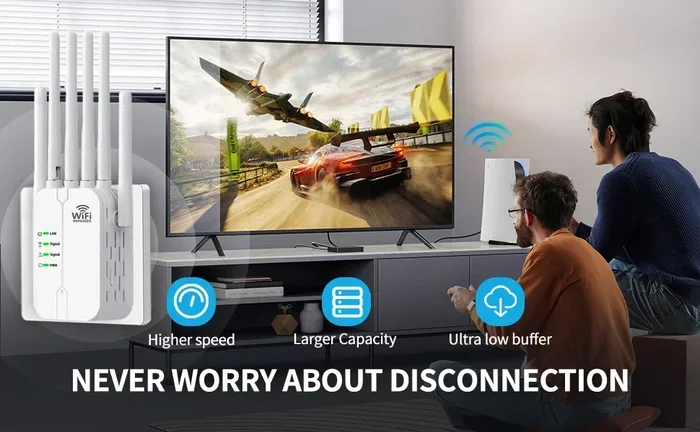
A Wi-Fi booster or range extender takes your existing signal and amplifies it. This can push your connection much farther than it would normally reach. These devices are affordable and easy to set up.
There are two main types of boosters:
- Wi-Fi Extenders: These plug into a wall outlet and rebroadcast your existing signal. They are great for covering dead zones in your home or office.
- Mesh Wi-Fi Systems: These use multiple nodes placed around your space to create a seamless, strong network. They are more expensive but offer much better performance.
If you want to learn more about extending your Wi-Fi range, check out Can I Extend My Wi Fi To 200 Feet Away for practical tips on maximizing your range.
Portable Wi-Fi Boosters for Travel
When you are on the go, a portable signal booster can be a game changer. These small devices amplify weak cellular signals and turn them into stronger Wi-Fi connections. They are especially useful in rural areas, hotels, and vehicles where signals tend to be weak.
Some popular portable options include:
- WeBoost Drive Reach: A car-mounted booster that improves cellular signal for hotspot use on the road.
- ALFA Network Camp Pro: A portable booster designed for RV and camping trips.
- HiBoost Home 1K: An affordable home booster that works well for apartments and small homes.
Method 4: Use Wi-Fi Through Your Car or Vehicle
Did you know you can get Wi-Fi in your car? Many modern vehicles come with built-in Wi-Fi features. Even older cars can be upgraded with aftermarket devices that turn your vehicle into a mobile hotspot.
Built-In Vehicle Wi-Fi
Manufacturers like GM, Ford, and Tesla offer built-in Wi-Fi through their connected car platforms. These systems use a built-in cellular modem to create a Wi-Fi network inside your vehicle. Some come with free data for a limited time, while others require a monthly subscription.
OnStar from Chevrolet is one example. If you have an OnStar-equipped vehicle, you can use it to create a Wi-Fi hotspot. You can learn more about getting Wi-Fi through OnStar in our article Can I Get Wifi Through Onstar.
Aftermarket Vehicle Wi-Fi Devices
If your car does not have built-in Wi-Fi, you can still add it. Here are some options:
- Verizon Vehicle Wi-Fi: Verizon offers a plug-and-play device that turns any car into a Wi-Fi hotspot.
- Netgear Nighthawk M1: This portable hotspot device works in vehicles and provides strong 4G LTE or 5G speeds.
- Phone Hotspot in Car: The simplest option is just using your phone as a hotspot while driving. Pair it with a car charger to keep your phone powered.
Having Wi-Fi in your car is incredibly useful for long road trips, keeping kids entertained, or staying productive during commutes. Just remember to set up your hotspot safely and keep your data usage in check.
Method 5: Switch Wi-Fi Bands and Optimize Your Connection
Sometimes getting better Wi-Fi anywhere comes down to the small technical details. Your router and device support different frequency bands, and choosing the right one can make a big difference.
2.4 GHz vs 5 GHz Bands
Most modern routers broadcast on two frequency bands: 2.4 GHz and 5 GHz. Each has its own strengths:
| Feature | 2.4 GHz | 5 GHz |
|---|---|---|
| Range | Farther reach | Shorter range |
| Speed | Slower speeds | Faster speeds |
| Wall Penetration | Better through walls | Weaker through walls |
| Best For | Long range, basic tasks | Streaming, gaming, close range |
If you are trying to connect from far away, the 2.4 GHz band is your best friend. It travels farther and penetrates walls better. But if you need fast speeds for streaming or video calls, switch to 5 GHz when you are close to the router.
Want to learn how to switch between these bands? Check out Can I Change My Wi Fi From 5Ghz To 2 4 Ghz for a step-by-step guide.
Tips to Optimize Any Wi-Fi Connection
- Restart Your Router Regularly: A simple reboot can fix slow speeds and connection drops.
- Update Firmware: Keep your router’s software up to date for the best performance.
- Change Wi-Fi Channels: If your neighborhood has many networks, switching to a less crowded channel can improve your signal.
- Place Your Router Centrally: The location of your router affects coverage. Keep it in a central, open area.
- Limit Connected Devices: Too many devices on one network slows things down. Disconnect devices you are not using.
Method 6: Get Unlimited Internet Through Alternative Providers
Traditional cable and fiber internet are not the only options anymore. Several alternative providers offer unlimited wireless internet that works almost anywhere. These are especially useful if you live in a rural area or travel frequently.
Satellite Internet Providers
Satellite internet beams a connection directly from space to a dish on your property. This means you can get internet in virtually any location, even remote areas without cell towers or cable lines.
Starlink by SpaceX is currently the most popular satellite internet provider. It offers fast speeds and unlimited data plans. Other options include HughesNet and Viasat, though these often come with data caps.
Fixed Wireless Internet
Fixed wireless internet uses cell towers to deliver broadband to a receiver at your home or business. It is similar to satellite but uses ground-based towers, which often results in faster speeds and lower latency.
Providers like T-Mobile Home Internet and Verizon 5G Home Internet offer unlimited plans that work well for streaming, gaming, and general use. These are excellent alternatives if traditional broadband is not available in your area.
Community Wi-Fi Networks
Some cities and towns have built free community Wi-Fi networks. These cover parks, downtown areas, and public spaces. Check with your local government or visit your city website to see if free municipal Wi-Fi is available near you.
Common Mistakes People Make When Trying to Get Wi-Fi Anywhere
Even with the best intentions, many people make mistakes that limit their Wi-Fi access. Here are some common pitfalls to avoid:
- Ignoring Data Limits: Even “unlimited” plans often slow down after a certain amount of use. Check your plan details carefully.
- Using Free Networks Without Protection: Connecting to open Wi-Fi without a VPN exposes your personal data to potential hackers.
- Not Updating Device Settings: Old network settings can prevent your devices from connecting properly. Always keep your devices updated.
- Overlooking Signal Strength: A network might be available but too weak to use. A signal booster can solve this problem.
- Relying on Only One Method: The smartest approach is to have backup options. Use a hotspot, know where free networks are, and carry a portable booster.
Expert Tips for Staying Connected No Matter Where You Go
After helping countless readers solve their connectivity challenges, here are some expert-backed tips that truly make a difference:
- Invest in a Dedicated Hotspot Device: It is more reliable than using your phone and keeps your phone battery free.
- Carry a Portable Power Bank: A dead phone means no hotspot. Keep a power bank charged and ready.
- Download Offline Content: Maps, podcasts, and movies downloaded ahead of time save data and keep you entertained without any connection.
- Monitor Your Usage: Most carriers offer apps that let you track your data usage in real time. Set alerts to avoid surprises.
- Join Wi-Fi Loyalty Programs: Some carriers and businesses offer free Wi-Fi access as part of loyalty programs or promotions.
Conclusion
Getting unlimited Wi-Fi anywhere is not just a dream. It is a practical goal that you can achieve with the right tools and strategies. Whether you choose a mobile hotspot plan, tap into free public networks, invest in a signal booster, or explore alternative providers, there is a solution that fits your needs and budget.
The key is to have a plan. Do not wait until you are stuck without internet to figure out your options. Try a few of the methods in this guide, find what works best for your lifestyle, and enjoy the freedom of staying connected wherever you go.
Remember, the internet is a tool that should empower you, not limit you. With these tips, you are now equipped to get Wi-Fi anywhere and make the most of every connection. Stay online, stay productive, and never miss a moment.
Frequently Asked Questions
Can I get unlimited Wi-Fi anywhere without paying for a plan?
Yes and no. You can access free Wi-Fi in many public places like cafes, libraries, and malls. However, for truly unlimited and reliable access everywhere, you will likely need a paid mobile hotspot plan or a dedicated device with a data plan.
What is the best device for getting Wi-Fi anywhere?
A dedicated mobile hotspot device like the Nighthawk or Netgear is the best option for consistent access. They are designed specifically for this purpose and work with any major carrier’s SIM card.
Does using a phone as a hotspot drain the battery quickly?
Yes, using your phone as a hotspot drains the battery significantly. It is best to keep your phone plugged into a charger while using it as a hotspot, especially for extended periods.
Can I get Wi-Fi in my car without built-in features?
Absolutely. You can use your phone as a hotspot, purchase a dedicated vehicle Wi-Fi device like the Verizon Vehicle Wi-Fi unit, or use a portable hotspot device that connects to cellular networks.
Is free public Wi-Fi safe to use?
Free public Wi-Fi can be risky because open networks are not encrypted. Always use a VPN when connecting to public networks, avoid accessing sensitive accounts, and forget the network after use.
How can I improve my Wi-Fi signal in weak coverage areas?
You can use a Wi-Fi signal booster or range extender, switch to the 2.4 GHz band for better range, move closer to the router, or use a mesh Wi-Fi system for more comprehensive coverage.